

It's past midnight, and his "I'll be home in 20 minutes" text was sent two hours ago. You don't want to be that girlfriend who calls five times in a row—but you also just want to know he's okay. If that sounds familiar, you're definitely not alone in asking, "how can I locate my boyfriend's phone?"
The good news? You don't need to download anything sketchy or spend a dime. With the right tools and an honest chat with your partner, sharing locations can actually bring you closer instead of feeling like surveillance. Here are the methods that actually work in 2026.
- Table Of Contents
- Best Free Ways to Track a Boyfriend's Location
- Built-in Tools: The Easiest Ways to Track for Free
- Using Social Media and Navigation Apps
- Advanced Safety with VigilKids

- Third-Party Family Locator Apps
- Common Troubleshooting Tips
- FAQs about Track a Boyfriend's Location
- Conclusion
Best Free Ways to Track a Boyfriend's Location
| Method | Free | Real-Time Tracking | Location History | Easy Setup |
|---|---|---|---|---|
| Built-in Tools | Yes | Yes | Limited | Yes (Built-in) |
| Social Media Sharing | Yes | Yes (Temporary) | No | Yes |
| VigilKids | Free Demo | Yes (High Precision) | Yes (Comprehensive) | Yes (3-Step Scan) |
1. Built-in Tools: The Easiest Ways to Track for Free
The most reliable way to track a phone without spending a dime is by using the features already built into the device's operating system. Both Apple and Google offer robust "Find My" services that are completely free.
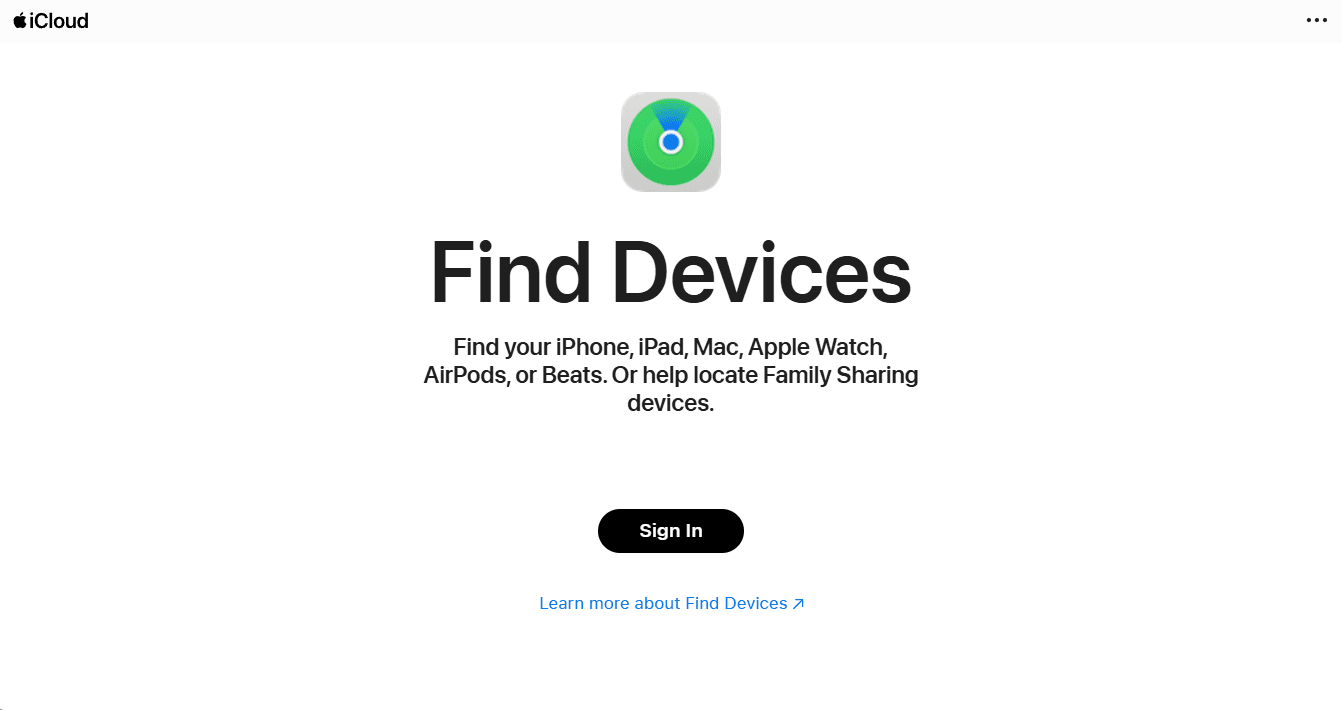
Find My (iOS)
If your boyfriend uses an iPhone, the Find My app is the gold standard for location sharing among Apple users.
- How it works: He can choose to "Share My Location" with you indefinitely or for a specific duration.
- Why it's great: It provides real-time updates and integrated directions via Apple Maps.
- Bonus: It's highly accurate and consumes minimal battery throughout the day.
Find My Device (Android)
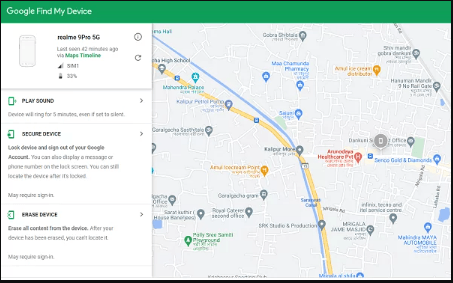
For Android users, Google's Find My Device is the equivalent solution that comes pre-installed on most modern Android phones.
- How it works: While primarily designed for lost phones, if you have his Google account credentials (with his permission), you can see the device's location on a map via any web browser.
- Note: Google also offers Location Sharing directly within Google Maps, which is often more convenient for couples than sharing account passwords.
Both Find My (iOS) and Find My Device (Android) require the target device to be turned on.
Location Services must be enabled in the device settings.
The device needs an active internet connection (Wi-Fi or cellular data).
PART 2. Using Social Media and Navigation Apps
Believe it or not, apps you already use every day have built-in tracking capabilities. If you're wondering, "how can I locate my boyfriend's phone" without installing new software, look no further than these everyday tools.
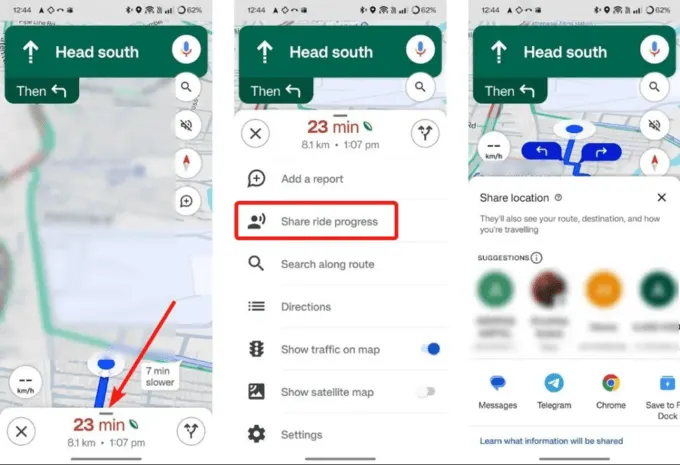
1. Google Maps Location Sharing
This is perhaps the most cross-platform friendly method available today. It works seamlessly between iPhone and Android users, making it ideal for couples who use different devices.
- Step 1. Your boyfriend opens Google Maps on his phone and taps his profile icon in the top right corner.
- Step 2. He selects "Location Sharing" from the menu options and taps "Share location".
- Step 3. He chooses you from his contacts and sets the timer to "Until you turn this off".
- Step 4. You'll be able to see his real-time icon moving on your map instantly.
2. WhatsApp Live Location
If you just need to know where he is for a few hours, perhaps while he's traveling home late at night, WhatsApp's Live Location feature is perfect for short-term needs.
- Share live location directly in your private chat conversation.
- Choose from durations of 15 minutes, 1 hour, or 8 hours.
- End-to-end encrypted for complete privacy between you two.
- 1. No need to install any additional apps.
- 2. End-to-end encrypted for maximum privacy.
- 3. Easy to start and stop sharing whenever needed.
- 1. Only supports temporary sharing up to 8 hours.
- 2. No location history is stored for review.
- 3. Requires both users to have WhatsApp installed.
Part 3. Advanced Safety with VigilKids
While the methods above are great for basic location sharing, some situations require more comprehensive insights, especially when family safety or long-term security is the priority. This is where VigilKids comes into play.
VigilKids is a versatile monitoring and safety application designed to bridge the gap between simple GPS tracking and full digital awareness. While it is widely recognized as a premier parental control tool, its features are highly effective for anyone needing a deeper level of security.
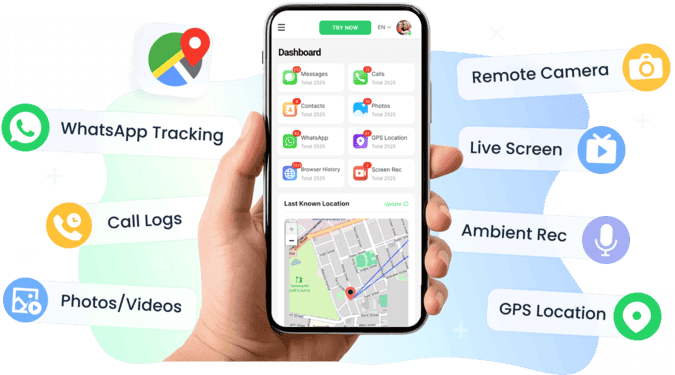
Why Choose VigilKids?
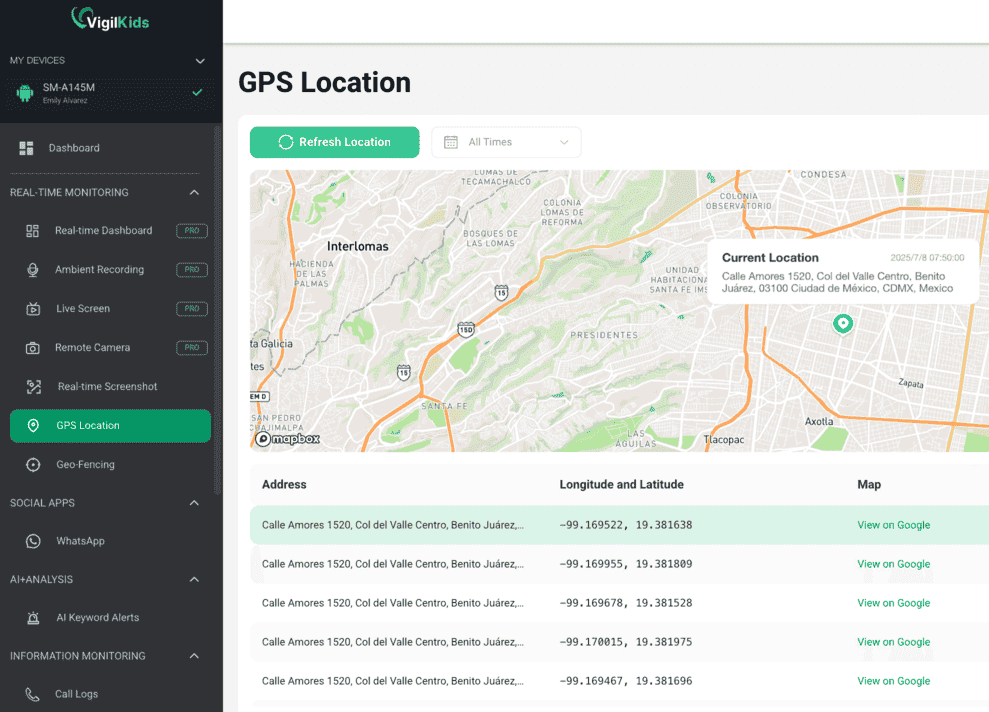
- Real-Time GPS Tracking: Get precise, live updates on location with a detailed history of where the device has been.
- Geofencing Alerts: You can set "Safe Zones" (like home or work). If the device enters or leaves these areas, you get an instant notification.
- Digital Environment Awareness: Beyond just a map, VigilKids allows for insights into device activity, ensuring that the person you care about is safe from digital threats or suspicious interactions.
- Stealth and Reliability: It runs smoothly in the background, providing consistent data without the glitches often found in free, ad-supported apps.
If you are looking for a professional-grade solution that offers more than just a dot on a map, VigilKids provides the comprehensive data needed for true peace of mind.
How to Set Up VigilKids in 3 Steps
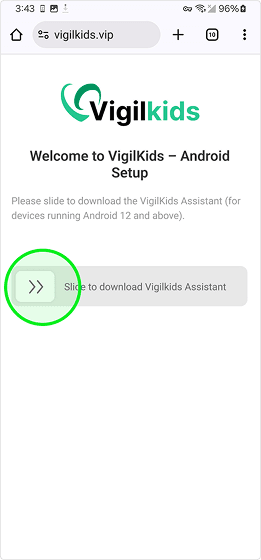
- Step 1. Download the app and create an account: Install VigilKids on your device, sign up for an account, and choose a suitable plan.
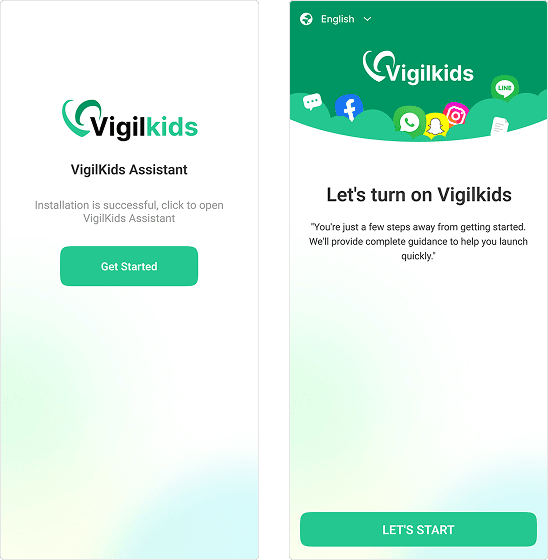
- Step 2. Connect the target device: With permission, open the target phone and link the devices to securely connect both devices.
- Step 3. Start viewing real-time location data: Once connected, you can track real-time GPS locations, view location history, and manage monitoring features directly from your VigilKids dashboard.
PART 4. Third-Party Family Locator Apps
If you want a dedicated app for your inner circle, several "freemium" apps are popular choices for couples and families who want continuous location awareness.
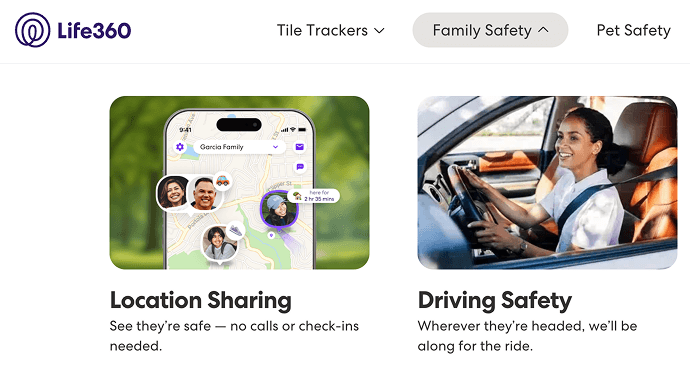
Life360
This app creates "Circles" that group together family members and close friends. It's great for seeing a history of top locations and receiving notifications when someone arrives at a specific destination like home, work, or school.
iSharing
A simple, user-friendly app that offers real-time alerts and a "panic" button feature for emergencies. It's designed with safety in mind and works well across both iOS and Android platforms.
User Feedback
"I've tried several location sharing apps with my boyfriend, but VigilKids gave us the most reliable real-time tracking. The geofencing feature was a game changer when he had a late-night work shift. I knew exactly when he left the office and was on his way home, which gave me real peace of mind."
—— Jessica M., used it with her partner for safety
PART 5. Common Troubleshooting Tips
Sometimes, even with the best apps, the location might not update correctly. If you're having trouble locating the phone, check the following common issues before assuming the app is broken.
- 1. GPS/Location Services: Ensure "High Accuracy" mode is enabled in the phone settings.
- 2. Internet Connection: Tracking requires an active data or Wi-Fi connection to send location updates.
- 3. Battery Optimization: Some phones "kill" background apps to save battery. Ensure your tracking app (like VigilKids or Google Maps) is set to "Don't Optimize" or "Allow Background Activity".
- 4. App Permissions: Double-check that location permissions are set to "Always Allow" rather than "Only While Using".
 Note
Note
Always have an open and honest conversation with your partner before installing any tracking app. Location sharing should be a mutual agreement based on trust and transparency, not surveillance. The methods discussed in this guide assume full consent from both parties.
FAQ
Q1: What is the best free location tracker?
Google Maps and Apple Find My are among the best free location trackers for basic real-time GPS sharing. If you need more advanced features like location history, geofencing alerts, and activity monitoring, VigilKids offers a more comprehensive tracking solution for families and relationship safety monitoring.
Q2: How to locate somebody else's phone?
You can only locate someone else's phone legally with their permission. The most common methods are Google Maps location sharing, Apple Find My (with shared access), or apps like Life360. For more advanced tracking with consent, tools like VigilKids also provide GPS monitoring and safety features.
Q3: Can someone track my location through text messages?
No, ordinary text messages (SMS) cannot directly reveal your real-time GPS location. However, someone could infer your location if you click a malicious link or share location manually. To stay safe, avoid unknown links and check app permissions. Tools like VigilKids require consent for legitimate location tracking.
Conclusion
If you've been wondering "how can I locate my boyfriend's phone", the answers range from simple built-in features like Apple's Find My to advanced security platforms like VigilKids .
By choosing the right tool for your needs and maintaining an open, honest conversation with your partner, you can turn your smartphone into a powerful tool for safety. Whether it's ensuring he got home safely from a late shift or finding each other in a crowded festival, location tracking—when used responsibly—is a modern solution for staying connected.
Related Topics
Best Phone Tracker App 2026: Top 7 Safe & Family Picks
Discover the best phone tracker app in 2026. Compare VigilKids, Life360, Find My & more for real-time GPS, family safety, and privacy-first monitoring.
How to Read Someone Else’s Text Messages Remotely?
Learn how to read text messages from another phone or device. Discover safe methods to access SMS remotely and monitor messages easily with VigilKids.

Can Someone Listen to Your Phone Calls? How Live Surrounding Devices Work
Is Someone Listening? How Live Surrounding Devices Work — And What You Can Do About It