
In 2026, demand for a reliable best phone tracker app continues to grow as families look for safer ways to stay connected and protect devices. Many users search for solutions such as apps that can track a phone discreetly or even free tools for Android tracking, but the reality is that modern systems prioritize privacy and require user consent.
Instead of secret monitoring, today's leading apps focus on location sharing, parental control, and device recovery. Below is a complete breakdown of the top phone tracking apps available today.
Quick Comparison: Top 7 Phone Tracker Apps in 2026
Before diving into the details, here is a side-by-side overview of how each app performs across the most important categories — family safety, real-time GPS, social media monitoring, ease of setup, free plan availability, and overall balance between safety and privacy.
| App | Family Safety | Real-time GPS | Social Media Monitoring | Easy Setup | Free Plan | Balanced & Safe Monitoring |
|---|---|---|---|---|---|---|
| VigilKids | √ | √ | √ | √ | × | √ (Best Balance) |
| Life360 | √ | √ | × | √ | √ | △ |
| Google Find My Device | √ | √ | × | √ | √ | △ |
| Apple Find My | √ | √ | × | √ | √ | △ |
| mSpy | √ | √ | √ | △ | × | × |
| uMobix | √ | √ | √ | △ | × | × |
| Eyezy | √ | √ | √ | √ | × | △ |
VigilKids – Best Modern Phone Tracker App for Family Safety
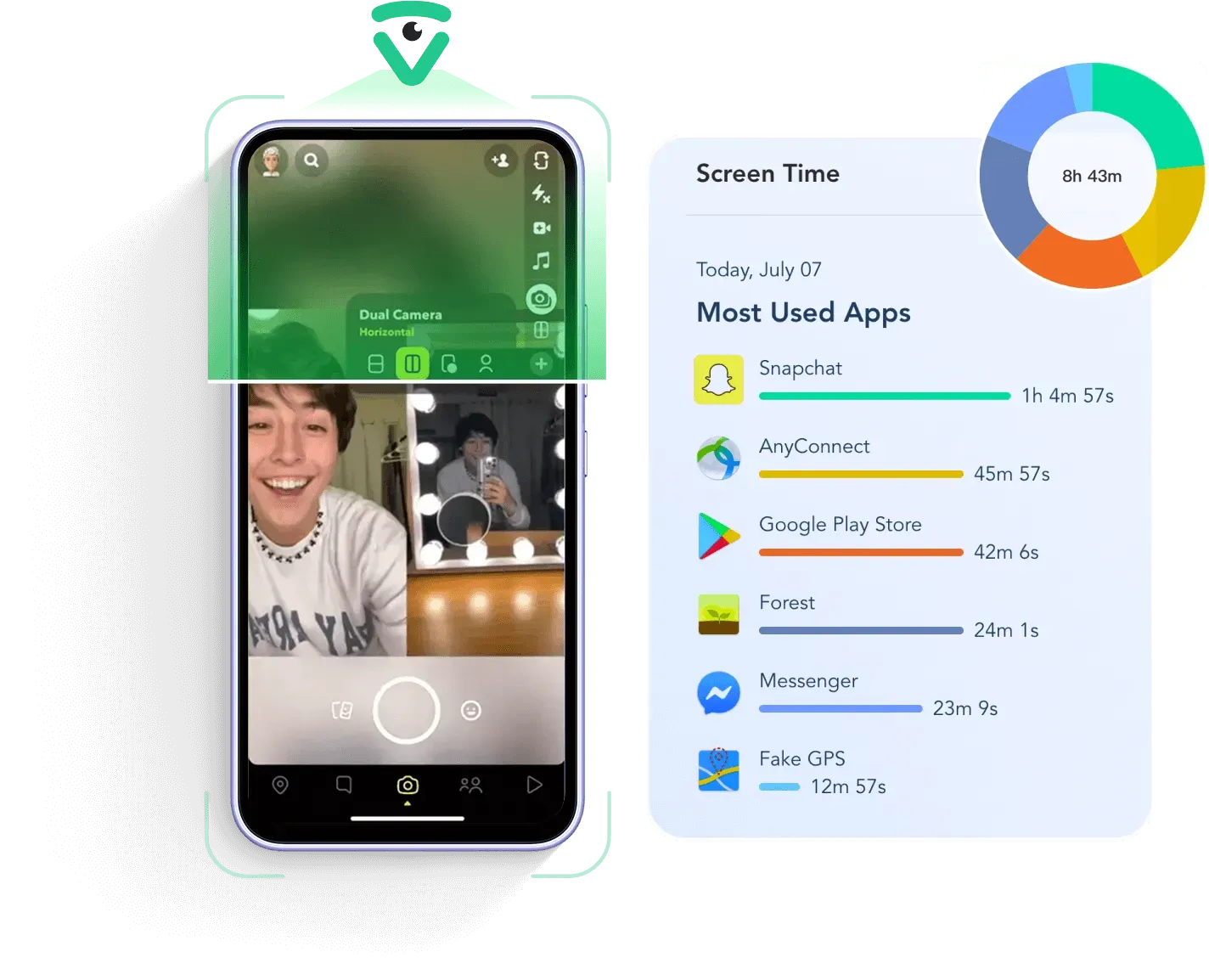
VigilKids is a family-focused tracking solution built for parents who want visibility into device usage without invasive monitoring. It provides real-time location sharing, activity insights, and safety alerts, making it a practical alternative for users exploring phone tracking options that respect privacy and follow legal standards.
Key Features
- Live Environment Audio: Listen to the phone's surroundings in real-time.
- Remote Screen Viewing: See exactly what is happening on the child's screen.
- Instant Geofencing: Accurate alerts for entering or exiting safe zones.
- App Management: Monitor and restrict social media usage remotely.
Pros & Cons
- Transparent and consent-based design
- Purpose-built for family safety scenarios
- Clean, easy-to-use interface for parents
- Strong focus on digital wellbeing
- Low battery drain even with continuous tracking
- Requires initial manual setup on the target device
Price
Plans start from $39.99/month. Quarterly and yearly plans available with significant discounts. No free plan — focused on premium family safety experience.
Life360 – Best App for Family Location Sharing
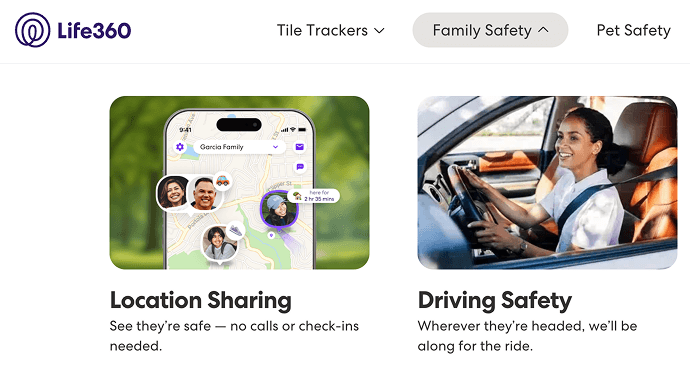
Trusted by millions of families worldwide, Life360 has become one of the most recognized names in family safety and real-time location sharing. Many households rely on it to keep loved ones connected for safety purposes, with driving reports, geofencing alerts, and emergency features delivered in a transparent, consent-based environment.
Core Features of Life360
- Real-time location tracking across family members
- Driving safety reports including speed and harsh braking
- Geofencing alerts for arrivals and departures
- Emergency SOS alerts with automatic contact notification
- Location history covering up to 30 days
- Accurate real-time tracking across iOS and Android
- Strong suite of family safety features
- Easy setup with very wide user adoption
- Premium features required to unlock full access
- Background tracking may affect battery life
Price
Free version available with basic features. Premium plans start from $4.99/month, unlocking driving reports, extended location history, and crash detection.
Google Find My Device – Best Free Android Tracking Tool
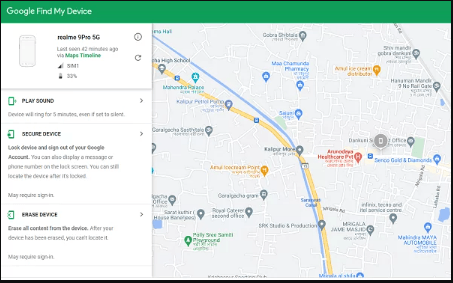
If you own an Android phone, you already have access to Google Find My Device — a built-in tracking service that helps you locate, lock, or erase a lost device. It is commonly used by people searching for free phone tracking options, but it operates strictly through Google account access and does not support hidden or unauthorized monitoring.
What Google Find My Device Offers
- Locate Android devices directly on a map
- Remote lock and full-device erase capabilities
- Ring device function — even if set to silent
- Seamless Google account integration
- Completely free with no hidden costs
- Highly secure — built directly into Android
- No installation required for most modern devices
- No advanced monitoring or parental features
- Requires the target device to be online
Price
Completely free — included with every Android device. No subscription, no in-app purchases, and no hidden fees.
Apple Find My – Best iPhone Tracking Solution
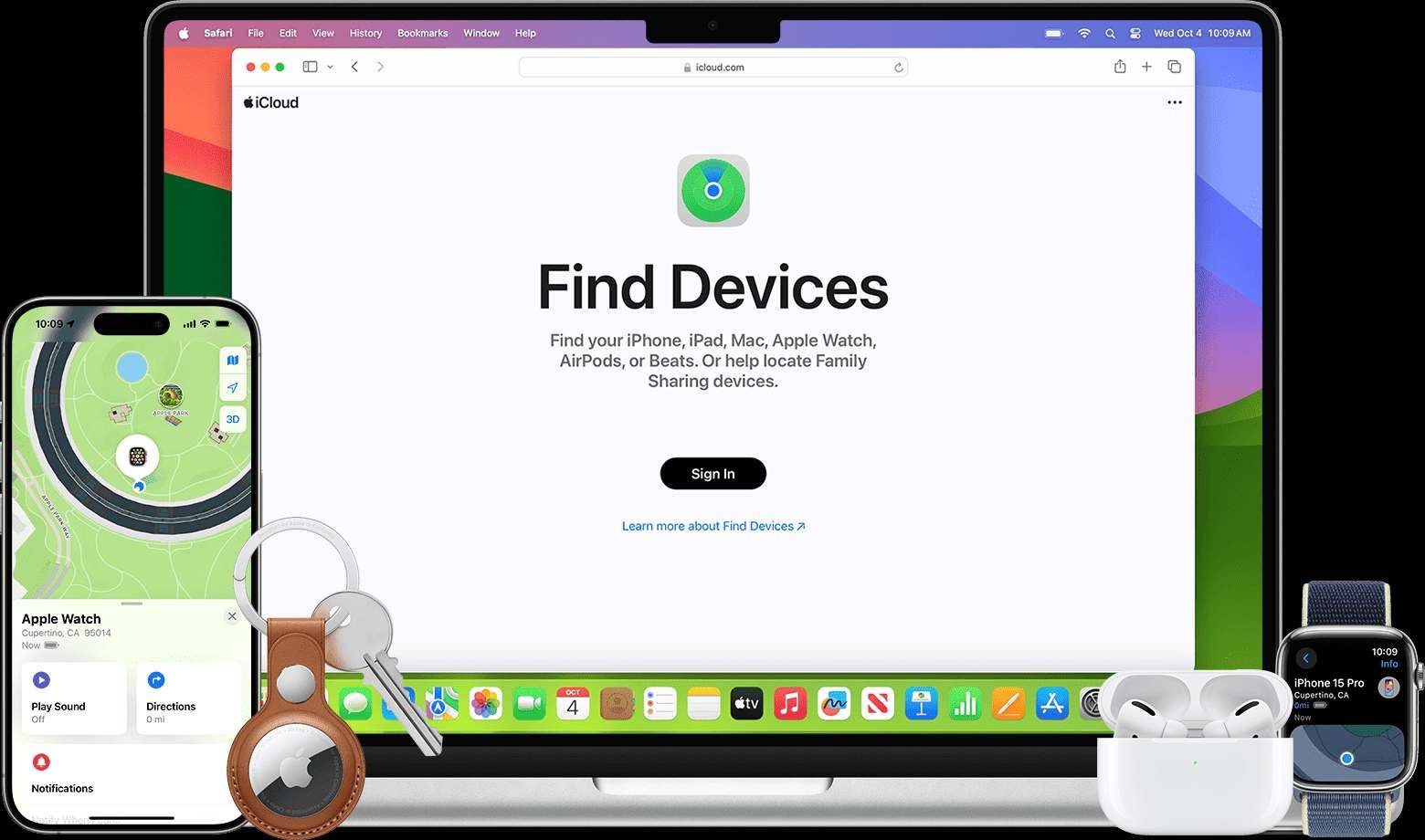
Designed deep within the iOS ecosystem, Apple Find My lets users track lost devices and share location with trusted contacts straight out of the box. The service is engineered around privacy and security, making it a popular choice for users looking for safe phone tracking solutions within the Apple ecosystem.
Key Features
- Real-time device tracking across all Apple products
- Family location sharing with iCloud Family Sharing
- Offline finding network — works even without internet
- Lost mode activation to lock and display contact info
- Extremely accurate location data
- Industry-leading privacy protection
- Free and pre-installed on every Apple device
- Only works within the Apple ecosystem
- Limited to recovery — no monitoring features
Price
Free for all Apple users. Requires an active Apple ID and Find My enabled on each device within the Apple ecosystem.
mSpy – Advanced Phone Monitoring Solution
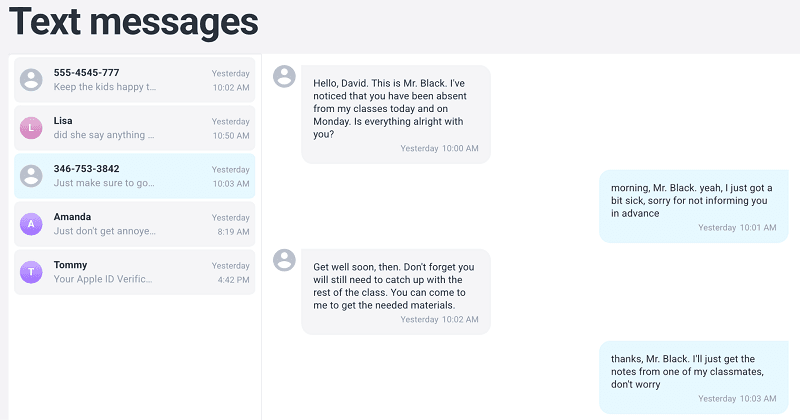
For parents who need more than just location tracking, mSpy offers a deeper layer of device activity insights. The platform is often discovered by users searching for advanced phone tracking apps, with features like GPS tracking, call monitoring, and social media oversight delivered through a structured parental control environment.
Monitoring Features
- GPS tracking with detailed location history
- Call and SMS monitoring including deleted messages
- Social media tracking across major platforms
- Keylogger for capturing every keystroke
- Geofencing alerts for restricted zones
- Highly detailed monitoring across many channels
- Works on both Android and iOS devices
- Strong suite of parental control tools
- Higher cost compared to family-safety apps
- Requires physical device access during setup
Price
Around $48.99 per month, depending on plan length and feature tier. Longer subscriptions offer the best per-month value.
uMobix – Best Real-Time Monitoring App
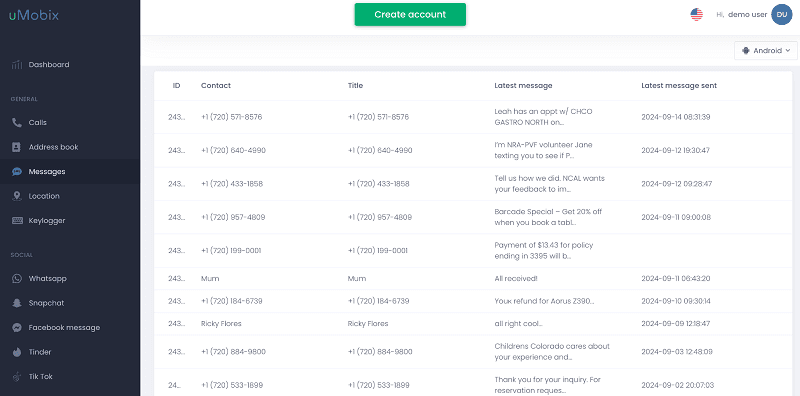
uMobix is a real-time monitoring app that provides continuous updates on phone activity and location. It is often used by parents seeking more advanced tracking capabilities, offering insights into calls, messages, and social media behavior through a detailed dashboard.
What uMobix Tracks
- Live GPS tracking with frequent updates
- Call logs and full message history
- Social media monitoring including chats and posts
- Deleted data recovery for messages and media
- Fast, near-real-time data updates
- Detailed dashboards with deep monitoring
- Easy-to-use interface for non-technical users
- Only one device covered per plan
- Relatively expensive compared to simpler tools
Price
Around $58 per month. Discounts available for 6-month and 12-month commitments, reducing monthly cost significantly.
Eyezy – Simple and User-Friendly Tracking App
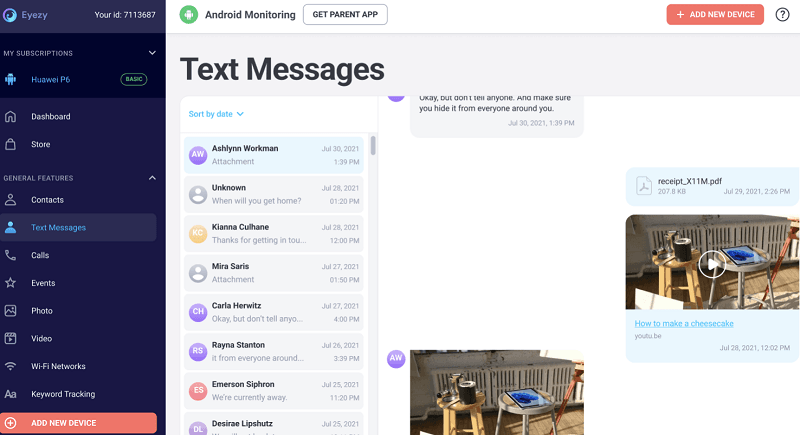
Not every parent wants a complex monitoring suite — and that's exactly the gap Eyezy fills, prioritizing simplicity and ease of use above all. The app appeals to parents who want basic phone tracking features such as location monitoring and app usage insights, all presented in a clean dashboard without complex setup or technical requirements.
Eyezy Highlights
- GPS tracking with location pinning
- App activity monitoring and usage stats
- Screen time tracking and daily limits
- Keyword alerts for risky terms
- Easy and fast setup process
- Clean, beginner-friendly interface
- Affordable pricing tier for new users
- Limited advanced monitoring features
- No free plan available
Price
Around $49.99 per month depending on plan length. Longer plans provide better value but no free trial is available.
Final Summary: Which Phone Tracker Should You Choose?
Each app on this list serves a slightly different audience. The right choice depends on whether you need balanced family safety, simple device recovery, or in-depth monitoring.
- Best overall family-focused solution: VigilKids
- Best family location sharing: Life360
- Best free Android tracker: Google Find My Device
- Best iPhone tracking tool: Apple Find My
- Best advanced monitoring tools: mSpy / uMobix
 Tips
Tips
Always inform the device owner before installing any tracking app. Modern phone tracking in 2026 is built around consent — not only is it the ethical choice, it is also a legal requirement in most regions, especially when monitoring minors or family members.
FAQ
Q1: Is it legal to use a phone tracker app in 2026?
Yes, as long as the person being tracked has given consent — or in the case of minor children, the parent or legal guardian is using a transparent parental control app. Hidden or non-consensual tracking of adults is illegal in most regions.
Q2: What is the best free phone tracker app?
For Android users, Google Find My Device is the best free option. For iPhone users, Apple Find My is the equivalent. Both are built into the operating system and focus on device recovery.
Q3: Can I track a phone without installing any app?
Only through the device's built-in services such as Google Find My Device or Apple Find My, and only if you own the account linked to the device. Third-party tracking always requires installation and consent.
Q4: Why is VigilKids recommended as the best balanced choice?
VigilKids combines real-time tracking with strong privacy controls and parental-focused features. It avoids invasive surveillance while still giving families the visibility they need for safety, making it the most balanced option in 2026.
Conclusion
While many users still search for terms like phone tracker apps without permission or free phone tracking tools, modern solutions in 2026 are built around privacy, transparency, and consent.
Instead of hidden tracking, tools like VigilKids represent a more responsible direction — helping families stay connected while respecting digital privacy and legal standards. If you are looking for a balanced solution that protects your family without crossing ethical lines, VigilKids is the strongest choice in 2026.
Related Topics
How to Read Someone Else’s Text Messages Remotely?
Learn how to read text messages from another phone or device. Discover safe methods to access SMS remotely and monitor messages easily with VigilKids.
![How to Forward SMS to Another Phone Automatically [iPhone & Android]](https://cdn.vigilkids.com/vigilkids/Use_Vigil_Kids_to_Forward_SMS_Automatically_8cfc0f2405.png)
How to Forward SMS to Another Phone Automatically [iPhone & Android]
Reading text messages on another phone takes time. Learn how to automatically forward SMS on iPhone and Android for easier message access and management
Top 15 GPS Tracking Apps for Android in 2026
Discover the best GPS tracking software for Android in 2026. Compare real-time GPS tracker Android apps, privacy tools, and family safety solutions.