
If you are searching for how to see someone's location history on iPhone, you may want to verify safety, track a lost device, or confirm past movements. Many users also wonder whether Find My iPhone, Google Maps Timeline, or third-party apps can show past locations.
This guide explains built-in iPhone methods, Google Maps Timeline, family tracking apps like Life360, and parental control tools such as VigilKids. It also covers key privacy rules and legal considerations so you can choose the right and responsible approach.
How to see someone's location history on iPhone with built-in iPhone options
How to see someone's location history on iPhone free with Find My
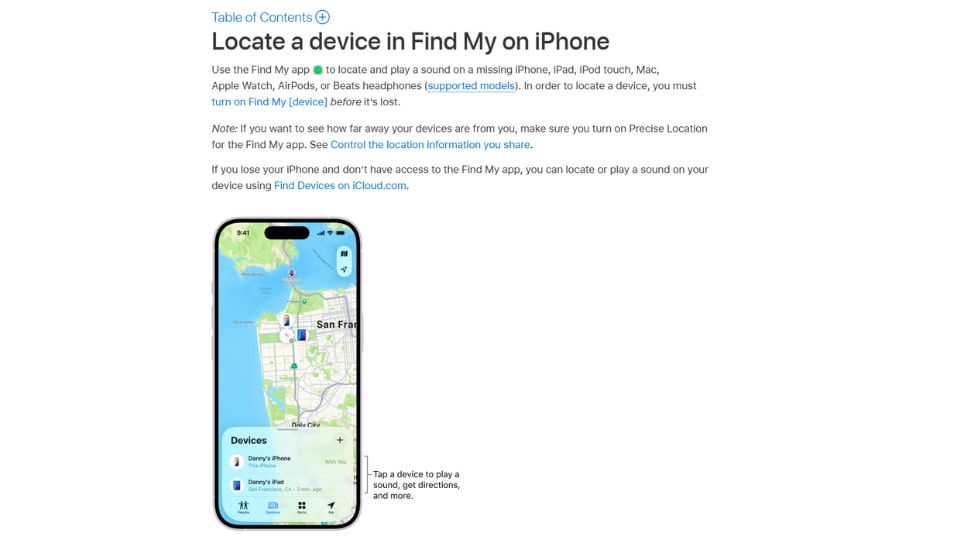
Find My is great when you need a current fix on where a device is or when you want someone to share their location with you. With Find My you can:
- See a device's current location on a map
- Ask someone to share their location with you, or share yours.
- Set up notifications for when someone arrives at or leaves a place.
- Play a sound on a missing device, mark it as lost, or erase it remotely.
Important point:
Find My is not a time-stamped location timeline. It does not keep a detailed hour-by-hour history you can scroll back through. If you are wondering can you check someone's location history on iPhone with Find My, the short answer is no for full timelines;
Find My shows current position and sometimes a last known location when the device is offline. For the official Apple description of what Find My shows and how sharing works, see Apple Support.
How to see someone's location history on iPhone with Significant Locations in Settings
If you have physical access to the iPhone, you can view its built-in location history through Significant Locations. This feature stores places the device recognizes as frequently visited, along with timestamps and map details.
- Step 1. Open Settings.
- Step 2. Go to Privacy & Security → Location Services.
- Step 3. Scroll down and tap System Services.
- Step 4. Select Significant Locations (authenticate with Face ID or passcode).
- Step 5. View saved locations, visit history, and timestamps.
What you can see: A device-only record of frequently visited places, including date, time, and location patterns.
Important limitation: This data is only accessible on the device itself. You cannot view it remotely, and it only works if Significant Locations has been enabled and not cleared.
Privacy note: Since the data is stored locally, access requires unlocking the iPhone. Without physical access, this method will not work.
When built-in tools won't help
Built-in location tracking may not work if:
- Location Services are disabled or restricted.
- The device is powered off or has no connectivity.
- Significant Locations was turned off or cleared.
- The phone has been reset or data was erased.
In these cases, users often rely on alternatives such as Find My iPhone, Google Maps Timeline (if enabled), or third-party family tracking tools, which are covered in the next section.
How to check someone's location history on Google Maps Timeline
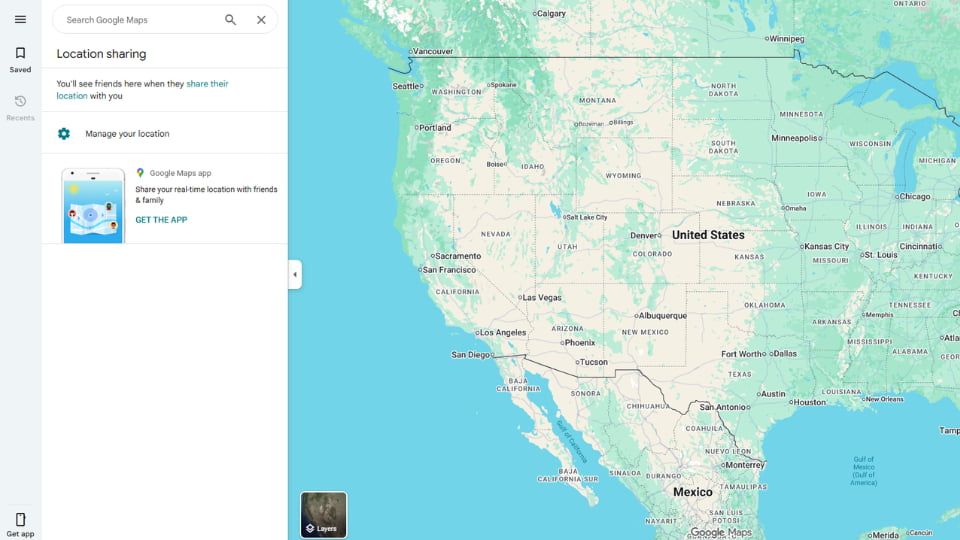
Google Maps Timeline can show a detailed day-by-day route for a Google account, but only if Location History (and usually Web & App Activity) was enabled on that account beforehand. It is a free, cross-platform way to view past locations when it is available.
How it works (quick steps):
- Step 1. Open Google Maps on a phone or desktop.
- Step 2. Tap the menu and choose Your timeline (or go to Timeline on desktop).
- Step 3. Pick the date you want to inspect.
- Step 4. See places visited, approximate routes and timestamps for each stop.
Practical notes:
- This method is free if enabled, so it answers "how to see someone's location history on iPhone free" only when the other person's Google account recorded history.
- To use it for someone else you need their account access or explicit sharing. You can ask them to share a screenshot, share location temporarily, or export data via Google Takeout.
Legal and ethical tips:
- Do not attempt to access another person's Google account without permission. Unauthorized access can be illegal. Always get consent or use authorized family-tracker tools.
If Google Maps Timeline is not available for you, the next sections cover family trackers and monitoring tools you can consider.
How to see someone's location history on iPhone with third-party family trackers
VigilKids – Best monitoring & parental-control tool
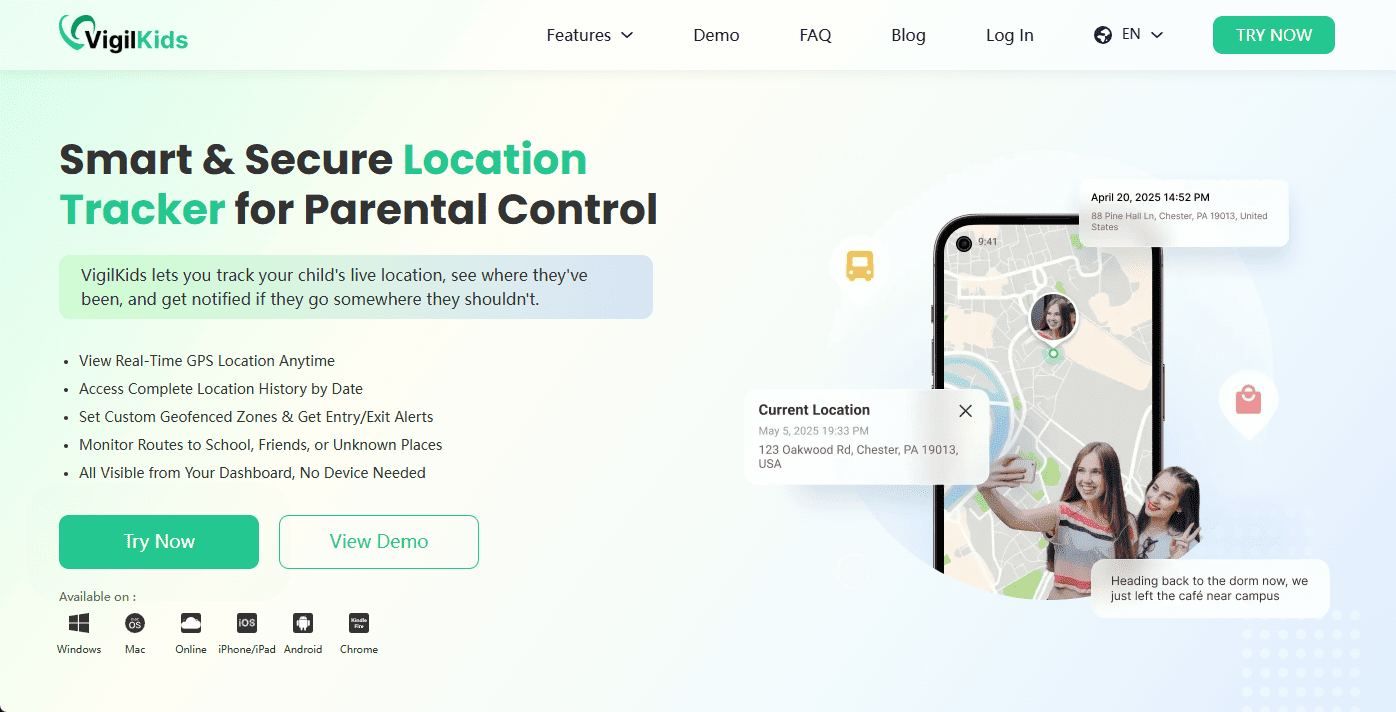
How to see someone's location history on iPhone? VigilKids is a monitoring and parental-control solution that focuses on safe, ongoing oversight.
Its capabilities include GPS tracking, route history you can review later, geofence alerts, and real-time location access when the app is installed and consented to. These features make VigilKids useful for parents, caregivers of older adults, and organizations that manage devices for safety reasons.
How to use it responsibly:
- Step 1. Install VigilKids on the device with the owner's knowledge and permission.
- Step 2. Enable continuous location sharing and required background permissions.
- Step 3. Check route history and set geofences as needed.
Why choose VigilKids over built-in tools:
- It offers longer retention and easier export of route history when compared to Significant Locations or Find My.
- It is designed for long-term oversight rather than occasional lookups.
A strong reminder:
Never use monitoring tools without legal authorization or the person's consent. If you are asking how to check someone's location history on Find My iPhone because built-in methods failed, VigilKids may offer a more complete history, but only with correct install and lawful consent.
Life360 – Third-party family trackers
Life360 is a family-oriented tracker designed for continuous location sharing and a simple history view. It can show where a member has been, offer place alerts, and give a basic timeline of recent movements, but only if the member agrees to share location “Always.”
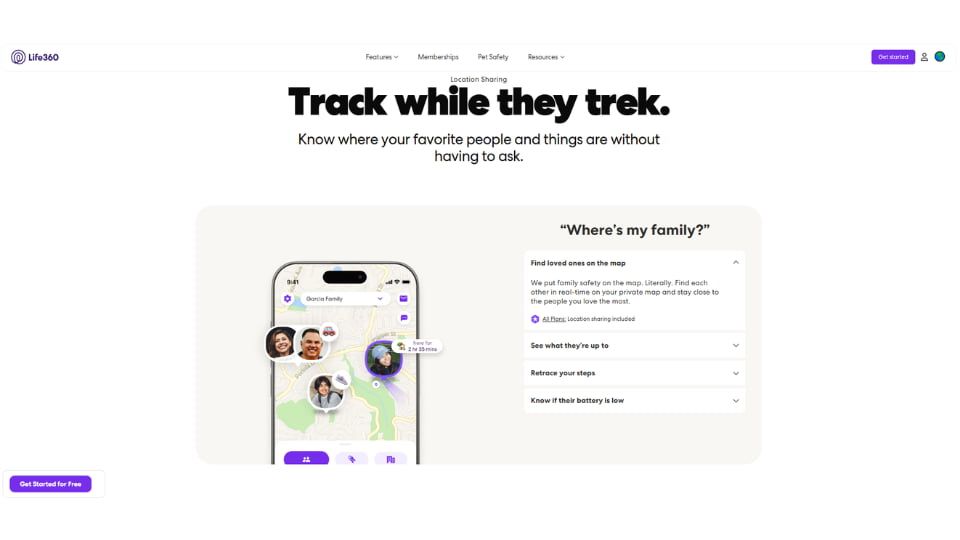
Free accounts provide some basic history and live location features, while paid plans keep more days of history and add advanced alerts and places. This difference means how to see someone's location history on iPhone free with Life360 is possible only in a limited way; full retention usually requires a subscription.
How to get started (quick steps):
- Step 1. Install Life360 from the App Store.
- Step 2. Create a Circle and invite the person you want to track.
- Step 3. Ask them to accept and set Location Sharing to Always.
- Step 4. Open the member's profile and check Places or the Timeline to see recent stops.
Why people choose Life360:
- Continuous tracking when enabled.
- Geofence alerts notify you when someone arrives or leaves a place.
- Easy to set up for families.
Limitations to keep in mind:
- Subscription needed for longer history and advanced features.
- The member must consent and keep the app running.
- It is not a forensic-level export of raw GPS points.
If you are comparing options and wondering how to see someone's location history on iPhone in a real-world sense, Life360 sits between built-in tools and professional monitoring: easier than device-only methods, but less detailed than some paid monitoring services.
Legal & Privacy: When You Can Check Location History
Accessing someone's location history should always be done responsibly. In most cases, consent is required unless you are a parent/guardian or there is a clear legal or emergency situation.
- Consent required: Any adult device, private account, or situation where the person has not explicitly agreed.
- Limited access: Employer-issued devices, only under company policy and applicable law.
- Emergency cases: If someone may be in danger, contact emergency services instead of attempting access yourself.
- Legal access: Law enforcement may obtain historical location data through court orders or subpoenas.
How to check someone's location history responsibly
- Step 1. Ask for consent clearly and explain your reason, e.g., safety concerns.
- Step 2. If they agree, review location data together using tools like Significant Locations, Google Timeline, or Find My iPhone.
- Step 3. If needed, save screenshots or exports and keep them unedited for accuracy.
- Step 4. If consent is denied and you suspect risk, contact emergency services instead of tracking secretly.
Important: Always prioritize safety and legality over access to data. Unauthorized tracking can violate privacy laws.
If there is immediate danger: Contact local emergency services and provide relevant information. Do not attempt further tracking on your own.
FAQs on how to see someone's location history on iPhone
Q1: Can you check someone's location history on iPhone without them knowing?
A: Short answer, no. In most places you need the person's permission or a lawful order to access their location history. Technical workarounds that involve logging into someone else's account or installing covert software are illegal and risky. If you think someone is in immediate danger, contact emergency services.
Q2: How to see someone's location history on iPhone free?
A: Free options if they are available: ①Significant Locations, stored locally on the iPhone, viewable only with physical access and the device passcode. ②Google Maps Timeline, free when the person had Location History enabled on their Google account. ③Life360 free tier offers live location and limited recent history, but longer retention needs a subscription. Each option has different retention lengths and access requirements, so availability varies.
Q3: How to check someone's location history on Find My iPhone?
A: Find My shows current location and sometimes a last known location, but it does not provide a full historical timeline. Use Find My for live tracking and notifications, not for hour-by-hour histories.
Q4: How to check someone's location history on Google Maps?
A: One-line steps: open Google Maps, go to Your timeline, pick a date, view places and times. You need the person's account access or their explicit sharing to see another person's Timeline.
Q5: Is Life360 better than Find My for history?
A: Quick comparison here: ①Retention, Life360 paid plans keep more past days, Find My does not keep a timeline. ②Alerts, Life360 has geofencing and historical places, Find My has arrival and leave notifications. ③Privacy, Find My data stays tied to Apple ID and device, Life360 shares location with Circle members. If you need a dependable, exportable route history and you have consent, a family tracker or a tool like VigilKids can be more suitable than Find My.
Conclusion
This guide covered how to see someone's location history on iPhone using built-in tools, Google Maps Timeline, and third-party tracking solutions. For quick checks, Significant Locations or Google Maps (if enabled) are the simplest free options when you have permission.
For continuous tracking, route history, or exportable data with proper authorization, consider family safety apps like Life360 or parental control tools such as VigilKids . Always prioritize privacy, consent, and legal compliance when accessing location data.