
If you've searched for untraceable spying apps, you're really after one thing: a phone spy tool that runs quietly without tipping off the person using the device. For parents, that usually means a discreet way to keep a child safe; for employers, monitoring a company-owned phone.
This guide explains how these spy apps actually work, ranks the 7 best cell phone tracker options for Android and iPhone, and — just as important — shows you how to use them.
- Table Of Contents
- How Discreet Phone Spy Apps Work
- What to Look For in a Reliable Spy App
- 7 Best Untraceable Spying Apps (Compared)
- Top Pick for Parents: VigilKids
- How to Tell if a Spy App Is on Your Phone
- FAQ

How Discreet Phone Spy Apps Work
Most reliable spy apps for Android follow the same basic flow. Understanding it helps you separate real tools from scams that promise the impossible.
- One-time install on the target device. You need brief physical access to the Android phone once to install the app and grant permissions. Be skeptical of any tool claiming a fully remote, "no-touch" install.
- Background service + hidden icon. After setup, the app runs as a background service, optionally hides its launcher icon, and resists casual uninstall.
- Data sync to a private dashboard. Captured activity (messages, location, screen, app use) is encrypted and uploaded to an online dashboard only you can log into.
- iPhone is different. On iOS, many trackers work through verified iCloud credentials and backups rather than an installed app, which limits what they can see compared with an Android install.
What to Look For in a Reliable Spy App
A trustworthy cell phone tracker should offer:
- True stealth mode — hidden icon, low battery and data footprint.
- Cross-platform coverage — works on both Android and iPhone, so you can even track an Android phone from an iPhone.
- Full data range — social apps, location, calls, texts, and screen activity, not a single feature.
- Real-time dashboard — fast refresh and clear alerts, accessible from any browser.
- Strong encryption & privacy — your data is visible only to you.
- Responsive support — help with install and a clear refund policy.
For a deeper breakdown, our guides to the best spy apps for Android and the best phone monitoring apps compare each one feature by feature.
7 Best Untraceable Spying Apps for Android & iPhone (Compared)
Quick comparison of the most capable discreet trackers — then short notes on each below.
| Spy App | Platform | Social Apps | Live Screen & Recording | GPS + Geofencing | Best For | Price |
|---|---|---|---|---|---|---|
| ★ VigilKids | Android & iPhone | ✓ 20+ apps | ✓ Yes | ✓ Yes | Parents — all-in-one | Paid |
| mSpy | Android & iPhone | ✓ Many | ✗ Screenshots only | ✓ Yes | Established generalist | Paid |
| Eyezy | Android & iPhone | ✓ Many | ✗ No | ✓ Yes | Social & keyword alerts | Paid |
| uMobix | Android & iPhone | ✓ Yes | ✗ Screenshots | ✓ Yes | Real-time updates | Paid |
| Cocospy | Android & iPhone | ~ Limited | ✗ No | ✓ Yes | Lightweight basics | Paid |
| FlexiSPY | Android & iPhone | ✓ Yes | ✗ No | ✓ Yes | Advanced power users | Premium |
| Hoverwatch | Android only | ~ Basic | ✗ No | ✓ Yes | Budget Android | Paid |
VigilKids is the only pick here that combines live screen viewing + screen recording, full cross-platform coverage, and a free live demo you can try before paying — which is why it leads our list.
1 VigilKids — Best Overall for Parents
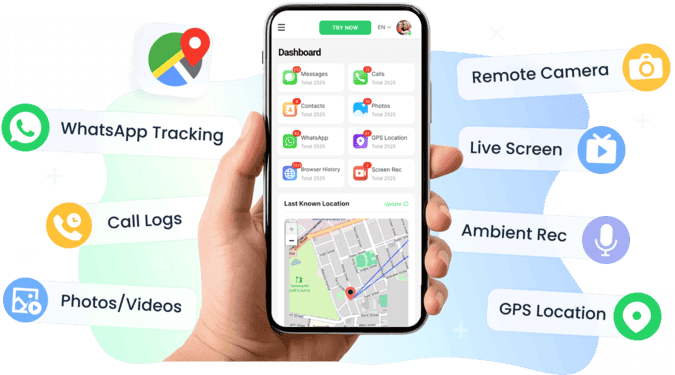
VigilKids is a discreet, cross-platform parental-monitoring app that pulls 30+ data types — social apps, GPS, calls, texts, and live screen activity — into one parent dashboard. It's the only tool on this list that streams the child's live screen and records it, runs quietly in the background, and is purpose-built for lawful family safety, which is why it tops the list.
Key features
- Social apps (20+): WhatsApp, Snapchat, Instagram, Messenger, Telegram, LINE, Tinder and more
- Live screen & recording: real-time screen viewing, secret screen recording, screenshots and remote camera
- Location: live GPS, location history and geofencing safe-zone alerts
- AI keyword alerts: instant warnings for bullying, predators or self-harm signals
- Calls, SMS, contacts & Keylogger (Android)
- Only pick with live screen streaming and recording
- True cross-platform — Android and iPhone
- Free live demo before you pay
- No rooting needed for core features; clean dashboard
- AI keyword alerts for proactive safety
- Subscription required (no permanent free tier)
- A few advanced features are Android-only
- Needs one-time access to the child's phone
Best for: parents who want one discreet, lawful app that covers everything.
2 mSpy — Established & Feature-Rich
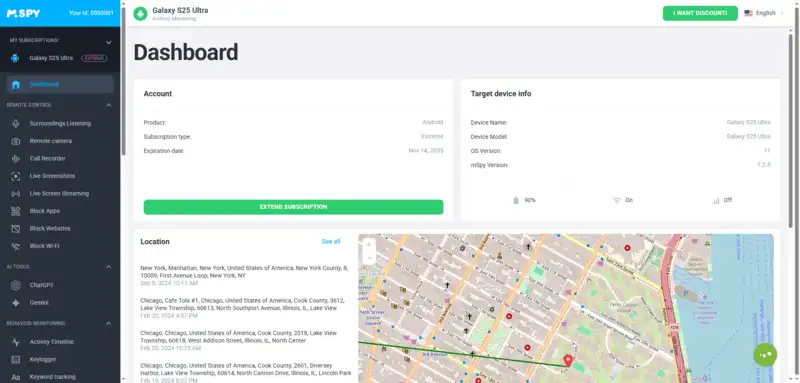
mSpy is one of the longest-running names in phone monitoring, trusted for well over a decade. It covers messages, social apps, location and a keylogger on Android, making it a dependable all-rounder for parents who want a mature, heavily documented tool.
Key features
- Social-app and IM monitoring (WhatsApp, Snapchat, Instagram and more)
- Keylogger and keyword-based alerts
- GPS location, geofencing and location history
- Periodic screenshots and website/app blocking
- Mature, well-documented platform
- Broad social-app and keylogger coverage
- Helpful setup assistance and guides
- Pricier tiers for the full feature set
- Some features need Android rooting
- Screenshots only — no live screen streaming
Best for: parents who want a proven generalist.
3 Eyezy — Strong Social & AI Keyword Alerts
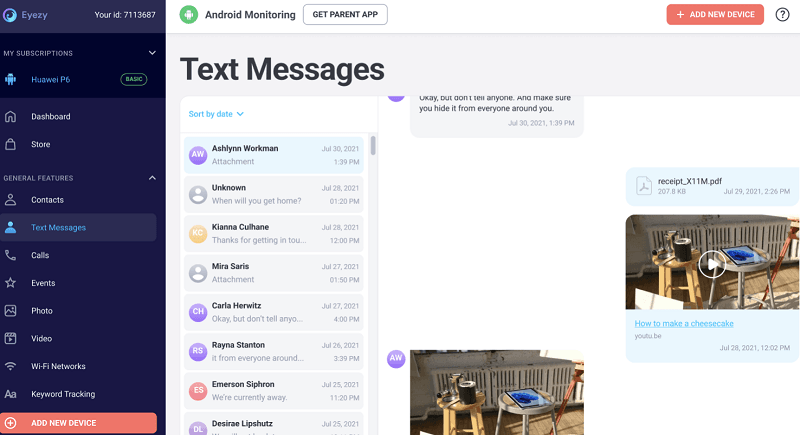
Eyezy is a modern, design-forward tracker that leans into social monitoring and its "Magic Alerts," which flag risky keywords in chats. It's a good fit if your main worry is who your child talks to online rather than raw location data.
Key features
- Social and messaging-app monitoring
- "Magic Alerts" keyword and geo-fence notifications
- Pinpoint location tracking and route history
- Keylogger and on-screen recorder (Android)
- Polished, easy-to-use interface
- Strong keyword-alert system
- Competitive annual pricing
- Monthly plan is comparatively pricey
- iOS feature set is more limited
- Several features are Android-only
4 uMobix — Fast Real-Time Refresh
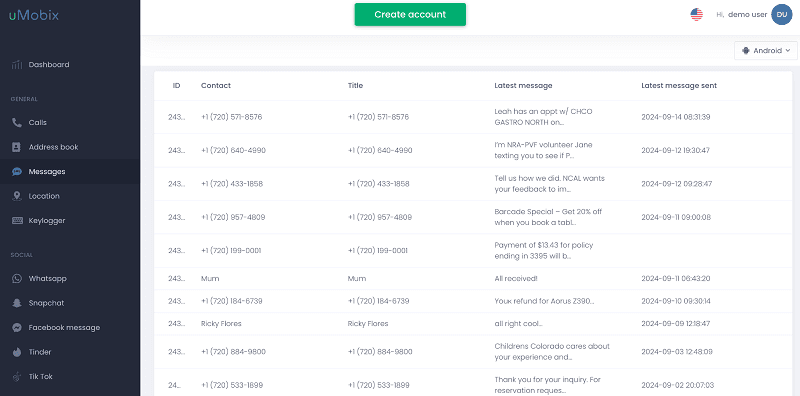
uMobix is built around speed: it refreshes frequently and shows a near real-time activity feed, so the dashboard reflects what's happening on the device with minimal delay — handy when timing really matters.
Key features
- Near real-time updates and live activity feed
- Broad social-app and photo/video access
- Call, SMS and contact logging
- Keylogger and deleted-content capture (Android)
- Fast refresh rate vs rivals
- Wide social-app coverage
- Frequent app updates
- Heavier battery footprint
- Android needs several permissions
- No live screen streaming
5 Cocospy — Lightweight Essentials
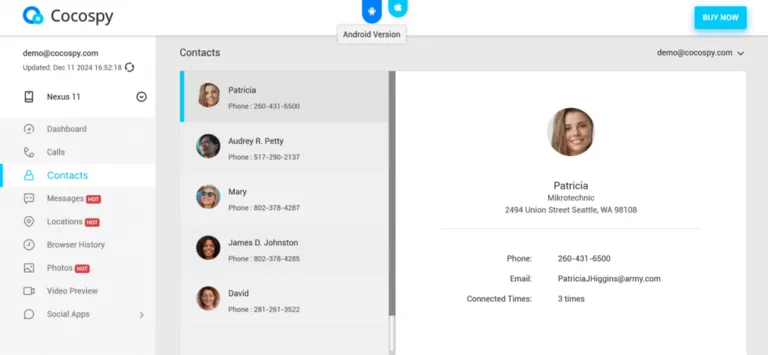
Cocospy keeps things simple with core tracking and a small, low-footprint app. It's an easy entry point for parents who just want reliable location and message visibility without a steep learning curve.
Key features
- GPS location and geofence boundaries
- Messages and call-log access
- SIM-change and basic social tracking
- Browser-based dashboard, no root for basics
- Simple, lightweight and quick to set up
- No root needed for the basics
- Low device footprint
- Fewer advanced features
- Weaker social/IM depth
- Limited live monitoring tools
6 FlexiSPY — Advanced Power Users
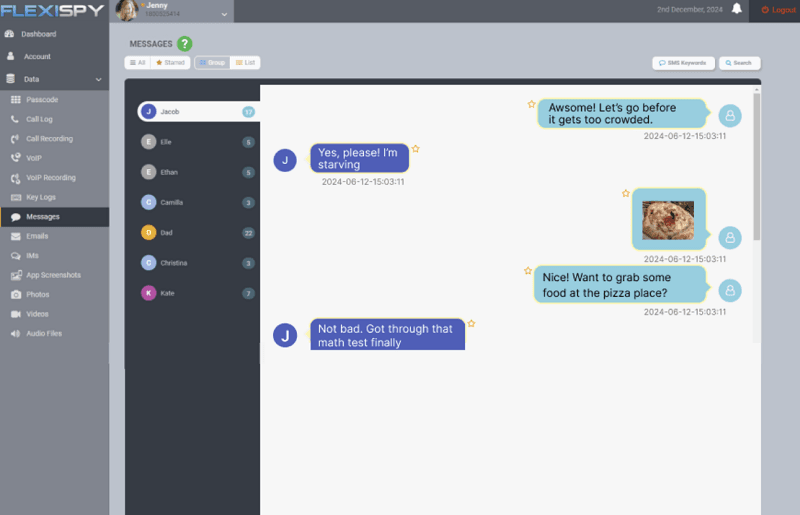
FlexiSPY offers the deepest, most technical feature set of any tool here — including call interception and ambient recording — but it's premium-priced and usually requires rooting or jailbreaking, so it suits experienced users rather than first-time parents.
Key features
- Live call interception and call recording
- Ambient microphone recording and RemCam
- Full social-app and IM monitoring
- Keylogger and password capture
- The most powerful feature set available
- Unique call-intercept and ambient capture
- Granular control for advanced users
- Premium pricing
- Requires rooting/jailbreaking
- Steeper, more technical setup
Best for: technical users who need call interception — see our FlexiSPY review.
7 Hoverwatch — Budget Android Tracking
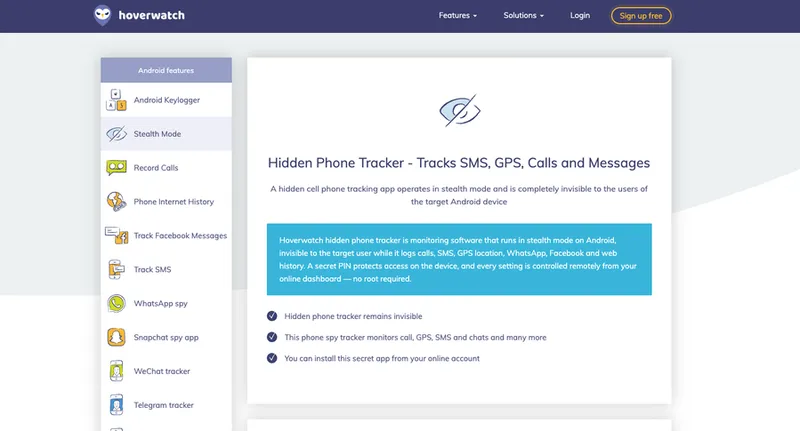
Hoverwatch is an affordable, Android-only tracker aimed at simple needs. Its multi-device family plans and front-camera capture make it a value choice — provided everyone you're tracking is on Android.
Key features
- Call, SMS and location logging with a hidden mode
- Front-camera photo capture on unlock
- Basic social and browser-history tracking
- Multi-device plans for the whole family
- Affordable, especially multi-device plans
- Simple to install and use
- Reliable basic logging
- Android only — no iPhone support
- Dated interface
- Limited social/IM depth and no live screen
Top Pick for Parents: VigilKids
If your goal is keeping a child safe rather than secretly snooping on an adult, VigilKids is the cleanest, most complete choice. It gathers everything that matters into one parent dashboard, and is designed around lawful, consent-based family monitoring.
You've seen the full feature breakdown in the comparison above — the standouts are live screen viewing with recording, AI keyword alerts, and true cross-platform reach. The best part is how fast it is to start. Setting it up takes about 10 minutes:
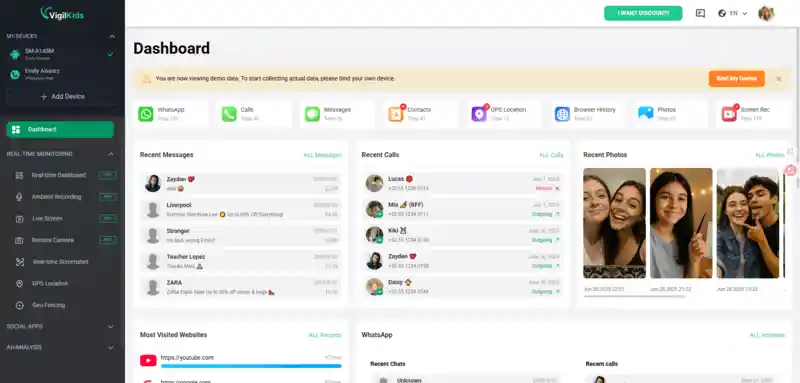
- Step 1. Create your account at vigilkids.com with Google or email.
- Step 2. Open the dashboard, generate a pairing code, install the assistant app on your child's phone, and grant the required permissions.
- Step 3. The app runs quietly in the background while you view everything — and receive alerts — from your dashboard on any device.
User Feedback
"Setup took under 10 minutes and the location alerts gave me real peace of mind. It even flagged a stranger trying to add my daughter on Snapchat — exactly what I needed to catch."
—— Lena M., used it for her teenager's phone
Keep your child safe — without hovering
Monitor 20+ apps, location, and screen activity discreetly from one parent dashboard. Cross-platform, encrypted, set up in minutes.
FAQ
Are there truly 100% untraceable spying apps?
No app is 100% undetectable. Good phone spy apps run discreetly with a hidden icon and low battery use, but a careful check of installed apps, battery stats, and data usage can still reveal them. Treat "untraceable" as "discreet," not invisible.
Is it legal to use spy apps on someone's phone?
It is legal to monitor your own minor child's device or a company-owned device with proper notice and consent. Installing a spy app on another adult's phone without their knowledge is illegal in most countries — always check local laws first.
What is the best untraceable spy app for Android?
For parents, VigilKids is the best discreet Android monitoring app — it runs quietly in the background and captures social apps, location, calls, texts, and screen activity from one dashboard, while staying within legal, consent-based use.
Can a spy app be installed without touching the phone?
Reliable monitoring apps need one-time physical access to the target Android device. Tools promising remote, no-touch installation are usually scams or work only with iCloud credentials on iPhone. Be very cautious of "no access needed" claims.
How do I know if a spying app is on my phone?
Watch for faster battery drain, unexpected data usage, overheating, unfamiliar apps or device-admin profiles, and odd background activity. Reviewing installed apps and running a reputable security scan will surface most hidden trackers.
Conclusion
"Untraceable spying apps" are better understood as discreet monitoring tools — powerful when used responsibly, and never truly invisible. For parents, the right move is a cross-platform, well-supported app that keeps a child safe without constant conflict. VigilKids hits that balance: quiet, comprehensive, and built for lawful family monitoring — and if you want to weigh it against the field, start with our roundup of the best family tracking apps. Whichever tool you choose, stay on the right side of the law — monitor only devices you own or have clear consent to track.