
The best phone monitoring app in 2026 is VigilKids for parents who need location, screen-time, app activity, and message-risk review in one dashboard.
For a free Android starting point, use Google Family Link. For screen-time rules, choose Qustodio. For alert-only teen safety, choose Bark. For older cross-platform monitoring, compare mSpy carefully before buying.
What Is The Best Phone Monitoring App In 2026?
VigilKids is the best overall phone monitoring app for parents who want one practical dashboard instead of separate tools for location, screen time, app activity, and message-related risk signals.
Pew Research Center reports that 95% of U.S. teens had access to a smartphone in 2024. VigilKids fits this everyday need because its pricing page lists GPS location, geofencing, calls and texts, app management, website blocking, browser history, and AI keyword alerts under one plan.
Which Phone Monitoring App Should You Choose By Need?
If you are comparing quickly, start with the use case. The best app depends on whether you care most about all-in-one visibility, screen-time rules, content alerts, location, or a free first setup.
- Best All-In-One: VigilKids for location, app, web, and message-risk review.
- Best Established Brand: mSpy for families comparing long-running monitoring tools.
- Best Screen-Time Pick: Qustodio for app limits, routines, and web filtering.
- Best Teen Alerts: Bark for alert-based social and content safety.
- Best Technical Depth: FlexiSPY for advanced buyers with a higher budget.
- Best Security Brand: Norton Family for web, search, video, time, and location supervision.
- Best Free Android Start: Google Family Link for basic Android family controls.
How Do The Top Phone Monitoring Apps Compare?
This table keeps the comparison short. It focuses on the features parents usually check first: location, screen time, app or web controls, message-related alerts, and entry price.
| App | Best For | Location | Screen Time | App/Web | Messages/Risk | Price From |
|---|---|---|---|---|---|---|
| VigilKids | All-in-one parents | ☑️ | ☑️ | ☑️ | ☑️ | $9.99/mo |
| mSpy | Established monitoring | ☑️ | Basic | Basic | ☑️ | $14.17/mo |
| Qustodio | Screen-time rules | ☑️ | ☑️ | ☑️ | Limited | $59.95/yr |
| Bark | Teen alerts | ☑️ | ☑️ | ☑️ | Alerts | $14/mo |
| FlexiSPY | Technical depth | ☑️ | Limited | Limited | ☑️ | $49.95/mo |
| Norton Family | Web supervision | ☑️ | ☑️ | ☑️ | ❌ | $49.99/yr |
| Family Link | Free Android setup | ☑️ | ☑️ | Basic | ❌ | Free |
Which Phone Monitoring Apps Are Best For Parents In 2026?
1. VigilKids: Best All-In-One Phone Monitoring App For Parents
VigilKids is the best fit when parents want one dashboard for location context, app activity, screen-time boundaries, web controls, and message-related risk review after setup with the required permissions.
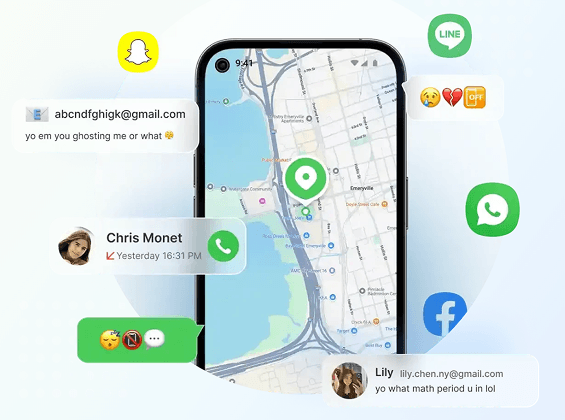
- Data point: VigilKids lists GPS location, geofencing, calls and texts, app management, website blocking, browser history, and AI keyword alerts under one plan.
- Choose it if: You want one parent dashboard instead of separate location, screen-time, and message review tools.
- Watch out: Android has the fuller monitoring set, so iPhone-only families should confirm the exact features they need before buying.

VigilKids for Phone Monitoring
- Review location, apps, web activity, and message-risk signals in one dashboard
- Use remote camera checks and surroundings audio review after setup with the required permissions
- Capture screenshots and screen activity signals to understand context faster
2. mSpy: Best Established Phone Monitoring App
mSpy is still a recognizable name for phone monitoring, especially for parents comparing Android and iPhone support. It is best for families that want an established monitoring brand and are comfortable reviewing detailed activity data.
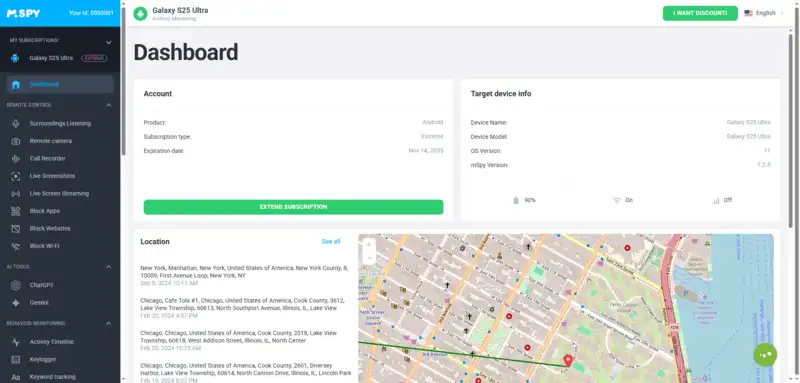
- Data point: mSpy says Android setup requires physical access, while iPhone setup may use physical access or iCloud credentials depending on the setup path.
- Choose it if: You want a long-running monitoring product and are comparing social, call, and location visibility across mobile devices.
- Watch out: It can feel data-heavy. If you want parent-friendly decisions instead of frequent manual review, VigilKids or Bark may be easier to use.
3. Qustodio: Best For Screen Time And App Limits
Qustodio is better for screen-time structure, app blocking, web filtering, and family routines than deep message review. It is closer to a parental control suite than a full monitoring dashboard.
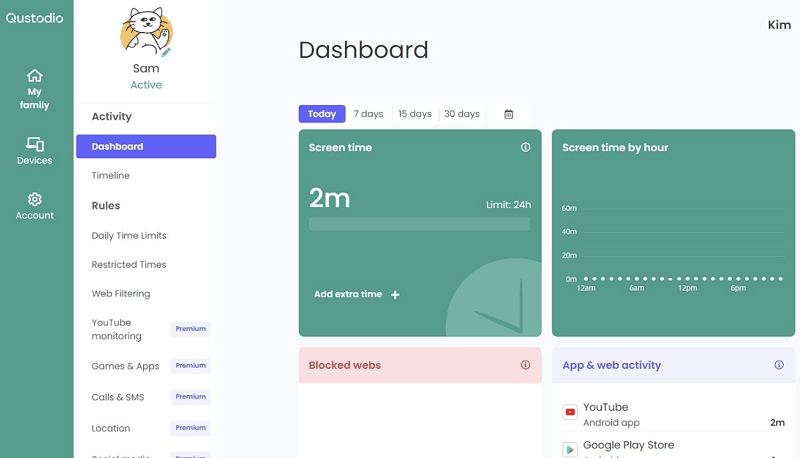
- Data point: Qustodio says over 9 million parents use its tools, and its Premium page lists 30-day reports, games and apps restrictions, web and app alerts, YouTube monitoring, location monitoring, and calls and messages monitoring on supported plans.
- Choose it if: Your biggest concern is setting daily limits, routines, and app restrictions.
- Watch out: It is not the strongest pick if your primary need is message context across social apps.
4. Bark: Best For Teen Safety Alerts
Bark is strongest for families that want risk alerts instead of full activity logs. It is especially useful when parents want to know about concerning patterns without reading every message.
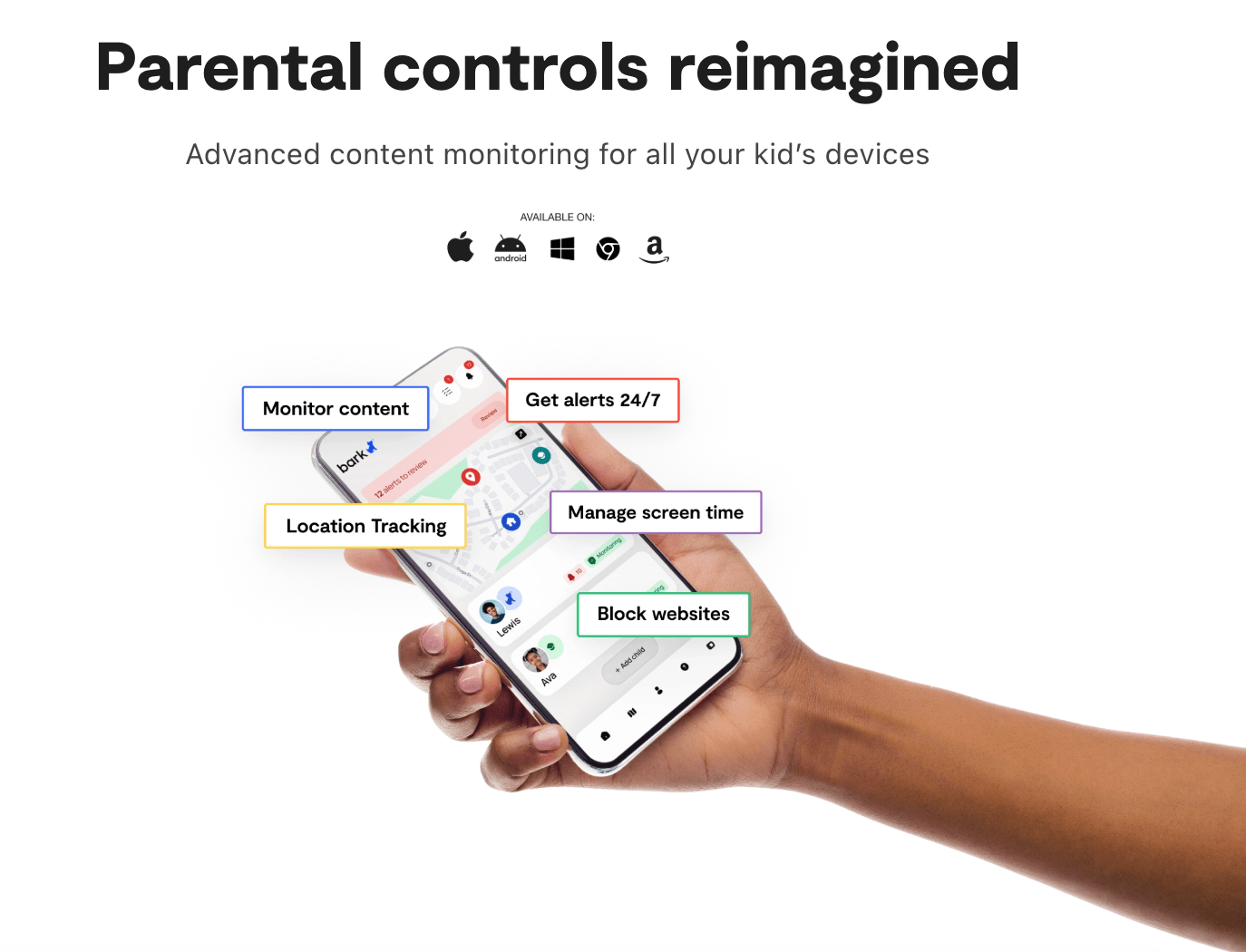
- Data point: Bark says it monitors texts, email, YouTube, and 30+ apps and platforms, and sends alerts for issues such as cyberbullying, online predators, suicidal ideation, and more.
- Choose it if: You want alert-based monitoring for teens and do not need a full raw activity feed.
- Watch out: iPhone setup and supported monitoring categories can differ from Android, so check the exact platforms your child uses.
5. FlexiSPY: Best For Advanced Monitoring Depth
FlexiSPY is a high-depth monitoring tool, but it is usually too technical and expensive for everyday family use. Most parents should only consider it after deciding that simpler parent-control tools cannot meet their needs.
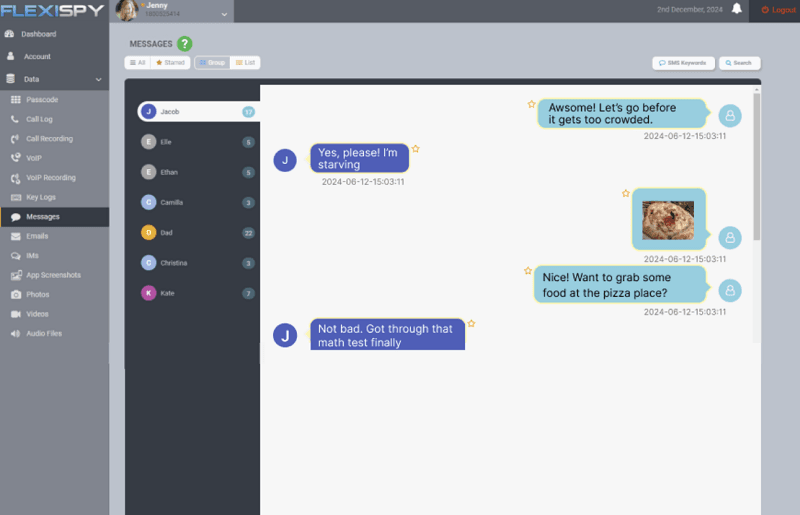
- Data point: FlexiSPY pricing starts at $49.95/month for the Lite package, with higher tiers listed at $79/month and $119/month.
- Choose it if: You are a technical buyer comparing advanced monitoring depth and you accept the higher cost.
- Watch out: For most parents, the setup complexity and price are harder to justify than a parent-focused app.
6. Norton Family: Best For Basic Web And Time Supervision
Norton Family is best for parents who trust a major security brand and mainly need web, search, video, time, and location supervision. It is not built for message visibility.
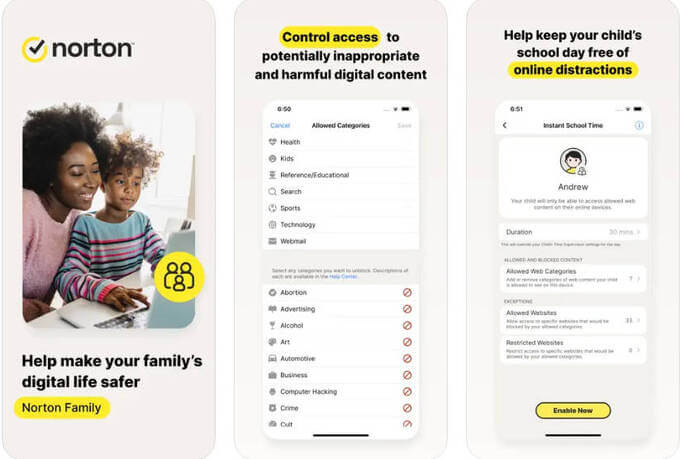
- Data point: Norton lists Norton Family at $49.99/year and describes search terms, viewed videos, screen limits, web supervision, and location supervision, with platform-specific limitations.
- Choose it if: Your top need is safer browsing and time supervision from a known security brand.
- Watch out: It does not cover message review, so it is weaker for families worried about chat-based risks.
7. Google Family Link: Best Free Android Starting Point
Google Family Link is the best free starting point for Android families. It handles screen-time limits, app approvals, app limits, location, and basic account supervision, but it is not a full monitoring app.
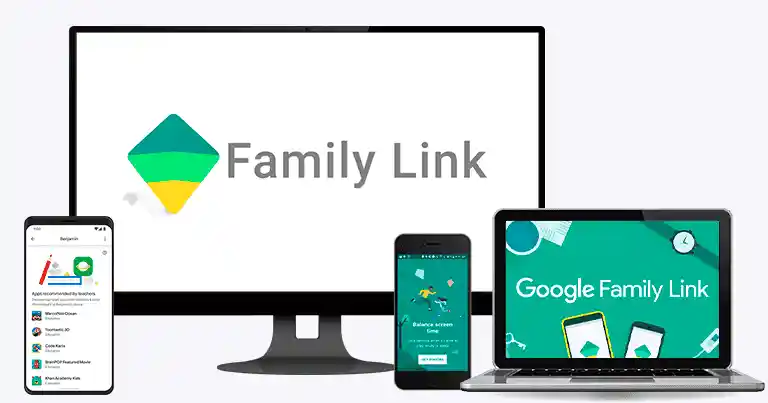
- Data point: Google Play lists Family Link at 100M+ downloads and says it supports screen-time limits, school time, downtime schedules, app time limits, location, and privacy settings.
- Choose it if: Your child uses Android and you mainly need a no-cost way to set basic digital ground rules.
- Watch out: It does not provide message review or broader teen risk alerts, so families often outgrow it as children get older.
How Should Parents Choose A Phone Monitoring App Safely?
A good phone monitoring app should match your family goal, your child's device, your preferred transparency level, and your budget. Use these five buyer questions before installing anything.
- Question 1. What problem are you solving first? If it is screen time, choose Qustodio or Family Link. If it is message-related risk, choose VigilKids or Bark. Data point: the FTC says parental controls commonly help manage time online, restrict content, review website and app activity, limit communication, and restrict purchases.
- Question 2. Does your child use Android, iPhone, or both? Android usually allows deeper supervision than iOS, while iPhone features often depend on Apple restrictions and account setup. Data point: Google says Family Link tools vary depending on the child's device.
- Question 3. Do you want alerts or full review? Bark is best for alert-based review, while VigilKids is better when parents need broader dashboard context. Data point: Bark says parents receive alerts only when something potentially problematic occurs.
- Question 4. Will you explain the rules to your child? Common Sense Media says parental controls work best when used openly and honestly with kids. Data point: its guide recommends matching controls to family needs and conversations.
- Question 5. Does the app support healthier routines? AAP guidance encourages family media plans, time boundaries, sleep protection, and parental controls across devices and platforms. Data point: AAP News recommends avoiding screen exposure an hour before bedtime and keeping devices out of bedrooms.
FAQ
Q1: What Is The Best Phone Monitoring App In 2026?
VigilKids is the best overall choice for parents who want location, app activity, screen-time boundaries, web controls, and message-risk review in one dashboard. Choose Qustodio for screen-time rules, Bark for alert-based teen safety, and Google Family Link for a free Android starting point.
Q2: Why Do Parents Compare Phone Monitoring Apps Now?
Parents compare them because phones are nearly universal, screen time is hard to manage manually, and social risk often happens inside private apps. Pew found 95% of U.S. teens had access to a smartphone in 2024, while 38% say they spend too much time on their phone. The U.S. Surgeon General also notes that up to 95% of young people ages 13-17 use social media.
Q3: What Is The Best Phone Monitoring App For Android?
For Android, VigilKids is the strongest all-in-one option because Android supports deeper app, location, browser, and message-related review after setup with the required permissions. Family Link is the best free basic option for younger children.
Q4: What Is The Best Phone Monitoring App For iPhone?
iPhone monitoring is more limited because iOS restricts background access and app-level data. Compare VigilKids and mSpy if you need broader review, but always confirm the exact iPhone features you need before buying.
Q5: Do Phone Monitoring Apps Require Root Or Jailbreak?
Most parent-focused features do not require root or jailbreak. Basic location, screen-time controls, app rules, and many activity reports work without device modification. Advanced technical features may require extra setup, which most families should avoid unless they understand the trade-offs.
Q6: Can Phone Monitoring Apps Help With Screen Time?
Yes. Qustodio, Family Link, Norton Family, Bark, and VigilKids all include some form of screen-time or app-use management. Choose Qustodio if screen-time limits are the main goal; choose VigilKids if screen time is only one part of broader monitoring.
Q7: What Should Parents Avoid When Choosing A Monitoring App?
Avoid apps with vague ownership rules, unclear pricing, unsupported device claims, or promises that sound too broad. A safe choice should explain device compatibility, required permissions, cancellation terms, and what parents can actually review.
Q8: Is Phone Monitoring Legal For Parents?
Parents should only install monitoring tools on devices they own or legally manage, and should follow local laws and platform rules. For family use, transparency is usually safer and better for long-term trust.
What Is The Final Recommendation?
The best phone monitoring app for most parents in 2026 is VigilKids if you want one dashboard for location, app activity, screen-time boundaries, and message-risk review. If your need is narrower, choose the specialist: Qustodio for screen time, Bark for alerts, Norton Family for web supervision, or Family Link for free Android basics.
 Sources
The data points in this guide were checked against these official or authoritative references:
- Pew Research Center: Teens, Social Media and Technology 2024
- Pew Research Center: How Teens and Parents Approach Screen Time
- U.S. Surgeon General: Social Media and Youth Mental Health
- FTC Consumer Advice: How to Use Parental Controls
- VigilKids Pricing and Feature List
- mSpy Features
- Qustodio Plan and Feature Comparison
- Bark App Features
- FlexiSPY Pricing
- Norton Family Product Page
- Google Play: Google Family Link
- Common Sense Media: Parents' Ultimate Guide to Parental Controls
- American Academy of Pediatrics: Family Media Use Guidance
Related Topics
Best SMS Tracker Apps for Parents in 2026
Discover the best SMS tracker apps for parents in 2026. Compare features, pricing, iPhone & Android support, and safer family monitoring tools.
How to Locate My Boyfriend's Phone: 4 Free Ways to Track in 2026
Wondering how to locate your boyfriend's phone for free? Discover 4 effective methods—Find My, Google Maps, WhatsApp, VigilKids & more—with full consent.
Top 15 GPS Tracking Apps for Android in 2026
Discover the best GPS tracking software for Android in 2026. Compare real-time GPS tracker Android apps, privacy tools, and family safety solutions.