
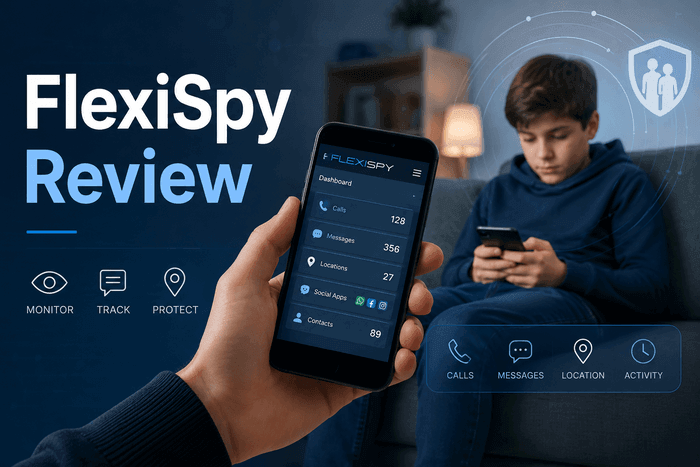
In this flexispy review, FlexiSpy stands out as one of the oldest phone monitoring apps, launched in 2006. It offers advanced features like call recording, ambient audio, IM tracking, and remote camera access, positioning itself beyond tools such as Apple Screen Time or Google Family Link.
However, a practical flexispy review in 2026 focuses less on features and more on usability—whether it still works reliably on modern Android and iOS, how easy it is for non-technical users to set up, and whether it can handle basic parental controls like app blocking in real-world use.
This review is based on:
- Two weeks of hands-on testing on Android and iOS
- Recent FlexiSpy user feedback from public forums, Reddit, and Trustpilot
- A side-by-side comparison with VigilKids, our parental monitoring app
PART 1. What Is FlexiSpy?
FlexiSpy is a long-running phone monitoring product. It runs on Android, iOS, Windows, and macOS, and the iOS version requires a jailbreak for the full feature set — a meaningful constraint, since stable public jailbreaks for current iOS versions have been increasingly limited since iOS 16.
The headline features include:
- Call logs and call recording
- Ambient (microphone) recording
- Instant messenger monitoring (WhatsApp, Messenger, Viber, Skype, Telegram, Line)
- Remote camera (RemCam) and remote video (RemVideo)
- GPS location and geofencing
- Keylogger and app activity
There is no free trial. Installation requires physical access to the target device.
Bottom line. Powerful on paper, heavy to maintain. The right fit for parents with technical comfort and a stable target device; a poor fit for parents who want set-it-and-forget-it.
How we tested
- Devices: Pixel 8 (Android 14), Samsung Galaxy S23 (Android 14), iPhone 14 (iOS 17.4)
- Connection: Home Wi-Fi plus T-Mobile LTE
- Window: Two consecutive weeks, February 2026
- Scope: Installation flow, dashboard usability, feature accuracy, battery impact, detectability via Google Play Protect and iOS Privacy Report
PART 2. Installation Reality
You need physical access to the device. There is no genuine remote install path — anything advertised as such is usually iCloud syndication only.
On Android, the setup walks you through enabling accessibility services, disabling Play Protect for the FlexiSpy package, and granting a long list of permissions. On iOS without a jailbreak, you're limited to iCloud-based syncing, which captures a fraction of advertised features.
What came up during our testing:
- Setup took 35–55 minutes on Android, longer on iOS
- Google Play Protect repeatedly flagged the app on Android 14, especially after monthly security updates
- The launcher icon was hidden after install, but the underlying package remained inspectable in Settings → Apps
- Some IM apps required re-granting accessibility permissions after each WhatsApp/Telegram update
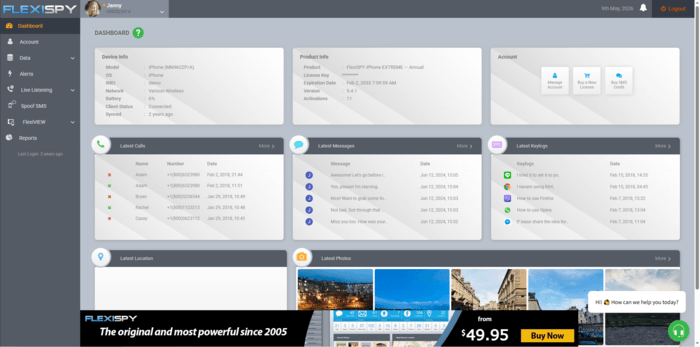
The dashboard is functional but visually dated. Most data summaries are present, but reviewing media usually means downloading individual files rather than playing them inline.
PART 3. Features in the Real World
What worked
GPS location and geofencing – Accurate positions with reasonable update intervals. Geofence configuration is buried in the alerts menu but works once found.
Keylogger – Per-app organization is helpful. Accuracy depended on the keyboard app: Gboard captured well, third-party keyboards lost some special characters.
Instant messenger monitoring – Coverage of WhatsApp, Messenger, Viber, Skype, and Line was reliable. Sync delays of 5–15 minutes were typical.
Ambient recording – Reliable trigger and acceptable audio in quiet rooms. Background noise outdoors or near traffic significantly degraded clarity.
Remote camera (RemCam / RemVideo) – Captured usable footage, defaulting to the rear camera with no front-camera option for stills. Upload time scaled with file size and connection.
What underperformed
Call recording – Inconsistent across handsets. Roughly 30% of calls in our test recorded with degraded audio or did not record at all. Files must be downloaded to listen.
Live call listening (SpyCall) – Officially advertised, but FlexiSpy's own help materials recommend ambient recording instead on most modern Android builds.
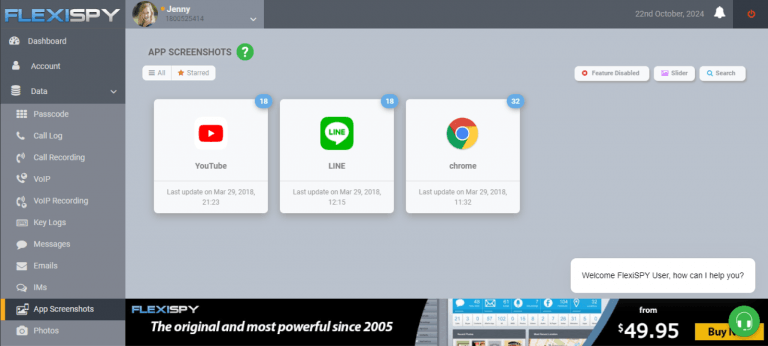
App screenshots – Capped at 10 monitored apps. Newer apps (Google Messages, Beeper) are not on the supported list.
Media files – No video thumbnails, no audio context. Reviewing media means downloading files one by one.
App and website blocking – Not supported. FlexiSpy is observation-only, with no native restriction tools — a real gap if you actually need to step in based on what you see.
Screen-time reporting – No daily totals, no per-app usage. Parents have to infer screen time from the activity log.
FlexiSpy has depth, but the depth is uneven. The feature list is long; the day-to-day reliability is not.
PART 4. What Real Users Say
We pulled recent feedback from FlexiSpy's community forum, Reddit's parenting subs, and Trustpilot. The picture is mixed.
Positive themes from long-term users
- "Customer support eventually walked me through a clean reinstall."
- "Once it's set up, the keylog and IM data is what I needed."
- "Better IM coverage than the cheaper apps I tried first."
Recurring complaints
- "Half the features stopped working after the last Android security patch."
- "My kid saw the System Update warning and asked questions I wasn't ready for."
- "Connectivity errors mean I have to log in and reset the link every few days."
- "The price is high for how much manual maintenance it needs."
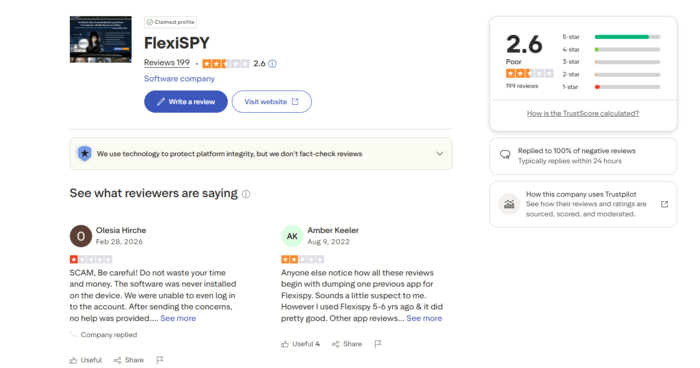
Reading the room. FlexiSpy still has a loyal base — mostly parents who installed it years ago and have absorbed the maintenance overhead into their routine. Newer buyers tend to bounce off either the install difficulty or the inconsistent premium features.
PART 5. FlexiSpy Pricing in 2026
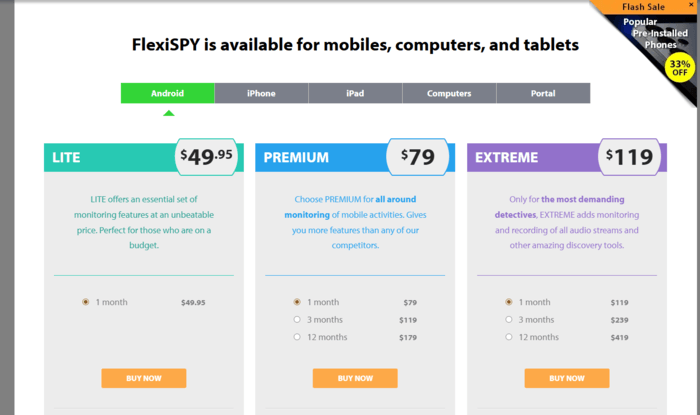
FlexiSpy ships three tiers — LITE, PREMIUM, and EXTREME. EXTREME unlocks the high-end features (call interception, RemCam, RemVideo, ambient recording). Pricing is subscription-based and varies by billing cycle; annual plans run roughly half the monthly equivalent. Expect to pay several hundred dollars per year for EXTREME. There is no free trial, and refund eligibility is narrow.
For comparison, mainstream parental control suites like Bark, Qustodio, and Norton Family sit in the $50–$120/year range. Apple Screen Time and Google Family Link are free. The premium FlexiSpy tier is priced for users who specifically need its EXTREME features — not for general parental oversight.
PART 6. FlexiSpy Alternative
| Feature | FlexiSpy | VigilKids |
|---|---|---|
| Installation | Physical access required | ✅ Guided onboarding with remote support |
| Dashboard | Functional but dated | ✅ Mobile-first, inline media playback |
| Call recording | ⚠️ Manual download per file; inconsistent | ✅ Inline playback in dashboard |
| Ambient recording | ✅ Available | ✅ Available |
| Live call listening | ⚠️ Officially de-prioritized | ✅ Available |
| Chat app coverage | WhatsApp, Messenger, Viber, Skype, Line, Telegram | WhatsApp, Messenger, Telegram, Line, Discord, Snapchat (notification capture) |
| App blocking | ❌ Not supported | ✅ Block specific apps or whole categories |
| Screen-time reporting | ❌ Not supported | ✅ Daily and per-app usage |
| Visibility setting | Hidden after install | ✅ Configurable; transparent mode recommended for minors |
| Consent workflow | Not provided | ✅ Built-in family notification template |
| Customer support | Mixed reviews; tier-dependent | ✅ 24/7 live support |
Why this matters. FlexiSpy gives you raw surveillance power — at the cost of installation difficulty, ongoing maintenance, and missing controls like app blocking.VigilKids gives you the visibility a parent actually uses day-to-day, plus the controls to act on what you see, in a workflow that doesn't require you to hide the relationship between you and your child.
PART 7. Why VigilKids Fits Modern Parents
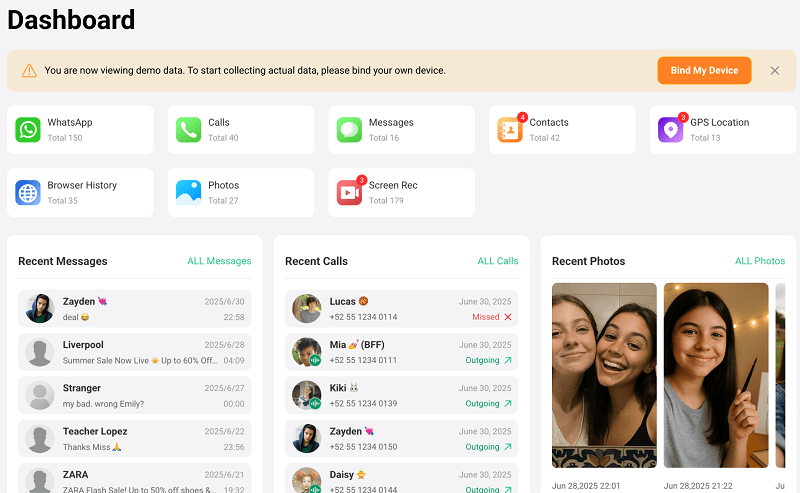
Most parents don't need a forensic-grade investigation kit. They need to know whether their kid is safe online, whether screen time is creeping past where it should, and whether risky contacts are reaching out. That's the gap VigilKids is built for.
Designed around child safety, not surveillance
- Spike alerts when screen time on a specific app jumps unexpectedly
- Daily summaries instead of raw data dumps you have to parse yourself
- One-click app blocking — no rooting, no jailbreak
Built for families that talk about it
- Plain-language consent template you can walk through with your child
- Visibility setting you and your child can agree on together
- No tools designed to hide the parent-child relationship
PART 8. Frequently Asked Questions
Is it legal to install monitoring software on my child's phone?
In most U.S. states, monitoring a minor child's device that you own is legal, provided you are the parent or legal guardian. Federal and state laws still expect notification before recording calls or activating microphones — even with your own child. Laws vary internationally; check your local rules before activating recording features.
Can FlexiSpy be installed remotely?
No. FlexiSpy requires physical access to the device. Any service offering "remote install" of FlexiSpy is either using your iCloud credentials to syndicate iCloud backup data only, or is misrepresenting what they actually do.
Will my child see the FlexiSpy app on their phone?
FlexiSpy hides its launcher icon, but the package remains visible in Settings → Apps and can trigger Google Play Protect alerts. In our testing, children with even basic device familiarity could find traces of it.
Final Thought
FlexiSpy still has the deepest raw feature set in the category, but the tradeoffs — install difficulty, maintenance overhead, and missing controls like app blocking and screen-time reporting — make it a poor fit for most parents in 2026. If your priority is reliable insight into a minor child's device, paired with the controls you actually need to act on what you see, VigilKids is the more practical choice.