
"My 13-year-old deletes every text the moment he reads it. By the time I check his phone, there's nothing left. Is there a keylogger for Android that actually still works in 2026?"
—— Parent question on r/Parenting
Searches for a keylogger for Android have stayed strong even as Android security has tightened. Parents want to see what their kids are typing, employers want oversight on company devices, and many people just want to know what's still possible in 2026. The honest answer: yes, these tools still work — but the landscape has shifted. Most "free" options on third-party APK sites are malware, and the apps that genuinely function on Android 14+ charge a subscription.
Below, we cut through the noise: which keyloggers actually work, which are scams.

What Is a Keylogger for Android?
A keylogger for Android is software that records every keystroke entered on an Android device — messages typed in chat apps, search queries, login credentials, emails, notes, even drafts that get deleted before sending. Modern Android keyloggers typically work through accessibility services, capturing input across most apps without needing root access.
Why does this matter in 2026? Because kids (and employees) increasingly use disappearing messages — Snapchat snaps, vanish mode on Instagram, encrypted Signal chats. Once a message disappears from the app, it's gone. A keylogger captures the text as it's typed, which means you see it before it ever vanishes. That's the core appeal that no other monitoring method replicates.
What a modern Android keylogger captures:
- Typed text in messaging apps (WhatsApp, Snapchat, Instagram, Discord, Telegram)
- Search queries on Google, YouTube, browsers
- Login credentials and passwords (where typed manually)
- Email drafts, notes, and form input
- Deleted or unsent text — captured before deletion
Best Keylogger for Android in 2026: 5 Options Compared
These are the five Android keyloggers that actually work on Android 13 and 14 — verified through hands-on testing in March 2026 on a Google Pixel 8 and Samsung Galaxy S24. Apps that broke after recent Android security updates have been excluded.
1 VigilKids — Best Keylogger for Android with Full Monitoring Suite
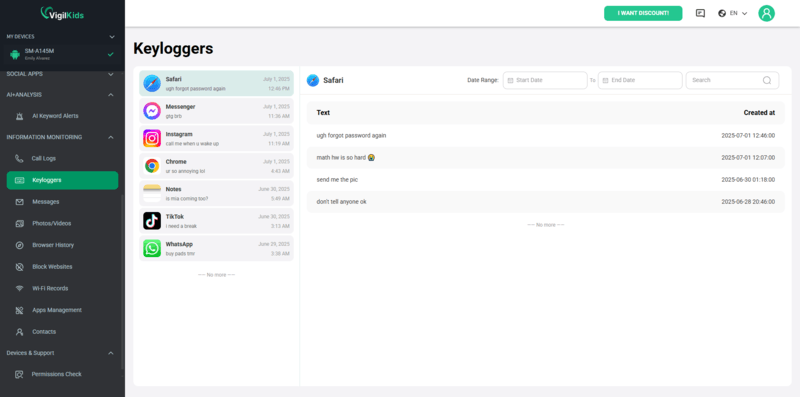
For parents, VigilKids goes further than a standalone keylogger for Android. The Android Keylogger feature captures every keystroke across messaging, social, and browser apps — including drafts that never get sent. But the platform layers context on top: WhatsApp monitoring, SMS visibility, screen recording, GPS tracking, and geofencing all flow into one parent dashboard. Setup takes about three minutes per device, runs without root, and updates push to a browser dashboard both parents can access.
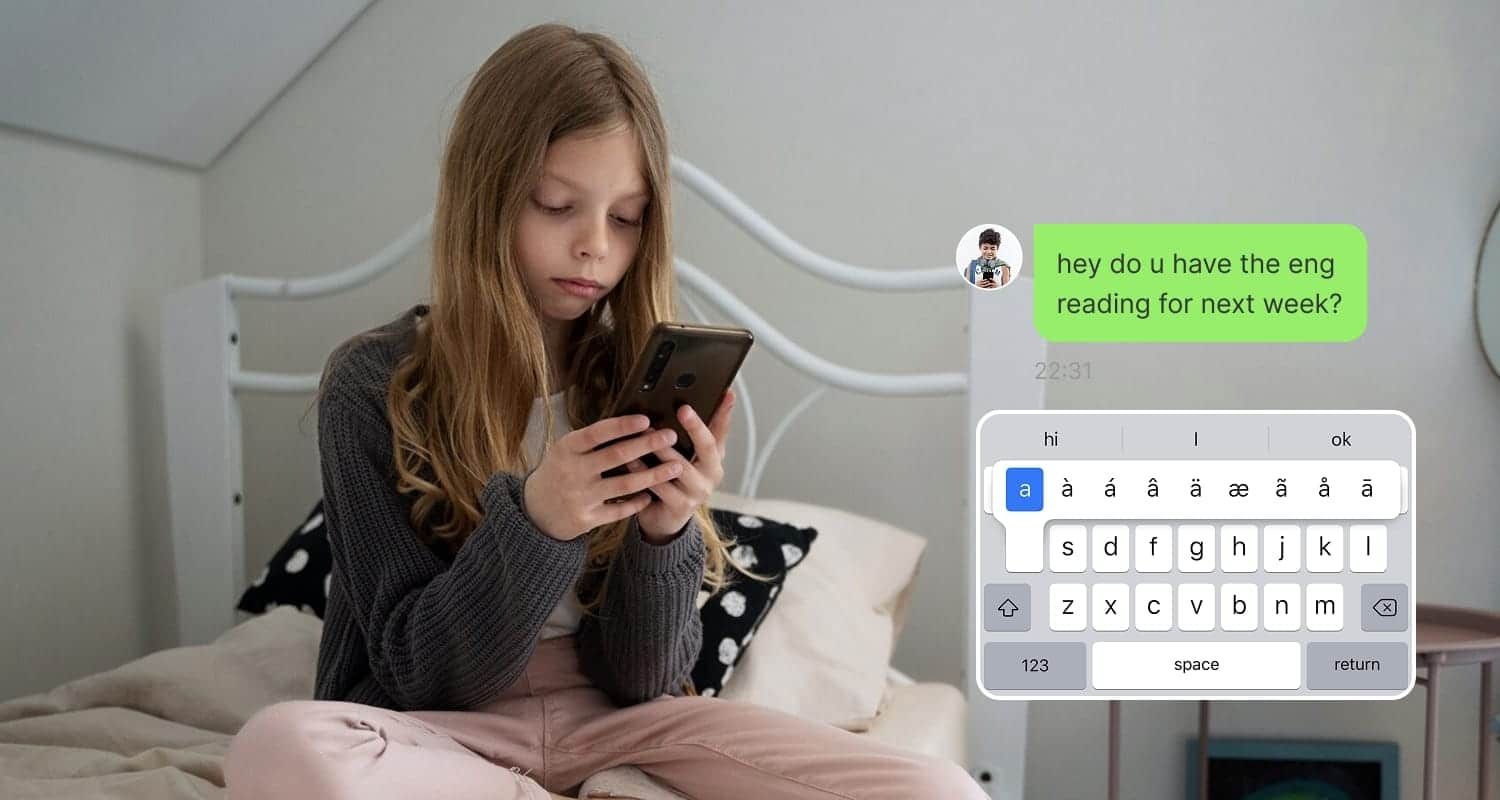
What VigilKids captures:
- Every keystroke across WhatsApp, Instagram, Snapchat, Discord, TikTok, browsers, and Notes.
- Unsent drafts — text typed and deleted before send, captured at the keystroke level.
- App-tagged keystrokes — see which app each input came from, not just a raw text dump.
- WhatsApp chats, calls, voice notes, and media via the dedicated WhatsApp monitoring module.
- Location tracking, screen recording, ambient sound, remote camera when context beyond text is needed.
- Browser dashboard so both parents can review activity from any device.
Keylogger + WhatsApp + GPS in one platform, not three separate subscriptions
No root required on Android
App-tagged keystrokes (know which app each line was typed in)
Free trial covers full feature set
Browser dashboard for multi-parent access
Android-only — no native iOS keylogger
Requires physical access to install (same as every other keylogger)
 Price
Price
Annual plan averages about $9.99/month, with a free trial available. See current options on the VigilKids pricing page.
2 SpyBubble — Best for Stealth Monitoring with 30+ App Coverage
Where VigilKids is built around the parent–child relationship, SpyBubble is built for investigative-level visibility. It's used by over 1.15 million people, runs in stealth mode without a visible app icon, and covers 30+ social platforms including Facebook Messenger, Instagram, Snapchat, TikTok, WhatsApp, Telegram, Zoom, and Discord. The Android keylogger captures keystrokes app by app (so you see which conversation each line of text came from), and the platform pairs it with periodic screenshots — useful when keystroke logs alone don't show the full context of an exchange. No root required, and installation takes about five minutes of physical access.
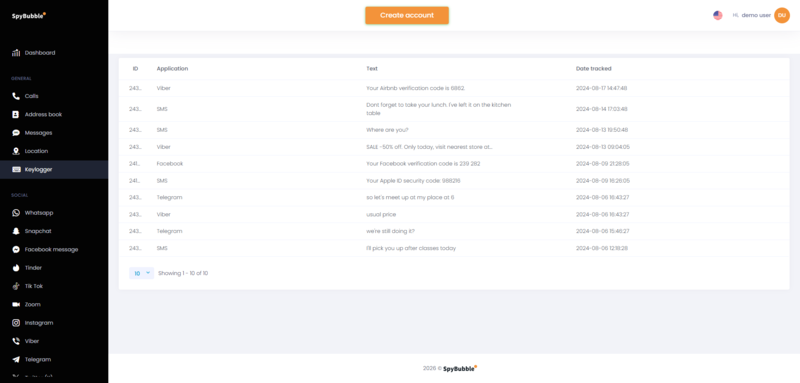
Keylogger tagged by source app, with timestamps
Periodic screenshots fill gaps that pure keylogging misses
Stealth mode hides app icon on Android
Coverage across 30+ social and messaging platforms
No root required for keylogger and most features
iPhone version is significantly feature-limited (uses iCloud, no keylogger)
No keyword alert system — review is manual
No geofencing alerts
iOS limited to WhatsApp, Facebook, Instagram for social monitoring
Price
SpyBubble Pro pricing starts at ~$24.95/month, with quarterly (~$89.97) and annual (~$149.88) options. A 14-day money-back guarantee is offered. Pricing as of March 2026; check the SpyBubble pricing page for current rates.
3 FlexiSPY — Most Advanced Keylogger, Most Complex Setup
FlexiSPY is the power user's pick — and it shows in both the feature list and the price tag. Among all keylogger for Android phone apps tested, FlexiSPY has the most granular capture, organizing keystrokes by app, timestamp, and session. The catch: many of its most marketed features (call interception, ambient recording, remote camera) require rooting the target device, which voids warranty, breaks banking apps, and is well beyond what most parents are willing to do.
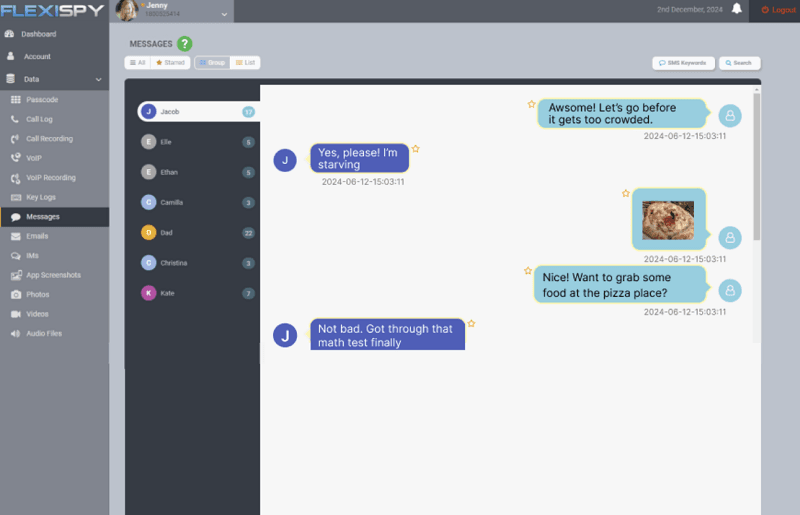
Most granular keystroke organization in our testing
Captures from social, browser, and SMS in one feed
Works without root for keylogger feature
Cross-platform Android + iPhone
Most expensive option on this list
Advanced features require rooting (warranty risk)
Dated, technical UI not suited to beginners
Setup process takes longer than competitors
Price
Lite ~$29.95/month, Premium ~$68/month, Extreme ~$199/quarter (US pricing, March 2026).
4 Eyezy — AI-Enhanced Alerts on Top of Keylogger
Eyezy takes a slightly different angle from SpyBubble and FlexiSPY: instead of dumping raw keystroke logs into a dashboard, it uses AI to flag concerning content — words associated with bullying, self-harm, predator grooming patterns, or explicit content. The underlying keylogger works on Android without root, and the AI layer reduces the "wall of text" problem that makes traditional keylogger output exhausting to review. Less depth than FlexiSPY, but more practical for parents who don't want to read every line.
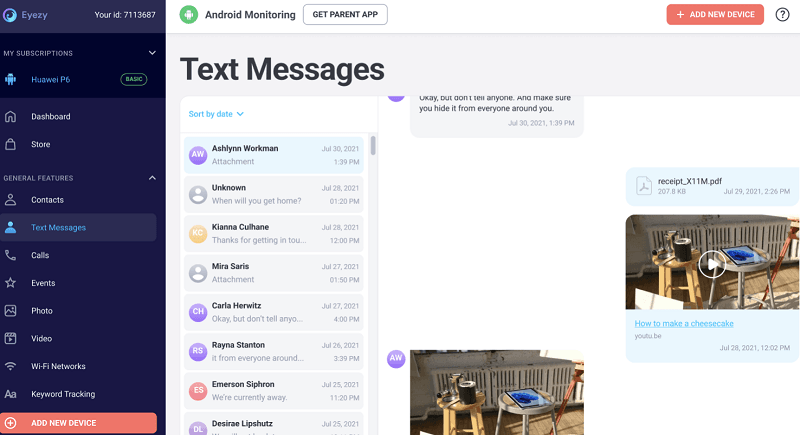
AI flags risky content automatically
Clean, modern UI compared to legacy competitors
No root required
Bank-grade encryption for stored data
Less granular than FlexiSPY for power users
Premium tier required for full features
Newer brand — less long-term track record
Price
Plans start around $9.99/month (annual) up to $47.99/month (monthly). Pricing varies by promotion; check current rates on the Eyezy pricing page.
5 Hoverwatch — Cheapest Working Option
If the question is "what's the lowest-cost keylogger for Android that actually works in 2026," Hoverwatch is the most credible answer. It offers SMS monitoring, call logs, and basic keylogging at the lowest sustained subscription price among the apps we tested. The trade-off is depth — Hoverwatch's keylogger captures less context than SpyBubble or FlexiSPY, and the dashboard hasn't seen a major UI refresh in years. But for families monitoring a single device on a tight budget, it covers the basics.
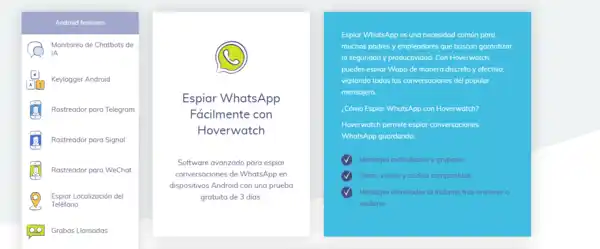
Cheapest sustained subscription among working options
Free trial available
Reliable for SMS and call logs
Multi-device plans for businesses are competitively priced
Keylogger less granular than competitors
Dated UI
Fewer social app integrations
Slower update cycle for new Android versions
Price
Personal ~$24.95/month (1 device), Professional ~$9.99/month per device (5 devices), Business from ~$6/month per device (25 devices).
Quick Comparison Table
Here's how the five working Android keyloggers stack up across the dimensions that matter most.
| Dimension | VigilKids ⭐ | SpyBubble | FlexiSPY | Eyezy | Hoverwatch |
|---|---|---|---|---|---|
| Android keylogger | Yes (app-tagged) | Yes (app-tagged + screenshots) | Yes (most granular) | Yes | Yes (basic) |
| Captures unsent drafts | Yes | Yes | Yes | Yes | Partial |
| Works without root | Yes | Yes | Yes (basic features) | Yes | Yes |
| WhatsApp monitoring | Full (chats + calls + media) | Yes (30+ social apps) | Yes | Yes | Limited |
| AI risk alerts | Yes | No | No | Yes | No |
| GPS + geofencing | Included | GPS only (no geofencing) | Included | Included | Basic |
| Multi-parent dashboard | Yes (browser) | No | No | No | No |
| Price (entry plan) | ~$9.99/mo | ~$24.95/mo | ~$29.95/mo | ~$9.99/mo | ~$24.95/mo |
How to Install a Keylogger on Android by VigilKids
Installing a keylogger for Android phone doesn't have to be complicated. With VigilKids, the full setup takes about 5 minutes and requires no rooting, no APK sideloading from sketchy sites, and no technical background. Here are the three steps that get the Android keylogger up and running on your child's device.
- Step 1. Create your VigilKids account on the official website and choose a subscription plan or start the free trial. You'll receive a download link and login credentials by email within minutes.
- Step 2. Open the email on the target Android phone, download the VigilKids installer, and grant the required permissions during the guided setup — Accessibility (the core permission for the Android keylogger to work), Notifications, Location, and Storage. The whole process is wizard-driven and takes about 3 minutes.
- Step 3. Sign in to the VigilKids browser dashboard from any device. Keystrokes, WhatsApp chats, GPS location, and screen activity start appearing within the first hour, and both parents can log in simultaneously to review activity.
FAQs About Keylogger for Android
Q1: What is the best keylogger for Android in 2026?
For parents wanting a keylogger alongside full monitoring (WhatsApp, GPS, screen recording), VigilKids' Android keylogger is the most complete option. For stealth-mode monitoring across 30+ social apps, SpyBubble. For maximum depth at the highest price, FlexiSPY. For AI-flagged content alerts, Eyezy. For the lowest sustained subscription, Hoverwatch.
Q2: Is there a truly free keylogger for Android?
Not one we'd recommend. Apps marketed as "free keylogger for Android" on third-party APK sites are overwhelmingly malware. The closest legitimate options are free trials (3–7 days) from paid services like VigilKids, Eyezy, or Hoverwatch. After the trial, all require a subscription. If budget is the issue, our guide to free family tracking apps covers genuinely free location and basic monitoring options that don't include keylogging.
Q3: Does an Android keylogger require root access?
For basic keystroke capture across messaging and social apps, no — every app reviewed here works without root on Android 13 and 14. Root access is only needed for advanced features like call interception, ambient audio recording, and certain types of encrypted messaging capture (a niche FlexiSPY targets).
Q4: Can I install a keylogger on Android remotely?
No. Every legitimate keylogger for Android requires brief physical access to install — usually 5–10 minutes. Any service claiming to offer remote-install Android keyloggers is either lying or distributing malware. Even APK sideloading needs the user to approve installation manually on the target device.
Q5: Will the person being tracked know a keylogger is installed?
Technically, most modern Android keyloggers can run without a visible app icon — but they will appear in Settings → Accessibility → Installed services, in Settings → Apps if you scroll through carefully, and in Google Play Protect scans. Anyone technical enough to check these places will find the app. For parents, we recommend disclosing the keylogger rather than hiding it — both for legal reasons and because research shows disclosure leads to better outcomes.
Q6: Is using a keylogger for Android phone legal?
Legal on your own device, generally legal on a minor child's device, legal on company-owned employee devices with disclosure. Illegal on a spouse's, partner's, or any adult's device without their knowledge or consent — in most US states, the EU, UK, Canada, and Australia.
Q7: How accurate are Android keyloggers?
For text typed using the system keyboard, modern Android keyloggers capture nearly 100% of keystrokes across major apps. They struggle more with: third-party keyboards (Gboard, SwiftKey) where capture depends on accessibility integration; voice-typed content (since nothing is keyboard-input); copy-paste content (visible as paste events, but the original source isn't captured); and end-to-end encrypted content typed in apps that block accessibility (rare).
Q8: Will a keylogger drain the Android phone's battery?
All keyloggers add some background drain. In our 14-day testing on a Pixel 8, the impact ranged from 5% additional daily drain (Hoverwatch, lightweight) to 12% additional drain (FlexiSPY, full monitoring active). VigilKids and SpyBubble averaged around 7-9%. None of these are deal-breakers on a modern phone, but they're noticeable on older devices.
Conclusion
The market for a keylogger for Android in 2026 is smaller than it used to be, but the apps that survived are more reliable than ever. The honest summary:
- If you want a keylogger plus full parental monitoring (WhatsApp, GPS, screen recording) in one platform: VigilKids — most complete suite with a multi-parent browser dashboard.
- If you want stealth-mode keylogger plus screenshots across 30+ apps: SpyBubble — investigative-level visibility, runs hidden on Android.
- If you want maximum depth and don't mind complexity: FlexiSPY — most granular, most expensive.
- If you want AI-flagged alerts instead of raw logs: Eyezy — modern UI, content-aware.
- If budget is the top priority and you accept basic features: Hoverwatch — cheapest working option.
Whatever you pick, remember the rule that applies to every keylogger for Android phone: install it only on devices you own or have legal authority to monitor, and — especially with children — be transparent about what you're doing. The technology works best when it supports family trust, not when it replaces it. For broader parental control guidance, see our parental control hub.
Related Topics
Best Phone Monitoring App 2026: 7 Apps Tested for
What's the best phone monitoring app in 2026? We tested 7 options on iPhone and Android — features, pricing, stealth, and which to skip for safety.
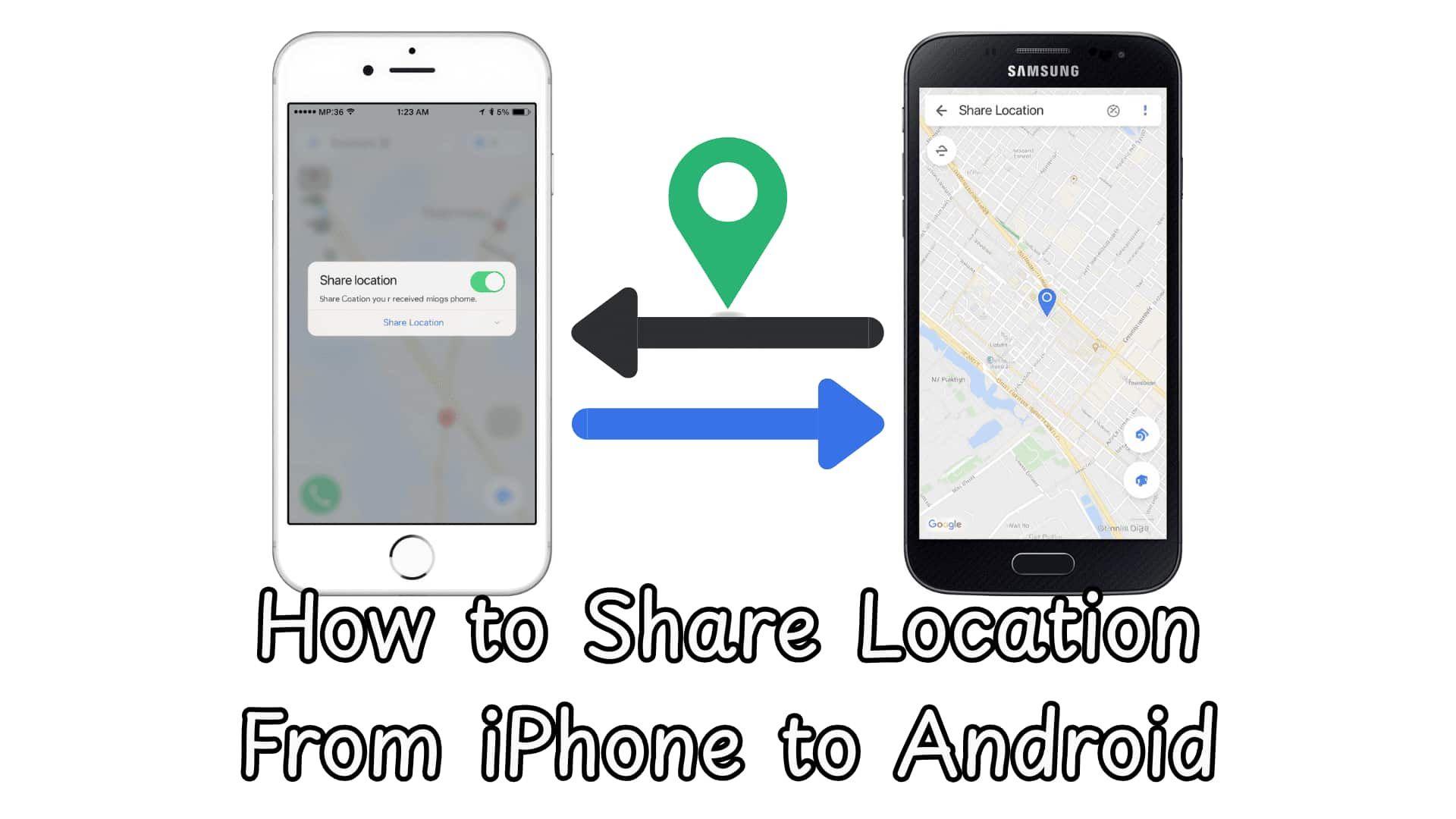
How to Share Location From iPhone to Android - 4 Methods
Learn how to share location from Android to iPhone using Google Maps and other tools. Easy steps for real-time tracking, safety, and cross-platform sharing.
How to Read Someone Else’s Text Messages Remotely?
Learn how to read text messages from another phone or device. Discover safe methods to access SMS remotely and monitor messages easily with VigilKids.