
Yes, there are tools you can use when searching for hack WhatsApp safely. WhatsApp monitoring apps such as VigilKids, mSpy, KidsGuard for WhatsApp, Eyezy, XNSPY, uMobix, and Hoverwatch offer different ways to review chats, calls, media, contacts, or broader phone activity. Compare their features, device compatibility, setup requirements, and overall coverage below.
Best WhatsApp Monitoring Apps: Quick Comparison
The original feature matrix below gives a quick view of the seven products. A ✅ indicates the feature is listed as available in the source comparison, while a ❌ indicates it was not listed. The rating is a unified editorial score out of 10. Availability can still vary by operating system, plan, permissions, and setup. If WhatsApp is only one part of the concern, compare broader phone monitoring apps before choosing.
| App | WhatsApp Chats | Deleted Messages | Shared Media | Call Tracking | Contact Insights | Screen Activity | AI Alerts | Rating (/10) |
|---|---|---|---|---|---|---|---|---|
| VigilKids | ✅ | ✅ | ✅ | ✅ | ✅ | ✅ | ✅ | 9.6 |
| mSpy | ✅ | ✅ | ✅ | ✅ | ✅ | ✅ | ❌ | 9.5 |
| KidsGuard for WhatsApp | ✅ | ✅ | ✅ | ✅ | ❌ | ❌ | ❌ | 9.3 |
| Eyezy | ✅ | ❌ | ✅ | ❌ | ❌ | ✅ | ❌ | 9.2 |
| XNSPY | ✅ | ✅ | ✅ | ✅ | ✅ | ✅ | ❌ | 9.2 |
| uMobix | ✅ | ❌ | ✅ | ❌ | ✅ | ✅ | ❌ | 9.5 |
| Hoverwatch | ✅ | ❌ | ✅ | ✅ | ✅ | ❌ | ❌ | 8.5 |
Before You Choose a WhatsApp Monitoring App
WhatsApp uses end-to-end encryption, so credible monitoring products do not “crack” encryption from only a phone number. They generally rely on an authorized connection or software installed on a supervised device. Be suspicious of any site promising instant access without consent, setup, or verification.
- Legal authority: Use monitoring only on a device you own or are legally permitted to supervise, and follow local notice and consent rules.
- Setup model: Check whether the product requires brief physical access, Android installation, or an authorized WhatsApp Web connection.
- Useful coverage: Decide whether you need chats alone or supporting context such as contacts, calls, shared media, location, and screen activity.
- Device support: Verify the exact operating system, version, plan, and permission requirements before paying.
- Account safety: Never share a one-time registration code with an unknown person, and review unfamiliar linked devices.
7 Best WhatsApp Monitoring Apps in 2026
The following products retain the seven-app comparison from the source article. Feature availability can change, so treat each summary as a shortlist and confirm current requirements on the provider’s official site.
1. VigilKids: Best Overall for Parent-Focused WhatsApp Oversight
VigilKids combines WhatsApp activity with wider phone context instead of forcing parents to piece together separate tools. On supported setups, parents can review chats and shared media alongside contacts, call activity, location, app usage, screenshots, and other device signals. A separate web-based WhatsApp connection is also available when a family needs WhatsApp-focused access across devices.
Published price and test snapshot:
- Total billed: 1 month — $39.99; 3 months — $79.98; 12 months — $119.98. Verify the live VigilKids pricing page at checkout.
- An official 90-day review reports 3-5 minute setup on a Pixel 7, Samsung Galaxy A54, and Xiaomi Redmi running Android 13–14.
- Editorial rating: 9.6/10. A separate PC Tech test caught 28 of 31 binary scenarios, including all 8 deleted texts and all 3 deleted voice notes in that test.
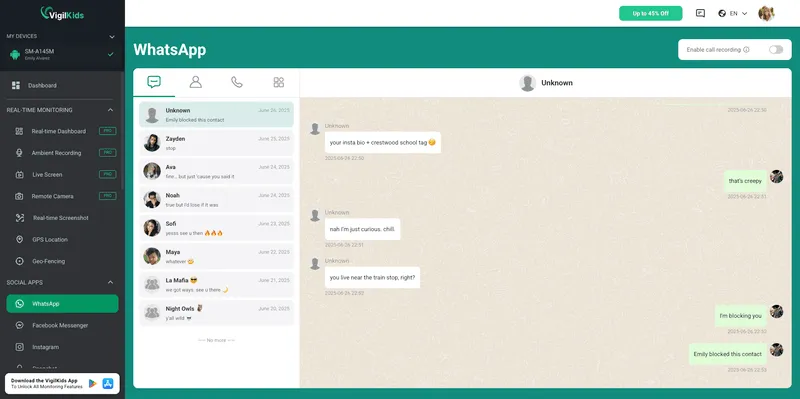
- Combines communication, location, shared media, and screen context.
- Offers both Android monitoring and a web-based WhatsApp connection.
- Custom keyword and risky-media alerts can reduce constant manual checking.
- Requires authorization and the setup method depends on the chosen solution.
2. mSpy: Best for an Established Monitoring Suite
mSpy is a recognizable option for families that want WhatsApp activity within a broader dashboard. Depending on the device and subscription, its wider phone monitoring toolkit may include GPS location, calls, SMS, browsing, and other social apps.
Published price and test snapshot:
- Calculated total from the supplied mSpy checkout rates: 1 month — $48.99; 3 months — $84.00; 12 months — $140.04.
- Installation: 4m 30s; sync: 5–10 min; WhatsApp calls: VoIP logs; deleted-message recovery: 95%.
- Editorial rating: 9.5/10. Device, OS, recovery sample size, repeat count, and the third-party test’s scoring criteria were not disclosed.
- Mature multi-feature product category presence.
- Useful when the concern extends beyond WhatsApp.
- Device, operating-system, and plan differences can affect coverage.
- Pricing may be higher than simpler tools.
3. KidsGuard for WhatsApp: Best for a WhatsApp-First Android Use Case
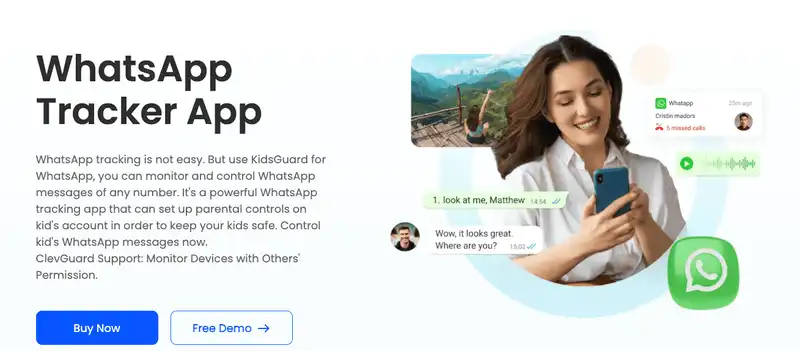
KidsGuard for WhatsApp focuses on messages, calls, media, and activity records after setup on a supported Android device. Its narrower scope can make it a practical WhatsApp tracker choice when WhatsApp is the family’s main concern.
Published price and test snapshot:
- Total billed for the WhatsApp-only plan: 1 month — $24.99; 3 months — $39.99; 12 months — $89.99.
- ClevGuard’s guide estimates 3–5 minutes for Android setup and its FAQ says logs update in real time when the phone is online.
- Editorial rating: 9.3/10. The vendor lists WhatsApp call recording and messages deleted after being read; it does not publish a recovery rate or sample size.
- Clear WhatsApp-first positioning.
- Suitable for Android-focused households.
- Less useful when location, web, or multi-app context matters.
- Initial setup and syncing require time and authorized device access.
4. Eyezy: Best for a Modern Dashboard
Eyezy emphasizes a cleaner dashboard and alert-oriented review. It may suit non-technical parents who want WhatsApp parental monitoring alongside location and other social-app signals without navigating a dense control panel.
Published price and test snapshot:
- Calculated total from the published Eyezy rates: 1 month — $47.99; 3 months — $83.97; 12 months — $119.88.
- Installation: 5m 10s; sync: 15 min; WhatsApp calls: history only; deleted-message recovery: 80%.
- Editorial rating: 9.2/10. Device, OS, recovery sample size, repeat count, and the third-party test’s scoring criteria were not disclosed.
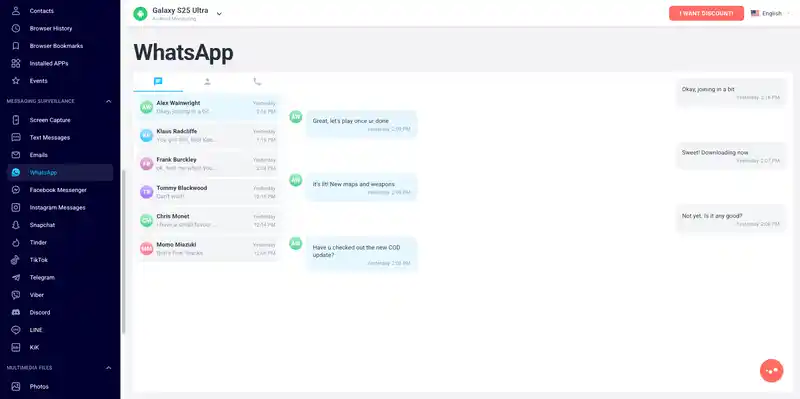
- Approachable interface for routine review.
- Alerts can help focus attention on selected concerns.
- Coverage can vary by platform and subscription.
- Confirm current WhatsApp support before purchase.
5. XNSPY: Best for Advanced Multi-Feature Monitoring
XNSPY positions WhatsApp monitoring as part of a larger device-supervision suite. It is more relevant for families that need communication signals alongside location, geofencing software, call logs, and app activity than for someone seeking a simple WhatsApp-only tracker.
Published price and test snapshot:
- Total billed for Premium: 1 month — $35.99; 3 months — $59.99; 12 months — $89.99. The official compatibility list covers Android 4–16 and iOS 17.0.3.
- An XNSPY-published comparison installed the app in under 10 minutes on a Samsung Galaxy and iPhone and recorded 23 of 25 WhatsApp messages on Android.
- Editorial rating: 9.2/10. The 23/25 result measures general message capture, not a deleted-message subset; the report describes near-real-time updates and keyword alerts averaging under 2 minutes.
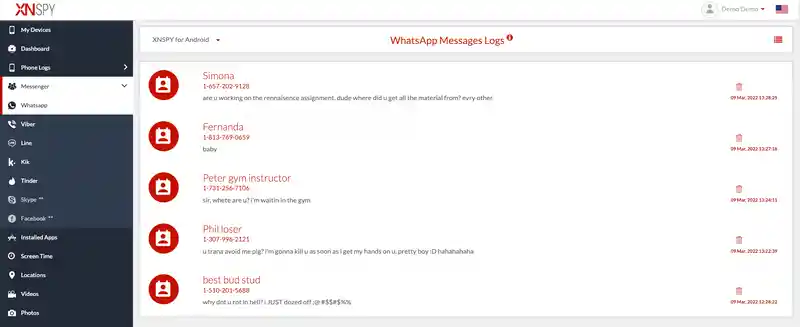
- Broad device-monitoring scope.
- Can connect location and communication context.
- The interface may feel technical.
- Advanced functions can require additional setup or permissions.
6. uMobix: Best for General Android Phone Activity
uMobix is a device-level monitoring option for authorized Android setup. It is better understood as a broader phone activity tool covering items such as contacts, messages, apps, and location—not a service that can hack a WhatsApp account from only a phone number.
Published price and test snapshot:
- Calculated total from uMobix’s published rates: 1 month — $49.99; 3 months — $89.97; 12 months — $149.88.
- Installation: 3m 15s; sync: 5 min; WhatsApp calls: VoIP logs; deleted-message recovery: 90%.
- Editorial rating: 9.5/10. Device, OS, recovery sample size, repeat count, and the third-party test’s scoring criteria were not disclosed.
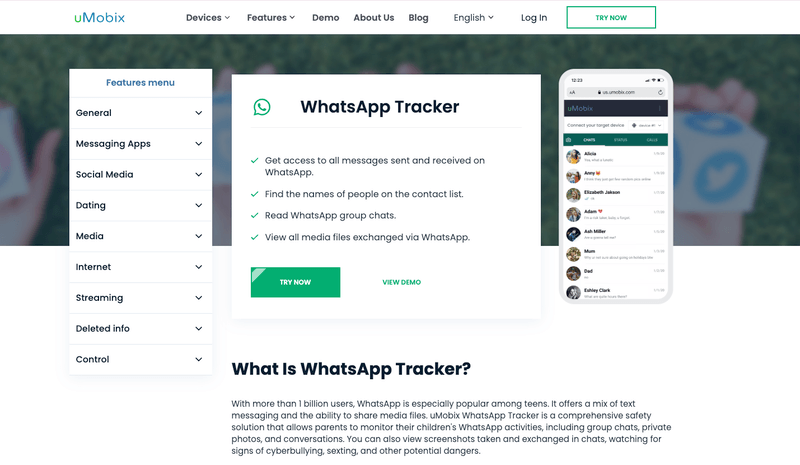
- General phone context beyond a single app.
- Dashboard access after subscription and setup.
- WhatsApp depth depends on the device and current plan.
- Broader than families seeking only WhatsApp oversight may need.
7. Hoverwatch: Best for Basic Budget Monitoring
Hoverwatch may suit families looking for basic Android monitoring at a lower entry cost. Its scope can include selected WhatsApp activity alongside SMS, WhatsApp call history, location, and internet activity on supported devices.
Published price and test snapshot:
- Total billed for Hoverwatch Personal (1 device): 1 month — $29.95; 3 months — $59.95; 12 months — $99.95.
- A 180-day third-party test used a Galaxy S23 on Android 14, Pixel 8, Windows 11 PC, and MacBook Air M3. Android installation took 15–30 minutes; Hoverwatch support advises allowing up to 20 minutes for logs.
- Editorial rating: 8.5/10. The third-party test found 0% WhatsApp message-content capture without root and did not publish a WhatsApp or deleted-message sample size.
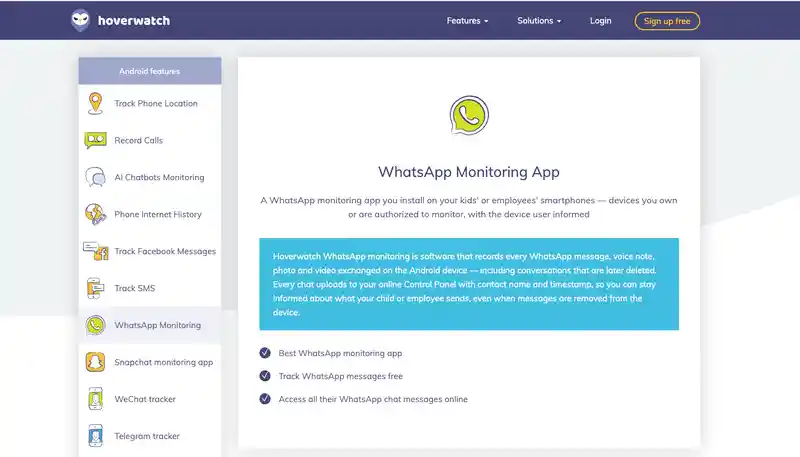
- Budget-oriented option for basic needs.
- Combines communication and location signals.
- WhatsApp coverage may be less complete than premium suites.
- Interface and support may feel less polished.
Why VigilKids Is the Best All-in-One Choice for Parents
VigilKids stands out when the real need is understanding context rather than collecting isolated messages. Parents can combine WhatsApp activity with calls, contacts, media, app behavior, location, geofencing, screenshots, and screen activity from one dashboard. That makes it easier to distinguish a one-off message from a repeated safety pattern.
The setup is also transparent: the parent chooses either the Android monitoring workflow or the authorized web-based WhatsApp connection. In both cases, use should be limited to a child’s parent-managed device or another device for which the user has clear legal permission.

VigilKids
- Review WhatsApp chats, contacts, calls, shared media, and selected risk alerts.
- Connect communication context with location, apps, screen activity, and device events.
- Choose an Android or web-based setup according to the supervised device and use case.
Frequently Asked Questions
Can someone hack WhatsApp with only a phone number?
A phone number alone does not provide legitimate access to another person’s chats. Sites claiming instant remote access are commonly scams, credential traps, or malware risks. Use only authorized device supervision or official account-recovery tools.
Can parental control apps monitor WhatsApp?
Some apps can provide WhatsApp activity from a supported, supervised device after authorized setup. Available messages, calls, contacts, media, or screen context depend on the product, operating system, plan, and permissions.
What is the best WhatsApp monitoring app for parents?
VigilKids is the strongest all-in-one option in this comparison for parents who need WhatsApp context plus location, calls, contacts, media, apps, and screen activity. A WhatsApp-only product may be enough when the concern is limited to that app.
Is WhatsApp Web monitoring the same as hacking?
No. A legitimate WhatsApp Web connection is linked through an authorized account and appears in Linked Devices. Secretly inducing another person to scan a QR code or linking without permission is not an acceptable use.
How can I protect my own WhatsApp account?
Use the official WhatsApp app, review Linked Devices, log out unfamiliar sessions, enable two-step verification with a recovery email, never share registration codes, and keep the phone and app updated.
Are free WhatsApp hacking apps safe?
Treat them as unsafe. Legitimate services disclose their setup, supported devices, legal-use conditions, pricing, and support. Avoid downloads or websites that promise access without consent, verification, or device authorization.
Conclusion
The safest response to “hack WhatsApp” search intent is not an exploit—it is an authorized monitoring or account-security workflow. Compare products by setup transparency, verified device support, useful context, and legal fit rather than dramatic access claims.
For parents who want more than WhatsApp alone, VigilKids Android parental control brings chats, shared media, calls, contacts, apps, screen activity, and location into one review flow. Use the demo to check the dashboard before choosing a plan.
Authoritative Sources
- Meta Engineering: How Device Verification Protects WhatsApp Accounts
- WhatsApp: How to Use Two-Step Verification
- Software Testing Help: Third-Party Pricing and Test Snapshot
- PC Tech Magazine: 31-Scenario Parental Control Test
- ClevGuard: KidsGuard for WhatsApp Pricing
- XNSPY: Pricing, Compatibility, and WhatsApp Call Support
- SpyPhoneDude: Hoverwatch 180-Day Test
- Hoverwatch Support: First Data Upload Guidance
- Eyezy: Published Subscription Rates
- uMobix: Published Subscription Rates
- Hoverwatch: Personal Plan Total Prices
Hot Topics for WhatsApp Monitoring

VigilKids WhatsApp Tracker 2026: Full Review & Setup Guide
The VigilKids WhatsApp tracker captures chats, calls, media, and deleted messages from any Android device. See features, setup, and how it works in 2026.
Does WhatsApp Have Parental Controls? Full 2026 Guide
hatsApp has no built-in parental controls. Learn how to set up safe monitoring in 2026 using WhatsApp's privacy settings, family rules, and the right app.
How to Use the Same WhatsApp on Two Phones (2026 Guide)
Want WhatsApp on two phones? Learn the official way to use one account on multiple devices, plus safe, consent-based options for monitoring a child's WhatsApp.