
Hoverwatch reviews: If you're a parent in 2026 looking for an affordable way to keep your child safe online, Hoverwatch has probably come up in your search. It promises call tracking, location, and social media monitoring at a budget price across Android, Windows, and macOS.
But a monitoring app isn't just about a long feature list — it needs to be reliable, work on your child's actual device, and have support that responds when something breaks. In this hands-on Hoverwatch review, we break down what works, what doesn't, what real users are saying, and whether it's the right pick — or if there's a smarter alternative for keeping your child safe across both Android and iOS.
- Table Of Contents
- What Is Hoverwatch?
- Setup & Compatibility: Solid on Android, Weak on iOS
- Feature Breakdown: What Works and What Doesn't
- Hoverwatch Pricing
- What Real Users Are Saying
- A Smarter Alternative: VigilKids

- Final Verdict: Should You Use Hoverwatch?
- FAQs
What Is Hoverwatch?
Hoverwatch is a phone and computer monitoring app that has been around for years. It markets itself as an affordable, all-in-one tracking tool for parental control, employee monitoring, and device tracking. Once installed on a target device, it logs activity — calls, messages, location, and social media — and syncs everything to a web-based control panel you can check from anywhere.
It runs on three platforms — Android, Windows, and macOS — and operates in stealth mode in the background. Its big selling points are a low entry price and a broad list of logged data. But as with any monitoring app, the real test is how it performs once it's running on an actual device. Let's break it down.
Setup & Compatibility: Solid on Android, Weak on iOS
Your experience with Hoverwatch depends heavily on which device your child uses. Installation requires physical access to the target device — you'll download the app, grant permissions, and then monitor remotely. Here's how it holds up across platforms.
On Android: Full Features, No Root Needed
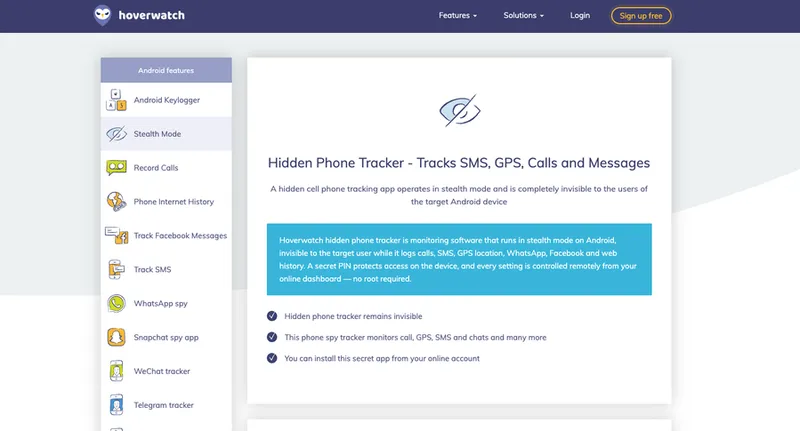
Android is where Hoverwatch performs best. No rooting is required for most functions, and setup takes only a few minutes. The features that work reliably here include:
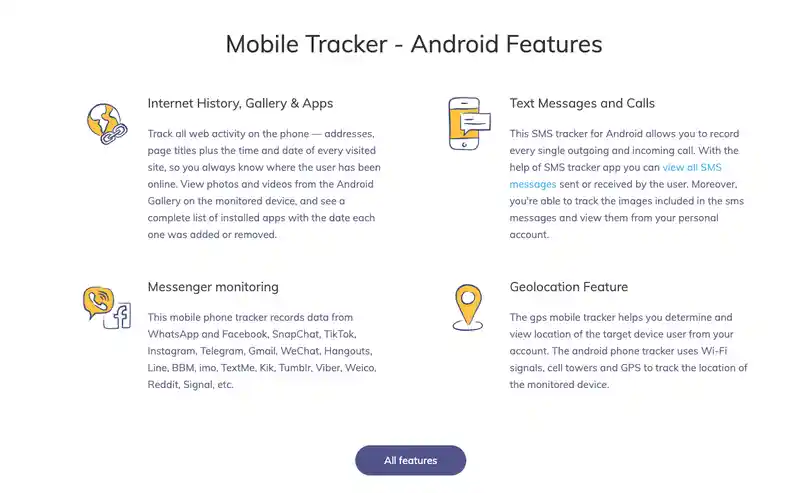
- Call logs and SMS tracking with timestamps
- GPS location and location history
- Social media activity logs (WhatsApp, Messenger, Instagram, and more)
- Periodic screenshots and browsing history
- Installed-app and internet usage tracking
On iPhone/iOS: Severely Limited
This is Hoverwatch's biggest weakness. There is no proper native iOS app — monitoring an iPhone is heavily restricted and generally requires jailbreaking the device, which most parents won't (and shouldn't) do. If your child is on an iPhone, Hoverwatch simply isn't a practical option. This alone rules it out for a large share of families.
On Windows & macOS: Basic Desktop Tracking
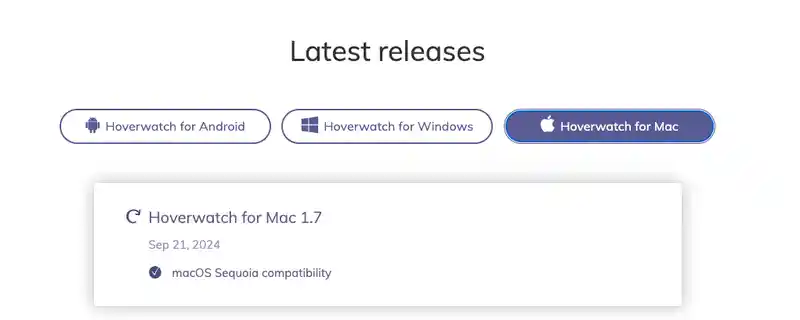
Hoverwatch does extend to computers, logging some activity on Windows and macOS. It's useful if you want to keep an eye on a shared family laptop, but the desktop monitoring is more basic than what you get on Android and isn't a substitute for full phone monitoring.
Feature Breakdown: What Works and What Doesn't
Hoverwatch advertises a comprehensive feature set, but in practice some areas are stronger than others. Here's an honest look at where it delivers and where it leaves gaps.
- Call & SMS logs — clear, with contact details and timestamps
- GPS location and location history
- Social media logging across many popular apps
- Stealth operation with no visible icon
- No real-time screen viewing — only delayed log syncs
- Social media is logged after the fact, so deleted chats can be missed
- No keyword or stranger-contact alerts
- iOS support is effectively unusable without jailbreaking
The recurring theme is timing. Hoverwatch captures data and syncs it to your panel after the activity happens. For Messenger or WhatsApp chats — where a message can be sent and deleted within seconds, or a stranger can make first contact and disappear — that delay is the difference between catching a problem early and finding out too late. There's also no alerting system, so you're left manually scanning logs rather than being notified when something concerning appears.
Hoverwatch Pricing
Affordability is Hoverwatch's main draw. Plans are tiered by how many devices you need to monitor:
| Plan | Devices | Starting Price | Best For |
|---|---|---|---|
| Personal | 1 device | ~$24.95/month | A single child's phone |
| Professional | Up to 5 devices | Higher tier | Families with several devices |
| Business | Up to 25 devices | Highest tier | Employee monitoring |
Quarterly and annual subscriptions come with meaningful discounts, and there's a short free trial that lets you test the core features before paying. The entry price is genuinely competitive. That said, some users feel the value drops once you realize what's missing — particularly real-time access and iPhone support — and that monthly billing adds up for multi-device households. Always check Hoverwatch's website for the latest rates.
What Real Users Are Saying
Beyond the spec sheet, it's worth knowing how Hoverwatch holds up for everyday parents. User feedback in 2026 is genuinely mixed — here's a balanced picture of the recurring themes.
User Feedback
"The free trial sold me — I tested call tracking and GPS without paying upfront, and setup on my son's Android only took a few minutes. For the price, it covers the basics well."
—— A parent monitoring an Android phone
User Feedback
"It works for logs, but I wish I could see chats in real time instead of waiting for them to sync. By the time I checked, a few messages had already been deleted."
—— A parent reviewing social media activity
User Feedback
"Two frustrations: it didn't really work on my daughter's iPhone, and when I contacted support it took days to hear back. The cost also climbs once you want more than one device."
—— A parent in an iPhone household
The pattern lines up with our testing: users appreciate the affordable entry point and quick Android setup, but the common frustrations — no real-time visibility, weak iPhone support, and slow customer service — are exactly the gaps a more complete tool can close.
A Smarter Alternative: VigilKids
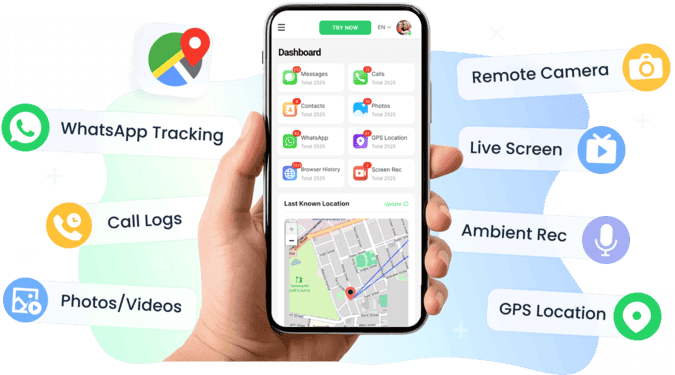
If Hoverwatch's limitations give you pause, VigilKids is the alternative worth a serious look. It directly addresses the two areas where Hoverwatch is weakest: it works fully on Android with no jailbreak, and it offers real-time visibility — including live screen viewing — instead of delayed logs. You can see it in action in the monitoring demo.

VigilKids Pro
- Read messages, contacts, and shared media across Messenger, WhatsApp, and more in real time
- Mirror the live screen and capture remote screenshots as activity happens
- Works fully on all Android — no jailbreak required
- Get instant alerts for risky keywords and contact from strangers
- Track GPS location, screen time, and app usage from one dashboard
Just as importantly, VigilKids is built around transparency: one subscription unlocks every feature (no tiered feature-gating), it operates with the visible on-device notifications platform policies require, and it backs purchases with a clear refund policy and responsive support. Here's how the two compare head to head:
| Feature | Hoverwatch | VigilKids |
|---|---|---|
| Real-time screen viewing | No | Yes |
| Social media monitoring | Logs only | Real-time + media |
| Keyword & stranger alerts | No | Yes |
| GPS & location history | Yes | Yes |
| Customer support | Mixed reviews | Responsive |
VigilKids is also one of the most complete parental control apps overall. If you're weighing several options, our roundup of the best phone monitoring apps puts it in context alongside the rest.
FAQs
Q1: Does Hoverwatch work on iPhone?
Not properly. Hoverwatch is built for Android, Windows, and macOS, and iOS monitoring is severely limited unless the iPhone is jailbroken. If your child uses an iPhone, an alternative like VigilKids that fully supports iOS is a better fit.
Q2: How much does Hoverwatch cost?
The Personal plan starts at around $24.95/month for one device, with Professional (up to 5 devices) and Business (up to 25 devices) tiers above it. Quarterly and annual plans offer discounts, and there's a short free trial. Check the official site for current pricing.
Q3: Can Hoverwatch see Messenger or WhatsApp messages?
It logs social media activity including Messenger and WhatsApp, but as delayed logs rather than in real time. Because chats can be deleted quickly, a real-time tool like VigilKids is more reliable for catching them.
Q4: Do I need access to the phone to install Hoverwatch?
Yes. Like most monitoring apps, Hoverwatch requires physical access to the target device for the initial installation. After that, monitoring is done remotely through the web control panel.
Q5: Is Hoverwatch undetectable?
Hoverwatch runs in stealth mode without a visible icon. That said, responsible and legal monitoring of a child means using tools transparently — VigilKids, for example, operates with the on-device notifications that platform policies require.
Q6: What's the best Hoverwatch alternative?
For parents who want full iPhone support, real-time screen viewing, live social media monitoring, and keyword alerts, VigilKids is the strongest alternative — covering the gaps Hoverwatch leaves while handling the same core tracking.
Final Verdict: Should You Use Hoverwatch?
Hoverwatch checks the boxes on paper, but real-world use tells a more nuanced story. If you're an Android-only household, comfortable reviewing logs after the fact, and want the lowest entry price, it can get the basic job done.
But if you:
- Need a working iPhone solution
- Want to see chats and screen activity in real time, not hours later
- Expect alerts instead of manually scanning logs
- Value responsive support and one app that just works
…then Hoverwatch's gaps become hard to ignore. In 2026, when your child's digital world moves fast and risks appear in seconds, a delayed log isn't always enough. For cross-platform coverage and real-time visibility, VigilKids is the more complete pick — and our recommended alternative.
Related Topics

FlexiSpy Review 2026: Is It Worth It? Better Alternative Inside
Our hands-on FlexiSpy review tests installation, features, and reliability on Android and iOS in 2026 — plus the FlexiSpy alternative built for parents.

Bark Parental Control Review: Is Bark Worth It or Bad? (2026)
Bark parental control review: why is the Bark app bad, real pros and cons, and is Bark worth it for parents compared with VigilKids.

mSpy Review in 2026: What You Won’t Read on Their Website
Discover our mSpy review: features, real user feedback, limitations, and why VigilKids may be a better choice for Android & iPhone monitoring.