
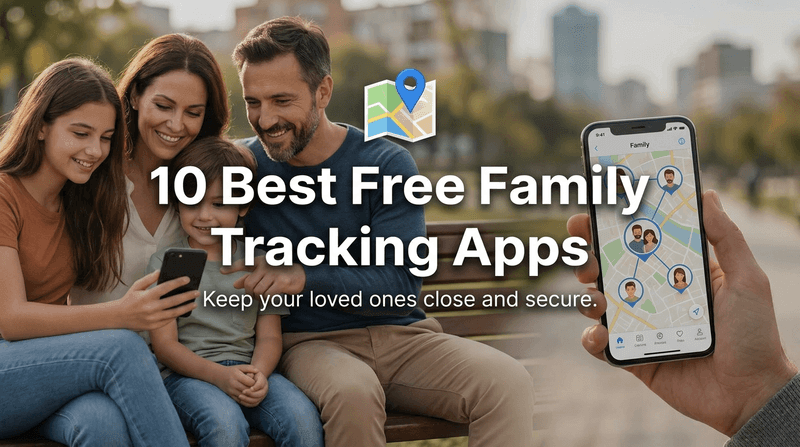
The best free family tracking app depends on your devices and how much visibility your family actually needs. Google Maps is the easiest cross-platform option, Apple Find My fits all-iPhone households, and Google Family Link adds child-device controls. This guide compares 10 family locator apps by free access, platform support, alerts, history, and privacy so you can choose without paying for features you will not use.
What to Consider When Choosing a Free Family Tracking App
A free download does not always mean a fully free family locator. Some apps provide ongoing location sharing at no cost, while others reserve location history, multiple place alerts, crash detection, or unlimited circles for paid plans. Before choosing, compare the features your family will use every week.
- Phone compatibility: An Apple-only household can use Find My, while a mixed iPhone and Android family needs a cross-platform option. Parents who switch between systems may also want to know how to track an Android phone from an iPhone.
- Sharing model: Google Maps, Find My, Samsung Find, Glympse, and WhatsApp are designed around voluntary sharing. Family Link and parental-control tools are designed for a parent-managed child account or device.
- Alerts and history: Live location answers “Where are they now?” Place alerts answer “Did they arrive?” Route history answers “Where have they been?” These are separate features and are often placed in different plan tiers.
- Offline behavior: No phone app can continuously send fresh GPS data when a device is powered off or disconnected. At best, the service may show a last known location or use a supported offline-finding network.
- Privacy controls: Check who can see the location, how sharing stops, whether children receive notices, and whether every participant understands the setup. The best tracker is one your family can use consistently and transparently.
How We Compared These Apps
This update is an editorial comparison based on current official product pages, help centers, and published plan information—not a claim that every app was laboratory-tested on identical phones. We checked whether each service offers a usable free mode, works on iPhone and Android, supports live or time-limited sharing, provides place alerts or history, and adds family-safety features beyond a map pin.
Features can vary by country, phone model, operating-system permissions, and subscription. Prices also change, so the table uses “free,” “free tier,” or “paid” instead of presenting short-lived promotional prices as permanent facts. For a wider shortlist beyond this article, see our guide to the best location-sharing apps.
Quick Comparison: 10 Family Tracking Apps at a Glance
| App | Free access | Platforms | Place alerts | Location history | Best for |
|---|---|---|---|---|---|
| VigilKids | Free demo; paid use | iOS, Android | ✅ | ✅ | Location plus parental context |
| Life360 | Free tier | iOS, Android | ✅ Limited | ✅ Limited | Family circles and driving |
| Google Maps | Free | iOS, Android, web | ✅ Sharing notifications | ❌ Family route history | Simple mutual sharing |
| Apple Find My | Free | Apple ecosystem | ✅ | ❌ Route history | All-Apple families |
| Samsung Find | Free | Galaxy ecosystem | ✅ Supported setups | ✅ App-dependent | Galaxy people and devices |
| GeoZilla | Basic free tier | iOS, Android | Paid feature | Paid feature | Driving and wearables |
| iSharing | Free tier | iOS, Android | ✅ Plan-dependent | ✅ Plan-dependent | Family alerts and SOS |
| Glympse | Free personal app | iOS, Android, web viewer | ❌ | ❌ | Temporary sharing |
| Free | iOS, Android | ❌ | ❌ | Sharing inside a chat | |
| Google Family Link | Free | Parent: iOS/Android; child: supported Google devices | ✅ | ❌ Route history | Child location and controls |
The checkmarks describe a supported capability, not unlimited free access. “Limited” and “plan-dependent” matter: always confirm the current plan and device requirements before setting up the whole family.
10 Best Free Family Tracking Apps for iPhone and Android
1. VigilKids — Best for Parental Location and Digital-Safety Context
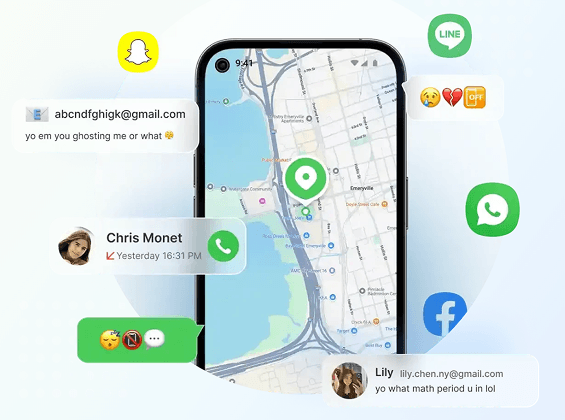
VigilKids is not a permanently free tracker; it is the strongest fit here for parents who need more context than mutual location sharing provides. Its location tools combine current GPS information, route history, visited places, and geofencing with supported parental-monitoring features in one web dashboard. That makes it useful when the real question is not only where a child is, but whether their travel, screen activity, and online behavior require attention.
Best for: Families that want a parent-managed safety dashboard rather than mutual map sharing.
- Real-time GPS information and route history
- Visited places and geofence entry or exit alerts
- Supported screen, app, and social-activity context
- Web dashboard accessible from a parent device
- Android and iOS monitoring support; available features can differ by platform
- Ongoing use requires a paid plan
- Setup, permissions, and platform support affect available data
- It is designed for parental oversight, not casual friend-to-friend sharing
 Note
NoteFree access: use the online demo to inspect the dashboard before buying. Check the current VigilKids plans for device limits and billing options.

- Review current location, route history, visited places, and geofence activity
- Add supported screen, app, call, message, and social-platform context
- Use one parent dashboard from a phone, tablet, or computer
- Monitor supported Android and iOS devices with platform-specific capabilities
2. Life360 — Best Free Tier for Family Circles
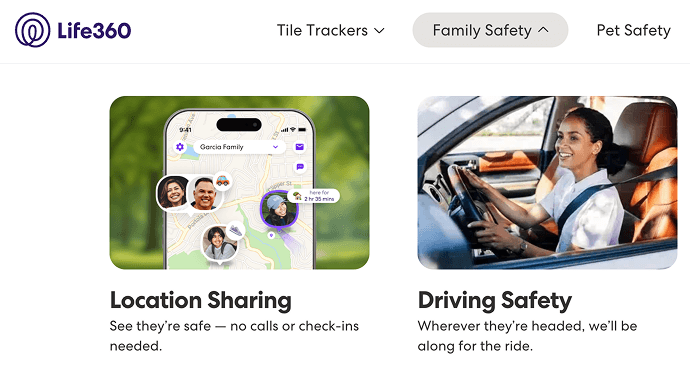
Life360 is a familiar choice for households that want a shared family map, place alerts, battery information, and driving-oriented features in one app. Its US free plan currently includes two days of location history and alerts for two places, which is enough for basic home-and-school routines. Paid plans expand history, alerts, driving reports, and emergency benefits. If you are comparing its relationship impact as well as features, read whether Life360 is good for relationships.
Best for: Families with teens who agree to ongoing circle-based sharing.
- Cross-platform family map and place alerts
- Battery status and driving-oriented information
- Functional free plan for basic use
- Useful history and alert limits vary by plan and market
- Each family member needs the app and permissions
NoteFree access: a usable free plan is available. Local prices and plan limits can vary.
3. Google Maps Location Sharing — Best Simple Cross-Platform Option
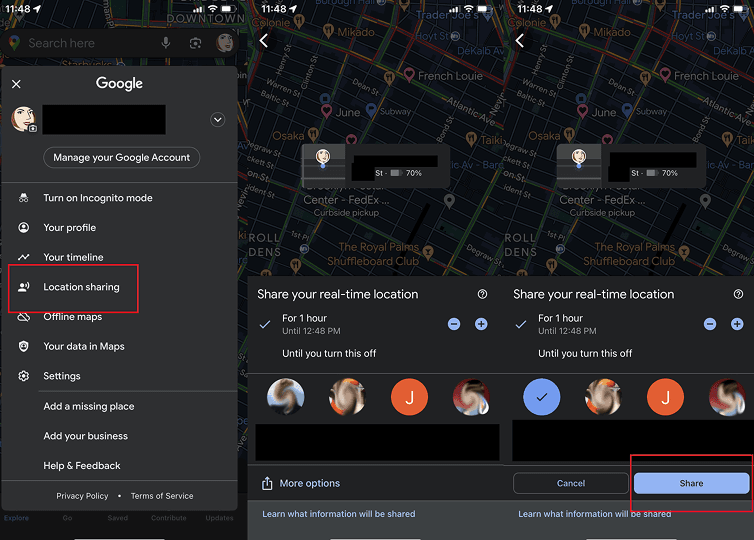
Google Maps is the easiest answer for families who already use Google accounts and only need voluntary real-time sharing. A person can choose who sees their location and for how long; viewers may also see battery status and, where supported, create arrival or departure notifications. It is especially practical when you need to share location from iPhone to Android, but it does not provide a shared family route-history dashboard, content controls, or emergency-response benefits.
Best for: Mixed iPhone and Android households that want no-cost mutual sharing.
- No additional family-tracker subscription
- Real-time location, battery status, and flexible sharing duration
- Works across phones and can be viewed on the web
- No family route-history dashboard
- Sharing depends on account, device, internet, and location settings
NoteFree access: included with a Google account. Account, device, internet, and location permissions affect availability.
4. Apple Find My — Best for an All-iPhone Family
Apple Find My is built into the Apple ecosystem and works naturally with Family Sharing. Family members can share locations, receive supported arrival or departure notifications, and locate Apple devices or compatible items. It is a strong zero-subscription choice when everyone uses Apple hardware, but it is not a cross-platform family map. If the service stops updating, these Find My iPhone troubleshooting steps cover the most common causes.
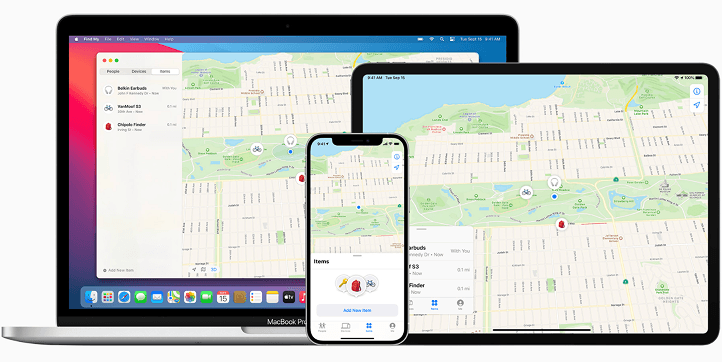
Best for: Families already committed to iPhone, iPad, Apple Watch, and AirTag.
- Built into Apple devices
- People, devices, and compatible items in one service
- Location notifications with user controls
- Not suitable as one shared map for Android users
- Designed for current location and finding—not detailed route reporting
NoteFree access: included with supported Apple devices and the required sharing settings.
5. Samsung Find — Best for Galaxy Families and Devices
Samsung Find has evolved beyond lost-phone recovery. On supported Galaxy devices, its People tab can share a location for one hour, one day, or until sharing is turned off; family members can also locate shared devices. Samsung documents child-location sharing through a Samsung account Family group, while the device and item tabs cover Galaxy hardware and SmartTags. For setup and recovery guidance, see how to find a Samsung phone.
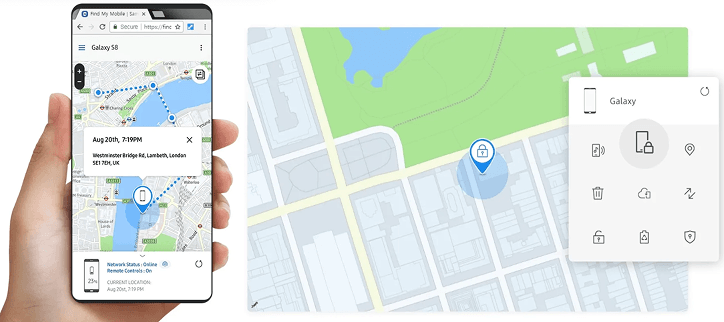
Best for: Households centered on supported Galaxy phones, tablets, watches, and tags.
- People, devices, and items in one Galaxy service
- Timed or ongoing consensual sharing
- Family-device location and lost-device tools
- Feature availability depends on Galaxy model, software, and region
- It is not the best shared solution for an iPhone-heavy family
NoteFree access: included on supported Galaxy devices; features depend on model, software, and region.
6. GeoZilla — Best for Families Comparing Driving and Wearable Features
GeoZilla offers basic location sending and receiving in its free version, while premium access adds tools such as location history, place alerts, and driving-oriented features. It can suit families interested in a broader connected-device setup, but its most useful ongoing safety capabilities are not all free. Compare the current plan against a dedicated geofencing app before subscribing.
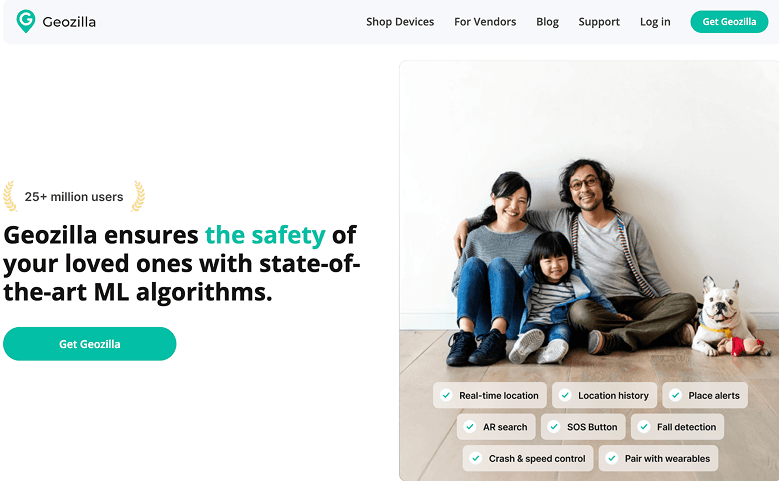
Best for: Families considering location, driving, and compatible wearable features.
- Basic location exchange in the free version
- Cross-platform family locator
- Premium place, history, and driving features
- The free tier is more limited than the premium product
- Verify device compatibility and current plan inclusions
NoteFree access: basic location features are available at no cost; advanced tools require Premium.
7. iSharing — Best Feature-Rich Free-Tier Alternative
iSharing combines family location with place alerts, location history, an SOS panic alert, and communication features. It is more purpose-built for family coordination than Google Maps, although the exact free allowances and premium limits should be checked in the current app listing. For a broader comparison, see our guide to choosing a location tracker.
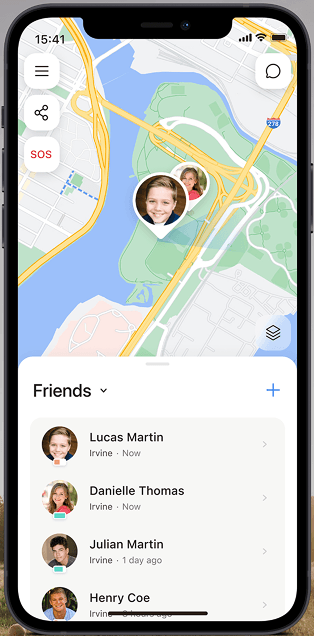
Best for: Families that want a dedicated locator with alerts and SOS tools.
- Cross-platform family location
- Place alerts and SOS capability
- Location-history features
- Feature depth depends on the current plan
- Background-location permissions are required for reliable updates
NoteFree access: a free tier is available, with premium upgrades and plan-dependent limits.
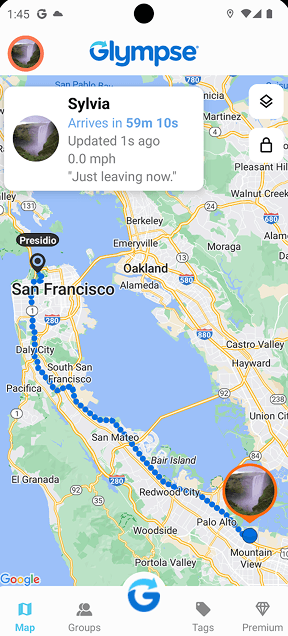
8. Glympse — Best for Temporary Location Sharing
Glympse is designed for a different job: sending a temporary live-location view rather than keeping every family member permanently visible. A recipient can open the shared experience without joining a private family circle, making it useful for pickups, travel days, meetups, and “I’m on my way” updates. It is not a substitute for route history, parental controls, or recurring school geofences.
Best for: Occasional, time-limited sharing with relatives or pickup contacts.
- Temporary sharing instead of always-on tracking
- Browser-friendly viewing
- Simple coordination for trips and arrivals
- No family route-history dashboard
- No parental screen or app controls
NoteFree access: the personal app can be downloaded free. Business and premium group products are separate from occasional personal sharing.
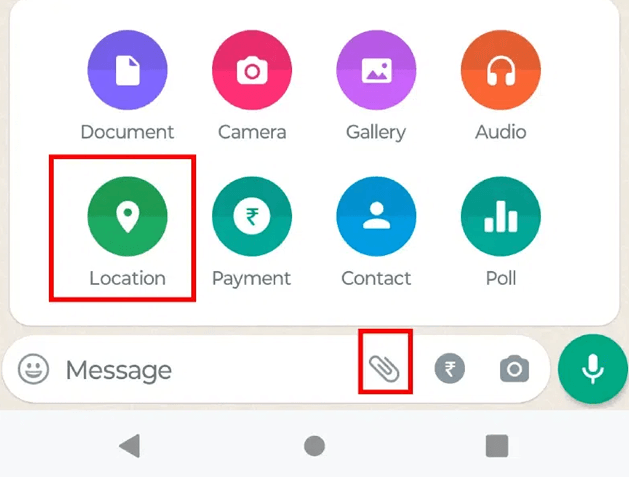
9. WhatsApp Location Sharing — Best for Chat-Based Coordination
WhatsApp Live Location is convenient when the family already uses the same group chat. A participant chooses a sharing period and can stop before it expires, while other chat members see the live position inside WhatsApp. It is useful for a journey or meetup, but it has no family geofence dashboard, route archive, or device-management controls. Follow our illustrated steps to share a location on WhatsApp.
Best for: Short trips and meetups coordinated in an existing family chat.
- No additional tracker app for existing users
- Time-limited live sharing
- Easy to stop from the chat
- Not designed for automatic place alerts or history
- Every participant controls their own sharing
NoteFree access: included with WhatsApp. Data charges and background-location permissions may still affect use.
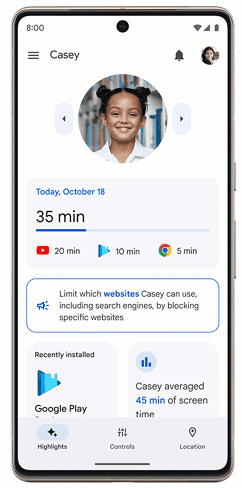
10. Google Family Link — Best Free Parent-Managed Option for Android Children
Google Family Link combines a child’s device location with app approvals, screen-time tools, content settings, and other account supervision. Parents can use the Family Link app on iPhone or Android, but the child-location function is centered on supported Android and compatible Google-connected devices. Google also supports labeled family places and arrival or departure alerts. Our Google Family Link guide explains where it works well and where families may need more.
Best for: Parents managing a child’s Android or compatible Google-connected device.
- Free child-location view
- Family places and arrival or departure alerts
- Screen-time, app, and account controls
- Child-side location support is not an all-platform solution
- A powered-off or disconnected device cannot provide a fresh location
NoteFree access: Family Link is free, but child-device support and available supervision features vary.
Which Family Tracking App Fits Your Situation?
Choose by family setup:
- Everyone uses an iPhone: Start with Apple Find My. It is integrated, free, and usually sufficient for consensual family location sharing.
- Your family mixes iPhone and Android: Google Maps is the lowest-friction free choice. Life360 or iSharing adds a more structured family interface.
- The child uses Android: Family Link is the strongest free starting point when you also want account, app, and screen-time controls.
- You only share during trips: Use Glympse or WhatsApp instead of installing an always-on family tracker.
- You need route history and broader safety signals: Compare a dedicated parental platform such as VigilKids with the best parental-control apps; verify exactly which features are available on the child’s operating system.
Whichever option you choose, set it up before an emergency. Confirm background-location permission, mobile data, battery settings, account sharing, and notification settings on every relevant phone. Then test an ordinary journey together so the family understands what an update, delay, or last-known location looks like.
FAQ
What is the best free family tracking app for iPhone and Android?
Google Maps is the simplest fully free cross-platform choice for voluntary real-time sharing. Life360 and iSharing provide more family-specific features through free tiers, while paid plans unlock more history, places, or safety tools.
Is there a completely free family locator app?
Yes. Google Maps, Apple Find My, Samsung Find, WhatsApp Live Location, Glympse personal sharing, and Google Family Link can all be used without a separate location-tracking subscription, but they serve different devices and scenarios. Some dedicated family-locator apps are free to download but limit advanced features.
Can an iPhone track an Android phone for free?
Yes, if the Android user shares their location through a cross-platform service such as Google Maps, Life360, iSharing, Glympse, or WhatsApp. A parent using an iPhone can also view a supervised child’s supported Android device in Google Family Link.
Will a family tracking app work when the phone is off?
It cannot send a new live GPS position while the phone is powered off. Some services may display the last reported location, and supported device-finding networks may help locate compatible hardware. If a location suddenly stops, check the differences between a dead phone, no signal, airplane mode, and other causes in our guide to knowing whether someone’s phone is dead.
Is Life360 or Google Family Link better?
Life360 is better suited to mutual family circles, driving information, and ongoing location sharing across iPhone and Android. Family Link is better when a parent manages a child’s supported Google device and also needs app approvals, screen-time tools, and account supervision.
How can families use location tracking without damaging trust?
Agree on why location is shared, who can see it, when it can be paused, and what happens if an update is late. Use the least intrusive tool that solves the actual safety problem, and revisit the agreement as children become more independent.
Conclusion
For most mixed-device households, Google Maps is the best free family tracking app to try first. Apple Find My is the natural choice for an all-iPhone family, Samsung Find fits Galaxy households, and Family Link is best when a parent manages a child’s Android device. Life360, GeoZilla, and iSharing add dedicated family features, while Glympse and WhatsApp are better for temporary sharing.
If your family needs location history, geofence alerts, visited places, and supported digital-safety context in one parent dashboard, evaluate VigilKids with the demo before choosing a paid plan.
Authoritative Sources
- Google Maps Help: Share your real-time location
- Apple Support: Share your location with Find My
- Samsung Support: Features of Samsung Find
- Google For Families Help: Find and manage a child’s location
- Life360: Plans and pricing
- GeoZilla Support: Free and Premium features
- iSharing Help Center: Feature overview
Related Topics
Best Location Sharing App: Top Choices for Family, Live Sharing & Android
Looking for the best location sharing app? We tested the top apps for accuracy, privacy, battery use and features to help you find the best option

Why Do Kids Skip School? Understanding the Real Reasons Behind Chronic Absences
Discover why kids skip school, the real causes behind it, and practical ways parents can respond with understanding instead of punishment.
How to Track Your Kids Location & Your Son’s Phone? 5 Simple Ways
Learn how to track your kids location and how to track my son’s phone using safe, simple tools. Real methods to find your child’s phone quickly.