
You cannot tell that someone’s phone is dead from one clue alone. The strongest indication is a pattern: calls repeatedly route to voicemail, internet messages remain undelivered, and a previously shared location stops updating at about the same time. The same signs can also result from no signal, airplane mode, disabled sharing, network problems, or blocking, so verify across two or three channels.
This guide explains what each signal means, how iPhone and Android differ, and what to do when the person may need help.
01. 9 Signs Someone's Phone May Be Dead
A dead battery and a manually powered-off phone usually look similar from another person’s perspective: the device cannot answer a normal cellular call or receive new data until it reconnects. These nine signs help you build a clearer picture without treating any one clue as proof.
- Calls repeatedly go straight to voicemail. This fits a dead or switched-off phone, but can also result from no service, airplane mode, forwarding, or blocking.
- The carrier plays an unavailable or unreachable message. It means the network cannot complete the call at that moment, not that the battery is definitely empty.
- iMessage does not show Delivered. The recipient may be offline, although account settings, other Apple devices, or network problems can change the result.
- RCS or WhatsApp remains sent but not delivered. This suggests the recipient’s app has not connected, but it can also indicate no internet, app restrictions, or blocking.
- A previously shared location stops updating. Check its timestamp so you do not confuse a last known point with a live location.
- An authorized family app showed a very low battery before updates stopped. This sequence is more specific than a frozen map by itself.
- The person’s usual last-seen or online activity freezes across several services. Treat this as supporting context because privacy settings and ordinary inactivity can look the same; first check what WhatsApp last seen actually means.
- An agreed secondary channel also receives no response. Email, a family group, a workplace number, or a trusted nearby contact can help confirm broader unavailability.
- Several signals stop at roughly the same time. Calls, message delivery, and location becoming unavailable together provide the strongest indication that the phone is offline.

Best quick answer
Voicemail + no message delivery + a stale shared location is stronger evidence than any single clue. Even that combination means “offline or unreachable,” not necessarily “battery at zero.”
02. What Do Calls Tell You?
Calls that go straight to voicemail can mean the phone is dead or switched off, but the same behavior can occur when there is no service, airplane mode is enabled, call forwarding is active, the network is congested, or the caller is blocked.
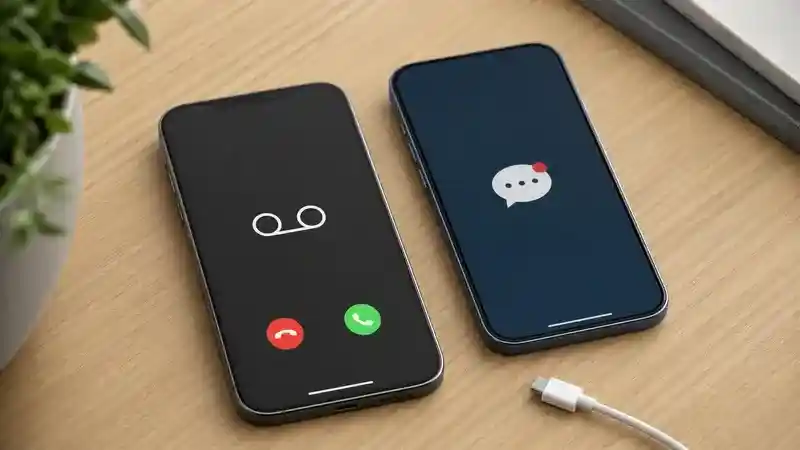
- Immediate voicemail is consistent with an offline phone, but not diagnostic.
- Several rings, then voicemail means the network attempted to complete the call, although audible rings do not guarantee that the recipient’s handset physically rang.
- A carrier unavailable message indicates the network could not complete the call at that moment; the cause may be power, coverage, account, or network status.
- One successful call later suggests the device regained power or connectivity, or the earlier network condition cleared.
Do Not Disturb and silent mode normally suppress alerts on the recipient’s device; they do not reliably create a unique sound for the caller. Because carrier behavior varies, count call behavior as one piece of evidence rather than a verdict. If you are reviewing an authorized family device, a call history check can add context about recent incoming, outgoing, and missed calls.
03. What Do Message Statuses Mean?
Delivery indicators are useful only when you know which messaging system is being used. “Sent,” “delivered,” and “read” describe different stages, and ordinary SMS often provides no dependable receipt to the sender.
| Service | Useful clue | Important limitation |
|---|---|---|
| iMessage | No Delivered status may mean the recipient has not connected | Network, iMessage settings, account changes, or other Apple devices can affect delivery |
| Google Messages RCS | Double-check icon means delivered when RCS is active | RCS icons do not apply to ordinary SMS or MMS |
| One gray tick on WhatsApp means sent to WhatsApp, not yet delivered to the recipient | No second tick can also mean no internet, app restrictions, or blocking | |
| SMS/MMS | A carrier receipt may be available in some configurations | No receipt is not proof that the phone is dead |
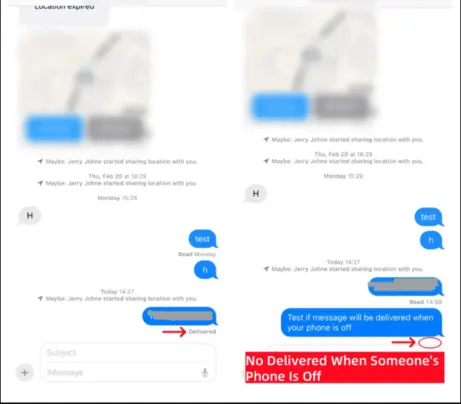
If a message shows Delivered, the receiving service or device accepted it; that does not mean the person saw it or is choosing to ignore you. Learn how read receipts differ from delivery, or see the guide to SMS tracking for parent-managed devices.
04. Can Location Show That a Phone Died?
A frozen location can support an offline-phone explanation, but it cannot distinguish a dead battery from disabled location sharing, no internet, permission changes, background restrictions, or a device left behind.
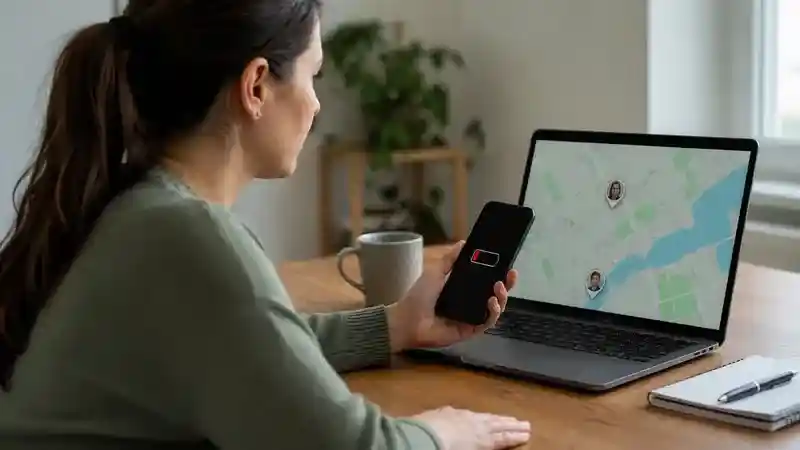
What Apple Find My can show
Apple says Find My can display a current or last known location. If the device is offline, a requested sound remains pending until it reconnects. On supported iPhones with the Find My network enabled, the device may remain locatable for up to 24 hours after it is turned off, or up to five hours in power reserve mode. Send Last Location can also upload a location when the battery becomes critically low. If the service itself appears unreliable, troubleshoot why Find My iPhone is not working before treating the missing update as a dead battery.
What Google Find Hub can show
Google says Find Hub may show the device’s last known location when a current position is unavailable. Its offline network can use encrypted recent locations when configured, but remote actions such as securing or erasing the phone generally require power and a network connection to complete.
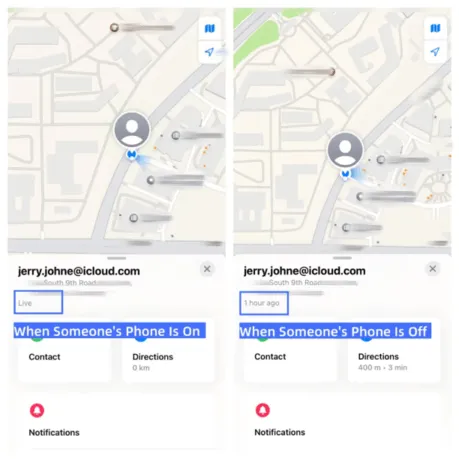
These platform differences are why “I can still see the phone” does not prove it is powered on. Families using different platforms can review how to share location from iPhone to Android, or compare family location-sharing apps and their permission requirements.
05. Dead Phone or Something Else?
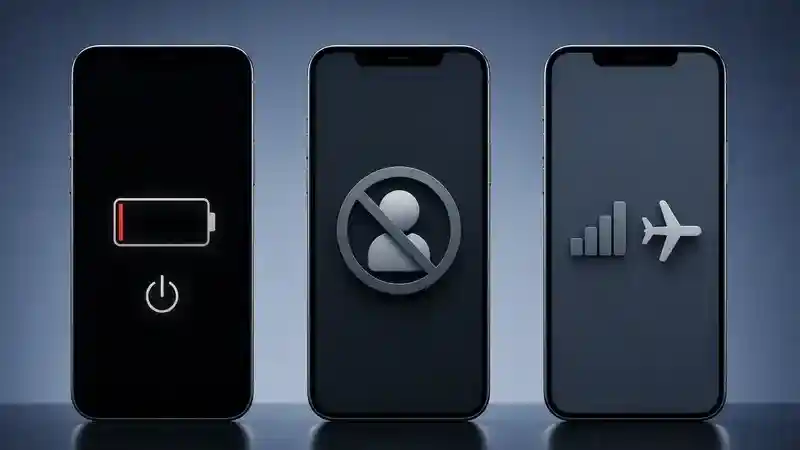
A phone may be dead, powered off, out of signal, in airplane mode, on Do Not Disturb, or blocking your contact. There is no remote test that conclusively separates all six states. The most responsible conclusion is based on multiple signals and whether calls, message delivery, and location updates fail together or only one communication path behaves differently.
| Possible state | Signals that fit | What can look identical |
|---|---|---|
| Battery dead | Calls unavailable, internet messages undelivered, live location stops | Manual shutdown or prolonged no signal |
| Powered off | Usually the same communication pattern as a dead battery | Supported offline-finding networks may still report location |
| No signal or airplane mode | Calls and mobile data fail while the phone still has power | Wi-Fi messaging may continue if Wi-Fi is enabled |
| Do Not Disturb or silent | Messages may deliver while alerts are muted | The person may simply be unavailable |
| Blocked | Your contact attempts behave differently from established shared channels | Privacy settings and app-specific blocks vary; no single ring or tick proves it |
Avoid “testing” with repeated calls, spoofed numbers, or new accounts. App-specific behavior also varies; for example, review what happens when someone is blocked on WhatsApp instead of applying one app’s clues to every service. If the situation is not a safety concern, respect the person’s privacy and allow time for them to reconnect.
06. When Can a Family Safety Tool Help?
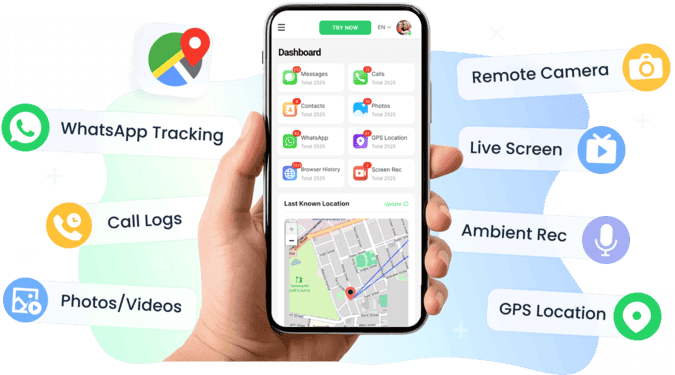
A family safety tool is useful only when it was set up in advance on a parent-managed child device with the required permissions. It can provide recent location and activity context, but no app can produce a live GPS update from a phone that has no power.

VigilKids for Phone Monitoring
- Review real-time GPS, route history, visited places, and geofence activity
- Check call logs, SMS, supported social apps, and screen activity for recent context
- Access available information through a web-based parent dashboard
- Requires installation, physical access, and permissions on the parent-managed Android device
- Recent data can show what happened before disconnection, but cannot prove why the phone went offline
VigilKids is most useful as a preconfigured family safety layer, not as a way to investigate an adult who has stopped replying. Parents comparing location options can review GPS tracking software for Android and Android parental control setup. Friends, partners, and other adults should use voluntary location sharing rather than installing monitoring software on someone else’s device.
07. What Should You Do If It Is Urgent?
Respond to the person’s risk and circumstances, not to an arbitrary number of unanswered hours. A missed call during an ordinary workday is different from sudden silence after a distressing message, a medical warning, dangerous weather, or a missed expected arrival.
- Try one or two normal contact methods and leave a concise message stating why you are checking in.
- Contact a trusted person who may be physically nearby, such as family, a roommate, school staff, or a coworker.
- Review only location or battery information that the person previously chose to share with you.
- If there is a credible threat, medical emergency, immediate danger, or a vulnerable person is unexpectedly missing, contact local emergency services now. Do not wait for a generic time threshold.
- Share concrete information: the last confirmed contact, expected route, known risks, vehicle details, and the last legitimately shared location.
08. FAQs
Will a dead phone ring?
The handset cannot physically ring without power. The caller may hear voicemail, a carrier announcement, or network-generated ringing, depending on the carrier and call routing.
Can iMessage say Delivered if the iPhone is dead?
Delivery can be affected by other Apple devices signed into the same account. A Delivered label means Apple delivered the message to an eligible destination; it does not prove that the specific iPhone is currently powered on.
Can Find My locate an iPhone after it is turned off?
On supported iPhones with the Find My network enabled, Apple says location may remain available for up to 24 hours after shutdown. Availability depends on model, settings, nearby network devices, and remaining reserve power.
Does a frozen location mean the battery died?
No. A stale location can result from a dead battery, shutdown, no data, disabled sharing, permission changes, background restrictions, or the phone being left behind.
Does one ring and voicemail mean I am blocked?
No. Ring patterns vary by carrier, network state, forwarding, focus settings, and device connectivity. No single call pattern confirms blocking.
What is the difference between a dead phone and a powered-off phone?
A dead phone has exhausted its usable battery, while a powered-off phone was shut down with charge remaining. Calls and messages often behave similarly, although supported offline-finding features may differ.
09. Conclusion
The best way to tell if someone’s phone is dead is to combine call behavior, message delivery, and an already-shared location timestamp. If all three stop at once, the phone is probably offline, but you still cannot know whether the cause is zero battery, manual shutdown, no signal, airplane mode, or changed permissions.
Use built-in Find My or Find Hub first for your own device or an authorized family device. If a parent needs ongoing context for a child’s Android phone, VigilKids can support a transparent family safety plan after setup with physical access and required permissions.
Sources
- Apple Support: Add Your iPhone to Find My
- Apple Support: Locate a Device in Find My
- Google Android Help: Find, Secure, or Erase a Lost Device
- Google Messages Help: RCS Delivery Icons
- AirDroid: How to Know If a Phone Is Dead or Off
- Life360: How to Know If Someone’s Phone Died
- Reddit r/iphonehelp: Dead vs. Powered Off User Discussion
- VigilKids: Android Parental Control
Hot Topics for Phone Monitoring
Find My Device With Phone Number: What Actually Works
Learn how a phone number can help recover your own lost device. Compare Google Find Hub, Apple Find My, carrier/IMEI steps, and VigilKids family tracking.
Find My Samsung Phone: How to Locate, Ring, Lock, or Erase It
Find your Samsung phone for free with SmartThings Find or Google Find Hub. Compare steps for lost, offline, or stolen Galaxy phones, plus family tracking tips.
What Is the Best Phone Monitoring App in 2026 for Parents?
Find the best phone monitoring app in 2026 for parents. Compare VigilKids, mSpy, Qustodio, Bark, FlexiSPY, Norton Family, and Google Family Link by features, price, and safety fit.