
The best family location sharing app in 2026 depends on the job: choose VigilKids for parent-managed Android safety, Life360 for teen drivers, Google Maps for free mixed-device sharing, or Apple Find My for iPhone families.
A good family location app should answer more than “Where is the phone?” It should show when the location was last updated, keep working in the background, make access easy to review, and match how much oversight the family actually needs.
- Table Of Contents
- What Are the Best Family Location Sharing Apps?
- Which Location Sharing App Fits Each Family?
- How Do the 7 Apps Compare?
- Why Does Location Sharing Stop Updating?
- How Can Families Share Location Safely?
- Family Location Sharing FAQs

What Are the Best Family Location Sharing Apps in 2026?
There is no honest one-app winner for every household. A parent managing a younger child's Android phone needs different controls from two adults sharing a drive home. These are the strongest choices by scenario:
- VigilKids: Best for a parent-managed child Android device when location needs to sit beside app, web, and safety context.
- Life360: Best for families with teen drivers who want place alerts, history, and driving-safety features.
- Google Maps: Best free option for households mixing Android and iPhone.
- Apple Find My: Best free long-term sharing when everyone uses Apple devices.
- Findmykids: Best for younger children who may need SOS and GPS-watch support.
- Bark: Best when digital-risk alerts matter more than location alone.
- Glympse: Best for temporary sharing through a link that the recipient can open in a browser.
 Quick Recommendation
Start with Google Maps or Apple Find My if mutual location sharing is all you need. Pay for a family tracker only when you need dependable place alerts, history, SOS tools, driving context, or broader parental controls.
Which Location Sharing App Fits Each Family?
1. VigilKids: Best for Broader Android Family Safety
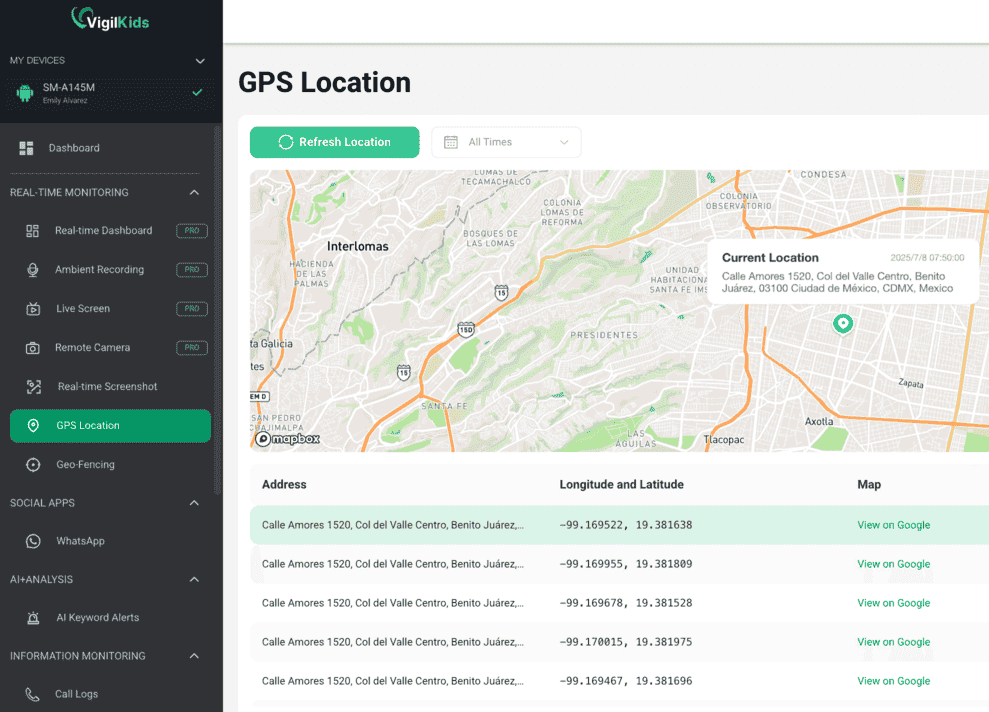
VigilKids is the most suitable option in this list when a parent needs location to connect with wider context on a parent-managed child Android device. Its dashboard combines current GPS location, location history and geofencing, Wi-Fi records, app management, browser history, calls, supported message activity, screenshots, and AI keyword alerts after setup with the required permissions.
That makes VigilKids different from a mutual sharing tool. It is designed for a parent or legal guardian managing a child's device, not for two adults casually sharing their commute. Families should explain what will be visible, choose the least intrusive feature that meets the safety need, and review the arrangement as the child becomes more independent.
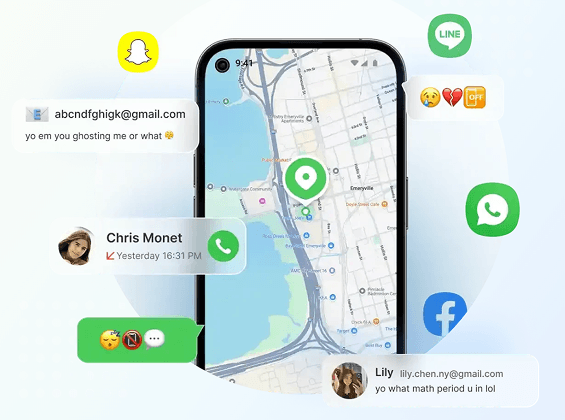

VigilKids for Family Location and Device Safety
- Review current GPS location, route history, geofences, and Wi-Fi records in one dashboard
- Connect location with app, web, call, message, and screen activity where supported
- Use AI keyword alerts to focus attention on possible risks instead of watching continuously
- Choose It If: You need location history and geofencing plus broader Android device context.
- Price Checked: $39.99 for one month, $79.98 for three months, or $119.98 for 12 months in August 2026.
- Watch Out: A subscription normally covers one child device, and advanced features depend on compatibility, permissions, and setup.
How to Set Up VigilKids for Family Location Safety
- Step 1. Confirm that the child's Android device and operating-system version support the features your family needs.
- Step 2. Create the parent account and install VigilKids only on a device you own or are legally authorized to manage.
- Step 3. Complete the guided setup and grant the required location and background permissions on the child device.
- Step 4. Open the dashboard, test the latest location, and create geofences for meaningful places such as home or school.
2. Life360: Best for Families With Teen Drivers
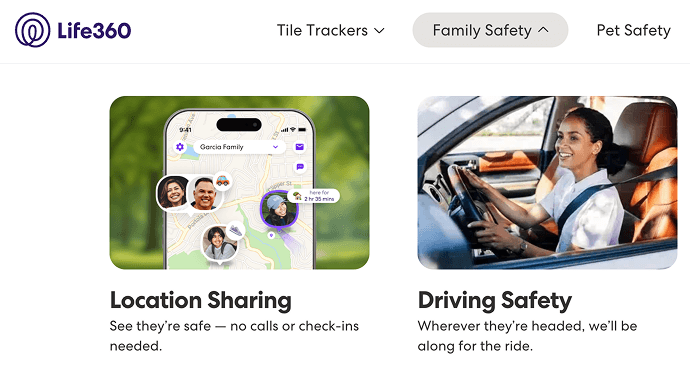
Life360 is built around a private family Circle. Members who share location appear on one map, while saved Places can trigger arrival and departure alerts. Paid memberships add longer location history and driving-related services, making Life360 more useful when a teenager starts driving alone.
Life360's current investor materials list Silver at $7.99 per month with unlimited Place Alerts and 30 days of location history. Higher tiers add more safety and driving services. Regional plans differ, so families should confirm current checkout terms rather than relying on an old comparison table.
- Choose It If: Your main needs are family-map visibility, place alerts, history, and teen-driving context.
- Useful Detail: A phone-battery indicator can help explain why a family member's location stopped updating.
- Watch Out: Constant location access can affect battery life, and premium driving tools can cost more than a basic sharing app.
3. Google Maps: Best Free App for Android and iPhone
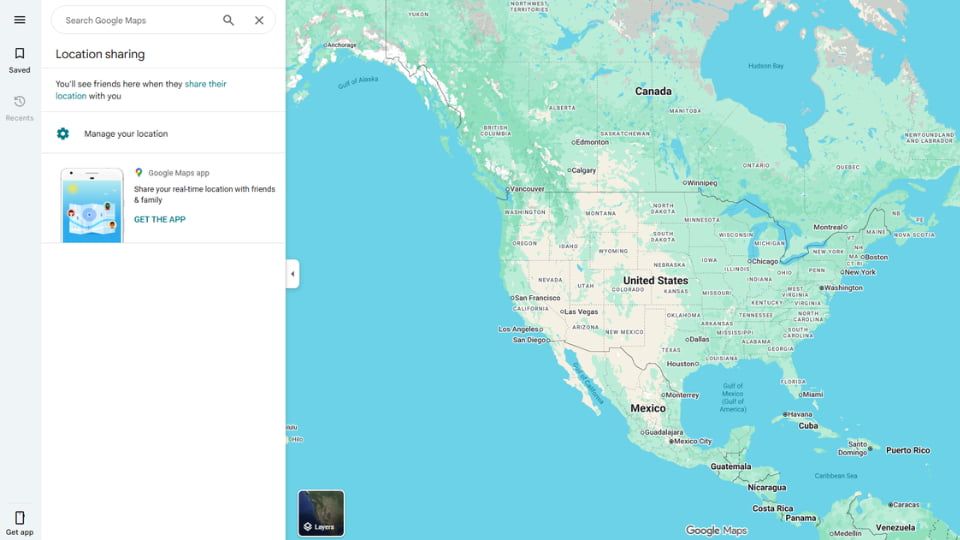
Google Maps is the easiest free choice for mixed-device households because many family members already use it. You can share with a selected Google contact for a chosen duration, send a link to someone without a Google account for up to 24 hours, or share trip progress so the map, route, and estimated arrival time stop sharing when navigation ends.
Google also supports arrival and departure notifications when a person shares directly with you. Its official help page currently allows up to five Location Sharing notifications per person. Link-based sharing does not support the same notification controls.
- Choose It If: Your family mixes Android and iPhone and needs free, low-friction sharing.
- Best Feature: Share trip progress for a drive, walk, or bike journey and end it automatically on arrival.
- Watch Out: It is not a full family dashboard and does not provide the same retained history or parental context as dedicated trackers.
4. Apple Find My: Best for an All-Apple Family
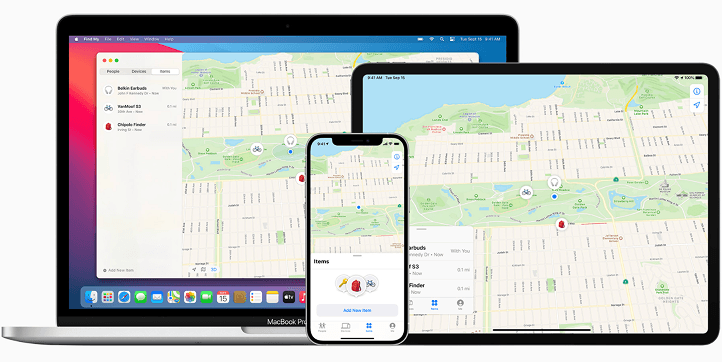
Apple Find My is the natural choice when every family member uses an iPhone. It is built into the Apple ecosystem, costs nothing extra, and supports sharing for one hour, until the end of the day, or indefinitely. Family members can also create arrival and departure notifications.
Apple makes the sharing state visible: recurring notifications require approval, users can stop sharing with one person, and Safety Check can review or quickly end access when personal safety is a concern. Find My is less suitable for a mixed Android and iPhone household.
- Choose It If: Everyone uses Apple devices and you want free ongoing sharing with arrival alerts.
- Best Feature: Find My, Messages, Maps, Check In, and Family Sharing work together without another subscription.
- Watch Out: It does not offer Android parity or the broader parental dashboard found in dedicated family trackers.
5. Findmykids: Best for Younger Children and GPS Watches
Findmykids focuses on children rather than adult-to-adult sharing. It offers live location, location history, geofences, an SOS signal, and support for compatible GPS watches. That makes it useful when a younger child carries a watch or phone but may not remember to start a temporary location share.
Some features, including surroundings audio, are more intrusive than ordinary location sharing. They should be used only with a clear safety reason, the required permissions, and an age-appropriate family explanation.
- Choose It If: A younger child needs automatic location tools, safe zones, SOS, or GPS-watch support.
- Best Feature: The product is designed around child safety rather than a general-purpose social map.
- Watch Out: Plan availability and feature access vary, so check the current device and subscription details before purchase.
6. Bark: Best When Digital Safety Matters More Than Location Alone
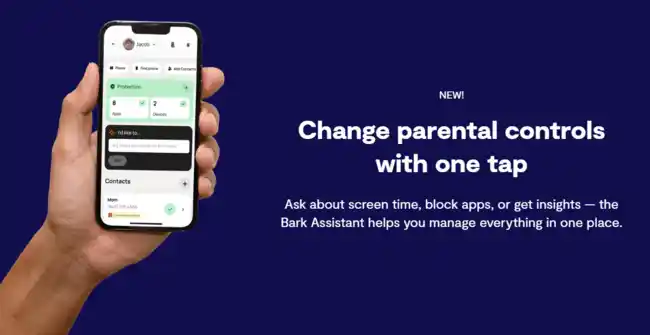
Bark includes a real-time family map, favorite-location alerts, check-ins, and one week of location history. Its larger value is content-risk monitoring: Bark Premium analyzes supported texts, email, photos, videos, searches, and social activity, then alerts parents when it detects a possible concern.
Bark Jr costs $5 per month or $49 per year and includes schedules, internet blocking, and location. Bark Premium costs $14 per month or $99 per year and adds supported content monitoring. Both plans currently cover unlimited children and devices, although feature setup differs between Android, iPhone, and Bark hardware.
- Choose It If: You want location alerts plus risk notifications for supported online activity.
- Best Feature: A location change can be considered alongside content and screen-time concerns.
- Watch Out: Bark is excessive if your only need is a free shared map, and iPhone content monitoring requires additional setup.
7. Glympse: Best for Temporary Sharing Without an App
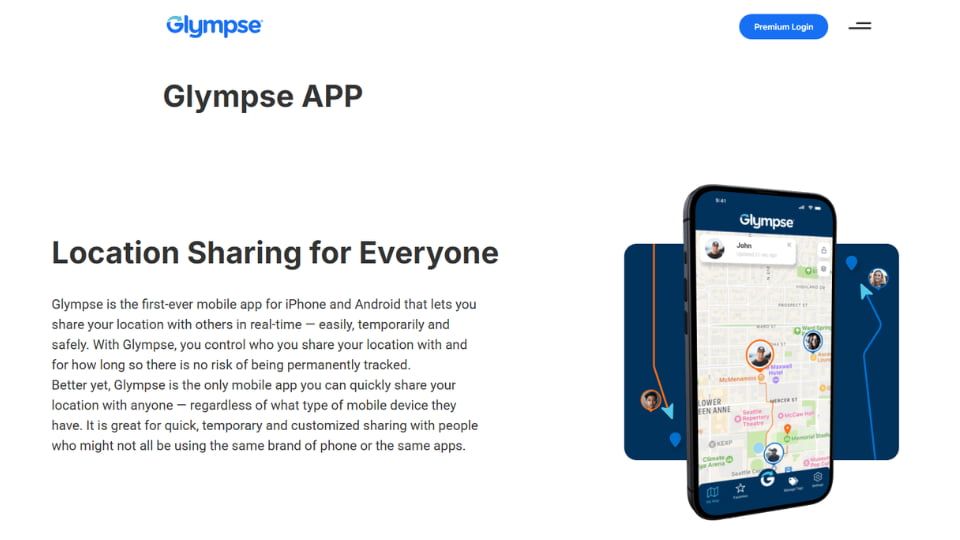
Glympse is designed for temporary real-time sharing. The sender creates a live link, chooses how long it remains active, and sends it by text or another messaging app. The recipient opens the link in a browser without creating an account or installing Glympse.
This makes it useful for airport pickups, a late journey home, a festival meetup, or a visiting relative. It is intentionally not a continuous family tracker: there is no permanent household dashboard or long-term history.
- Choose It If: The recipient needs a temporary link and should not have to install an app.
- Best Feature: Sharing expires by design instead of remaining active indefinitely.
- Watch Out: Anyone who receives a forwarded active link may be able to view it, so send links only through a trusted conversation.
How Do the Best Family Location Sharing Apps Compare?
| App | Best For | Platforms | Place Alerts | History | Price From |
|---|---|---|---|---|---|
| VigilKids | Broader child-device safety | Child Android; web parent dashboard | ☑️ Geofencing | ☑️ Route history | $39.99/month |
| Life360 | Families and teen drivers | Android and iPhone | ☑️ | Plan-dependent | Free |
| Google Maps | Free mixed-device sharing | Android and iPhone | ☑️ Limited | Not a shared family history | Free |
| Apple Find My | All-Apple families | Apple ecosystem | ☑️ | Limited | Included |
| Findmykids | Younger children and GPS watches | Android and iPhone | ☑️ | ☑️ | Check current plan |
| Bark | Location plus digital-risk alerts | Android and iPhone | ☑️ | 1 week | $5/month |
| Glympse | Temporary browser links | Android, iPhone, browser | ❌ | ❌ | Free personal app |
Prices and feature limits can change by country, billing channel, and promotion. Use the provider's official checkout and compatibility pages as the final decision source.
Why Does a Family Location Sharing App Stop Updating?
A frozen pin does not automatically mean someone disabled sharing. The phone may have lost mobile data, entered battery-saving mode, revoked precise location, stopped background refresh, or reached the end of a timed share. Always check the last-updated time before reacting.
Fix Location Sharing on iPhone
- Step 1. Open Settings, then Privacy & Security, then Location Services.
- Step 2. Select the sharing app and choose the background-location option required by that provider.
- Step 3. Turn on Precise Location and Background App Refresh when continuous updates are needed.
- Step 4. Confirm that Low Power Mode, lost connectivity, or an expired share is not the real cause.
Fix Location Sharing on Android
- Step 1. Open the app's permissions and allow precise location at the level required for the chosen feature.
- Step 2. Review battery settings and allow background activity if the app is being put to sleep.
- Step 3. Confirm mobile data, Wi-Fi, and Google Play services are available.
- Step 4. Restart a test share, lock the phone, move a short distance, and check the recipient's timestamp.
How Can Families Share Location Without Damaging Trust?
Location sharing works best as a safety agreement, not a substitute for communication. Before installation, define why the family is sharing, who can see the map, which places trigger alerts, how long history is retained, and when access will be reduced or stopped.
- Use temporary sharing for one-off journeys instead of leaving permanent access active.
- Prefer arrival alerts over repeatedly watching a live map.
- Review the app's people or sharing list every few months and remove access that is no longer needed.
- Tell family members when location history, geofences, driving reports, or broader device monitoring are enabled.
- Use Apple Safety Check or the provider's sharing controls if access must be reviewed quickly.
- Install parental monitoring software only on devices you own or are legally authorized to manage.
Family Location Sharing App FAQs
Q1: What Is the Best Family Location Sharing App Overall?
VigilKids is the strongest option for a parent-managed child Android device that needs location plus wider safety context. Life360 is better for teen driving, Google Maps for free mixed-device sharing, and Apple Find My for an all-iPhone family.
Q2: What Is the Best Free Family Location Sharing App?
Google Maps is the best free option across Android and iPhone. Apple Find My is the simplest free choice when everyone uses Apple devices. Glympse is best when the share should expire automatically.
Q3: Which Location Sharing App Works on Both iPhone and Android?
Google Maps, Life360, Findmykids, Bark, and Glympse support both platforms, although individual features may differ. Google Maps has the lowest setup barrier for ordinary mutual sharing.
Q4: Is There a Better Family Location App Than Life360?
It depends on the goal. Google Maps is simpler and free, Apple Find My is better for an Apple-only family, VigilKids adds broader Android child-device context, and Glympse handles temporary sharing without a recipient app.
Q5: Can Family Location Sharing Work Between Android and iPhone?
Yes. Install the same cross-platform app on both devices, grant the necessary location and background permissions, and run a locked-screen test before relying on it for a real journey.
Q6: Why Is a Family Member's Location Not Updating?
Common causes include weak connectivity, an expired share, disabled precise location, battery optimization, background refresh restrictions, or a dead phone. Check the timestamp and battery status before assuming the share was deliberately stopped.
Q7: Do Location Sharing Apps Drain the Battery?
Continuous background GPS can increase battery use, especially during movement or frequent refreshes. Built-in tools and temporary shares may use less power, but the result depends on the phone, signal, settings, and update frequency.
Q8: Is Family Location Sharing Safe and Legal?
Mutual sharing between informed family members is generally the safest model. Parental monitoring should be limited to devices the parent owns or is legally authorized to manage, and families should follow local laws and platform rules.
Which Family Location Sharing App Should You Choose?
Choose the lightest tool that solves the real problem. Google Maps and Apple Find My cover most mutual sharing for free; see the free family tracking app guide for more no-cost options. Life360 fits teen-driving households, Glympse handles temporary trips, and Findmykids serves younger children. Choose VigilKids when a parent-managed Android device needs location, geofencing, and broader safety context in one dashboard.
Sources
Features and prices were checked against these official references in August 2026:
- VigilKids Pricing and Features
- Life360 2026 Membership Information
- Google Maps Location Sharing
- Google Maps Location Sharing Notifications
- Apple Family Location Sharing
- Apple Location Sharing Options
- Findmykids GPS Tracker Features
- Bark Location Alerts and Tracking
- Bark Pricing
- Glympse Location Sharing Overview
Related Topics
How to Set Up Parental Controls on Snapchat: 4 Safe Methods
Wondering how to set up parental controls on Snapchat? Check this guide to explore 4 easy monitoring way and common safety tips to keep your kids safe online.
Best Text Monitoring App for Parents | iOS & Android Guide
Discover the best text monitoring app for parents and parental control app to read text messages. Compare iOS and Android solutions, features, and safety tips.
How to Track Your Kids Location & Your Son’s Phone? 5 Simple Ways
Learn how to track your kids location and how to track my son’s phone using safe, simple tools. Real methods to find your child’s phone quickly.