

"Mom, everyone has Snapchat. Why can't I use it?"
For many parents, that question is where the stress begins. Snapchat feels impossible to fully understand. Messages disappear. Friends change constantly. And many parents worry they are always one step behind.
That is why more parents are searching for reliable Snapchat parental controls. Most families are not trying to ban social media completely. Instead, they want safer ways to protect their kids, understand how Snapchat works, and reduce online risks without constantly invading their teen's privacy. Read on to explore more!
- Table Of Contents
- Part 1. Why Parents Worry About Snapchat?
- Part 2. What Is Snapchat Family Center?
- Part 3. Common Snapchat Safety Risks Parents Should Know
- Part 4. How to Set Up Snapchat Parental Controls in 5 Steps
- Part 5. How to Make Snapchat Safer with VigilKids

- FAQs About Snapchat Parental Controls
- Conclusion
Why Parents Worry About Snapchat?
A lot of parents don't even realize how Snapchat works until they borrow their teen's phone and see messages disappearing in real time.
The questions parents most commonly ask:
- Who is my child actually talking to?
- Are strangers contacting them through Quick Add?
- Are they sharing their location on Snap Map?
- Could they be hiding risky conversations behind disappearing messages?
- How much time are they spending on Snapchat late at night?
Some parents also search for ways to tell if someone is active on Snapchat, especially when they notice late-night usage or inconsistent online patterns.
Most parents are not looking to read every message or monitor every conversation. They just want to know their kids are safe online while still giving them some independence.
That is why more families are searching for reliable Snapchat parental controls that can reduce risks, encourage healthier habits, and give parents a little more peace of mind.
Snapchat does include built-in parental tools through Family Center, but many parents are surprised by how limited those controls actually are. Before deciding what level of monitoring feels right for your family, it helps to understand exactly what Snapchat parental controls can — and cannot — do.
What Is Snapchat Family Center?
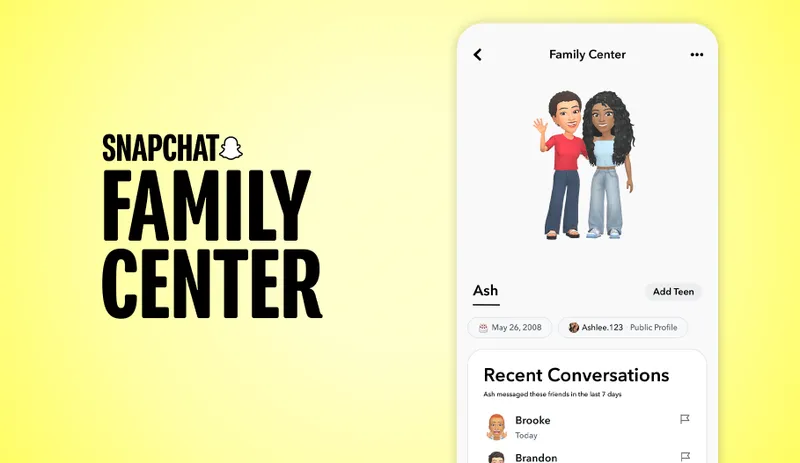
Snapchat Family Center is Snapchat’s built-in parental control feature designed to give parents a little more visibility into how their teens use the app.
Recent updates to Family Center have also added better screen time insights, more visibility into friend activity, and additional location-related safety tools.
With Family Center, parents can see who their teen recently communicated with, view parts of their friends list, manage certain safety settings, and request location sharing through Snap Map. For many families, these tools offer a helpful starting point — especially for understanding who teens interact with online and whether basic privacy settings are turned on.
What Parents Can Actually See with Family Center
Snapchat Family Center does give parents a little more visibility into how teens use the app — but it still does not show the actual content of conversations.
- See who your teen recently communicated with (but not the actual messages).
- View parts of their friends list and recent friend activity.
- Manage certain privacy settings, including who can contact them.
- Request Snap Map location sharing with your teen’s permission.
- View basic screen time insights for Snapchat usage.
For many families, those features are enough to create healthier conversations around social media use without feeling overly invasive.
Some parents also become curious about Snapchat activity features beyond Family Center — especially things like Story viewers and profile visibility. If you are wondering how Snapchat viewers work and what teens can actually see inside the app, read our guide on Snapchat viewers.
Where Snapchat Family Center Still Feels Limited
However, Snapchat still keeps private conversations private. Parents cannot read messages, view disappearing Snaps, or recover content after it has been opened.
- Chats remain hidden even when Family Center is enabled.
- Disappearing photos and videos leave little trace afterward.
- No automatic alerts for bullying, grooming, or risky behavior patterns.
- Limited screen time controls compared to dedicated parental control apps.
- Teen consent is required before Family Center works at all.
- Built directly into Snapchat
- Free and easy to set up
- Provides basic visibility into friend activity
- Balances safety with teen privacy
- Cannot read private conversations
- Cannot view disappearing content
- No AI risk alerts or behavior monitoring
- Limited parental controls overall
For some families, that level of oversight feels like a healthy balance between safety and independence. For others — especially parents worried about online strangers, risky conversations, or excessive screen time — Snapchat’s built-in tools may still feel limited.
Common Snapchat Safety Risks Parents Should Know
It's totally normal to feel a bit lost with Snapchat as a parent. Texts vanish instantly, group chats move super fast, and kids always seem stuck on this app. Even when you fully trust your child, it’s natural to worry about what they’re seeing and doing online.
Most teens just use Snapchat to hang out and chat with friends. Still, just like every social app, there are hidden risks if kids aren’t careful. Learning these common dangers lets you gently guide safe usage, instead of making your kid feel constantly checked up on.
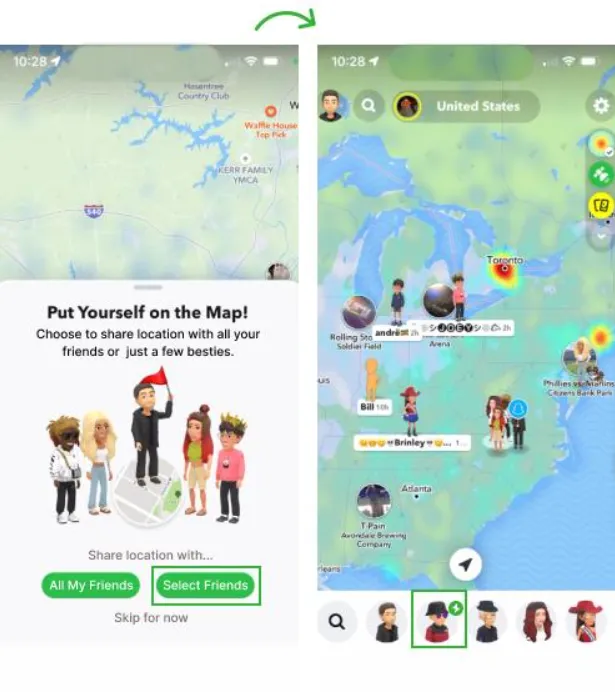
Snap Map Can Accidentally Share Too Much
Many parents are surprised the first time they open Snap Map and realize how precise it can be. In some cases, it can show exactly where a teen is hanging out, where they go after school, or even where they live. The tricky part is that a lot of kids don't think much about it — they turn location sharing on because their friends do, without considering who can see it.
What parents can do:
- Open Snap Map together and review who can see your teen’s location.
- Enable Ghost Mode by default and only turn on sharing when needed.
- Limit visibility to a small group of trusted friends instead of “My Friends.”
Disappearing Messages Make Concerns Harder to Spot
One reason teens love Snapchat is that everything feels temporary. Messages disappear, photos vanish, and conversations feel more private than regular texting. For parents, that can be stressful — if bullying, inappropriate photos, or risky conversations happen, there may be no evidence afterward. Many families only realize something is wrong after emotions spill into real life through anxiety, mood changes, or school drama.
What parents can do:
- Create an environment where your teen feels comfortable speaking up when something online makes them uncomfortable.
- Watch for behavioral changes like poor sleep, mood swings, or social withdrawal.
- Consider parental control tools that can capture screen activity before content disappears.
Quick Add Can Connect Teens with Strangers
Snapchat's Quick Add feature constantly suggests new people to follow or add. Sometimes those suggestions are classmates or mutual friends. Other times, they're complete strangers. Most teens accept friend requests pretty casually — to them, it feels harmless. But many parents worry because kids aren't always thinking about fake accounts, online predators, or people pretending to be someone else.
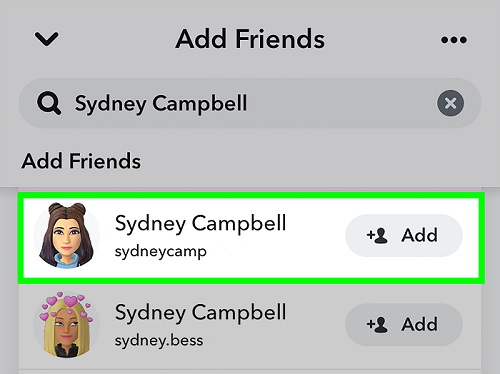
What parents can do:
- Set a simple family rule: only add people your teen knows in real life.
- Show your teen how to disable Quick Add visibility in Snapchat settings.
- Review the friends list together occasionally without turning it into an interrogation.
If you're concerned about hidden conversations or inappropriate image sharing, read our guide on Snapchat sexting risks and warning signs.
Late-Night Snapchat Habits Quietly Affect Sleep
For many parents, the biggest Snapchat issue isn't strangers at all — it's sleep. Streaks, constant notifications, and active group chats make it hard for teens to put their phones down at night. A lot of kids stay up much later than they planned, just trying to keep conversations going or avoid missing out. Over time, parents may notice mood swings, exhaustion, trouble focusing in school, or constant phone checking throughout the day.
What parents can do:
- Keep phones out of bedrooms overnight whenever possible.
- Create phone-free time during meals, homework hours, and family activities.
- Use scheduled screen-time limits so bedtime rules are easier to enforce consistently.
 Tips
Tips
If you're worried about hidden Snapchat activity or unusual behavior changes, read our guides on Snapchat Cheating: 10 Real Signs & Ways to Check and How to open a Snap without them knowing.
How to Set Up Snapchat Parental Controls
Before using any third-party monitoring tools, most families should start with Snapchat’s built-in Family Center. It is free, easy to set up, and gives parents a basic layer of visibility into how teens use the app.
The setup itself only takes a few minutes, but many parents overlook important privacy settings afterward — especially around Snap Map, Quick Add, and who can contact their teen.
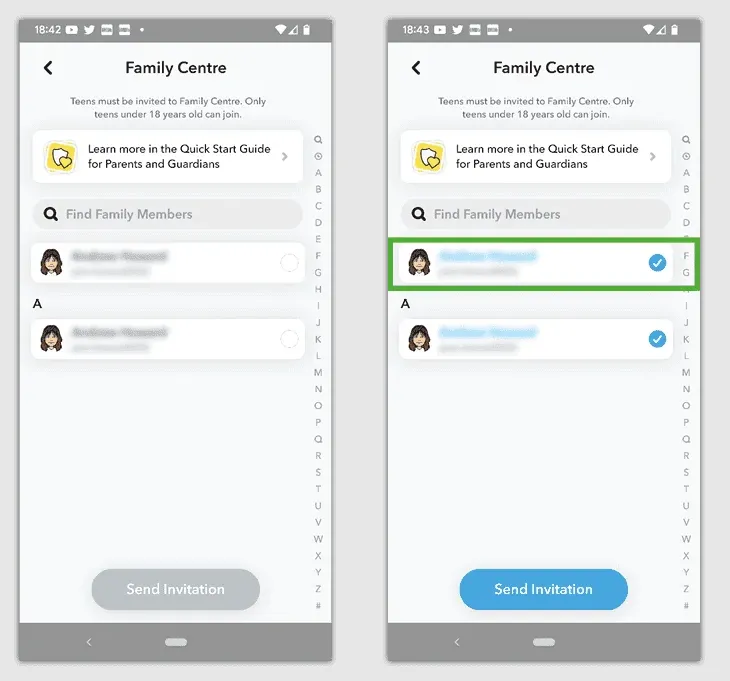
- Step 1. Create or log into your Snapchat account.
- Step 2. Open Family Center from Snapchat Settings.
- Step 3. Send an invitation to your teen’s account.
- Step 4. Review privacy settings together, including Snap Map and Quick Add.
- Step 5. Decide whether Family Center provides enough visibility for your family’s needs.
 Note
Note
- Family Center cannot read Snapchat messages or view disappearing Snaps.
- Your teen must accept the Family Center invitation before monitoring works.
- Most Snapchat privacy risks come from settings families never review.
If you want the full walkthrough with screenshots, privacy-setting explanations, and setup tips for both parents and teens, read our complete guide on how to set up Snapchat parental controls.
How to Make Snapchat Safer with VigilKids
For many parents, Snapchat becomes stressful because so much can happen so quickly. Messages disappear, private group chats move fast, and risky interactions are often easy to miss until a bigger problem appears. That is why some families feel Snapchat’s built-in parental controls do not provide enough insight into late-night usage, suspicious contacts, or unhealthy screen habits.
Unlike Snapchat's built-in tools, VigilKids helps parents monitor broader digital habits across multiple apps and devices. The platform is designed to help families create healthier boundaries, encourage safer online habits, and spot potential problems earlier — without turning parenting into constant surveillance.

VigilKids Pro
- Monitor Snapchat, Instagram, and WhatsApp conversations and activity from one parental dashboard
- Track your teen’s screen time and identify unhealthy late-night phone use patterns
- Receive alerts about suspicious activity, risky Snapchat behavior, or concerning online interactions before problems escalate
- Encourage healthier digital boundaries without completely removing independence or social connection
- Manage multiple apps and monitor family devices and locations from one place
How to Set Up VigilKids for Snapchat in 4 Steps
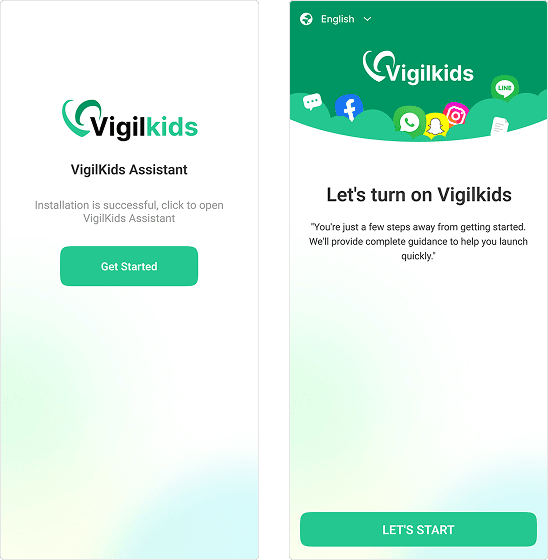
- Step 1. Create a parent account on VigilKids.com.
- Step 2. Install the VigilKids Assistant on your teen's Android device and grant required permissions.
- Step 3. Choose the monitoring settings you want — Snapchat insight, screen time limits, or both.
- Step 4. Start monitoring Snapchat and other apps from your parent dashboard.
Every family approaches Snapchat differently. Some parents feel Snapchat’s built-in controls are enough, while others want more help managing screen time, online interactions, or disappearing content.
If you want to compare different monitoring tools and features, read our guide to the best Snapchat parental control apps.
FAQs About Snapchat Parental Controls
Q1: Does Snapchat have parental controls?
Yes. Snapchat offers built-in parental tools through Family Center. Parents can view parts of their teen’s friend activity, manage certain privacy settings, and request location sharing through Snap Map. However, private messages and Snaps still remain hidden.
Q2: Can parents read Snapchat messages?
No. Snapchat does not allow parents to read private conversations through its built-in parental controls. Families who want additional monitoring sometimes use third-party apps like VigilKids for broader visibility into online activity.
Q3: Is Snap Map dangerous for teens?
Snap Map can become a privacy risk if location sharing is left public or shared with too many people. Many parents choose to disable Snap Map or limit visibility to trusted friends only.
Q4: What age is Snapchat appropriate for?
Snapchat officially requires users to be at least 13 years old. However, many parents feel younger teens still need guidance, privacy reviews, and screen-time boundaries before using the app independently.
Q5: Is VigilKids only for Snapchat monitoring?
No. VigilKids helps parents monitor broader digital activity across multiple apps and devices, including screen time habits, app activity, and online safety concerns beyond Snapchat alone.
Conclusion
There is no perfect way to handle Snapchat as a parent. The goal of using Snapchat parental controls is not to control teens — it is to help them build healthier digital habits while staying safer online.
For most families, the best approach is a combination of tools, privacy settings, and ongoing conversations. Turn on Family Center for the basics, review Snap Map and Quick Add settings together, set healthy phone boundaries at night, and consider a tool like VigilKids if you want more support managing screen time or disappearing content.
The right tools can help make that balance a little easier!
Hot Topics for Monitoring

Free Fire Game Kids: What Makes It Popular—and Why Parents Should Be Concerned
Learn why kids love Free Fire, the hidden risks it may pose, and what parents and communities are saying about keeping children safe.
How to Track Your Kids Location & Your Son’s Phone? 5 Simple Ways
Learn how to track your kids location and how to track my son’s phone using safe, simple tools. Real methods to find your child’s phone quickly.

Best GPS Tracker for Kids: Devices & Tracking Guide
Discover the best GPS trackers for kids, including smartwatches, clip-on devices, and apps. Learn how to track your child's location safely and easily.