

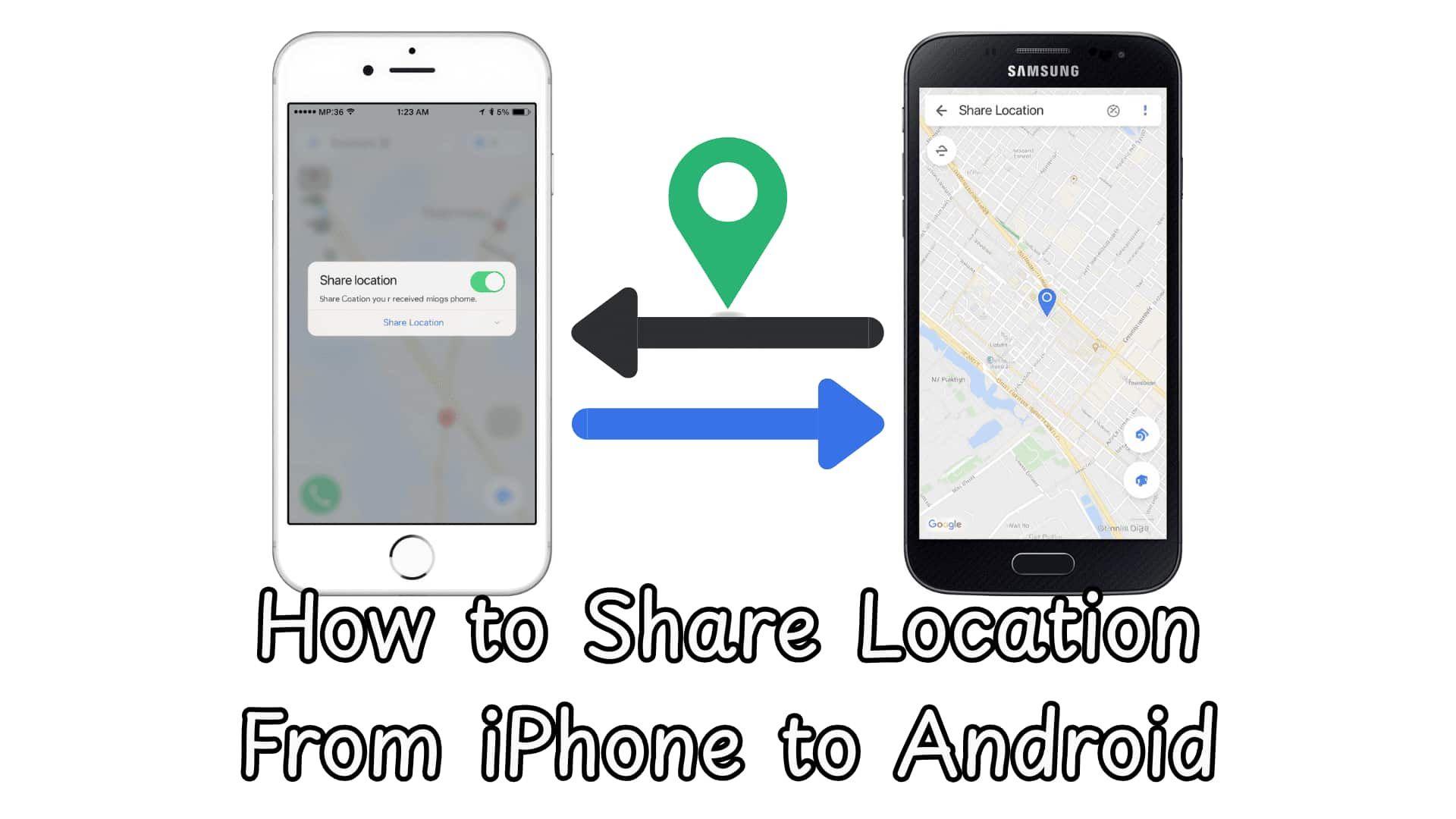
Need a simple way to stay connected across devices? Knowing how to share location from Android to iPhone makes it easy to track loved ones in real time, whether you're coordinating plans, monitoring your kids, or ensuring someone gets home safely.
While cross-platform sharing isn't always seamless, tools like Google Maps and advanced trackers such as VigilKids make it fast and reliable. In this guide, you'll discover the easiest ways to share live location between Android and iPhone—securely, accurately, and without hassle.
- Table Of Contents
- Method 1. Share Location Between Android and iPhone Using Google Maps
- Method 2. Share Location From iPhone to Android Using Family Location Tracker
-
Why VigilKids Is a More Complete Solution

- How to Use VigilKids to Share Location from iPhone to Android
- Method 3. Track an iPhone from an Android on Social Media Apps
- Method 4. Share Location From Android to iPhone Using Google Find Hub
| Method | Accuracy | Pros |
|---|---|---|
| Google Maps | ⭐⭐⭐⭐☆ | • Works cross-platform seamlessly • No extra app needed for most users • Real-time location updates refresh quickly |
| Family Location Tracker | ⭐⭐⭐⭐⭐ | Life360: Popular and easy for families to use VigilKids: More stable tracking, richer safety features, and better real-time accuracy for parents |
| Social Media Apps | ⭐⭐⭐☆☆ | • Fast and convenient for one-time sharing • No installation required beyond social apps • Works well for short activities like meetups |
| Google Find Hub | ⭐⭐⭐⭐☆ | Simple and fast setup • Supports both Google account sharing and link sharing • iPhone users can view the location in Google Maps instantly |
Method 1. Share Location Between Android and iPhone Using Google Maps
Google Maps is one of the most widely used methods for sharing location between Android and iPhone. Whether you're an iPhone or Android user, you can access the relevant apps by signing in with your Google account. Its cross-platform compatibility makes it convenient for families, friends, and colleagues who use different devices.
How to Share Location via Google Maps
Step 1. Open Google Maps on your Android or iPhone.
Step 2. Tap your profile picture in the top right corner and select Location sharing.
Step 3. Tap Share location and choose how long you want to share your location: either a specific duration or “Until you turn this off”.
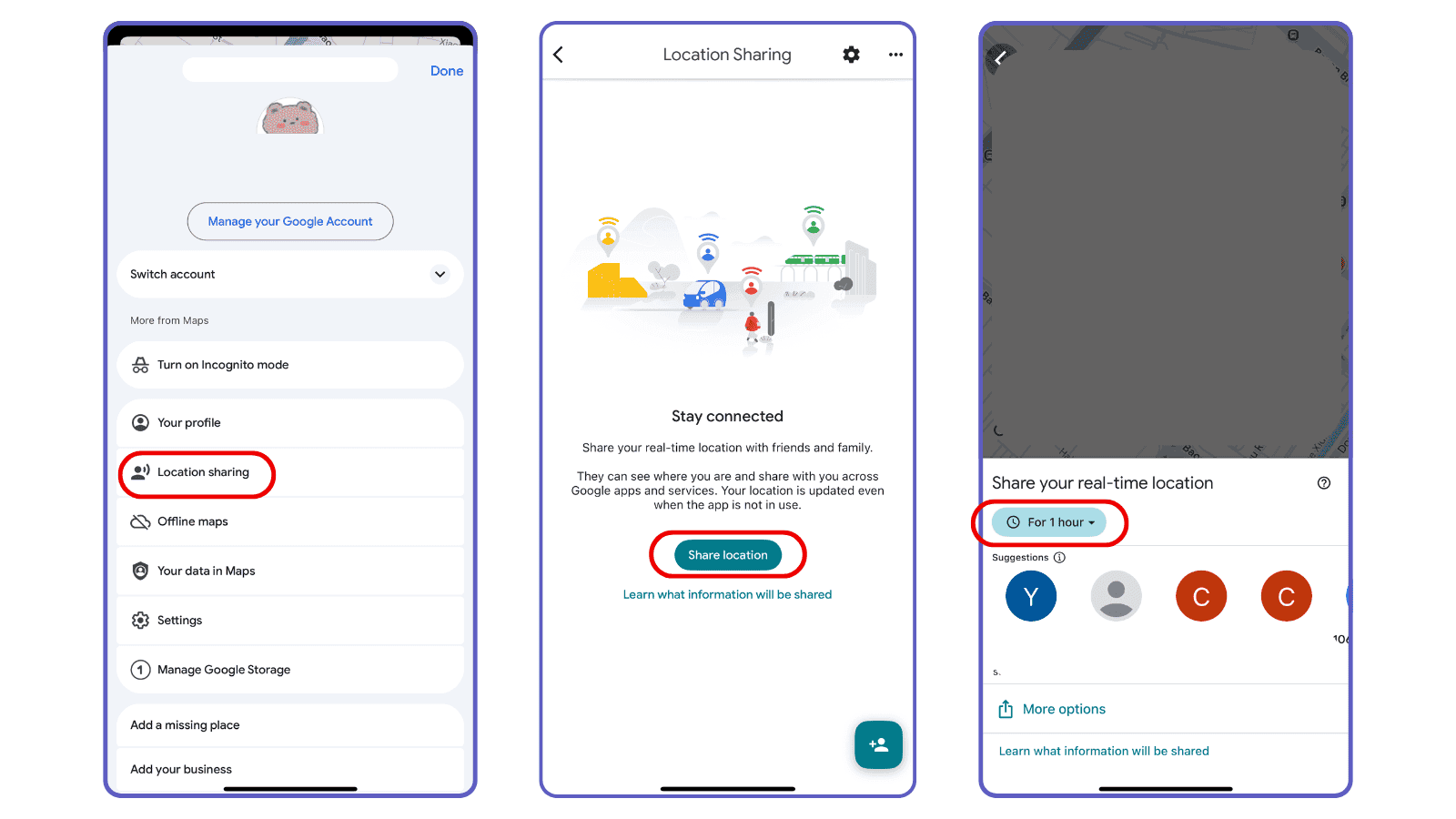
Step 4. Select the contact you want to share with. They will receive a notification with your live location.
Step 5. Make sure location permissions are set to “Always” on both devices. This ensures continuous updates, even when the app runs in the background.
One Reddit user shared
“My family has iPhones, and I'm the only Android user. Google Maps works very well for us, but you have to make sure the location is always allowed.”
Method 2. Share Location From iPhone to Android Using Family Location Tracker
When it comes to sharing location between iPhone and Android, many users turn to Life360 first. It's one of the most popular family tracking apps because it's easy to use, works across devices, and provides essential features like real-time location updates and arrival alerts. For families who only need basic location sharing, Life360 is often the go-to choice.
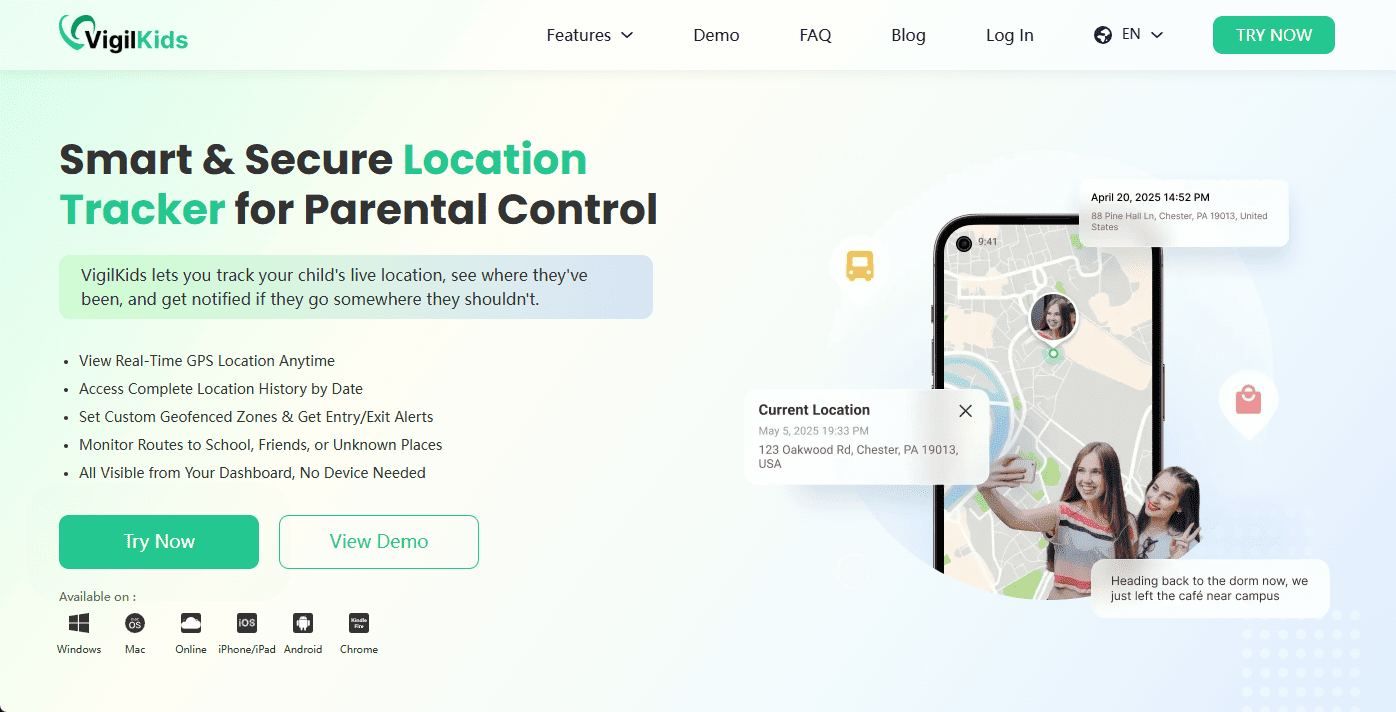
However, if you're looking for a more stable, more private, and more comprehensive cross-platform location tracking solution, VigilKids offers stronger functionality—especially for parents who want reliable long-term monitoring without complicated setup.
Why VigilKids Is a More Complete Solution
VigilKids is designed specifically for parents who need accurate, real-time, and long-term monitoring across iPhone and Android. Compared to general location apps, it offers stability, deeper safety features, and privacy-focused monitoring.
- Real-Time GPS Tracking: See the child's current location at any moment with high accuracy.
- Route History Playback: Review where the child has been throughout the day or week.
- Geofencing Alerts: Receive instant notifications when your child enters or leaves a defined safe zone.
- Stealth Mode (Optional): The app icon can be hidden on the child's device for privacy and security.
- Comprehensive Safety Features: Optional monitoring of app activity, social media chats, keystrokes, and more for extra protection.
How to Use VigilKids to Share Location from iPhone to Android
Step 1: Create an Account
Click “Try Now” to sign up using your email or Google account and access your dashboard.
Step 2: Set Up Your Child's Android Device
Log in to your dashboard and generate a pairing code. Then install the VigilKids Assistant on your child's Android phone, grant all required permissions, and enter the pairing code to connect the device. Make sure Location Services are enabled.
Step 3: Track Location in Real Time
Once connected, go to your dashboard and open GPS Location to start monitoring your child's real-time location across devices.
| Feature | VigilKids | Life360 |
|---|---|---|
| Cross-Platform Stability | Excellent | Good |
| Real-Time Location Tracking | Yes (More stable for long-term tracking) | Yes |
| Route History | Yes | Yes |
| Privacy Controls | High | Standard |
| Social/App Monitoring | Yes | No |
| Best For | Parents needing comprehensive, secure monitoring | Families who want basic location sharing |
Method 3. Track an iPhone from an Android on Social Media Apps
Many popular platforms—like WhatsApp, Facebook Messenger, and Snapchat—offer built-in location-sharing features that work across both iOS and Android. This makes them a quick and lightweight option for checking someone's real-time location when both parties already use the same app.
Below are the most common social apps that support cross-platform location sharing and how each one works.
1. WhatsApp Live Location
WhatsApp is one of the most reliable apps for sharing real-time locations between iPhone and Android. With the Live Location feature, the iPhone user can share their moving position for 15 minutes, 1 hour, or 8 hours.
How it works:
- iPhone user opens a chat → taps “+” → Location → Share Live Location
- Android user receives a real-time map showing the iPhone's movement
- Location updates automatically until the timer expires or the sender stops sharing
2. Facebook Messenger
Messenger's Live Location works smoothly between iPhone and Android. It updates every few seconds and is especially useful for meeting up with friends or family.
How it works:
- iPhone user opens Messenger → selects a chat → taps Location icon
- Chooses Share Live Location (60 minutes)
- Android user sees the live pin and the estimated travel time
3. Snapchat Snap Map
Snapchat's Snap Map automatically updates location when the app is active, making it a popular option for teens and young users.
How it works:
- iPhone user ensures Snap Map is enabled
- Android user opens the map to view the user's Bitmoji location
- Updated when the iPhone user opens Snapchat
Note:
Snap Map only updates when the app is opened, so it's less reliable for continuous tracking.
4. Telegram Live Location
Telegram offers end-to-end encrypted location sharing for a selected period.
How it works:
- iPhone user opens Telegram → selects chat → Attach → Location → Share My Live Location
- Android user sees the iPhone's movement on the shared map
Method 4. Share Location From Android to iPhone Using Google Find Hub
While most location-sharing guides focus on sending location from an iPhone to an Android phone, many families use both types of devices interchangeably. If you want to share location from Android to iPhone, Google Find Hub (formerly part of Google's “Find My Device” network) is one of the simplest and most reliable cross-platform solutions.
Google Find Hub allows Android users to securely share their live location with anyone—even if the other person is on an iPhone—using Google Maps or a secure link.
How to Share Your Android Location with an iPhone Using Google Find Hub
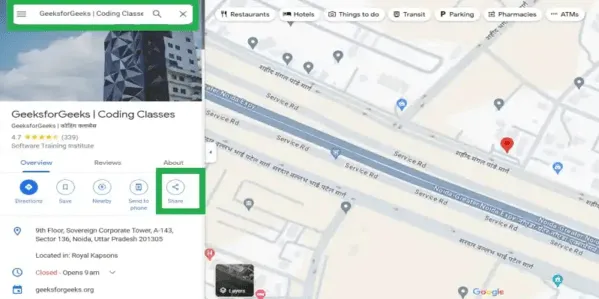
Step 1: Open Location Sharing
- Open Google Maps
- Tap your profile photo
- Select Location sharing
Step 2: Set Sharing Duration
- Choose a time (e.g., 15 minutes or 1 hour)
- Or select Until you turn this off for continuous sharing
Step 3: Share with an iPhone User
- Select a contact (Google account) and tap Share
- Or tap Copy link and send it via any app
- The iPhone user opens the link or Google Maps to view your real-time location
Conclusion
Learning how to share location from iPhone to Android doesn't have to be complicated. Whether you need a quick one-time update or long-term, reliable tracking between different devices, there's a method for every situation.
If you're a parent looking for the most stable, accurate, and secure option, VigilKids stands out clearly. With real-time updates, route history, stronger privacy protection, and a seamless setup process, it provides a more trustworthy solution than standard family apps like Life360.