
Call history check online free searches usually come from one simple question: can you view call logs without paying for a risky tool? The safe answer is yes, but only when you own the phone, control the carrier account, have consent, or manage the child's device as a parent.
You cannot reliably access private call history just by entering a phone number online. This guide explains what actually works, what to avoid, and when a parent-focused tool like VigilKids makes sense.
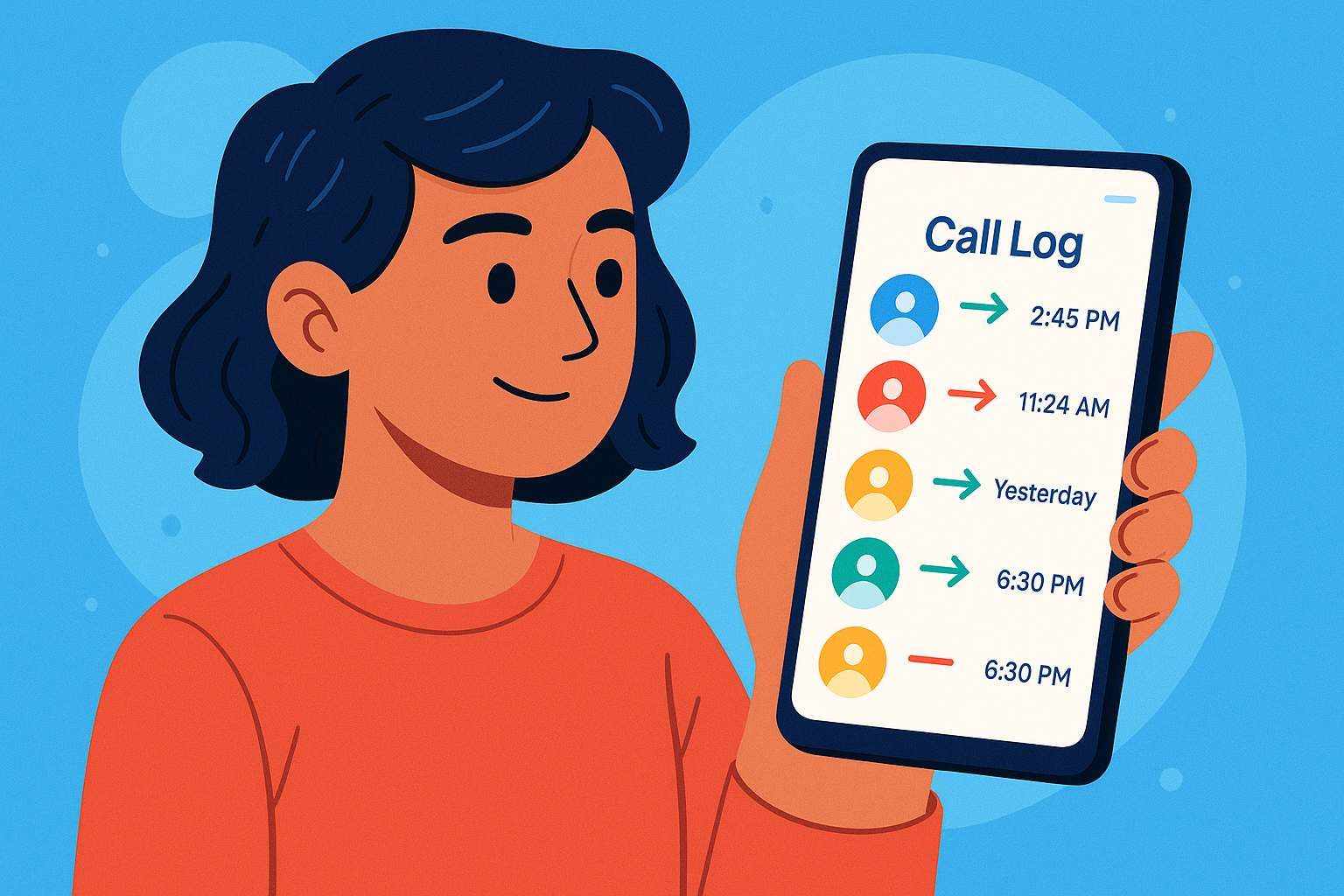
Part 1: Can You Check Someone's Call History Online for Free?
You can check call history for free in a few safe situations, but not as a public lookup for any person or number. Call logs are private account or device data, so legitimate access normally comes from the phone itself, the carrier account, a backup, or a properly set up parental monitoring dashboard.
- You can check your own phone: open the Phone app and review recent incoming, outgoing, and missed calls.
- You can check a carrier account you own: sign in to the provider account and review call details or billing records.
- Parents can monitor a managed child's device: use a parental control tool after setup and appropriate permission.
- You cannot safely do this: type any phone number into a random website and expect full private call logs.
If your real goal is to identify an unknown number, start with a phone number lookup guide such as how to track a phone number for free. If you specifically want a call history check by number, remember that real call logs still require device, account, carrier, backup, or parent-managed access.
Part 2: Safe Free Ways to Check Call History
The best method depends on what you are trying to see: recent calls, older billing records, deleted logs, or ongoing call activity on a child's device.
| Method | Free? | Remote? | Best for | Main limit |
|---|---|---|---|---|
| Phone app call log | ✅ | ❌ | Recent calls | Needs phone access; old logs may be gone |
| Carrier account or bill | ✅ | ✅ | Older account records | Only for accounts you own or manage |
| Cloud backup | ✅ | Limited | Recovering old data | Restore may overwrite newer phone data |
| VigilKids | Plan required | ✅ | Ongoing parental monitoring | Requires setup on a parent-managed device |
| Online number trackers | Claimed | Unreliable | Not recommended | Cannot reliably access private call logs |
For most readers, the safest order is: check the Phone app first, review the carrier account second, then use backup or parental monitoring only when the situation calls for it.
Part 3: How to Check Call History on Android
Most Android phones store recent calls in the built-in Phone or Dialer app. The exact labels vary by brand, but the process is usually similar.
- Step 1. Open the Phone or Dialer app on the Android phone.
- Step 2. Tap Recents to see incoming, outgoing, and missed calls.
- Step 3. Tap a contact, number, or info icon to view details such as time, date, and call duration.
- Step 4. If you need older records, sign in to the carrier account connected to that phone number and check usage history or call details.
If you are managing a child's Android phone, a broader Android parental control setup can give more context than a one-time look at the Recents tab. If your question is about audio records instead of call-log entries, read this separate guide on how to record conversations on Android.
Part 4: How to Check Call History on iPhone
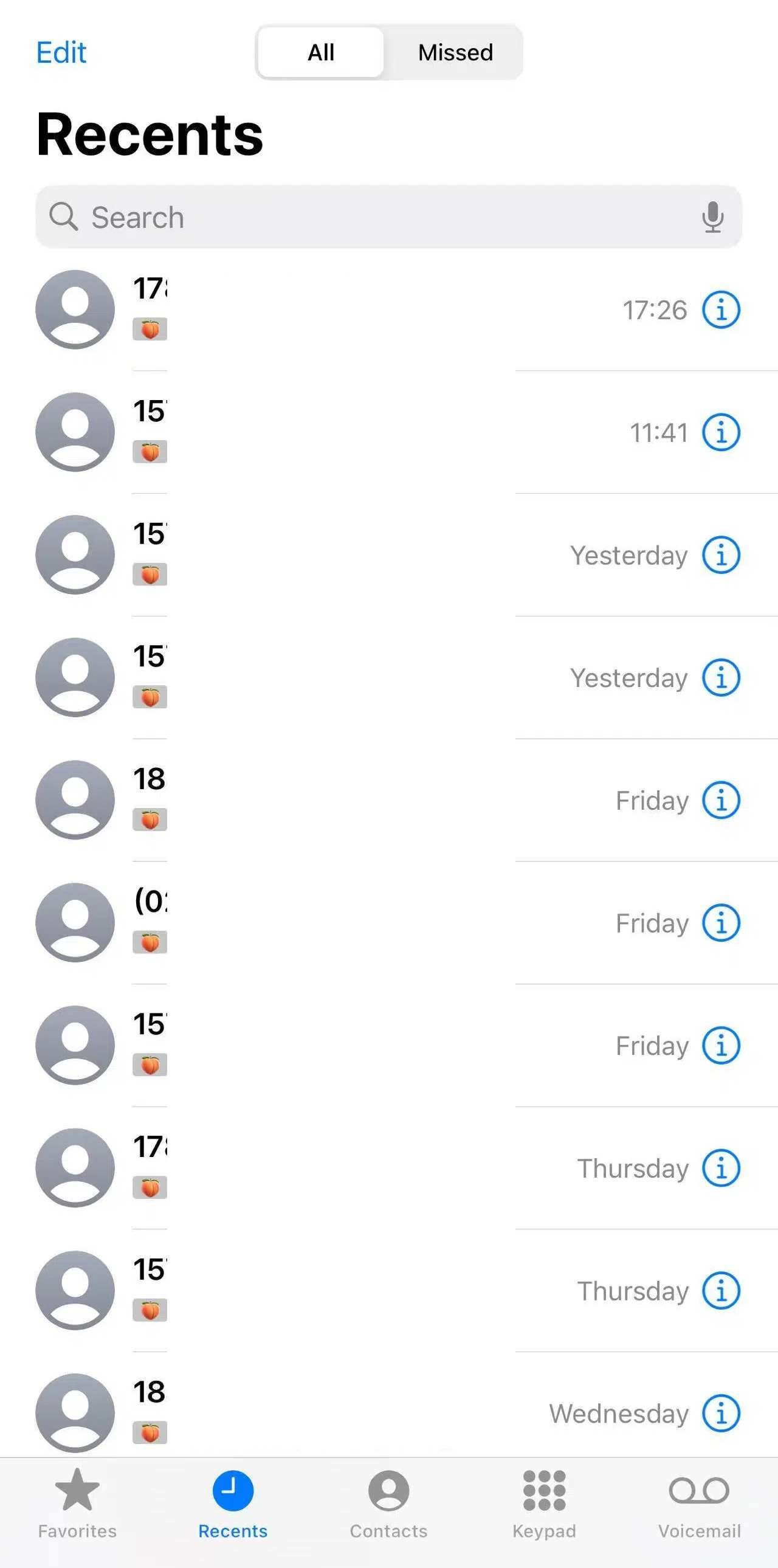
On iPhone, the Phone app is the fastest way to see recent call history. For older records, the carrier account is usually more useful than the device call list.
- Step 1. Open the Phone app on the iPhone.
- Step 2. Tap Recents to view recent calls.
- Step 3. Tap the info icon beside a number or contact to see available call details.
- Step 4. For older records, check the carrier account or monthly statement linked to the phone number.
If call activity is part of a wider communication concern, you may also want to understand how parents can review phone messages safely on a managed device. For deleted iOS conversations, see the related guide on how to find deleted messages on iPhone.
Part 5: Use VigilKids for Parent-Managed Call Tracking
Free methods are useful for one-time checks, but they are limited when a parent needs ongoing visibility into a child's device activity. VigilKids is built for parent-managed monitoring, helping parents review call activity from a secure dashboard after setup.

VigilKids Call Tracking
- Review incoming, outgoing, and missed call activity from the dashboard
- See useful call details such as contact, number, timestamp, and duration when available
- Use call records together with SMS, app activity, screenshots, and location context
- Access monitored data from a secure parent account after device setup
How parents can use VigilKids:
- Step 1. Create a VigilKids account and choose a plan that fits your monitoring needs.
- Step 2. Connect the child's parent-managed Android device to the account and grant the required permissions.
-
Step 3. Open the dashboard and review call logs together with related safety signals.
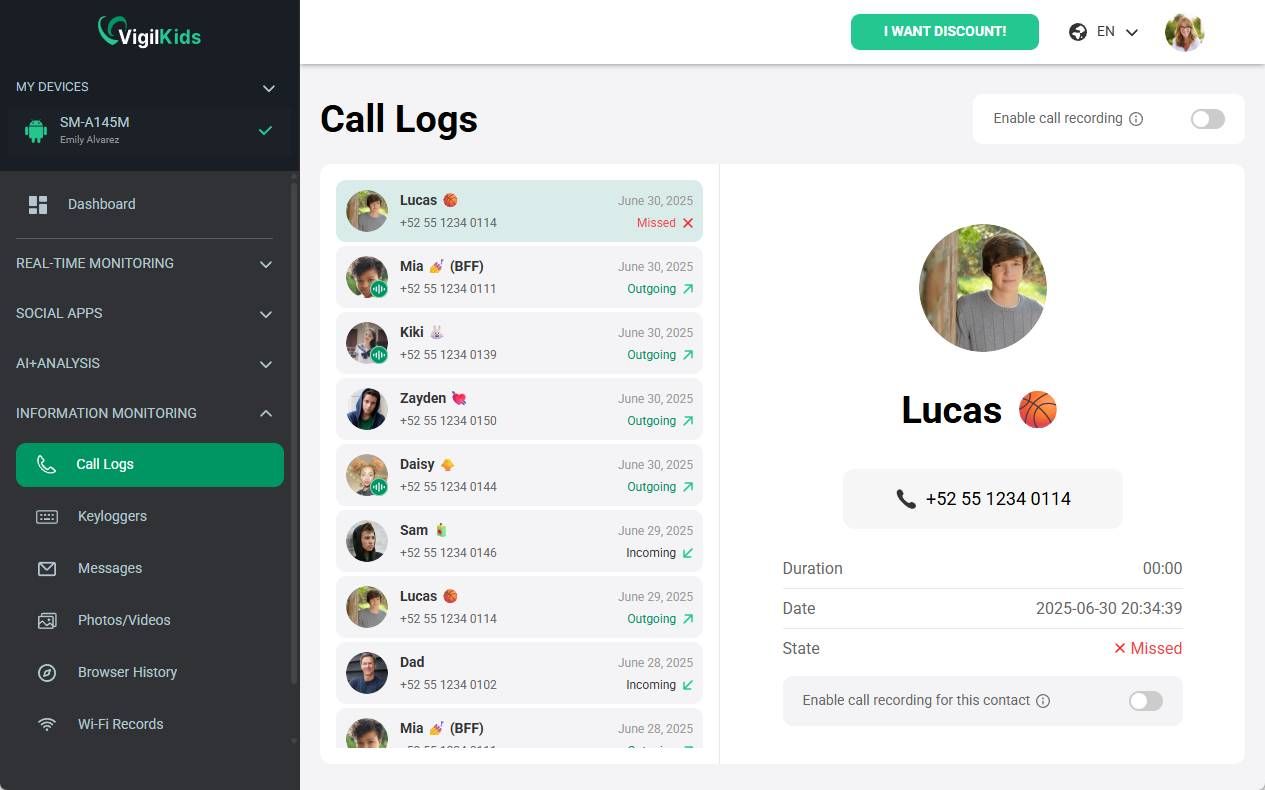
This approach is not the same as typing a random number into a website. It is a setup-based monitoring path for parents who manage the device and need a clearer picture of communication patterns. If call logs are only one part of the concern, pair this page with the SMS tracker guide to cover text-message activity as well.
Part 6: How to Recover Old or Deleted Call History
If the call is no longer visible in the Phone app, try the account-based options before using any third-party recovery tool.
1 Check the carrier account or bill
Carrier portals and monthly statements often keep call detail records for the account owner. These records may show phone numbers, dates, times, and call duration, but they usually do not show call content.
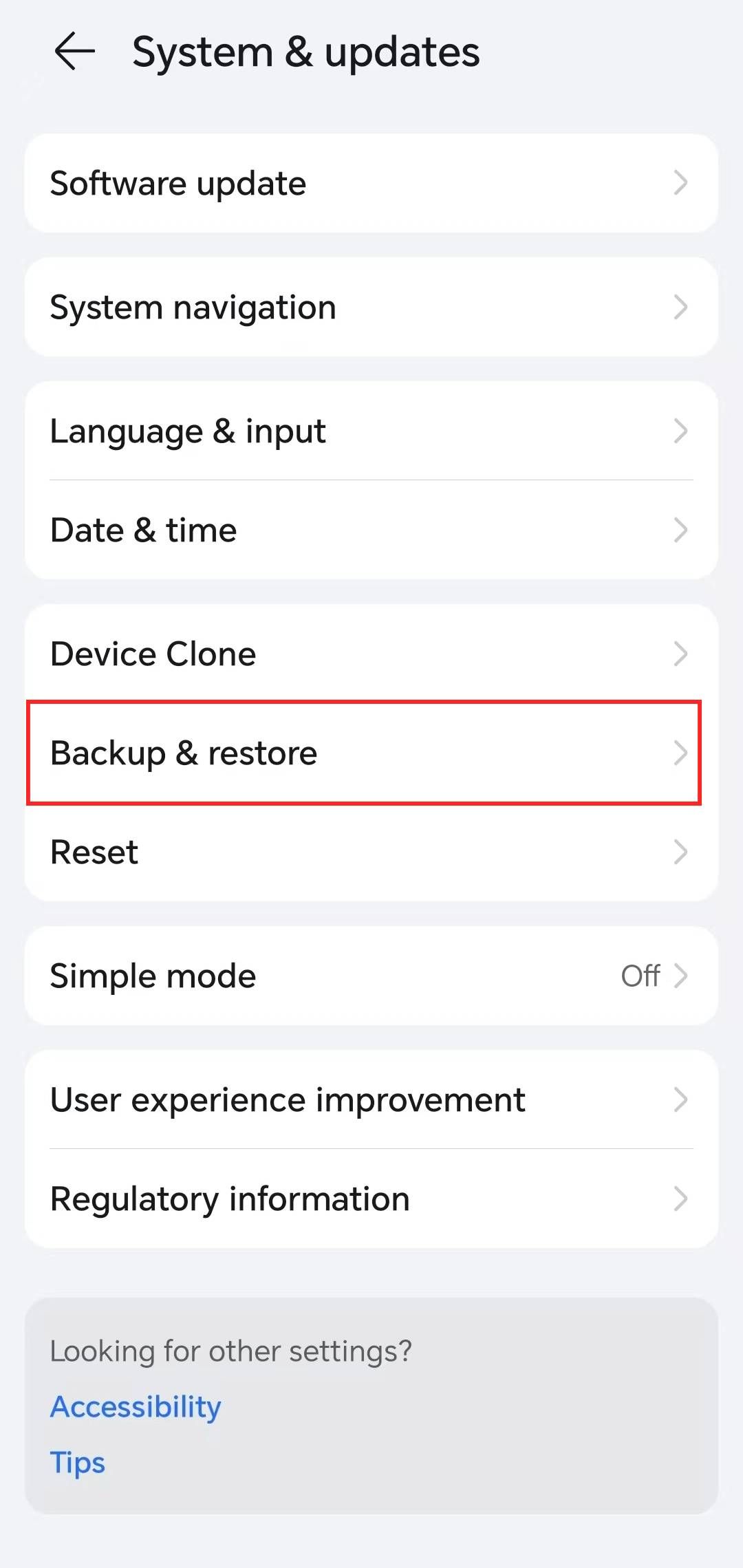
2 Review cloud or device backups
If backups were enabled before the call history disappeared, restoring a backup may recover older phone data. Be careful: restoring a backup can replace newer data on the device, so back up current data first.
3 Use location context only as supporting information
Location tools do not show call history. They can only help provide context when you already know the call time and need to understand where a managed device may have been. For that separate topic, see this guide on tracking a mobile number on Google Maps, or compare broader GPS tracking software for Android if location history is the main concern.
Part 7: Call History Tools to Avoid
Some websites promise a free call history check online for any phone number. Treat these claims carefully, especially if the page asks for payment, personal data, app installation, or survey completion before explaining how the tool works.
- Avoid tools that promise to show anyone's private call logs from a phone number alone.
- Avoid downloads from unknown sources that claim to unlock deleted call records instantly.
- Avoid pages that ask for sensitive account details before showing a clear method.
- Avoid any method that requires access to a device or account you do not own or manage.
A trustworthy method should explain what it can access, what setup is required, and what its limits are before asking you to continue.
If your concern is not call logs but whether calls can be overheard, read can someone listen to your phone calls. For app-based voice calls, this related guide explains how to track WhatsApp calls in a more specific context.
FAQs About Checking Call History Online
Q1: Can I check call history online for free?
Yes, in limited situations. You can check your own phone, a carrier account you manage, or available backups. You cannot safely view private call logs for any number through a public online lookup.
Q2: How to check someone call history for free?
For a child or family device you manage, use the phone's call log, the carrier account, or a parent-approved monitoring setup. For another adult's private call history, you need consent or account access through legitimate channels.
Q3: Can I view call history with only a phone number?
No reliable tool can show full private call history from a phone number alone. A number lookup may identify a caller, but call logs usually require device, account, carrier, backup, or parental-monitoring access.
Q4: How far back can call history go?
It depends on the phone, carrier, account settings, and backup history. The Phone app usually shows recent activity, while carrier accounts or statements may keep older billing records.
Q5: Can deleted call logs be recovered?
Sometimes. If the calls appear in carrier records or an earlier device backup, you may be able to recover the details. If there is no backup or account record, deleted logs may not be recoverable.
Q6: Is VigilKids useful for call history monitoring?
Yes, for parents managing a child's Android device. After setup, VigilKids helps parents review call activity and related safety context from a secure dashboard.
Conclusion
Call history check online free methods work best when they are tied to a real device, carrier account, backup, or parent-managed monitoring setup. They do not work like public tools that reveal anyone's private call logs from a number alone.
For one-time checks, start with the Phone app and carrier account. For ongoing family safety, VigilKids can help parents review call activity alongside messages, location, and device context.
Hot Topics for Phone Monitoring
Find My Samsung Phone: How to Locate, Ring, Lock, or Erase It
Find your Samsung phone for free with SmartThings Find or Google Find Hub. Compare steps for lost, offline, or stolen Galaxy phones, plus family tracking tips.
How to Read Someone Else’s Text Messages Remotely?
Learn how to read text messages from another phone or device. Discover safe methods to access SMS remotely and monitor messages easily with VigilKids.

How to Forward SMS to Another Phone Automatically (iPhone & Android)
Learn how to forward SMS to another phone automatically on iPhone and Android, including how to forward text messages from Android to iPhone, step by step.