
Choosing the right Android parental control app is not about finding the longest feature list. Parents usually need a tool that can set screen-time rules, block unsafe apps, show location, surface real risks, and still leave room for trust as kids get older.
This guide compares 8 Android parental control apps for 2026 across the features that matter most in an Android phone parental control app: setup, screen-time controls, location tracking, app blocking, web filtering, message or social alerts, pricing, and family fit. Our overall pick is VigilKids for Android-first families that want one practical dashboard, while Google Family Link remains the best free starting point for younger kids.
Quick Picks: Best Android Parental Control Apps by Need
If you want the best parental control app for Android quickly, start here. Each pick fits a different family situation rather than one universal winner.
- Best overall Android parental control app: VigilKids - balanced monitoring, location, screen time, app controls, and an easy parent dashboard.
- Best free option: Google Family Link - ideal for younger kids using Android and Google accounts.
- Best for detailed reports: Qustodio - strong for parents who want structured reports and cross-device controls.
- Best for teen risk alerts: Bark - useful when you want alerts for serious issues instead of reading every activity log.
- Best for web and YouTube supervision: Norton Family - strongest when browsing safety matters more than message monitoring.
- Best Android-heavy monitoring suite: AirDroid Parental Control - deep Android visibility, app limits, location, and activity reports.
- Best for SMS-focused families: MMGuardian - Android-first app with strong text-message risk screening.
- Best simple device control: Kidslox - good for families that mainly need schedules, app blocking, and quick device locking.
How We Evaluated Android Parental Control Apps
For this update, we compared each app against the Android situations parents usually face after setup, not just the claims on a pricing page. We checked official product pages, current platform support, Android feature limits, pricing information, and how well each tool handles common family scenarios.
We used a 100-point scoring system, then grouped the weights into a short scorecard:
- 45% controls: Android setup, screen-time limits, app blocking, web filtering, and school-use flexibility.
- 25% safety signals: location tools, geofencing, message or social alerts, and risk summaries parents can act on.
- 20% reliability: bypass visibility, uninstall resistance, reporting consistency, and device support.
- 10% value and usability: family pricing, plan clarity, dashboard usability, and transparent supervision.
That last point matters. A good parental monitoring app for Android should help parents start better conversations, not turn family life into a constant investigation.
Android Parental Control App Comparison Table
Use this Android parental control app comparison as a quick filter before reading the full reviews. The checkmarks show where each app covers the core jobs parents usually search for: screen time, location, app and web blocking, and message or social safety.
| App | Best For | Screen Time | Location | App/Web Block | Message/Social | Price From |
|---|---|---|---|---|---|---|
| VigilKids | All-around Android families | ✅ | ✅ | ✅ | ✅ | $9.99/mo |
| Google Family Link | Free Android supervision | ✅ | ✅ | Basic | Limited | Free |
| Qustodio | Detailed reports | ✅ | ✅ | ✅ | Plan-dependent | $59.95/yr |
| Bark | Teen safety alerts | ✅ | ✅ | ✅ | Strong alerts | From $14/mo |
| Norton Family | Web and YouTube supervision | ✅ | ✅ | ✅ | ❌ | $49.99/yr |
| AirDroid Parental Control | Android-heavy monitoring | ✅ | ✅ | ✅ | Android-heavy | $9.99/mo |
| MMGuardian | SMS risk screening | ✅ | ✅ | ✅ | SMS-focused | Plan varies |
| Kidslox | Simple multi-device control | ✅ | ✅ | ✅ | Limited | Plan varies |
Best Android Parental Control Apps in 2026
1. VigilKids - Best Overall Android Parental Control App
VigilKids is the strongest all-around choice for parents who want an Android-first parental control app without managing several separate tools. It combines location tracking, screen-time structure, app oversight, web safety, and supported message or social monitoring features in one parent dashboard.
The biggest advantage is balance. VigilKids is useful for younger kids who need stricter device rules, but it also works for older kids when parents want alerts and summaries instead of reading every detail. Families can combine GPS location tracking, app limits, web safety, and optional WhatsApp monitoring in one Android-first workflow. That makes it a better long-term fit than tools built only for very young children or only for teen alerts.
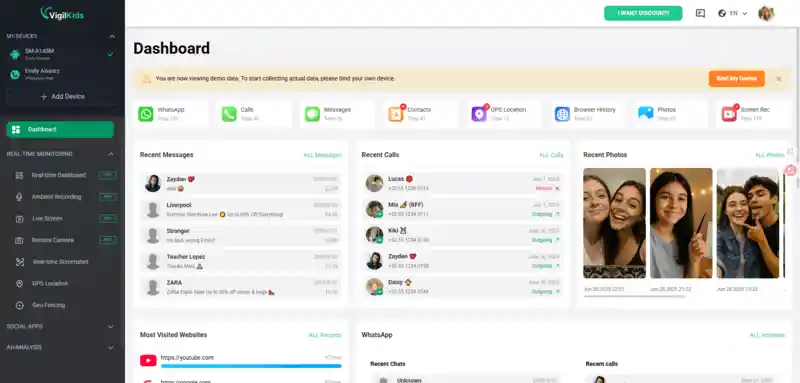
- What works well: Android setup is straightforward, the dashboard is clean, and parents can manage the most common needs from one place.
- Where it falls short: Some advanced features require the paid plan, and the Android experience is stronger than iOS.
- Choose it if: You want one Android parental control app for location, screen time, app limits, web filtering, and parent-friendly activity review.
- Useful related feature: Parents who need real-world context can also review live surroundings awareness after setup and with the required device permissions.
- Skip it if: Your family is iPhone-only and you mainly need Apple-native controls.
VigilKids Pro
- Review child device activity from one parent dashboard
- Set app, screen-time, and browsing boundaries
- Check location context with required device permissions
2. Google Family Link - Best Free Android Option
Google Family Link is the best free starting point for younger kids on Android. Because it is tied closely to Google accounts and Android settings, it handles the basics well: daily limits, app approvals, app time limits, downtime, Google Play controls, Chrome and Search restrictions, and location sharing.
Family Link is especially strong for a first Android phone or tablet. It becomes less complete as kids get older, when parents may need deeper app reports, better social context, or more flexible rules across non-Google services.
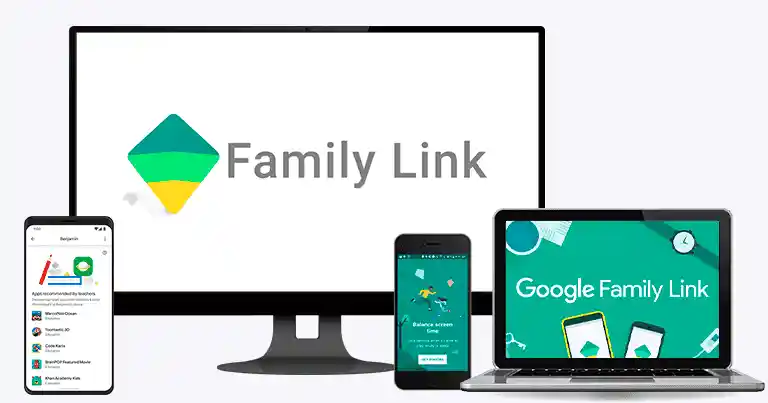
- What works well: Free, native to the Google ecosystem, easy to use for app approvals and time limits.
- Where it falls short: Reporting and message or social insight are limited compared with dedicated Android parental control apps.
- Choose it if: Your child is under 10 and mainly uses Android with a supervised Google account.
- Skip it if: Your child is a tween or teen and you need deeper activity context.
3. Qustodio - Best for Detailed Reports
Qustodio is one of the most mature parental control platforms. It is strong on Android, supports multiple platforms, and gives parents detailed reports for apps, web activity, time limits, Android GPS tracking, and rules.
Qustodio is best for parents who genuinely want to review reports and tune settings. If you only want a simple phone lock or basic app blocking, the experience can feel heavier than necessary.
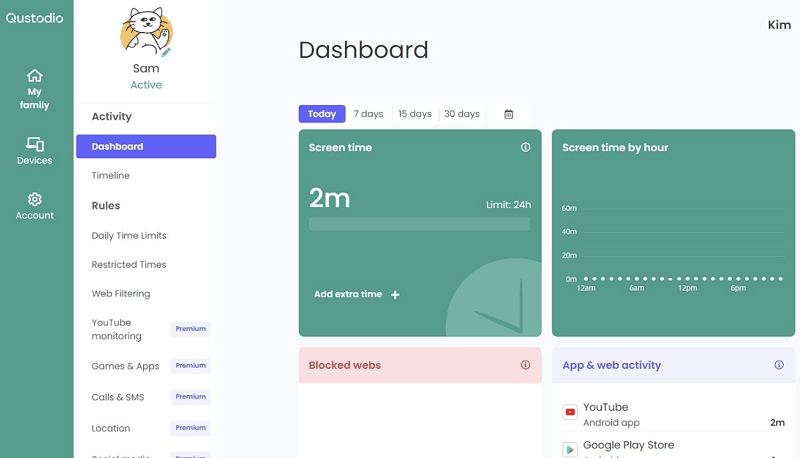
- What works well: Strong reporting, app limits, web filtering, location tools, and broad device support.
- Where it falls short: Full value usually requires a paid plan, and setup can feel more involved.
- Choose it if: You want structured reports for a tween who needs clear boundaries.
- Skip it if: You prefer a lighter parent dashboard with fewer settings.
4. Bark - Best Alert-Based Safety Net for Teens
Bark is strongest for families with older kids and teens. Its model is less about blocking everything and more about alerting parents to possible risks across supported texts, apps, email, and social platforms. Bark also includes screen-time rules, web blocking, and location alerts.
That makes Bark a good fit when trust is already part of the family conversation. It is not the best choice for young Android users who need strict daily structure, but it can be a useful teen safety layer.
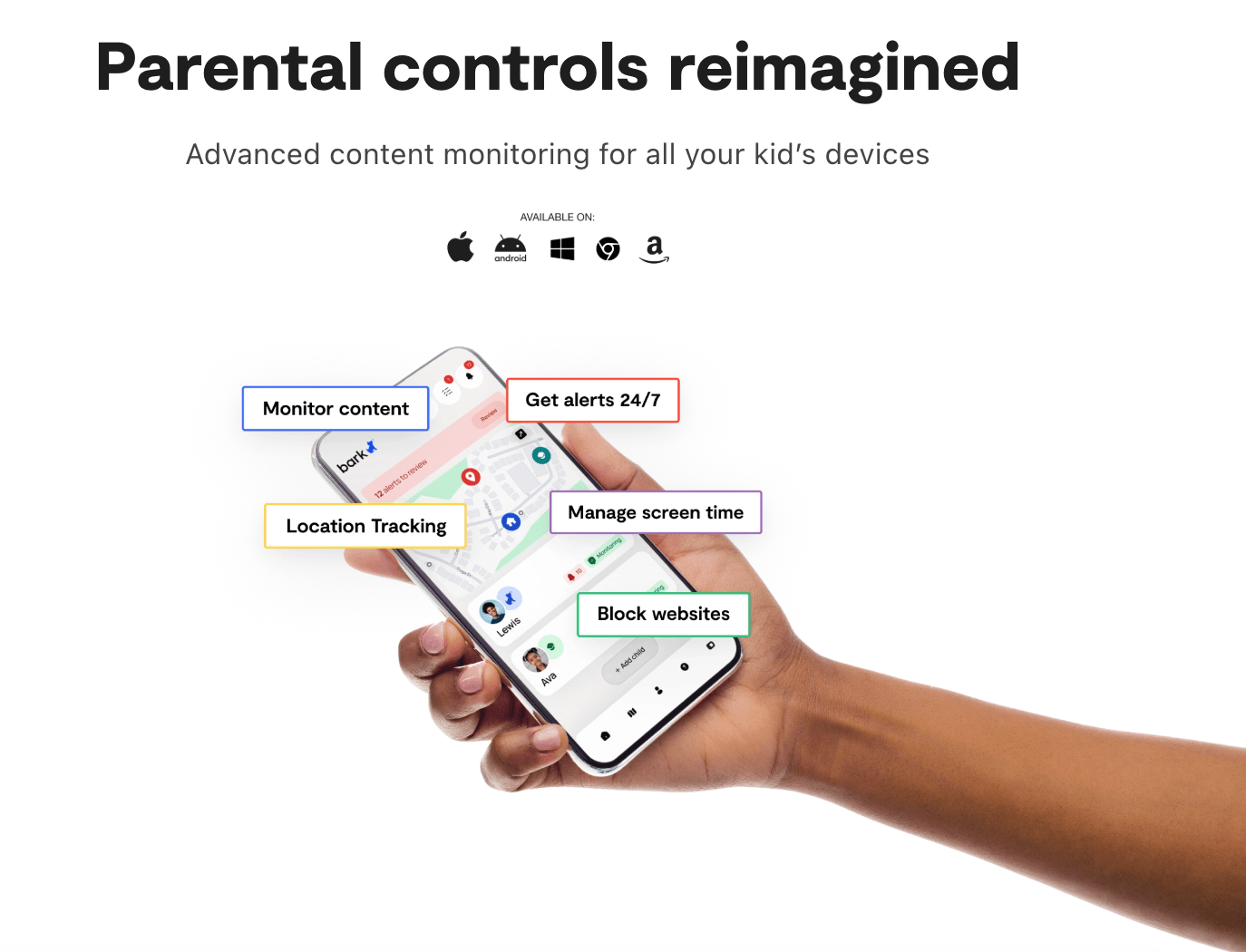
- What works well: Strong alert-based model, broad social and message coverage, useful for teens.
- Where it falls short: Less granular enforcement than restriction-heavy Android parental control apps.
- Choose it if: Your teen needs safety alerts more than strict app-by-app control.
- Skip it if: You need deep Android device controls for a younger child.
5. Norton Family - Best for Web and YouTube Supervision
Norton Family is best known for web supervision, search supervision, video supervision, time supervision, reports, and instant lock. On Android, it is most useful when browsing safety and screen-time boundaries matter more than text or social monitoring.
Norton Family also makes sense for families already using Norton 360, because parental controls may fit naturally into the broader security subscription. As a standalone Android parental control app, it is capable but not as Android-focused as VigilKids, AirDroid, or MMGuardian.
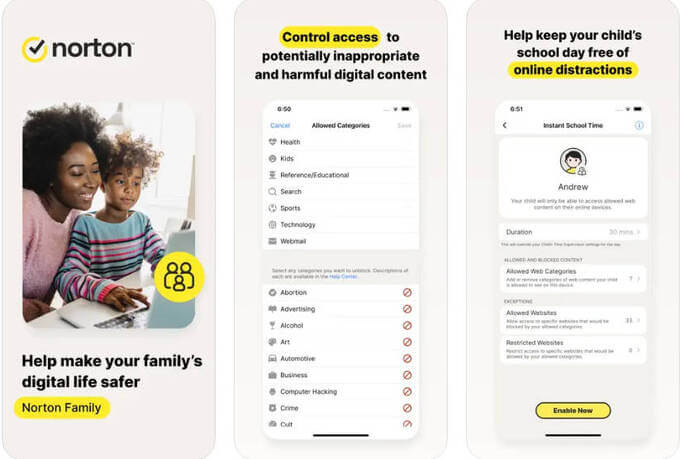
- What works well: Web rules, search supervision, YouTube browser monitoring, time limits, and reports.
- Where it falls short: Text and call supervision are not the strength of the product.
- Choose it if: You already trust Norton and want browsing protection for school-age kids.
- Skip it if: Your main concern is social media or messaging insight.
6. AirDroid Parental Control - Best Android-Heavy Monitoring Suite
AirDroid Parental Control is a strong Android-focused option for parents who want app limits, screen-time schedules, location tracking, route history, geofencing, alerts, website restrictions, and activity reports. It supports Android and iOS, but its deeper feature set is most relevant to Android devices.
The product is powerful, but that also means parents should be careful to use it transparently and only on a child device they are responsible for. For families that want broad Android visibility, it is one of the more complete alternatives to consider.
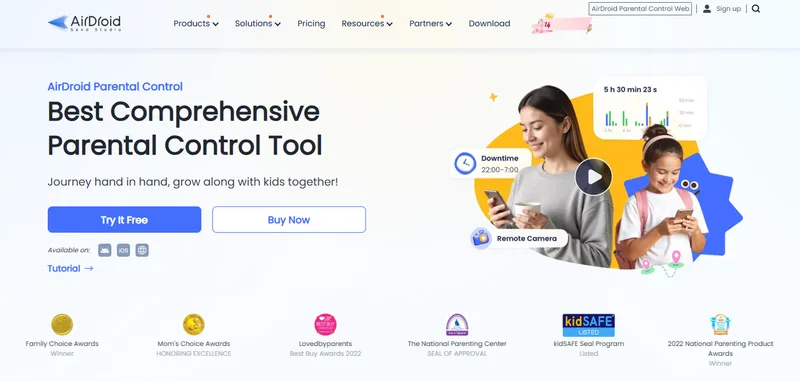
- What works well: Strong Android feature depth, location tools, app limits, screen-time controls, and activity reporting.
- Where it falls short: The feature set can feel heavy if you only need simple screen-time rules.
- Choose it if: Your child uses Android heavily and you want detailed device activity context.
- Skip it if: You prefer a lighter, more conversation-led monitoring approach.
7. MMGuardian - Best for SMS-Focused Android Families
MMGuardian is one of the more Android-first apps in this category. Its strongest use case is SMS and text-message risk screening, combined with app blocking, schedules, reports, and location features.
MMGuardian is not the most polished app on the list, but it remains relevant for parents whose primary worry is texting on an Android phone rather than general screen time.
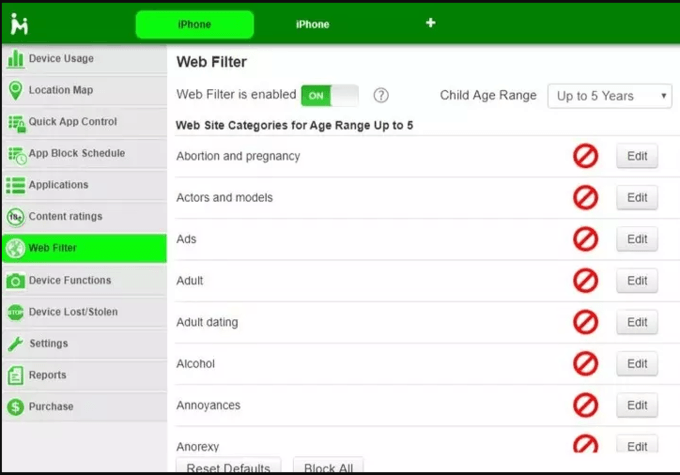
- What works well: Strong Android SMS focus, app blocking, scheduling, and location alerts.
- Where it falls short: Interface and setup can feel less polished than newer tools.
- Choose it if: Your child's main device is Android and texting is your biggest concern.
- Skip it if: You want a cleaner all-in-one dashboard or more modern user experience.
8. Kidslox - Best Simple Multi-Device Control
Kidslox is built for parents who want quick enforcement rather than deep monitoring. Its core value is simple: set schedules, block apps, and switch devices into restricted modes quickly.
This is useful for busy households where the problem is not hidden risk signals, but daily friction around homework, bedtime, games, or YouTube. If you need detailed message insight, choose another app.
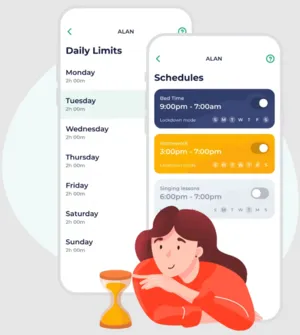
- What works well: Simple locking, app blocking, screen-time schedules, and multi-device control.
- Where it falls short: Limited reporting and limited message or social insight.
- Choose it if: You mainly need phones to pause during homework, meals, or bedtime.
- Skip it if: You want deep Android monitoring or risk alerts.
How to Choose the Right Android Parental Control App
The best Android parental control app depends on the child's age, device habits, and the kind of oversight your family can use without damaging trust.
- For a first Android phone: Start with Google Family Link. It is free and handles the basics well.
- For ages 8-15: Consider VigilKids if you want one dashboard for location, screen time, app controls, and activity review.
- For report-heavy supervision: Qustodio is strong if you will actually read and use the reports.
- For teens: Bark can be a better fit when alerts and trust matter more than strict daily enforcement.
- For web safety: Norton Family is strongest when browsing and YouTube supervision are the top concern.
- For deep Android visibility: AirDroid or MMGuardian may fit, but use them with clear family rules and expectations.
- For simple enforcement: Kidslox is enough if you mostly need app blocking and quick lock modes.
If your main question is still "which one should I try first?", choose the least invasive tool that solves the actual problem. Start free for younger Android users, then move to a paid Android parental control app only when you need broader visibility, stronger alerts, or multi-kid management.
Frequently Asked Questions
Q1: What is the best Android parental control app overall?
A: For most Android-first families, VigilKids is the best overall pick because it combines location, screen-time management, app controls, web safety, and parent-friendly activity review. Google Family Link is still the best free option for younger kids.
Q2: Is Google Family Link enough for Android?
A: It can be enough for younger kids who mainly need app approvals, screen-time limits, Google service filters, and location sharing. For tweens and teens, many families eventually need stronger reporting, broader app controls, or better risk alerts.
Q3: Do Android parental control apps work without rooting?
A: Yes. The major Android parental control apps in this guide are designed to work on standard Android devices. Full functionality may require device permissions, accessibility settings, or a child companion app, but rooting should not be required.
Q4: Can a child uninstall a parental control app on Android?
A: Good Android parental control apps use account rules, device permissions, or parent alerts to make removal harder or visible. No app replaces conversation, so parents should explain the rules clearly and review settings regularly.
Q5: What is the best free Android parental control app?
A: Google Family Link is the best free starting point. It covers screen time, app approvals, Google Play controls, some content restrictions, and location sharing. Paid apps are worth considering when you need stronger reports, app insight, social risk alerts, or multi-child management.
Q6: Are parental monitoring apps legal for parents?
A: Parents generally have more authority to manage devices used by minor children, especially family-owned devices, but rules vary by location. Use parental control tools transparently, avoid monitoring adults without consent, and check local requirements if you are unsure.
Conclusion
The best Android parental control app is the one that fits your child's age and your real parenting problem. Google Family Link is the easiest free start for young Android users. Bark is strong for teen alerts. Qustodio is useful for detailed reports. Kidslox is simple for device locking.
For most families that want one Android-first tool with location, screen time, app controls, web safety, and clear parent review, VigilKids is the most balanced place to start. Use the app to support better habits and better conversations, not to replace them.
Hot Topics for Phone Monitoring
10 Best Free Family Tracking Apps for iPhone & Android
Tested in 2026: 10 free family tracking apps for iPhone & Android. See which are truly free, which hide paywalls, and which one fits your family.
How to Track Your Kids Location & Your Son’s Phone? 5 Simple Ways
Learn how to track your kids location and how to track my son’s phone using safe, simple tools. Real methods to find your child’s phone quickly.
Top Parental Control Apps 2026: iPhone, Android, Mac & PC
The top parental control apps in 2026 for every family type — by age, by platform, by household setup. Compare 7 picks including VigilKids, Bark, and Family Link.