

If you've been searching for a bark parental control review or wondering why is the bark app bad, you're not alone. Bark is widely promoted as an AI-powered parental control tool that monitors messages, emails, and social media to detect potential risks without fully invading a child's privacy.
But many parents still question its real effectiveness in everyday use. So, is bark worth it when it comes to protecting your family online? This review breaks down its strengths, weaknesses, and real-world performance.
- Table Of Contents
- PART 1. What Bark Does Well
- PART 2. Why is the Bark App Bad
- PART 3. Privacy vs. Control: The Core Conflict
- PART 4. Real User Feedback Summary
- PART 5. Is Bark Right for Your Family?
-
PART 6. Other FREE & Stronger Alternative

Part 1. What Bark Does Well
Bark isn't just another screen time manager. It brings some advanced features to the table that help it stand out from traditional parental control tools.
AI-Powered Content Monitoring
Unlike apps that only log time or block access, Bark connects directly to your child's Gmail, social media accounts, and messages. It scans for signs of cyberbullying, self-harm, sexual content, and more. The idea is to alert parents only when something concerning happens—without making them read every single message.
Adjustable Alert Sensitivity
You can fine-tune what triggers a notification. Whether you care about curse words in song lyrics or only want to be warned about serious issues, Bark lets you choose. This level of customization can be helpful for parents who don't want to overreact to every little thing.
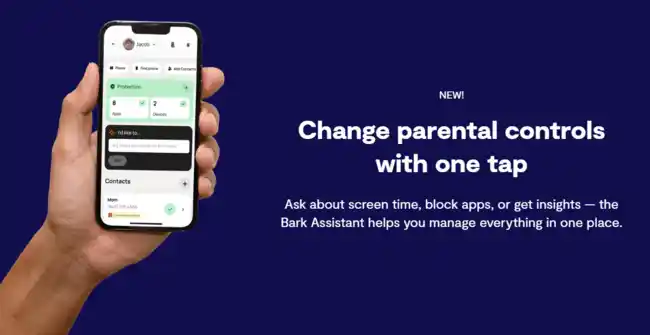
Daily App Schedules
Bark allows you to set different usage rules based on the time of day—school hours, evenings, bedtime, etc. It's a simple way to help kids build healthy screen habits without micromanaging every tap.
Bark Phone Offers More Control
Some users have reported better results using the official Bark Phone. Since it comes with the Bark system pre-installed at the device level, it includes more robust features—like blocking app installs and preventing message deletion.
Part 2. Why is the Bark App Bad
Bark does have a clear mission: detect risky content and alert parents. But real-world usage tells a different story. Based on long Reddit threads and hands-on parent feedback, many users asking why is the Bark app bad often point out that Bark's biggest weaknesses aren't bugs — they're design choices.
1. Parents Can't Actually See What's Happening
One of the most repeated complaints is simple: Bark decides what parents are allowed to see. While it scans messages, emails, and social apps in the background, it only surfaces selected alerts — not the full picture.
Parents repeatedly say this feels backwards. If something isn't flagged by Bark's system, there's no way to manually review it. That means:
- No full message visibility
- No browsing history unless something is blocked
- No way to double-check false negatives
- Alert-driven monitoring only
- Parents see what Bark decides is “important”
- Heavy emphasis on child privacy
- Optional full visibility
- Manual review when needed
- Control over monitoring depth
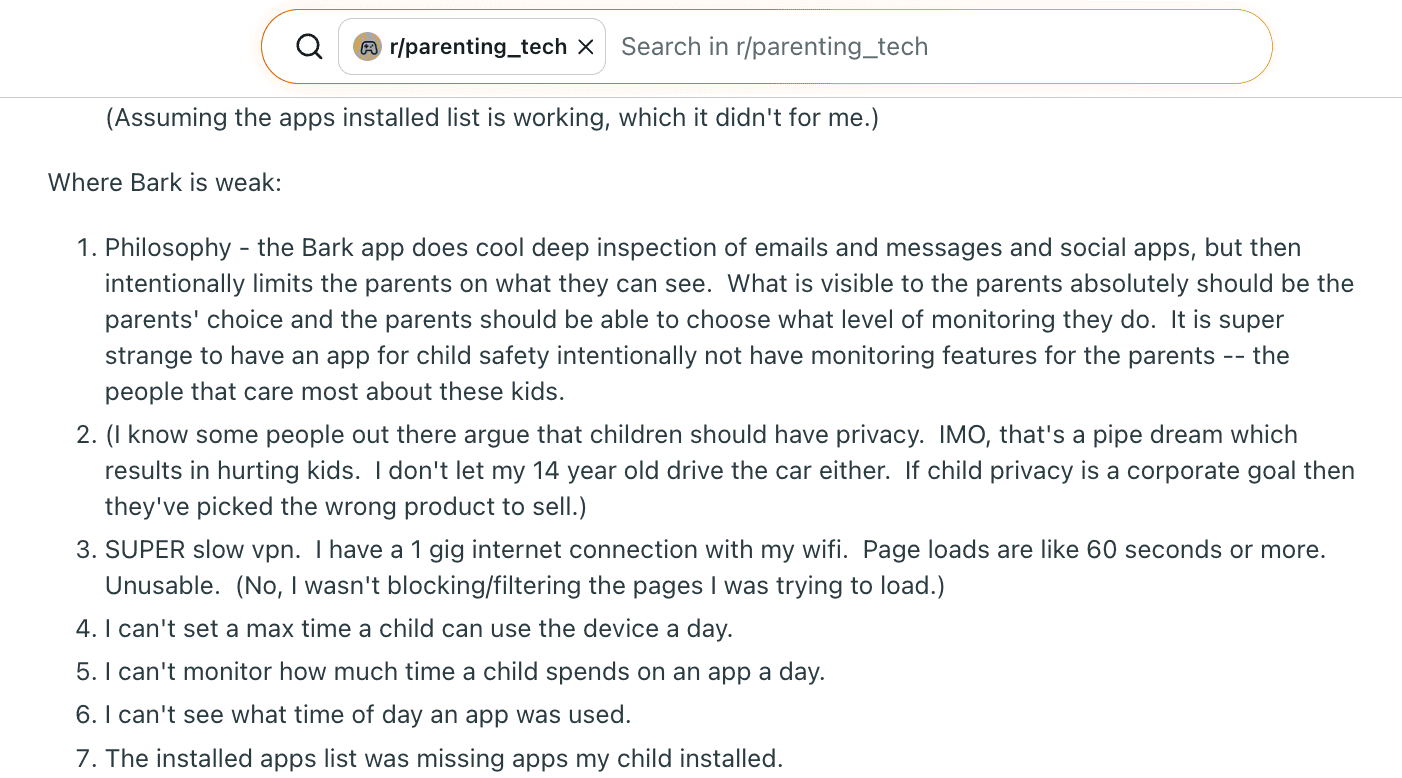
2. Weak App Tracking and No Real Usage Data
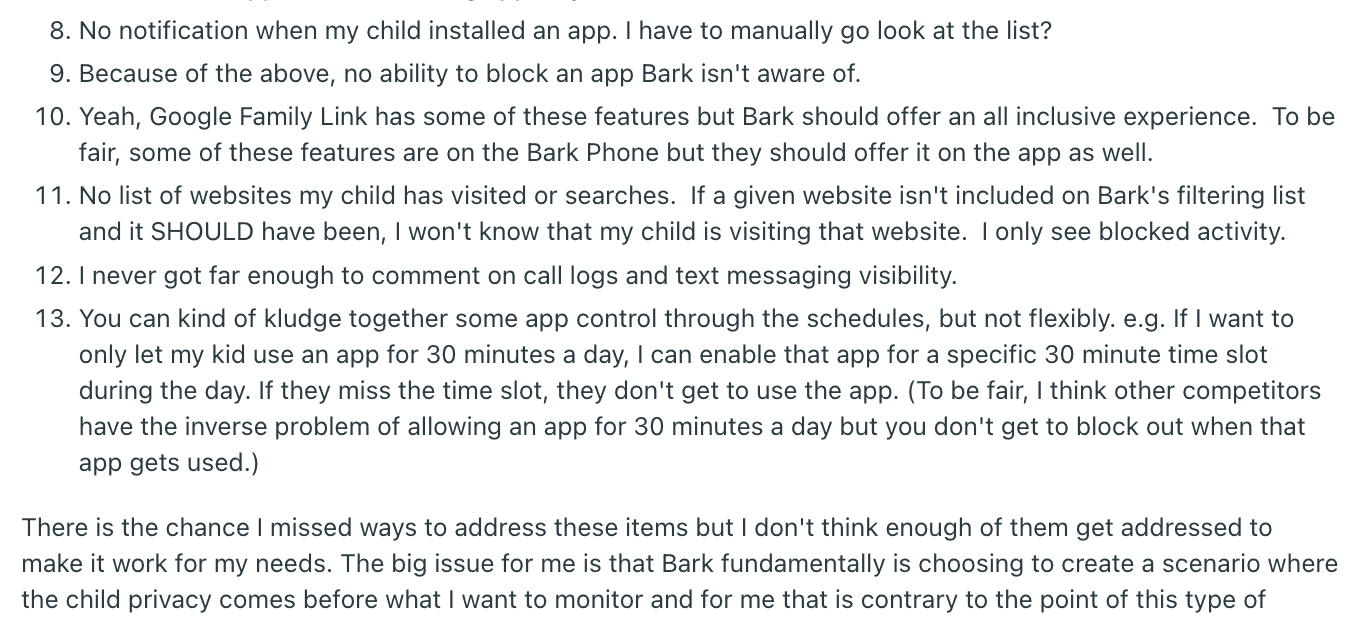
Another major pain point is app monitoring. Multiple parents report that newly installed apps don't always appear — and worse, there's no alert when a child installs something new.
Even when apps do show up, Bark offers very little usage insight:
- No daily screen time limits
- No per-app usage duration
- No timestamp showing when an app was used
Several parents pointed out that if Bark doesn't recognize an app, you can't block it at all. That leaves obvious gaps — especially for fast-moving social or chat apps.
3. When Things Go Wrong, Support Becomes the Bigger Problem
For many parents, the breaking point wasn't just missing features — it was what happened after problems appeared.
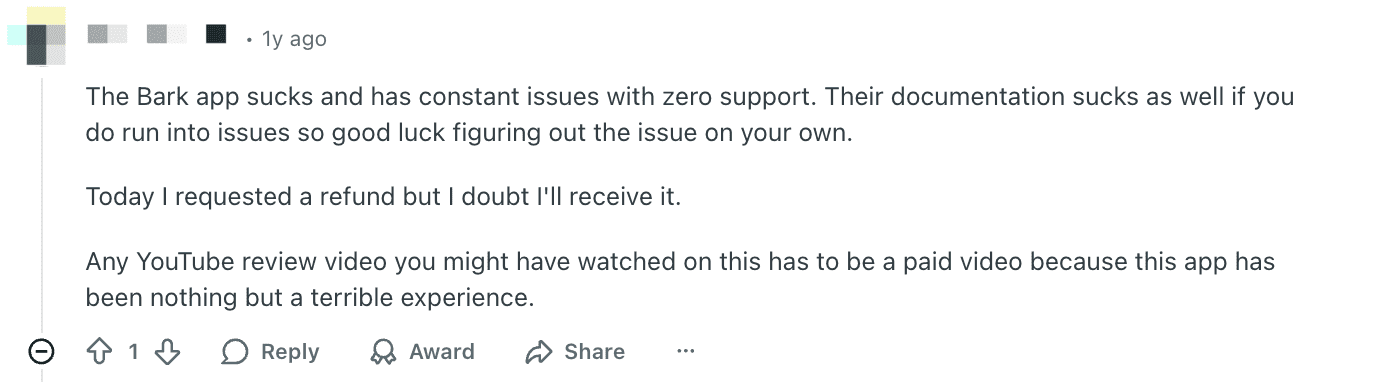
Multiple Reddit users describe Bark as unreliable, leaky, and difficult to get help with. When monitoring failed or settings didn't work as expected, reaching support became another frustration on top of an already stressful situation.
- Support described as slow or unresponsive
- Documentation that doesn't actually solve real issues
- Parents left to troubleshoot on their own
One parent went as far as saying the experience felt so unreliable that it defeated the entire purpose of using a safety app in the first place.
- Frequent issues with no clear fix
- Hard-to-reach or ineffective support
- Feeling stuck after paying
- Clear guidance when things break
- Responsive human support
- Confidence that help is available
4. Refund Confusion and Loss of Trust
Billing and hardware policies became another major source of frustration — especially for parents who decided Bark simply wasn't working for their family.
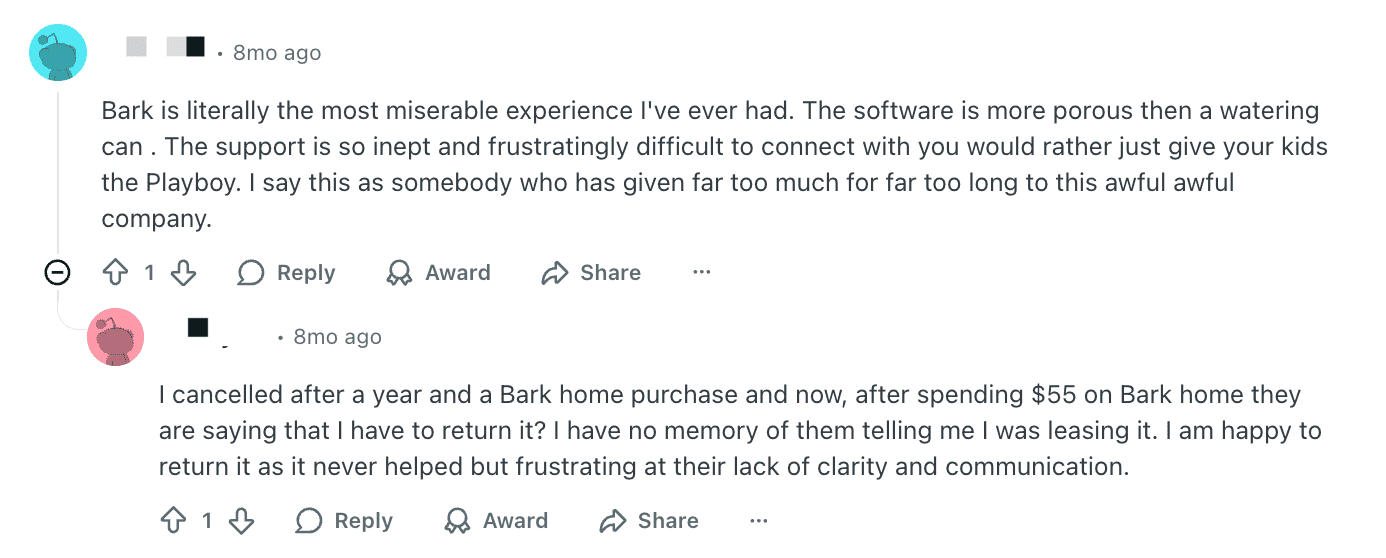
One widely shared complaint involved Bark Home: after canceling, a parent was told they had to return the device, despite having no clear memory or notice that it was a lease rather than a purchase.
- Unclear purchase vs. leasing terms
- Unexpected return requirements
- Refunds perceived as difficult or unlikely
Several users openly questioned whether positive reviews online were genuine, stating that their real experience felt nothing like what was advertised.
At this stage, the issue goes beyond features. For many parents, it becomes a matter of trust, transparency, and whether the company stands behind its product.
Part 3. Privacy vs. Control: The Core Conflict
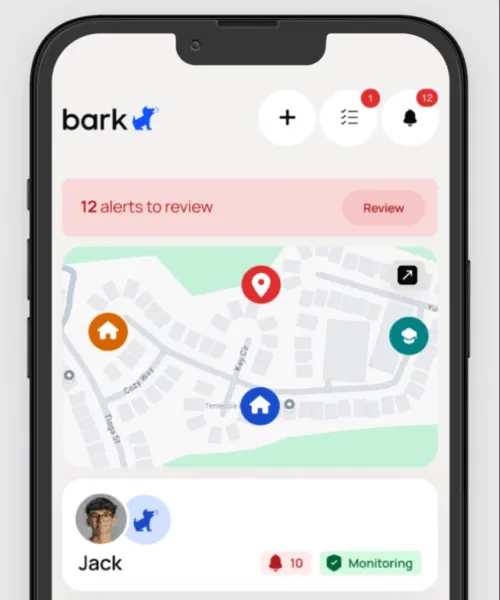
One of Bark's biggest selling points is its effort to respect a child's privacy. Instead of giving parents full access to messagesor browsing data, Bark only sends alerts when it detects something potentially harmful. But for many parents, that's exactly the problem.
Limited Visibility by Design
Bark intentionally hides most of your child's communication, even if it's not flagged. Parents can't read entire text threads, view full social media conversations, or access browsing history. While this “minimal intrusion” approach may sound progressive, it leaves many caregivers feeling powerless—especially if they suspect something serious is going on.
Parents Want More Transparency
Several users argue that parents, not the app, should decide how much to monitor. As one Reddit reviewer put it, “It's super strange to have a child safety app intentionally limit what parents can see.” For families who believe in more direct involvement, Bark's restrictions can feel like an unnecessary barrier.
Teen Users Push Back Too
On the flip side, teen users have voiced strong frustration with Bark. One 13-year-old commented that the app made him feel like he couldn't talk to anyone without being watched, calling it a “privacy invasion” that damaged his trust in his parents. Others mentioned switching platforms just to avoid detection—or feeling isolated after key social apps like Snapchat were blocked.
A Philosophical Divide
Ultimately, Bark sits at the center of a difficult conversation: How much privacy should kids have online? Some parents want to monitor everything, others want to build trust with gentle oversight. Bark tries to balance both—but in doing so, it sometimes satisfies neither.
Part 4. Real User Feedback Summary
Frustrations from Parents
Many parents reported technical limitations that affected daily usability:
- The VPN slows down the internet, making basic browsing painful, even with fast Wi-Fi.
- Passcode prompts on iOS are relentless. Users noted that the app requires children to frequently enter their device passcode to maintain functionality—especially after Wi-Fi reconnects or system updates.
- The lack of real-time notifications for app installs or web activity makes it harder to stay on top of fast-moving behavior.
- Bark's local backups can consume huge amounts of storage, with some reporting up to 500GB being used without clear warning.
Positive Notes for Bark Phone Users
A few users who tried the Bark Phone (an Android device preloaded with the app) reported significantly better control and fewer glitches:
- Apps cannot be installed without explicit parental approval.
- Communication is limited to pre-approved contacts.
- Bark Phone prevents message deletion and provides better alert reliability.
These users felt the Bark Phone delivered a more complete solution than the app alone.
Mixed Experiences with Customer Support and Setup
Some found Bark's desktop setup clunky and intrusive, especially when syncing with iPhones. Others faced syncing issues that required multiple reinstalls or manual workarounds, particularly when used alongside Apple's Screen Time or Google Family Link.
Voices from Teen Users
Notably, some teen commenters also spoke up. One 13-year-old described feeling anxious and "monitored constantly," saying it became harder to talk to anyone freely. Another noted that blocking access to social platforms like Snapchat left them socially isolated. These comments highlight the emotional impact of strict monitoring tools—especially when boundaries aren't discussed openly within families.
Part 5. Is Bark Right for Your Family?
Whether Bark is the right fit depends heavily on what kind of parental control you're looking for.
Choose Bark if you want:
- AI-powered alerts for dangerous content across emails, texts, and social media
- A lighter-touch monitoring approach that prioritizes emotional safety
- A pre-built monitoring phone (Bark Phone) with stronger controls baked into the system
- Customizable app usage schedules and content sensitivity levels
You may want to look elsewhere if you need:
- Full visibility into browsing history, app usage time, or complete message logs
- Real-time alerts for app installations or unexpected behavior
- Reliable performance on iOS without constant passcode interruptions
- A single app that handles both content monitoring and robust screen time controls
Bark works best for families who value early-warning alerts and minimal invasion—but it may frustrate parents who want direct oversight or tighter restrictions.
PART 6. VigilKids: A Stronger Alternative
Compared to Bark, which mainly focuses on alerts, VigilKids combines AI-powered detection with complete device oversight. It offers greater flexibility, more precise monitoring, and a smoother user experience. Here's why many families consider it the stronger all-around choice:
1. Clear Pricing with Flexible Plans
VigilKids offers multiple subscription plans, allowing parents to choose based on short-term needs or long-term value. All pricing is shown upfront, with no hidden tiers or device-based restrictions.
-
1-Month Plan: $39.99 for one month
(Discounted from $59.99 during limited-time offers) -
3-Month Plan: $79.98 total
(Equivalent to about $26.66 per month) -
12-Month Plan: $119.98 total
(Equivalent to about $9.99 per month)
All plans include full feature access and can be canceled at any time. Refunds follow a clearly stated policy:
- Within 14 calendar days of purchase or renewal: refundable, minus a 10% processing fee
- After 14 days: users can contact support to discuss their situation
- Refund processing time: typically 5–7 business days after approval, returned to the original payment method
Unlike tools that bundle hardware leases or rely on unclear billing terms, VigilKids publishes its pricing and refund conditions directly on the checkout page—so parents know exactly what to expect before purchasing.
2. Comprehensive Features Beyond Alerts
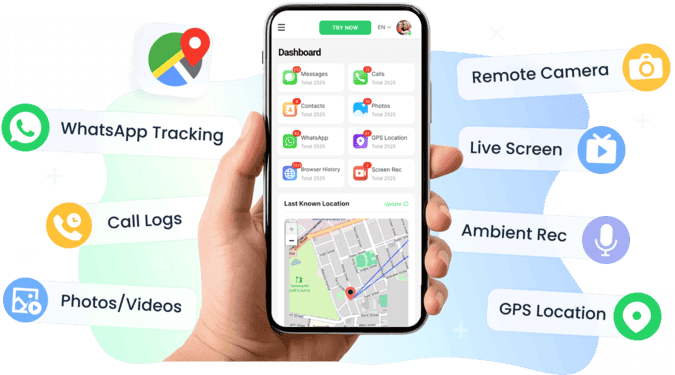
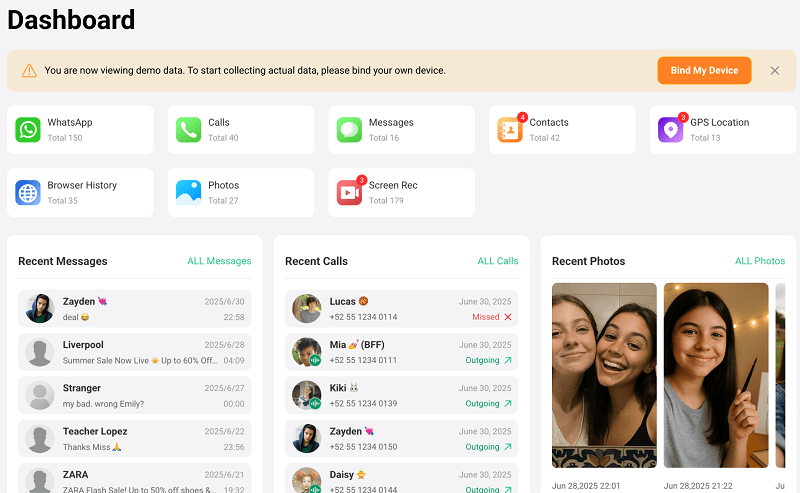
Unlike apps that only send notifications, VigilKids delivers true all-in-one monitoring. Its features include:
- WhatsApp monitoring (chats, voice, media, even deleted messages)
- SMS, call logs, and full keylogger coverage
- Complete browsing history (including private/incognito mode)
- Real-time screen capture, ambient recording, remote screenshots, and camera control
- GPS live tracking, route history, and geofencing alerts
- App management, Wi-Fi activity logs, contacts, photo/video access, and AI-powered risk keyword alerts
With this depth, VigilKids functions as a full-scale digital parenting solution, not just an alert system.
3. Accurate and Real-Time Monitoring
- Instant Monitoring: capture screenshots, record ambient audio, or launch the remote camera in real time
- Complete Records: track browsing history, app activity, files, and even deleted content
- Smarter AI Alerts: customizable keyword and risk behavior detection reduces false positives and improves accuracy
This ensures parents receive timely, reliable alerts, rather than relying on after-the-fact notifications.
4. Strong Compatibility and Stealth Mode
- Runs completely hidden in the background, making it difficult for kids to detect or uninstall
- Accessible from multiple platforms for parents, including Windows, Mac, and a secure online dashboard
Compared to Bark's frequent iOS pop-ups and connection issues, VigilKids delivers a smoother, more reliable experience across devices.
5. Multi-Device Management and Flexible Billing
- A single account can monitor multiple devices (billed per device), ideal for families with more than one child
- Parents can choose the right plan without paying for devices they don't need
This flexibility makes VigilKids a cost-effective solution for both single-child households and larger families.
Summary:
- VigilKids offers clearer pricing, more powerful features, higher accuracy, and smoother performance than Bark—delivering the balance of smart alerts and full oversight that modern parents need.
Final Verdict
Bark is a well-known parental control tool, but many users still leave a bark parental control review questioning its real-world effectiveness. While it focuses on AI-based content alerts, limitations in device control, weaker iOS support, and its hands-off design often lead parents to ask why is the bark app bad and whether it truly meets daily parenting needs.
So, is bark worth it? For basic alert-based monitoring it may be enough, but for families who want more complete oversight, VigilKids offers a stronger all-in-one solution with better control, tracking, and overall visibility across devices.