
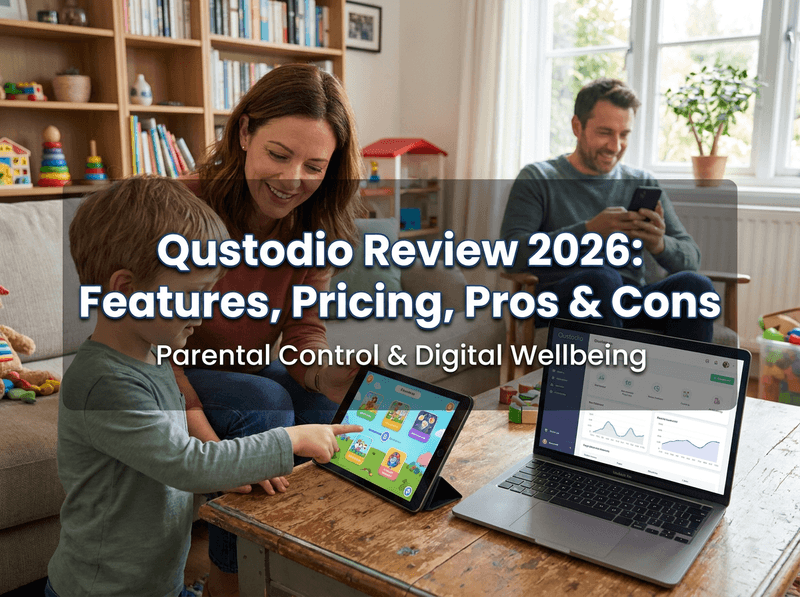
Qustodio is one of the most established names in parental controls — trusted by millions of families and built by a company with 20+ years in child online safety. Unlike the stealth-focused "spy" apps, Qustodio is transparent and parent-friendly, leaning hard into screen-time management, web filtering, and cross-platform coverage. But is it the right fit for your family in 2026? This review covers where Qustodio genuinely shines, where it falls short — especially for deeper social monitoring — and when a tool like VigilKids makes a better complement.
Quick verdict:
Qustodio is one of the best all-round parental control apps for families who want reliable screen-time limits, web filtering, and multi-device coverage without a complicated setup. It's transparent and easy to use. Where it's weaker is deep social-media and message monitoring, a noticeably better Android than iPhone experience, and some features locked to specific devices. For parents who need real-time, in-depth chat visibility, VigilKids is the stronger complement.
What Is Qustodio?
Qustodio is a premium parental control platform trusted by over six million users across 180+ countries. Rather than hiding on a device like surveillance-style tools, it's designed to be transparent — kids know it's there, and parents manage everything from a clean web and mobile dashboard.
Its focus is on the everyday building blocks of digital parenting: screen-time management, web and app filtering, location tracking, detailed activity reports, and a Routines feature that helps build healthy habits rather than just guarding against worst-case scenarios. It runs across an unusually wide range of devices — Android, iPhone, iPad, Windows, Mac, Chromebook, and Amazon Fire — which makes it a natural fit for mixed-device households.
Where Qustodio Shines
After hands-on testing across the web in 2026, Qustodio's strengths are consistent and genuine:
- Excellent screen-time controls. Daily limits, schedules, and an "internet pause" that actually works reliably — this is the core of what most parents want.
- Strong web and app filtering. Blocks inappropriate categories and specific apps effectively, with granular control.
- True cross-platform coverage. One of the few tools that spans phones, tablets, laptops, and Chromebooks from a single dashboard.
- Healthy-habit focus. The Routines feature encourages balanced device use, a more positive approach than pure restriction. It pairs well with broader Android parental control habits.
- Beginner-friendly. Setup is straightforward, and the interface is approachable for non-technical parents.
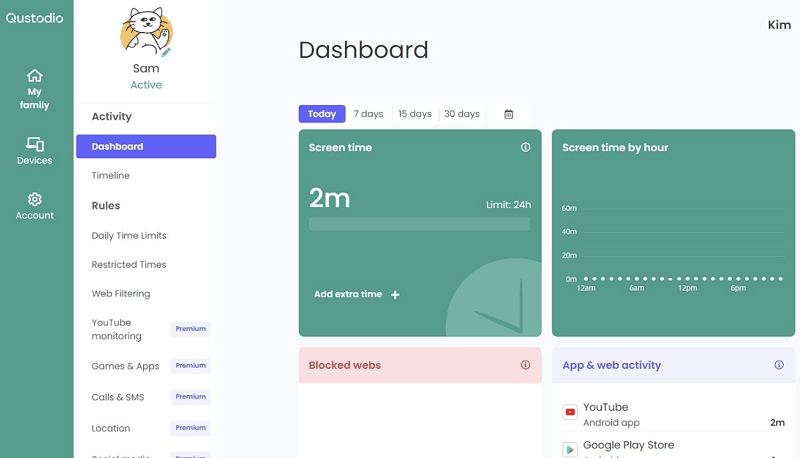
If your priority is managing how much and what kind of screen time your child has — across several devices — Qustodio is one of the most reliable options available, and it's earned its reputation honestly.
Where Qustodio Falls Short
Qustodio is excellent at the basics, but it has clear limits — especially for parents of teens who need deeper visibility into conversations.
- Shallow social and message monitoring. Qustodio is not built for deep chat monitoring. It won't give you the message-level detail across apps that dedicated monitoring tools provide — a real gap if your concern is who your teen is talking to and what's being said.
- Android beats iPhone. The iPhone experience is noticeably more limited than Android, so iOS households should set realistic expectations.
- Features split by device. Some standout tools are platform-locked — the panic button works only on Android, while anti-tampering is iOS-only.
- Best features behind the top tier. Social monitoring, calls and SMS, and YouTube monitoring sit in the higher-priced Complete plan, and the free tier is too basic for daily use.
- Renewal price jumps. Like many tools, the renewal rate often climbs above the introductory price — read the fine print before auto-renew.
The takeaway:
Qustodio is a screen-time and filtering tool first, a monitoring tool second. For younger kids on simpler digital diets, it's a strong all-rounder. For teens deep in WhatsApp, Snapchat, and Messenger, its monitoring depth is where families often need to look elsewhere — or add a second tool. If you also want call and text visibility, compare it with a dedicated SMS tracker.
Qustodio Pricing
Qustodio offers a free tier plus two paid plans. The free version covers a single device with basic web filtering — fine for testing, but most families outgrow it quickly. Here's the structure:
| Plan | Price | Devices | Key Features |
|---|---|---|---|
| Free | $0 | 1 device | Basic web filter only |
| Basic | ~$54.95/year | Up to 5 | Web filter, app blocking, time limits, location |
| Complete | ~$109.95/year | Unlimited | Adds social, calls/SMS, YouTube monitoring, AI alerts, routines |
Pricing is competitive for what you get, especially the unlimited-device Complete plan for large households. There's also a 30-day money-back guarantee, so you can try it risk-free. Just note that the deeper monitoring features only appear in the Complete tier, and renewal rates can rise — always check the official site for current pricing.
When to Pair It With VigilKids
Qustodio and VigilKids solve different problems, and many families benefit from understanding the difference. Qustodio excels at screen-time rules and content filtering; VigilKids excels at deep, real-time visibility into messages, media, and contacts. If your main worry is who your teen is talking to and what they're sharing — the area where Qustodio is thinnest — VigilKids fills that gap directly.

VigilKids Pro
- Deep, real-time visibility into WhatsApp, Messenger, and Snapchat messages, media, and contacts
- Live screen mirroring , listen to phone surrounding and remote screenshots as activity happens
- Instant keyword and stranger-contact alerts
- Full feature parity on both Android and iPhone
- GPS location, geofencing, screen time, and app usage in one dashboard
Here's how the two compare on the areas where they differ most:
| Feature | Qustodio | VigilKids |
|---|---|---|
| Screen-time limits | Excellent | Yes |
| Web & app filtering | Excellent | Yes |
| Deep message monitoring | Limited | Strong (real-time) |
| Live screen viewing | No | Yes |
| iPhone feature parity | Weaker than Android | Full |
VigilKids is also one of the most complete parental control apps overall. If you're weighing several options side by side, our roundup of the best phone monitoring apps shows where each one fits.
FAQs
Q1: Is Qustodio a good parental control app?
Yes. Qustodio is one of the most reliable parental control apps for screen-time limits, web filtering, and multi-device coverage, with a transparent, easy-to-use design. It's especially strong for families with younger kids and mixed device types.
Q2: Does Qustodio work as well on iPhone as Android?
Not quite. Qustodio's Android experience is more complete; some features are limited on iPhone, and a few tools are platform-locked (the panic button is Android-only, anti-tampering is iOS-only). iOS households should set realistic expectations.
Q3: Can Qustodio read my child's messages and social media?
Only at a basic level, and mainly on the Complete plan. Qustodio isn't built for deep, message-level monitoring. For real-time visibility into WhatsApp, Snapchat, and Messenger chats, a dedicated tool like VigilKids is more thorough.
Q4: How much does Qustodio cost?
There's a free single-device tier, a Basic plan around $54.95/year for up to 5 devices, and a Complete plan around $109.95/year for unlimited devices with deeper monitoring. A 30-day money-back guarantee is included; renewal rates can rise.
Q5: What's the best Qustodio alternative or complement for monitoring?
If you need deeper, real-time message and social monitoring than Qustodio offers, VigilKids is the strongest pick — pairing it with Qustodio's screen-time and filtering tools gives families both control and full visibility.
Final Verdict: Is Qustodio Worth It?
Qustodio earns its strong reputation. For families who want reliable screen-time management, solid web filtering, and seamless coverage across phones, tablets, and laptops — all in a transparent, easy-to-use package — it's one of the best parental control apps you can buy in 2026, and a genuinely good value on the Complete plan.
Where it leaves families exposed is depth: shallow social and message monitoring, a weaker iPhone experience, and key features split across devices. If your child is younger and your goal is healthy screen habits, Qustodio alone may be all you need. If you're parenting a teen and need to actually see conversations in real time, pairing Qustodio's controls with VigilKids' deep monitoring — or choosing VigilKids for that side — gives you the complete picture.
Related Topics

Eyezy Reviews 2026: Magic Alerts, Stealth & Is It Worth It?
An honest 2026 eyeZy review — how Magic Alerts and Invisible Shield really perform, what it's missing for parents, pricing, and the best alternative, VigilKids.
Hoverwatch Reviews 2026: Features, Pricing, Pros & Cons
An honest 2026 Hoverwatch review — features, pricing, pros and cons, and the best alternative. See if it fits your needs or if VigilKids is the better pick.
Bark Parental Control Review: Is Bark Worth It or Bad? (2026)
Bark parental control review: why is the Bark app bad, real pros and cons, and is Bark worth it for parents compared with VigilKids.