
You can sometimes find social media by phone number, but only when the number is linked to a discoverable account, appears on the public web, or matches a people-search database. Start with contact syncing and an exact Google search; use paid reverse-lookup tools only as a secondary lead. No method guarantees every profile, and a private or unlinked account may remain hidden.

Quick Answer: What Works Best?
The best free starting point is to save the number in your contacts, enable contact discovery on the relevant app, and then search the exact international-format number on Google. If those checks fail, a reverse lookup service may provide a name, username, email address, or public-profile lead—but not necessarily a confirmed social account.
| Method | Cost | Best for | Main limitation |
|---|---|---|---|
| App suggestions | Free | Linked, discoverable accounts | Privacy settings can block matches |
| Contact syncing | Free | People already in your address book | Uploads contact data |
| Google search | Free | Public pages and business profiles | Private profiles stay hidden |
| Lookup tools | Free preview or paid | Identity and username leads | Data can be incomplete or outdated |
 Tips
Tips
Key point: A match is a lead, not proof. Confirm it using a profile photo, public bio, shared context, or direct communication before assuming the account belongs to the person.
Top 3 Free Methods to Find Social Media by Phone Number
These methods use information the account owner has made discoverable or public. Try them in order: the first two are most useful for personal contacts, while Google works better for publicly listed and business numbers.
1. Try Platform Search and Account Suggestions
Enter the full number, including the country code, in the app's search field. Some platforms may surface a matching account or use the number in account suggestions, but direct number search is inconsistent. Facebook, Instagram, TikTok, and X all apply their own privacy and discoverability settings, so a blank result does not prove that no account exists.
- Try both
+1 212 555 0123and2125550123formats. - Check likely usernames or names that appear in public results.
- Do not send repeated requests when the person has chosen a private profile.
On WhatsApp, a saved number may reveal limited profile information depending on the user's settings. See what WhatsApp shows about a phone number before treating a visible name or photo as confirmation.
2. Sync Contacts on Social Apps
Save the number under a recognizable name, open the app's privacy or discovery settings, and enable contact syncing. The app may recommend accounts associated with uploaded contacts when both platform rules and the other person's discoverability choices allow it.
- Save the number with the correct country code.
- Open the app's contact-discovery or suggested-accounts setting.
- Allow contact access and refresh the suggestions list.
- Review possible matches using public context, not the name alone.
- Turn syncing off and remove uploaded contacts if you no longer need it.
Contact syncing can upload address-book data, so review the app's privacy controls first. Parents can also use platform tools such as TikTok parental controls when the goal is child safety rather than identifying an unknown adult.
3. Search the Number on Google
Google can find a phone number that appears on an indexed public page, company directory, forum, marketplace listing, or public social profile. Put the number in quotation marks to search the exact sequence, then combine it with a site or identifying clue.
"+1 212 555 0123""2125550123" site:instagram.com"2125550123" site:facebook.com"2125550123" name city
Repeat the search with common formatting variations. A useful result may expose a public username rather than a direct social profile. If Instagram is private, avoid sites promising hidden access; instead, use legitimate options for viewing a private Instagram account.
Top 3 Third-Party Phone Lookup Tools
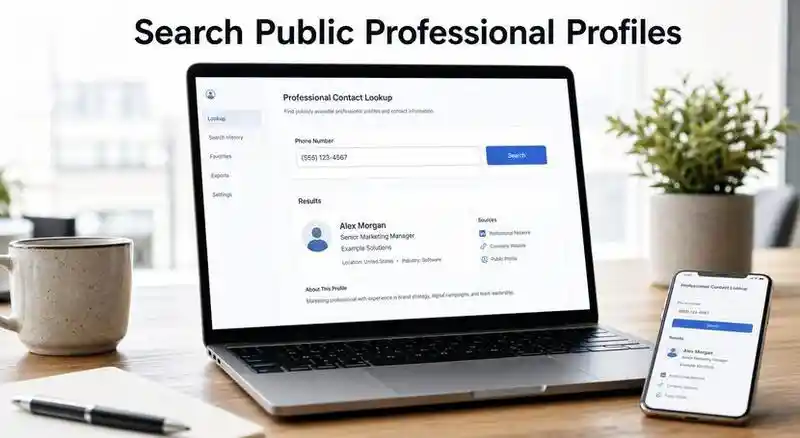
A third-party social media finder by phone number searches commercial databases, public records, professional pages, and other public web sources. Coverage varies by country and number type. Review the current price, cancellation terms, data source, and opt-out policy before paying.
1. SignalHire
SignalHire is primarily a recruiting and sales contact platform. Its database may connect a phone number to professional information or public profile links, making it more useful for work-related identities than private personal accounts. It offers limited credits and paid credit plans; check current terms rather than relying on an old fixed price.
- Professional and employment-related leads
- Name, work details, email, or profile links
- A contact match does not confirm account ownership
2. BeenVerified
BeenVerified aggregates public-record and people-search data for the United States. A reverse phone report may include a possible owner, location history, aliases, or social-profile references when available. It is a lead-generation tool, not an identity guarantee, and it is not a consumer reporting agency for employment, housing, credit, or tenant screening.
- U.S. people-search and public-record context
- Owner clues, aliases, locations, and public links
- Membership and cancellation terms may apply
If your purpose is to reconnect on WhatsApp, start with the platform itself and follow this guide to find someone on WhatsApp before buying a broader people-search report.
3. Spokeo
Spokeo is another U.S.-focused people-search service. Its reverse phone lookup may aggregate a caller name, location signals, public records, and online-profile clues. Results depend on the underlying sources, and some mobile, VoIP, recently reassigned, or private numbers may return little useful information.
- Broad U.S. identity and public-web clues
- Name, location, public profiles, and contact context
- Verify current subscription and renewal details
| Tool | Strongest use | Free access | Coverage |
|---|---|---|---|
| SignalHire | Professional profiles | Limited credits | International, source-dependent |
| BeenVerified | People and public records | Limited preview | Mainly U.S. |
| Spokeo | Identity and online clues | Limited preview | Mainly U.S. |
What About Social Catfish?
Social Catfish is an identity-verification and people-search service that may connect a phone number with public records or digital traces. It can be useful when you are checking whether an online contact's identity is consistent, but it still cannot guarantee that every linked profile belongs to the same person. Treat the report as a set of clues, compare multiple details, and review payment and opt-out terms before using it.
Tips
Forum takeaway: Users commonly report that reverse-phone results are hit-or-miss. Avoid “free tracker” pages, tracking links, password requests, and services that promise access to private accounts.
Why a Phone Number Search Returns No Results
A failed phone number search on social media is normal and does not mean you searched incorrectly. The account may use another number, an email-only login, a recycled number, or discoverability settings that prevent contact matching.
- The number is not linked to the account you want.
- The user disabled phone-number discoverability or contact suggestions.
- The profile is private, inactive, deleted, or excluded from search engines.
- The person uses a nickname or different public username.
- The lookup database has incomplete, outdated, or country-limited data.
- The number is a business line, landline, VoIP number, or recently reassigned.
If the concern is a child's Instagram use, account discovery alone provides little context. Review Instagram parental controls and agree on age-appropriate privacy settings together.
How VigilKids Helps Parents Review Social Connections
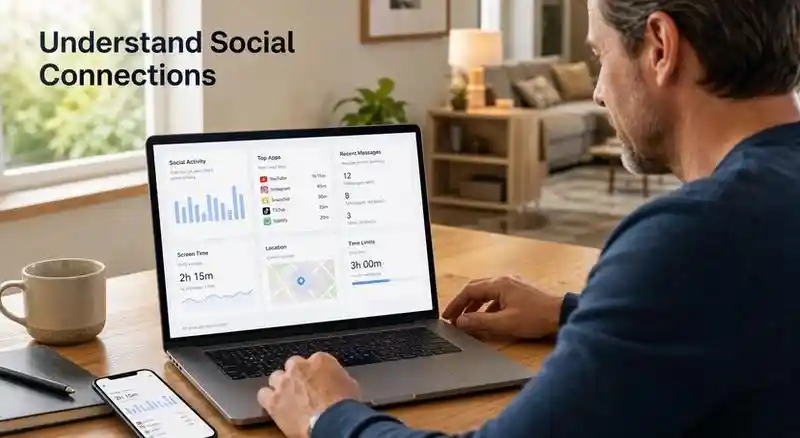
Unlike a reverse phone lookup, VigilKids helps parents understand the broader context of a child’s social connections after it is set up on the child’s device. Depending on the platform and available permissions, parents can review supported social messages, contact details, shared media, timestamps, app usage, screen activity, and location insights from one dashboard—making it easier to identify unfamiliar contacts and discuss potential online risks with their child.

VigilKids for Social Media Monitoring
- Supported social messages, timestamps, shared media, and contact context
- App usage, screen activity, location, and device insights in one dashboard
- Android and iOS monitoring with platform-dependent setup and features
- Online demo available before choosing a plan
Parents focused specifically on WhatsApp can also review the practical limits and available context in this guide to WhatsApp parental monitoring.
FAQ
Can I find someone's social media with only a phone number?
Sometimes. A result is possible when the number is linked to a discoverable account, uploaded through contact syncing, indexed on a public page, or included in a people-search database. Private or unlinked profiles may not appear.
Is there a free social media finder by phone number?
Contact syncing, app suggestions, and exact Google searches are free. Commercial lookup services may show a limited preview, but complete reports commonly require payment.
Why can't I find an Instagram account by phone number?
The account may use another number or email, disable discoverability, avoid contact suggestions, or be private. Instagram does not provide a guaranteed public reverse-phone directory.
Does Facebook let you search directly by phone number?
Direct results are inconsistent. Facebook may use uploaded contacts and account-suggestion settings, but privacy controls can prevent a number from producing a visible match.
Are reverse phone lookup social media results accurate?
Not always. Data can be old, incomplete, or tied to a previous owner. Compare multiple public details and contact the person directly when appropriate.
Can VigilKids find any person's social account by number?
No. VigilKids is a parental monitoring product for a configured child device. It provides supported device and social-activity context; it is not a public phone-number lookup service.
Conclusion
To find social media accounts by phone number, begin with contact suggestions, contact syncing, and an exact Google search. Use SignalHire, BeenVerified, Spokeo, or Social Catfish only when you need additional public-data leads, and verify every match before acting. For parents who need ongoing context from a configured child device rather than a one-time reverse lookup, VigilKids brings supported social, app, screen, and location insights into one dashboard.
Authoritative Sources
- Facebook Help Center: Upload contacts
- X Help: Email and phone discoverability
- TikTok Support: Suggested accounts
- Google Search Help: Refine web searches
- SignalHire: Current plans and credits
- BeenVerified: Product information and limitations
- California DOJ: Social Catfish data broker registration
- North App Forum: User-reported lookup experiences
Hot Topics

PPL Meaning: What Does PPL Mean in Text and Social Media?
PPL usually means “people” in texts and social media. See examples, platform context, other definitions, reply tips, and guidance for parents.

What Are the Best Cheating Apps to Look For in 2026?
Discover common cheating apps, hidden messaging tools, warning signs, and safe ways to review a partner’s phone with permission—not secret surveillance.
Holla Video Chat: What Parents Should Know and 8 Safety Tips
Learn how Holla video chat works, its age rules and safety limits, plus practical tips to help parents respond if a teen has installed the app.