
Managing digital boundaries is essential for privacy. If you've wondered, "how can I block someone in WhatsApp" to stop spam or unwanted messages, the process is simple.
Below is a comprehensive guide on different methods to manage your interactions, along with how tools like Vigilkids can help parents maintain a safe environment.
How Can I Block Someone in WhatsApp? (Step-by-Step Methods)
WhatsApp provides several ways to restrict a contact from reaching you. Depending on whether the person is already in your address book or a complete stranger, you can choose the method that fits your situation.
Method 1: Blocking from the Chat Window
- Step 1. Open the chat with the person.
- Step 2. Tap the contact name at the top.
- Step 3. Scroll down.
- Step 4. Tap Block.
- Step 5. Confirm Block.
Method 2: Blocking via Settings (Best for Multiple Contacts)
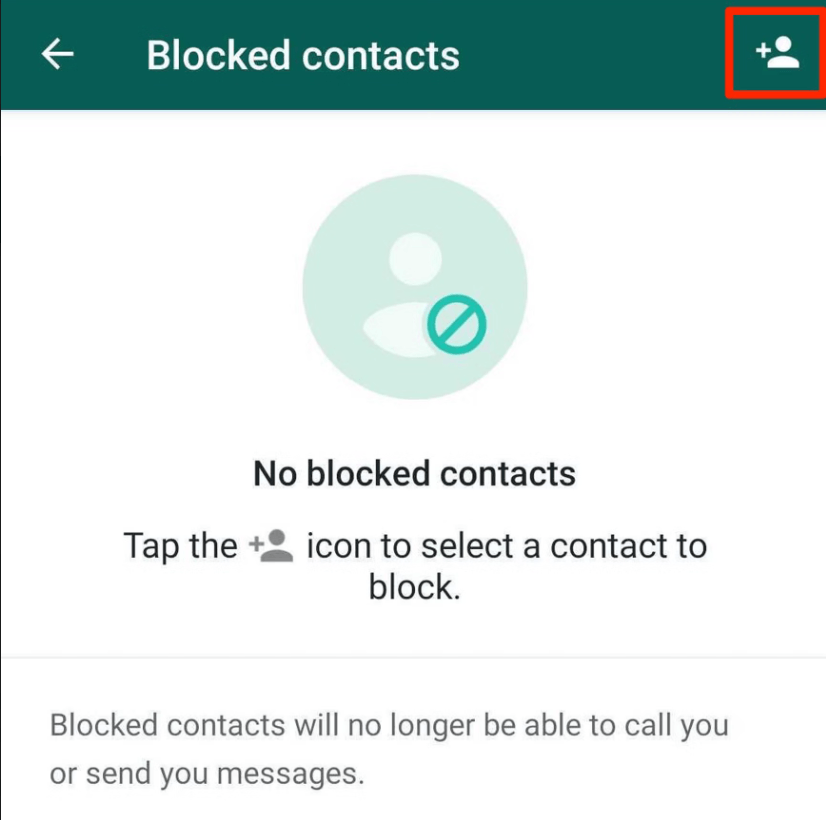
- Step 1. Go to Settings.
- Step 2. Tap Privacy > Blocked.
- Step 3. Tap Add New... (on iPhone) or the Add Contact icon (on Android).
- Step 4. Select the contact.
Method 3: Blocking an Unknown Number
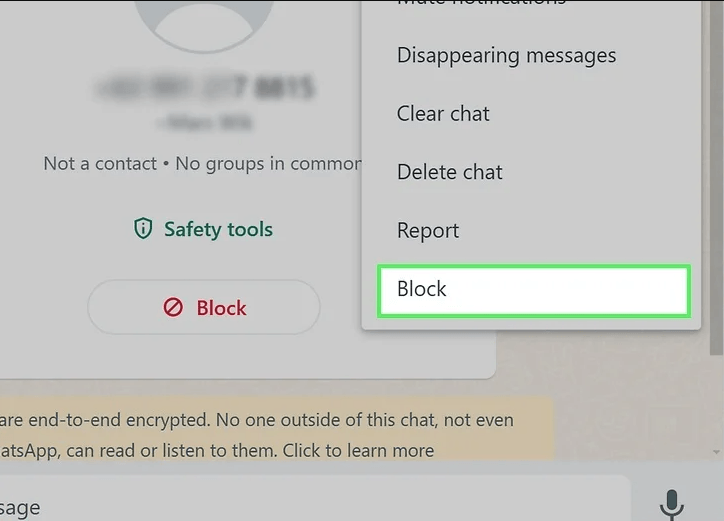
- Step 1. Open the unknown chat.
- Step 2. Tap Block.
- Step 3. Optionally choose Report and Block.
How to Block Someone on WhatsApp Without Letting Them Know
A common concern for many users is: "how to block someone on WhatsApp without letting them know?"
While WhatsApp does not send a formal notification to the person you have blocked, there are certain "telltale signs" they might notice over time. However, to keep things as discreet as possible, the blocking action itself is silent. To ensure maximum privacy, consider these factors:
- Last Seen & Online Status: Once blocked, the user can no longer see your "Last Seen" or "Online" status. If you already have these set to "Nobody" in your privacy settings, the change won't be as obvious.
- Profile Picture: Your profile photo will no longer update for them; they will likely see a gray placeholder icon.
- The "Double Check" Rule: When they send you a message, it will only ever show one gray checkmark (sent), never the second gray checkmark (delivered) or blue checkmarks (read).
By understanding these mechanics, you can better manage how to block on WhatsApp while maintaining your social privacy.
Alternative: Using "Mute" or "Archive"
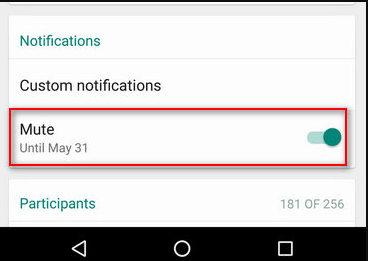
If blocking feels too extreme, consider muting or archiving chats instead.
- Mute: Stops notifications without alerting the sender.
- Archive: Hides chats from your main inbox.
Using Vigilkids for Future Message Recovery
While standard WhatsApp settings won't show you messages sent during a block, Vigilkids for WhatsApp offers a proactive solution for parents who need to ensure no communication is lost or hidden.
Vigilkids operates differently than a standard messaging app. Because it is designed for safety and monitoring, it can capture data in real-time. This is particularly useful in several scenarios:
Key Capabilities:
- Capturing Deleted Messages: If a child receives a message and the sender quickly uses "Delete for Everyone," Vigilkids can still show the parent what was said by logging the notification content instantly.
- Syncing History: For parents using the app, Vigilkids maintains a remote log of WhatsApp interactions. Even if a chat is deleted or a contact is blocked on the target device, the record often remains accessible within the Vigilkids dashboard.
- No Backup Required: Unlike the manual process of uninstalling and reinstalling WhatsApp, Vigilkids provides a continuous stream of data, meaning you don't have to rely on the "Restore" function to see what has been happening.
- Call Logs: Keep track of WhatsApp voice and video calls, including timestamps and duration.
- Real-Time Alerts: Set up keywords or "red flag" triggers. If a specific word or phrase is used in a chat, Vigilkids notifies you instantly.
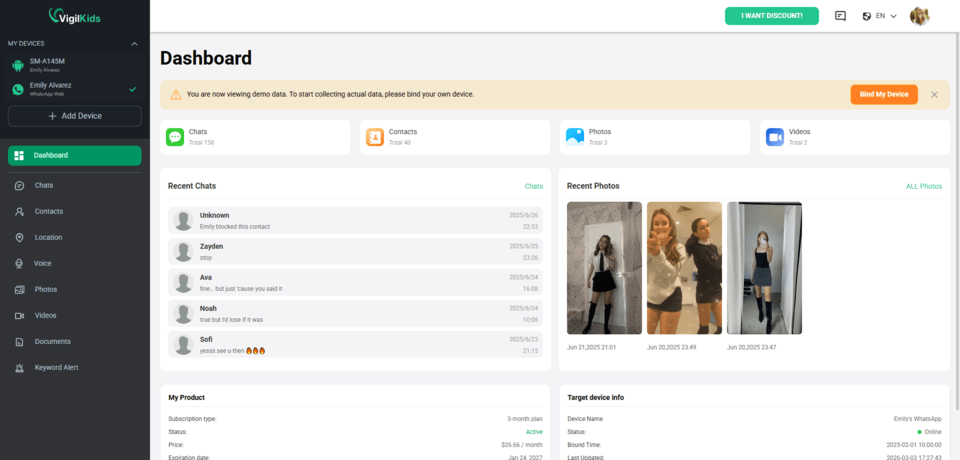
3 Simple Steps to Use Vigilkids
- Step 1. Register & Subscribe Create your account on the official website or app. Select a subscription plan that fits your family's needs to activate your monitoring dashboard.
- Step 2. Connect the Target Device Follow the on-screen instructions to link the target device. This usually involves a quick setup or scanning a QR code to establish a secure, private connection in just a few minutes.
- Step 3. Start Real-Time Monitoring Log in to your control panel to remotely view WhatsApp chats, call logs, media files, and online activity reports. You can now ensure your child's digital safety from anywhere.
Creating a Balanced Digital Environment
The goal of using monitoring tools is not to invade privacy but to guide safe digital behavior.
Combining WhatsApp blocking features with Vigilkids helps parents educate children on online safety and healthy communication habits.
FAQs About Blocking on WhatsApp
Will someone know if I block them?
No direct notification is sent, but they may notice indirect signs.
Can blocked contacts message me in groups?
Yes, group chats are not affected by blocking.
Does blocking delete old messages?
No, existing chats remain unless manually deleted.
Does blocking affect Facebook or Messenger?
No, WhatsApp blocking does not apply to other platforms.
Conclusion
Learning how to block someone on WhatsApp helps you control your digital space and avoid unwanted interactions.
For added safety, especially for families, tools like Vigilkids for WhatsApp provide enhanced monitoring and protection.