

If you're a parent wondering how to monitor your child's Facebook Messenger, you're not being overprotective — you're being responsible. Messenger is where millions of kids chat, share photos, and meet new people every day, and not all of those interactions are safe.
This guide gets straight to the practical methods: how to set up real-time monitoring with VigilKids in three simple steps, what each part of the dashboard shows you, and the other parental controls that round out a complete safety plan — all within a transparent, consent-based approach that keeps your family's trust intact.
- Table Of Contents
- Why Monitoring Matters (and Talking First)
- How to Monitor Your Child's Messenger with VigilKids

- What You Can See in the Messenger Dashboard
- Other Ways to Monitor Messenger
- Warning Signs to Watch For
- FAQs
Why Monitoring Matters (and Talking First)
Messenger's open design exposes kids to risks that aren't obvious from the outside: contact from strangers through message requests, cyberbullying in group chats, inappropriate links and media, and grooming that starts as friendly conversation. Secret Conversations and vanish-mode messages can also hide activity from a casual check — which is exactly why ongoing, real-time monitoring beats an occasional glance.
Before installing anything, have an honest, age-appropriate talk. Explain that monitoring is about safety like a seatbelt, agree together on what you'll check, and reassure them you're not reading every message — just stepping in if something feels wrong. Children who understand the "why" cooperate more and look for workarounds less. With that foundation set, here's exactly how to do it.
How to Monitor Your Child's Messenger with VigilKids
The most reliable way to keep an eye on your child's Messenger is VigilKids. Built specifically for family safety, it gives parents real-time visibility into Messenger conversations, shared media, and contacts — so you can spot concerns as they happen rather than after the fact. You can preview exactly what it shows in the Messenger monitoring demo before you set anything up.
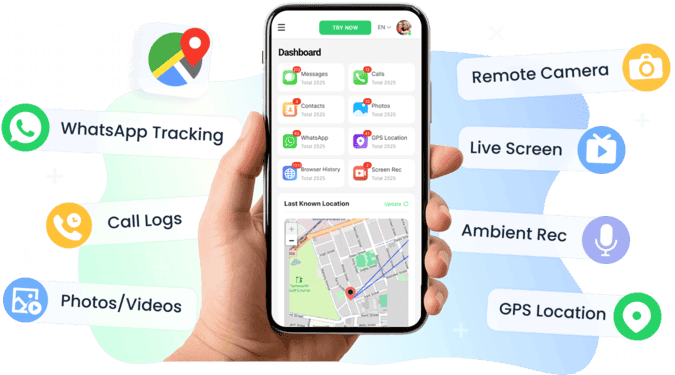
Getting started takes just three simple steps:
- Step 1. Create your VigilKids account and pick a plan that fits your family.
- Step 2. Install the app on your child's phone — the guided wizard handles the permissions in about two minutes, then syncs automatically.
- Step 3. Open your dashboard from any browser, select the Messenger module, and start viewing activity in real time.
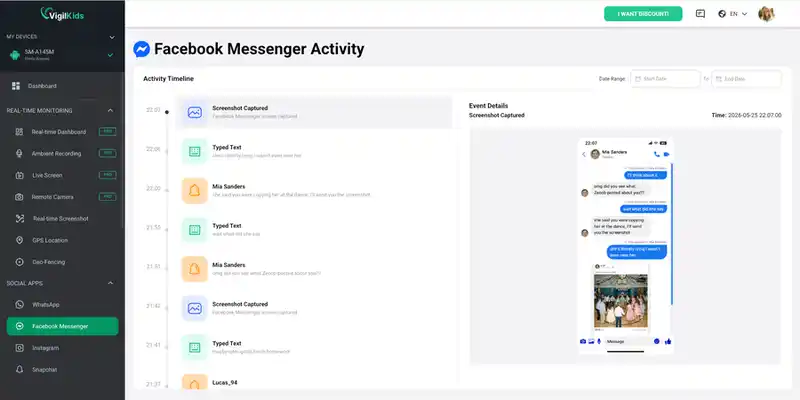
That's it — no technical know-how needed, and nothing else to do on your child's device.
What You Can See in the Messenger Dashboard
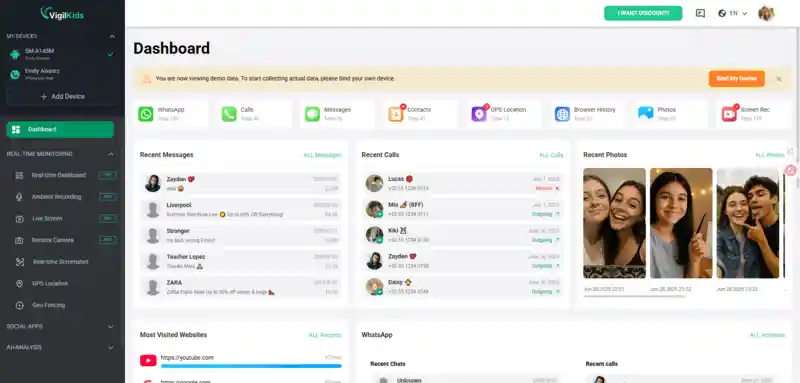
Once VigilKids is running, your dashboard gives you a complete picture of how your child uses Messenger. This is where the real value is — here's everything you can see and how it helps keep your child safe.
Messages and conversations
- Read every sent and received Messenger text, including full back-and-forth threads
- See timestamps so you know when chats happen — late-night messaging is worth a closer look
- Because data is captured in real time, messages stay visible even if your child deletes them afterward
Contacts and who they talk to
- View the list of people your child messages most
- Spot unfamiliar names or accounts that don't match their real-life friends
- Catch message requests from strangers — a common entry point for predators
Shared media and calls
- Review photos, videos, and voice notes exchanged in chats
- Check call history to see who your child talks to and for how long
- Catch inappropriate images or content that wouldn't show up in text alone
Live screen and instant alerts
- Mirror your child's screen to see Messenger exactly as they use it, and capture remote screenshots
- Set keyword alerts for risky words so you're notified the moment one appears
- Get flagged when an unknown contact reaches out — no constant checking required
Why real-time matters:
Many tools only sync data every few hours, so a message your child deletes — or a quick exchange with a stranger — can vanish before you ever see it. Because VigilKids captures activity as it happens, you don't miss the moments that matter. It's also one of the most complete parental control apps, covering screen time, location, and app usage alongside Messenger.
Other Ways to Monitor Messenger
A dedicated tool is the most thorough route, but combining it with these methods builds a layered safety net.
Messenger Kids (for under-13s)
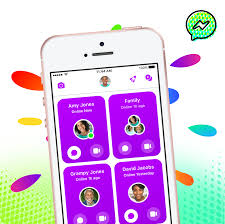
For children under 13, Meta's Messenger Kids is a separate app that gives parents control over who their child can talk to and visibility through a parent dashboard. To set it up, download Messenger Kids on the child's device, create their profile from your own Facebook account, and approve each contact. It's a solid starting point for young kids, but the controls don't carry over once a child moves to the standard Messenger app — at which point a monitoring tool fills the gap.
Built-in Device Controls
Android's Family Link and Apple's Screen Time let you set Messenger time limits, restrict downloads, and see usage reports. They won't show message content, but they're useful for managing how much time your child spends in the app. Set a daily limit, schedule downtime at night, and review the weekly usage report. Our guides on how to set time limits on apps and how to check screen time on Android walk through the exact steps.
Reviewing the Device Together
For younger kids or an open-house approach, go through Messenger together on a shared device. Open the app, scroll through recent conversations and the contact list, and check the message requests and "spam" folders where strangers' messages land. Also check whether secret conversations on Messenger are in use, since those encrypted chats stay hidden from a normal look. The catch is that this only shows a snapshot and misses anything deleted before you look.
Warning Signs to Watch For
Whether or not you use a monitoring tool, certain behavior changes can signal trouble on Messenger. Pay attention if your child quickly hides their screen when you walk by, becomes anxious or withdrawn after using their phone, starts messaging late at night, mentions new "friends" they've only met online, or suddenly deletes chats and clears their history.
If you notice these signs alongside concerning messages, don't handle serious issues alone. For situations involving grooming, threats, or explicit content, contact the other parent, your child's school counselor, or local child-protection services. Professional support is always safer than confronting it by yourself.
FAQs
Q1: Is it legal to monitor my child's Facebook Messenger?
Yes. As a parent or legal guardian, you have the right to monitor an underage child's device for their safety. Laws vary by region, so it's best to be transparent with your child and check your local rules.
Q2: How do I monitor Messenger without taking my child's phone every time?
After a one-time installation of VigilKids on your child's device, all activity syncs to your dashboard, which you open from your own phone or computer. You don't need their phone again to check messages, contacts, or alerts.
Q3: Can I monitor Messenger on both Android and iPhone?
Yes. Tools like VigilKids support both platforms, letting you view Messenger activity from a single dashboard regardless of which phone your child uses.
Q4: What's the difference between Messenger Kids and monitoring the regular app?
Messenger Kids is a separate app for under-13s with built-in parental controls over contacts. Once a child uses standard Messenger, those controls no longer apply, and a dedicated monitoring tool gives you visibility instead.
Q5: Can monitoring see deleted or secret Messenger messages?
Real-time tools like VigilKids capture messages as they appear, so they can retain content even if it's later deleted. Secret Conversations are encrypted and device-locked, but tools that view the screen can still show that activity.
Conclusion
Monitoring your child's Facebook Messenger isn't about control — it's about being there before a problem grows. The strongest approach combines an honest conversation with a reliable, transparent tool. VigilKids gives parents real-time insight into messages, media, contacts, and the live screen, while built-in controls and open dialogue round out a layered safety plan. Stay involved, keep talking, and treat what you learn as a chance to protect and support — not to punish.
Related Topics
9 Best Anonymous Snapchat Story Viewers 2026
Want to view Snapchat stories anonymously? Compare the 9 best Snapchat story viewers of 2026 — features, safety, and how to watch without being seen.

How to Tell If Someone Is Active on Snapchat? 100% Work!
Snapchat hides online status on purpose. Here are 5 reliable ways to tell if someone is online on Snapchat, what each signal really means, and when they fail.

Best WhatsApp Tracker 2026: 5 Apps Compared by Real Tests
We tested 5 best WhatsApp tracker apps in 2026 — VigilKids, mSpy, Eyezy, uMobix, Bark. Compare features, pricing, and find the right tracker for your family.