
Is Snapchat Safe for Kids? Here’s What Every Parent Should Understand First.
Your child comes home and says it plainly: “Everyone at school is on Snapchat. Can I download it too?”
It sounds simple. But you pause — because you’ve heard the concerns. Messages disappear. Locations can be shared. There are hidden spaces inside the app most parents don’t fully understand.
The truth is not black and white. Snapchat isn’t automatically safe or unsafe — it becomes one or the other depending on age, settings, and how involved you stay as a parent. This guide breaks it down clearly so you can make a decision without guesswork or panic.
What Is Snapchat — and Why Do Kids Love It?
Snapchat launched in 2011 with one idea that changed social media forever: what if photos disappeared after you saw them? That concept turned into one of the most-used platforms among teens and tweens worldwide — and it's still going strong.
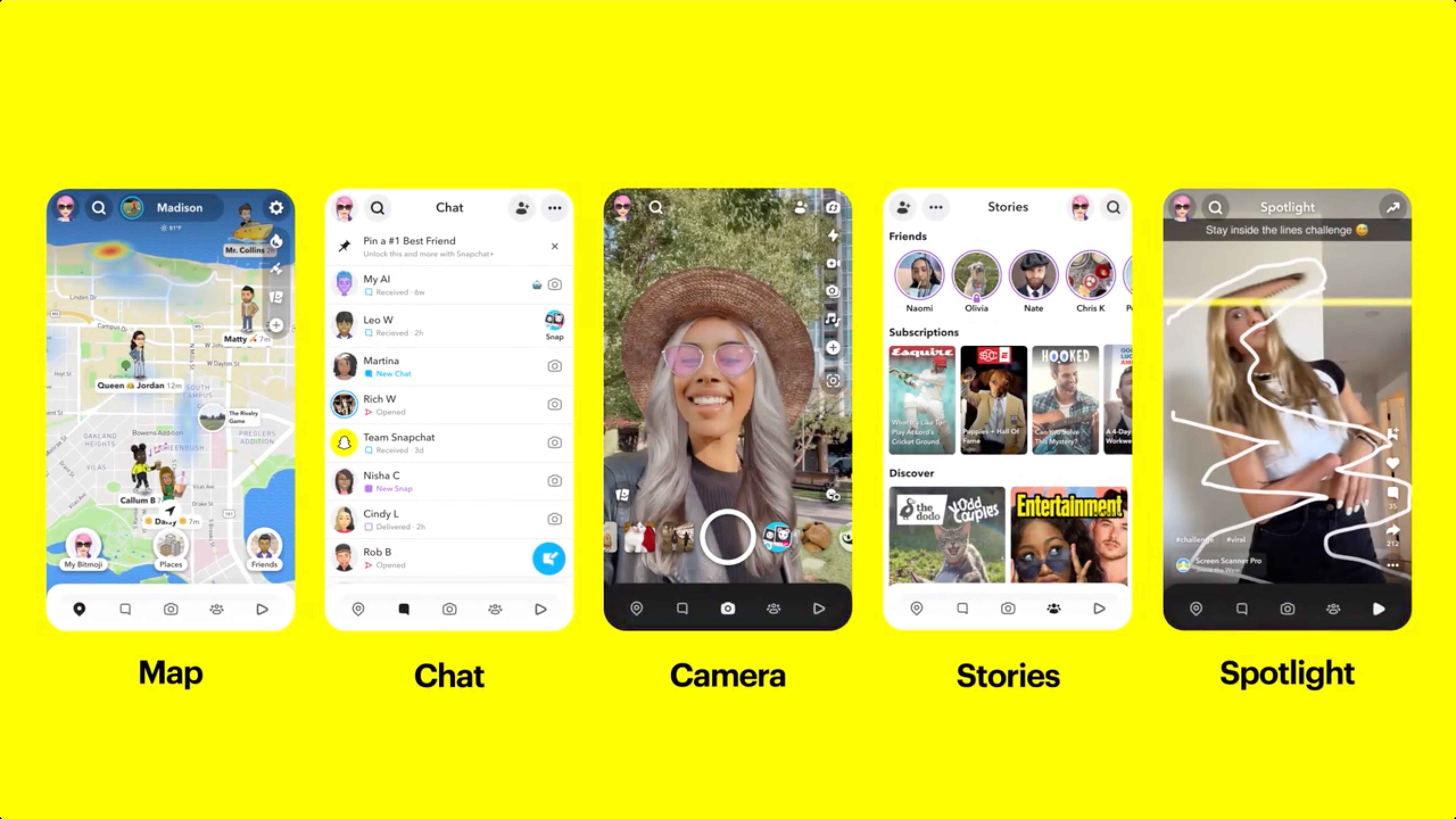
But Snapchat is a lot more than disappearing photos now. Here's what your child is actually using:
- Snaps — photos or videos sent to friends, disappear after viewing
- Chat — messages that delete once both people read them
- Snap Map — live map showing where contacts are in real time
- Streaks — counter tracking days of exchanging Snaps (creates anxiety)
- My Eyes Only — password-protected hidden folder inside the app
- Stories & Spotlight — 24-hour posts and TikTok-style public video feed
- After Dark Stories — exclusive stories visible only at night (encourages late-night use)
- My AI — ChatGPT-powered chatbot that collects data and location
Snapchat is officially for users aged 13 and older. In practice, around 20% of 10–12 year olds in the US are already using it — because there's no meaningful age verification, just a birthdate field anyone can fill in.
If your child is under 13 and actively using Snapchat, their account exists in violation of Snapchat's Terms of Service. You can contact Snapchat to request its removal.
For the full toolkit on managing your child's Snapchat account, see our guide to Snapchat parental controls.
Snapchat Age Requirement: What the Rules Actually Say
Snapchat's official minimum age is 13 years old. That's it. There's no ID check, no verification process — a 9-year-old who enters a fake birthdate has full access.
For users aged 13–17, Snapchat applies some automatic protections:
- Private account by default
- Restrictions on unknown adults sending DMs
- Some content filters turned on automatically
But those defaults can be changed. There's nothing stopping a 13-year-old from switching their account to public, turning off filters, or accepting messages from strangers.
7 Risks of Snapchat for Kids
Snapchat's disappearing messages can vanish right after being read. This makes it difficult for parents to monitor what kids are sharing or seeing. Here are the 7 biggest risks:
1. Cyberbullying
Cyberbullying is bullying over digital devices — sending harmful or mean content about someone else. In a CDC survey, 15.7% of high schoolers said they experienced cyberbullying in the past 12 months.
2. Exposure to Inappropriate Content
Inappropriate content is found on Snapchat's Discover section (public newsfeed) and shared between friends. Many kids assume messages disappear, so they act more scandalously than in real life — but anyone can screenshot and save the image.
59% of Snapchat users have received unsolicited nudes on Snapchat.
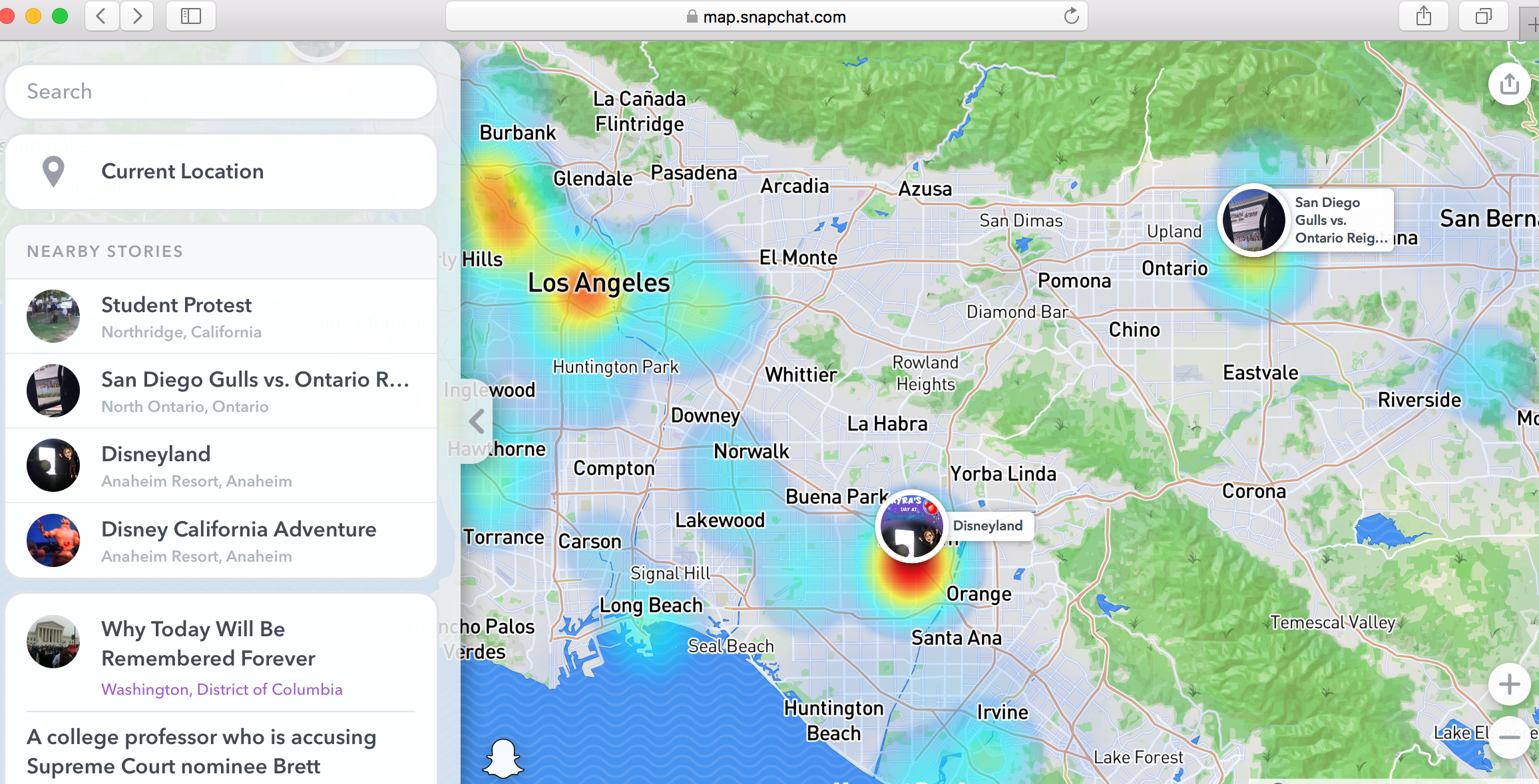
3. Location Sharing: Snap Map
Snap Map allows kids to see where friends are in real-time. But sharing location with their entire friend list can be dangerous — especially if some "friends" are acquaintances or strangers.
4. Filter Dysmorphia
Some Snapchat filters change facial and body characteristics, leading to body dysmorphic disorder (BDD) — an obsessive preoccupation with perceived flaws. This can warp teens' perception of beauty, leading to low self-esteem.
Snapchat dysmorphia refers to the trend where teens seek cosmetic surgery to look like their filtered selfies.
5. Access to Drugs
Drug dealers use Snapchat to advertise goods and take orders. Kids can find dealers, put in an order, and have drugs delivered straight to their front door.
6. My AI
My AI is a ChatGPT-powered chatbot available to all users. Snapchat warns My AI responses can be biased, incorrect, and harmful. The chatbot also collects data and location — and talks to users as a friend, which can blur the line between robot and human for young children.
7. Edited Messages
A new feature lets users edit sent messages after they're already sent. This makes it harder to track the tone or intent of conversations. Screenshots and accountability still matter — even when messages can be changed.
Can Snapchat Be Monitored by Parents?
This is one of the most common questions parents ask — and the answer is: partially.
Snapchat has a built-in parental tool called Snapchat Family Center. It's free, requires your child to accept the connection, and gives you some visibility into their account. But it has real limits worth understanding before you rely on it.
What Family Center lets you do:
- Free and built directly into Snapchat
- Shows recent friends and contacts
- Allows parents to report concerning accounts
- Provides basic visibility into teen activity
- Cannot view message content
- Cannot access My Eyes Only
- Cannot stop teens from changing settings
- Cannot monitor second Snapchat accounts
- Cannot track activity across other apps
For a step-by-step walkthrough of Family Center and all available Snapchat controls, see our guide on how to set up parental controls on Snapchat.
Recommended privacy settings to configure with your child:
- Step 1. Enable Ghost Mode to hide your child's location.
- Step 2. Set "Who Can Contact Me" to Friends Only to block messages from strangers.
- Step 3. Set Story visibility to Friends Only.
- Step 4. Turn off Quick Add to reduce unwanted friend requests.
- Step 5. Enable Sensitive Content Controls to filter mature content.
- Step 6. Review your child's Friends List regularly.
 Note
Note
Every one of these settings can be changed by your child after you configure them. Family Center will show you that the settings have changed — but it won't stop it from happening, and it won't alert you in real time.
Beyond Built-In Controls: How VigilKids Helps
Family Center is a helpful first step, but it doesn't provide a complete picture of your child's online activity. Conversations remain private, hidden areas like My Eyes Only stay inaccessible, and activity outside Snapchat isn't covered.
For many parents, the challenge isn't Snapchat alone. Teens often switch between Snapchat, Instagram, TikTok, Discord, and other apps throughout the day, making it difficult to understand their overall digital habits.
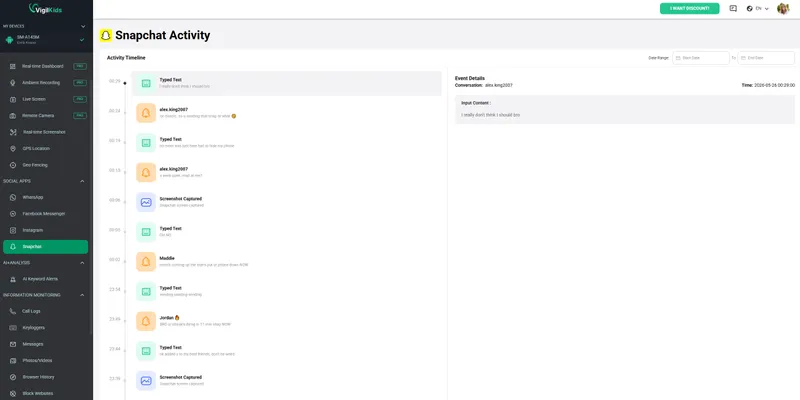
If you're looking for broader visibility into screen time, app usage, and online activity across multiple platforms, a parental monitoring solution such as VigilKids can provide an additional layer of oversight.

VigilKids
- Understand your child's digital habits across Snapchat and other social apps
- Stay connected with your child's location when they're away from home
- Identify sudden changes in online behavior that may signal a problem
- View screen time trends from a single parent dashboard
- Gain visibility across multiple apps without constantly checking your child's phone
How VigilKids Works:
- Step 1. Sign up and connect your child's device.
- Step 2. Customize the monitoring features that matter most to your family.
- Step 3. Receive insights into screen time, app usage, and online activity—all from one dashboard.
Snapchat Parental Controls FAQs
Q1: Is Snapchat safe for a 10, 11, or 12-year-old?
In most cases, no. Snapchat's minimum age is 13, and features like disappearing messages, real-time location sharing, and contact from strangers can create risks younger children may not be ready to handle.
Q2: Can parents see Snapchat messages?
Not directly. Snapchat Family Center lets parents see who their child has communicated with, but not the content of messages. Private conversations remain hidden.
Q3: Can my child use Snapchat without me knowing?
Yes. A child with access to a smartphone can download Snapchat and create an account without parental approval, especially since age verification is limited.
Q4: What are the biggest dangers of Snapchat for teenagers?
Common concerns include stranger contact, location sharing through Snap Map, disappearing messages, cyberbullying, and hidden content stored in features like My Eyes Only.
Q5: Is Snapchat safer than Instagram or TikTok?
Each platform has different risks. Instagram and TikTok expose users to more public content, while Snapchat's disappearing messages and location-sharing features create unique privacy concerns.
Conclusion
So, is Snapchat safe for kids? The answer depends on your child's age, maturity level, and how the app is used. Snapchat includes safety features such as Family Center and privacy controls, but it also comes with risks like disappearing messages, location sharing, and exposure to strangers or inappropriate content.
For most families, the goal isn't to ban Snapchat altogether. It's to understand the risks, configure the right privacy settings, and maintain open conversations about online safety.
Built-in tools can help, but they don't provide complete visibility into your child's digital life. If you're looking for additional oversight across Snapchat and other social media apps, VigilKids can help parents stay informed about screen time, app activity, and online habits from a single dashboard.
Hot Topics for Parental Control
Does WhatsApp Have Parental Controls? Full 2026 Guide
hatsApp has no built-in parental controls. Learn how to set up safe monitoring in 2026 using WhatsApp's privacy settings, family rules, and the right app.
How to Monitor Your Child's Facebook Messenger: A Parent's Guide
A parent's guide to monitoring your child's Facebook Messenger safely. Learn the real risks, how to talk to your kids, and the best tools to keep them safe.
Best WhatsApp Tracker 2026: 5 Apps Compared by Real Tests
We tested 5 best WhatsApp tracker apps in 2026 — VigilKids, mSpy, Eyezy, uMobix, Bark. Compare features, pricing, and find the right tracker for your family.