
Wondering how to freeze last seen on WhatsApp? If you’re a parent, you may have found yourself checking WhatsApp activity and wondering what your child is doing online. A Last Seen timestamp may seem like a small detail, but it can raise bigger questions about privacy, communication, and digital safety.
While WhatsApp doesn’t offer a true freeze feature, understanding how Last Seen works can help you make smarter choices. In this guide, we’ll explain what’s possible, which methods to avoid, and how parents can support safer WhatsApp habits.
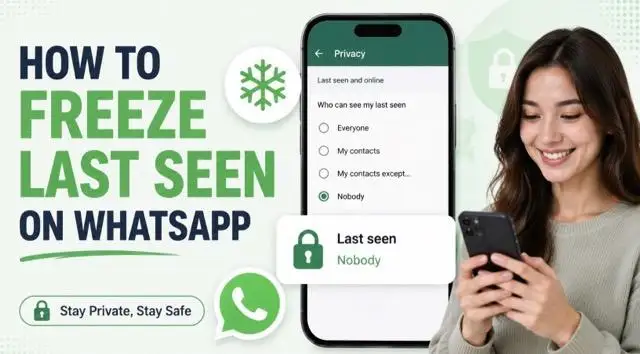
What Does “Last Seen” Mean on WhatsApp?
Last Seen shows the latest time WhatsApp displayed an account as active. This is different from the Online status, which appears when someone is actively using WhatsApp at that moment.
Here’s how the two work:
- Last Seen = the account’s most recent activity time on WhatsApp.
- Online = the account currently has WhatsApp open and connected.
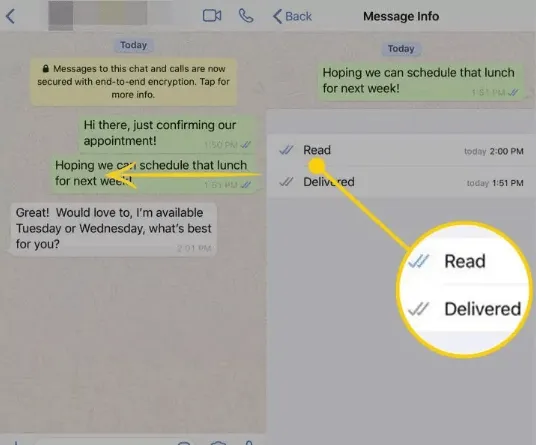
Neither signal proves that someone opened your chat or read your message. Last Seen is also different from blue ticks, which are controlled by read receipts.
WhatsApp lets you decide who can see this information:
- Everyone – all eligible WhatsApp users.
- My Contacts – people saved in your contacts.
- My Contacts Except… – your contacts except the people you select.
- Nobody – hide Last Seen from everyone.
If you hide your Last Seen, you may also be unable to view other users’ Last Seen. For more context, see what Last Seen means on WhatsApp.
How to Hide Last Seen on WhatsApp Officially
Quick answer: WhatsApp doesn’t offer a true “freeze” option that locks your Last Seen to a fixed time. The official and safest option is to hide it from everyone or selected contacts, then adjust your Online visibility separately.
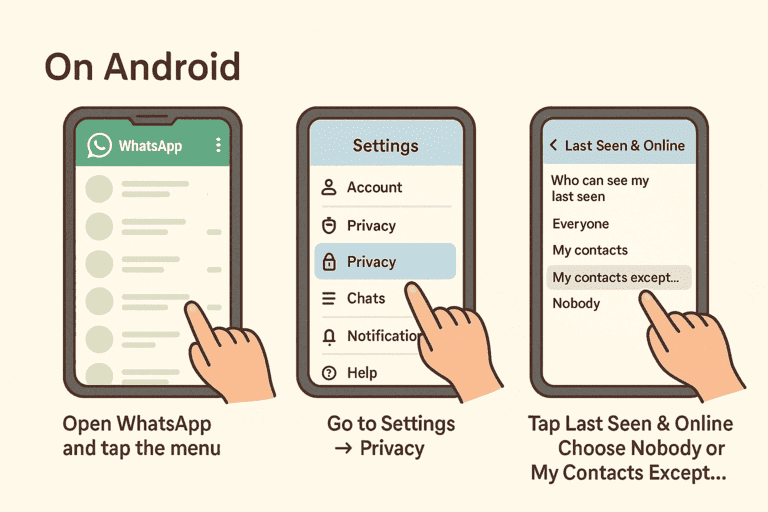
On Android
- Open WhatsApp and tap the three-dot menu in the top-right corner.
- Go to Settings → Privacy.
- Tap Last seen and online.
- Choose Nobody or My contacts except… for your Last Seen.
- Under “Who can see when I’m online,” choose Same as last seen if you also want to limit Online visibility.
On iPhone
- Open WhatsApp and go to Settings → Privacy.
- Tap Last Seen & Online.
- Select Nobody or My Contacts Except….
- Select Same as Last Seen for Online visibility if needed.
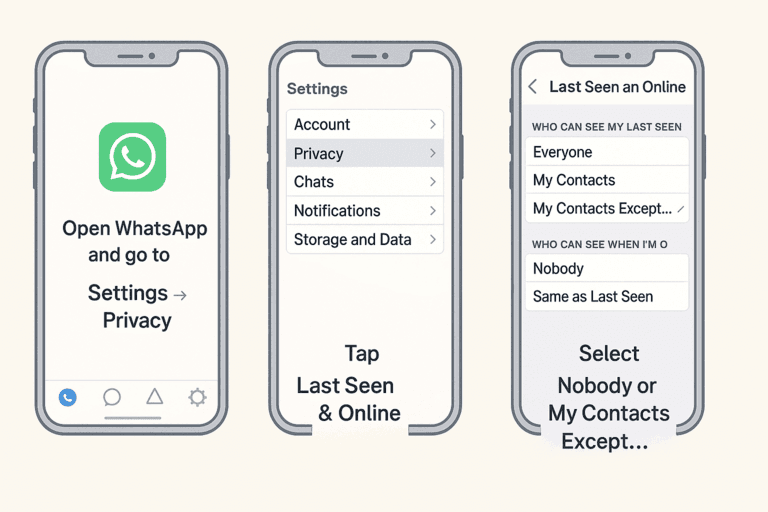
Once enabled, your Last Seen will be hidden from the audience you selected. This changes visibility; it does not display a fake or frozen timestamp.
Do WhatsApp Freeze Last Seen Tricks Really Work?
While WhatsApp doesn’t officially let you freeze your Last Seen, some users try alternative methods. These come with important limitations and risks.
1) Using Airplane Mode
One common trick is to open WhatsApp while the phone is in Airplane Mode. This may temporarily prevent an immediate status update while the device is offline. However, messages, read receipts, and other activity can synchronize after you reconnect, and results vary by phone and app version. It is not a dependable replacement for WhatsApp’s privacy settings.
2) Third-Party Modified Apps
Unofficial versions such as GB WhatsApp or FM WhatsApp claim to offer a true “Freeze Last Seen” feature. These apps are not supported by WhatsApp and may expose account data, miss security updates, stop working, or lead to account restrictions.
Important:
- Do not give an unknown app your verification code, two-step verification PIN, or backup credentials. For privacy, use the official WhatsApp app and its built-in settings.
Common Issues & Bugs Related to Last Seen
Last Seen Flickering or Flashing
What happens: When opening a chat, Last Seen briefly disappears and then reappears with the same timestamp. Sometimes the contact appears Online for only a moment.
Possible reasons:
- WhatsApp is refreshing the contact’s activity information.
- The contact is switching between apps or has an unstable connection.
- A temporary app, server, or synchronization issue is affecting the display.
Fix:
- Update the official WhatsApp app, check your connection, and see whether the same behavior occurs with other contacts. A brief flicker is not reliable evidence of what the contact is doing.
Last Seen Missing for One Contact
What happens: You cannot see Last Seen or Online for one contact, although messages may still be delivered.
Possible reasons:
- The contact selected Nobody, limited visibility to contacts, or excluded you.
- You may not be saved in their contacts.
- They may have blocked you, although a missing Last Seen alone does not confirm this.
- A network or synchronization delay may be affecting the display.
Fix:
- Confirm your own privacy settings and connection. If appropriate, ask the contact to review theirs. Reinstalling should be a last step after updating and restarting the app.
Last Seen Missing for All Contacts
What happens: Last Seen and Online disappear for multiple or all contacts.
Possible reasons:
- Your own Last Seen sharing setting prevents you from seeing other people’s activity.
- A recent update or temporary WhatsApp issue is affecting the feature.
- The app version or network connection needs attention.
Fix:
- Check Settings → Privacy → Last seen and online, update WhatsApp, restart the app, and test another connection. If several WhatsApp features fail at once, consult the official Help Center.
How VigilKids Helps Parents Monitor WhatsApp Safely
WhatsApp’s Last Seen setting can show when an account was recently active, but it cannot tell parents who a child is talking to, what was shared, or whether a conversation may involve bullying, scams, or inappropriate content. When a genuine safety concern appears, VigilKids WhatsApp Monitoring helps authorized parents review broader WhatsApp context from one dashboard.

What VigilKids Can Do
- WhatsApp activity context — review chats, media, contacts, and calls beyond Last Seen.
- Keyword-based review — find conversations linked to bullying, scams, threats, or safety concerns.
- Message & media visibility — understand conversations through supported WhatsApp parental monitoring features.
- Broader device insight — view supported screenshots and activity beyond WhatsApp status.
- One parent dashboard — access key insights in one place.
How to use VigilKids for a healthy WhatsApp safety plan:
- Step 1. Review WhatsApp privacy settings, including Last Seen, Online, Status, groups, and calls.
- Step 2. Set family rules for contacts, group chats, messaging, and personal information sharing.
- Step 3. Follow the VigilKids setup guide and connect only authorized accounts or devices.
- Step 4. Check activity when safety concerns or behavior changes arise.
- Step 5. Discuss findings with your child before setting limits.
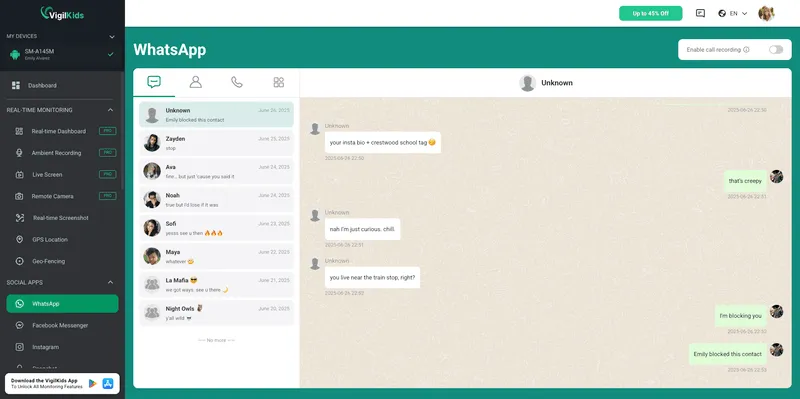
VigilKids features vary by product mode, device, operating system, plan, and permissions. Check compatibility before purchasing, use parental monitoring only where you have legal authority and appropriate family consent, and treat dashboard information as a starting point for conversation—not a substitute for it.
FAQs About WhatsApp Last Seen
Q1: Can I freeze my WhatsApp Last Seen at a specific time?
No. WhatsApp lets you hide Last Seen, but it does not allow you to display an old timestamp while continuing to use the app.
Q2: How do I hide Last Seen from one person?
Go to Settings → Privacy → Last seen and online, select My Contacts Except…, and choose the contact you want to exclude.
Q3: Can people see me Online after I turn off Last Seen?
They may still see your Online status unless you set “Who can see when I’m online” to Same as last seen.
Q4: If I hide my Last Seen, can I see other people’s?
Usually not. WhatsApp privacy settings may also prevent you from viewing other users’ Last Seen information.
Q5: Why can’t I see one person’s Last Seen?
They may have changed privacy settings, excluded you, not saved your number, blocked you, or there may be a connection issue. A missing Last Seen signal does not confirm the reason.
Conclusion
If you’re looking for how to freeze Last Seen on WhatsApp, WhatsApp does not offer a true freeze option. You can only control who sees your Last Seen and Online status through WhatsApp privacy settings.
If Last Seen changes or disappears, check your privacy settings, app version, and connection first. For parents who want deeper insight into WhatsApp activity and digital safety, explore VigilKids WhatsApp parental monitoring features.
Sources
- Meta: WhatsApp Privacy Checkup and online-presence privacy
- WhatsApp Security and Privacy
- Official WhatsApp Downloads
Fact-checked and updated: July 23, 2026. Menu wording and feature behavior may change with future WhatsApp updates.
Hot Topics for WhatsApp Monitoring

Hack WhatsApp Safely: 7 Best WhatsApp Monitoring Apps in 2026
Searching hack whatsapp? Compare safe WhatsApp monitoring apps, see what they can track, and choose a legal alternative to risky hacking claims.
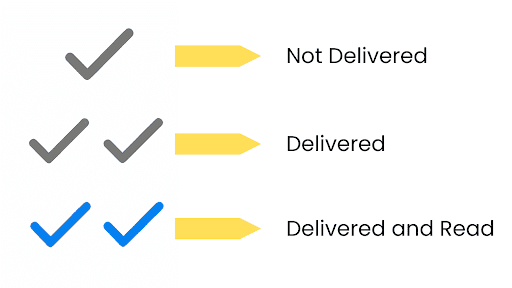
One Tick on WhatsApp Meaning: Sent, Not Delivered
What does one tick on WhatsApp mean? Learn why messages stay on one gray check, whether it means blocked, and what to check next.
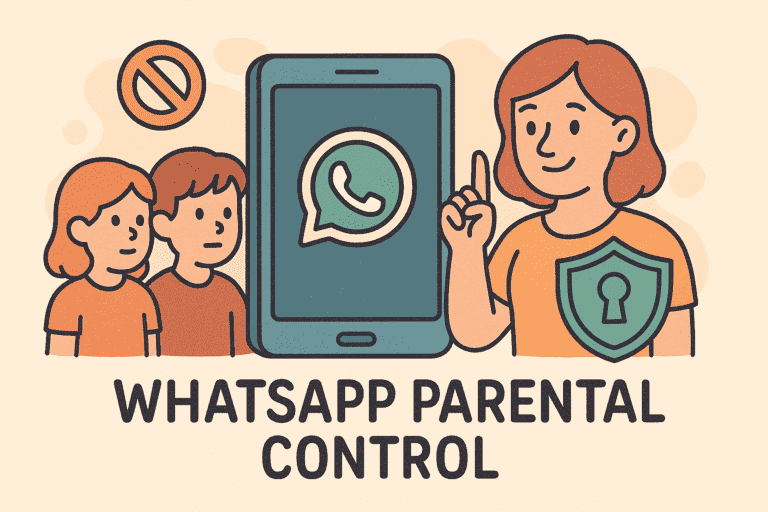
Does WhatsApp Have Parental Controls? Full 2026 Guide
hatsApp has no built-in parental controls. Learn how to set up safe monitoring in 2026 using WhatsApp's privacy settings, family rules, and the right app.