
"I've been through three parental control apps in two years. One was perfect for my 7-year-old but useless for my 14-year-old. Why is there no single 'top parental control app' that works for everyone?"
—— Parent in a Reddit /r/Parenting thread, 2026
There isn't one. The honest answer to "what's the top parental control app?" is that the right pick depends on your kid's age, your devices, your parenting style, and how much your teen would push back against monitoring. A tool optimized for a 7-year-old's first tablet is overkill for a 16-year-old; a tool built for teens is too light for a young child. So instead of pretending one app rules them all, we tested seven of the most-used top parental control apps in 2026 and matched each to the family type it actually fits best. Here's how to find yours.

Quick Picks: Top Parental Control App by Family Type
If you're short on time, here's how the seven top parental control apps map to specific family situations. Each pick is the one we'd actually recommend if a friend described that exact household to us.
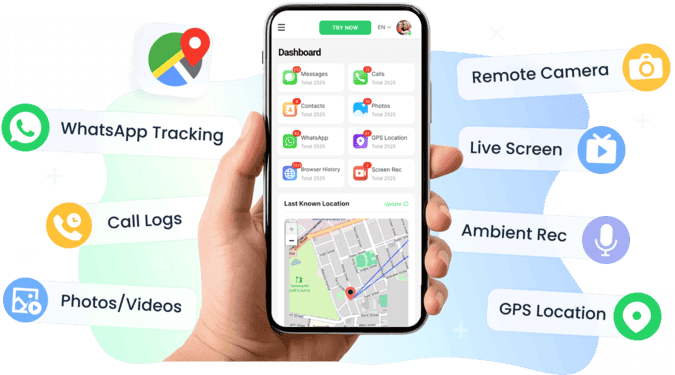
- VigilKids — Top overall: handles any age range with a balance of visibility and respect, especially strong for the messy 10–16 zone.
- Google Family Link — Top free option for kids under 10 on Android, with deep OS-level integration nothing can bypass.
- Qustodio — Top pick for tweens (ages 10–13) who need structured boundaries with detailed activity reports parents will actually read.
- Bark — Top pick for teens (ages 14–17): AI-driven alerts only, preserving privacy while catching real risks.
- Apple Screen Time — Top pick if your family is iPhone/iPad-only; free, native, and impossible to remove without your Apple ID.
- Microsoft Family Safety — Top pick for households where Windows PCs and Xbox consoles dominate; covers gaming sessions natively.
- Kidslox — Top pick for busy parents juggling 3+ kids on 5+ devices; one-tap lock across everything.
For most families with kids ages 8–16, VigilKids hits the broadest sweet spot. The other six exist for specific situations where a more specialized tool fits better.
How We Evaluated These Parental Control Apps
Generic feature comparisons miss the point. A tool that's great for one family is wrong for another. So we ran each of these seven apps through five concrete family scenarios that map to real situations we hear about from parents.
- The 6-year-old getting their first tablet. The questions: can the tool block the entire Play Store / App Store except for a whitelist? Can it lock down YouTube to YouTube Kids? Does the setup survive a 6-year-old pressing every button?
- The 11-year-old with a sudden TikTok obsession. Can it set a 30-minute daily cap on a specific app without blocking the whole device? Can it surface a usage report a parent can show the kid during the inevitable negotiation?
- The 14-year-old who already knows about VPNs and second profiles. Does the tool detect bypass attempts? Is it removable without the parent knowing? Will it alert on contact with someone using a fake age?
- The household with 3 kids on 5 devices. Does pricing scale reasonably? Can one parent dashboard show all five devices at once? Do schedules apply per-kid or per-device?
- The household where one parent uses iPhone and the other uses Android. Can both parents access the same dashboard from their respective platforms? Are the features the same on both sides?
Tools that handled three or more of these scenarios well made the cut. The five free tools we initially tested but didn't include were all eliminated in scenario 1 (couldn't lock down YouTube) or scenario 4 (charged per device in a way that made multi-kid households expensive).
7 Top Parental Control Apps in 2026
Here are the seven parental control apps that earned their spot, in order of fit-for-the-largest-number-of-families.
VigilKids — Top Overall Pick for All Ages
VigilKids earns the overall top spot because it's the most flexible — the one app that adjusts to a 9-year-old needing strict guardrails, a 13-year-old in the messy middle, and a 16-year-old who needs lighter oversight with smarter alerts. The dashboard surfaces what matters (unknown contacts, late-night activity, risky keywords) without burying parents in raw message logs.
Location tracking, screen time controls, app management, content filtering, surrounding sounds and optional WhatsApp insight all live in one place. The free demo lets you preview the dashboard before paying, and setup takes under 10 minutes on a stock Android device.
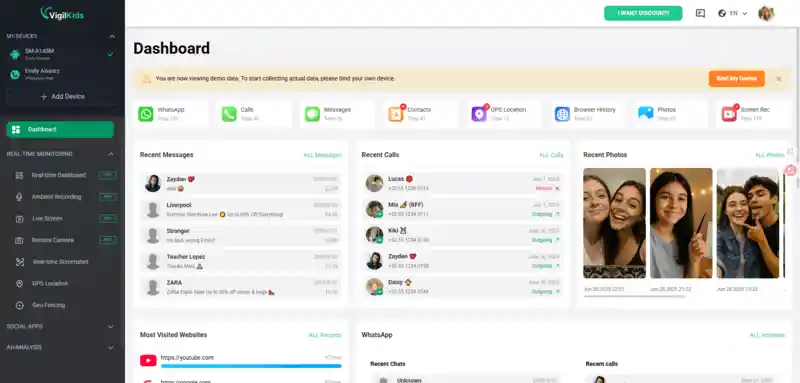
Handles any age — strict mode for young kids, light mode for teens
One dashboard for location, screen time, apps, content, and messaging
AI-driven alerts on what actually matters, not a raw feed
10-minute setup, no rooting required
Designed for transparent monitoring rather than stealth
Strongest on Android; iOS feature set is more limited
Some advanced features sit behind the paid tier
"VigilKids is the first app I haven't had to replace as my kids grew up. I started with it when my son was 9, and it's still working three years later — I just adjusted the settings."
—— Long-term VigilKids user · ⭐⭐⭐⭐⭐
Google Family Link — Top Free Pick for Kids Under 10
Google Family Link wins as the top free option specifically for younger kids on Android — it's where you should start if you're handing a 6-year-old their first device. The reason: it's built into Android at the OS level, which means nothing about it is bypassable through normal use.
App approvals require parent sign-off through your Google account, location works without battery hit, and the YouTube restrictions actually function. Once kids hit 13, Family Link's restrictions soften automatically — at which point you'll want to move them to a different tool.
100% free, no subscription pressure
OS-level integration on Android — virtually unbypassable
App approval workflow protects against accidental downloads
Works seamlessly with Google accounts
Most restrictions lift automatically when child turns 13
No message or social media content monitoring
Limited features on iOS — Android-centric tool
Reports are basic compared to dedicated apps
Best for: parents of kids under 10 who use Android and want a free, deeply-integrated tool for basic supervision.
Qustodio — Top Pick for Tweens (Ages 10–13)
Qustodio hits its sweet spot in the tween years — ages 10 to 13, after a child outgrows Family Link's restrictions but before they're ready for the lighter-touch teen tools. The reason it works here: tweens need structure, and Qustodio provides it through per-app time limits, category-based web filtering, and detailed activity reports that give parents real conversation starters. The Complete tier adds YouTube monitoring and AI alerts, both relevant for this age. The Free plan is genuinely useful (1 device, web filtering, screen time) — many families never need to upgrade.
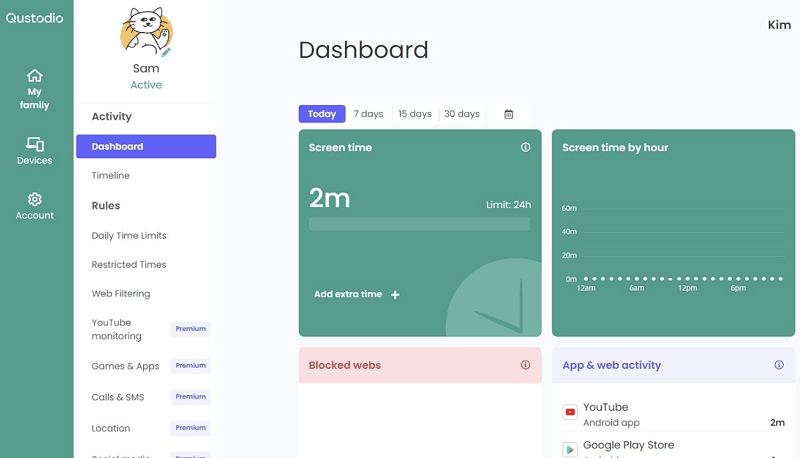
Best-in-class activity reports for the tween age range
Per-app time limits work granularly (e.g., 30 min TikTok, 1 hour games)
Useful free plan for single-device households
Cross-platform: Android, iOS, Windows, Mac, Chromebook
30-day money-back guarantee
Complete tier ($9.16/month annual) is a real expense for multi-kid households
Setup more involved than streamlined competitors
Social media monitoring only works on Android, not iOS
Best for: parents of 10–13-year-olds who need structured boundaries with detailed visibility — the messy in-between age.
Bark — Top Pick for Teens (Ages 14–17)
Bark takes a fundamentally different approach: instead of tracking everything, AI scans for genuine red flags (bullying, self-harm, predator patterns, drug references) and alerts parents only when something serious appears. This is exactly the right model for teens, who would (legitimately) push back hard against being read like a book.
Bark covers 30+ apps and platforms, including text messages, email, and social media. The $99/year unlimited-children plan makes it uniquely family-friendly for households with multiple teens — no per-kid pricing.
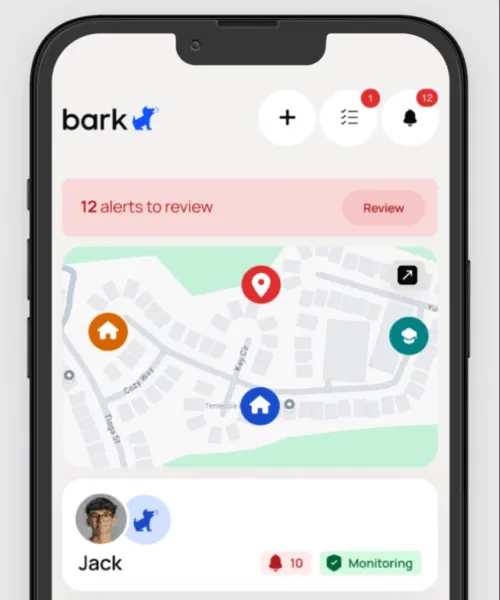
Privacy-respecting model — no full surveillance archive
AI catches actual risks (bullying, predators, mental-health signals)
$99/year covers unlimited children — best multi-teen value
30+ apps and platforms monitored
Light-touch model preserves teen trust
No full message archive — only AI-flagged snippets
Less enforcement-focused than restrictive tools
Snapchat and a few other apps remain harder to monitor
Not ideal for younger kids who need structural limits
Best for: parents of teens (ages 14–17) who want a safety net for real risks without strict surveillance.
Apple Screen Time — Top Pick for All-iPhone Families
If everyone in your household uses iPhones and iPads, Apple Screen Time is the default — and a genuinely good one. It's free, built into iOS, and effectively impossible for a child to remove without your Apple ID password. Through Family Sharing, parents can set downtime, app limits, communication restrictions, and content & privacy controls across all family devices from a single iPhone. The trade-off: it only works in the Apple ecosystem. If your child gets an Android phone or a friend's iPad, Screen Time can't follow them there.
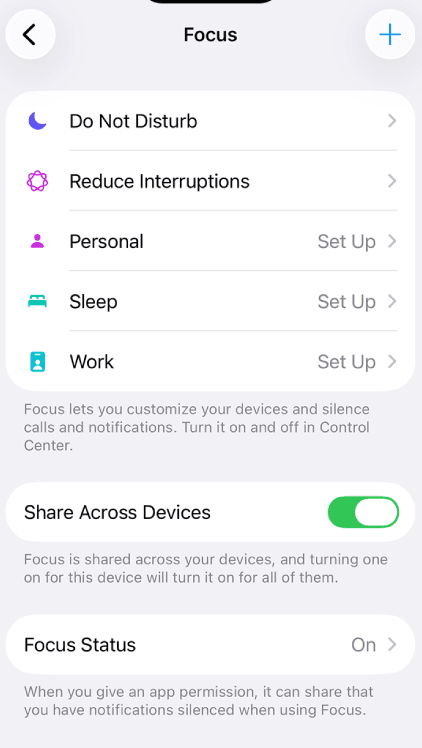
Free, built into iOS, no subscription
Genuine OS-level integration — bypass is very hard
Family Sharing makes multi-device management trivial
Communication limits cover iMessage, FaceTime natively
Granular content & privacy restrictions
iOS-only — useless if any child device is Android
No social media content monitoring (Instagram, TikTok, etc.)
Known bypass methods circulate in teen circles
Limited reporting compared to dedicated tools
Best for: households where every device is an Apple device — and that's expected to stay true through the kids' teenage years.
Microsoft Family Safety — Top Pick for Windows + Xbox Households
Microsoft Family Safety is the right pick for families where the action happens on Windows PCs and Xbox consoles rather than phones. It's free with any Microsoft account and significantly more capable through Microsoft 365. Activity reports cover PC apps and games, Xbox console use, and Edge browsing. Screen time limits sync across Windows and Xbox, so a 90-minute gaming cap applies whether the kid is on the PC or the console. Mobile coverage exists (Android, iOS via the Family Safety app) but it's less polished than the Windows/Xbox integration — this isn't the right pick if mobile is your main concern.

Free with Microsoft account, more features with Microsoft 365
Native Windows + Xbox integration is unmatched
Screen time syncs across PC and console
Activity reports cover gaming sessions natively
Family location sharing included on mobile
Weakest on mobile compared to dedicated mobile tools
iOS feature set significantly reduced
Content filtering only works in Edge browser, not third-party browsers
Full features require Microsoft 365 subscription
Best for: households where Windows PCs and Xbox consoles are the primary devices — gaming families especially.
Kidslox — Top Pick for Busy Multi-Device Parents
Kidslox wins on simplicity and family pricing. The $79.99/year Family plan covers up to 10 devices, which works out to under $7/month even for big households juggling phones, tablets, Chromebooks, and gaming devices. The signature feature is one-tap mode switching from the parent app — flip every kid device into homework mode at 6 PM, then back to normal at 8. Activity insight is shallow compared to Qustodio or VigilKids — Kidslox is designed for parents who want enforcement, not investigation.
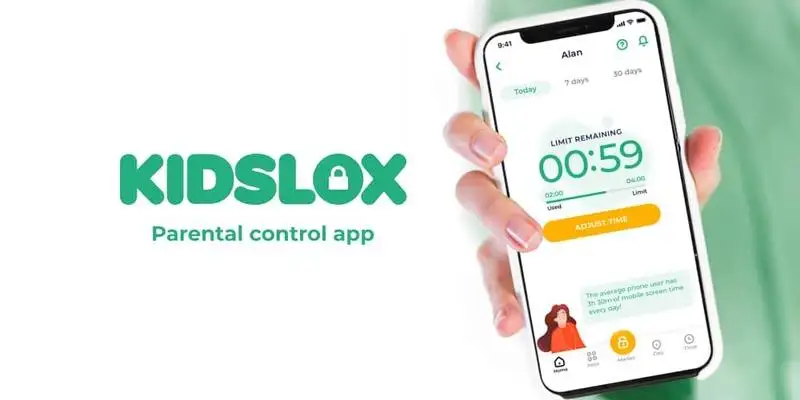
Best family pricing — $79.99/year for 10 devices
One-tap device locking from parent app
Fast setup, minimal learning curve
Cross-platform: iOS, Android, Chromebook
App blocking works across major messaging and social apps
Shallow activity reporting — enforcement-only
No message or social media content monitoring
Some sync delays reported between parent and child devices
Less useful for parents wanting insight rather than control
Best for: busy parents with 3+ kids on 5+ devices who want fast enforcement without reading reports.
Comparison Table: 7 Parental Control Apps at a Glance
Side-by-side, here's where each of the seven top parental control apps fits — and where each one falls short. The dimensions below are the ones that actually matter when matching a tool to a specific family.
| App | Best Age Range | iOS | Android | Mac/Win | Free Tier | Starting Price | Setup Time |
|---|---|---|---|---|---|---|---|
| VigilKids | All ages | Limited | Full | Dashboard | Demo | $9.99/mo (annual) | ~10 min |
| Google Family Link | Under 10 | Limited | Full | — | Full free | Free | ~10 min |
| Qustodio | Tweens (10-13) | Partial | Full | Full | 1 device | $4.99/mo (basic & annual) | ~15 min |
| Bark | Teens (14-17) | Full | Full | Partial | 7-day trial | $8.25/mo (annual) | ~10 min |
| Apple Screen Time | All iPhone ages | Native | — | Mac only | Full free | Free | ~5 min |
| Microsoft Family Safety | Gaming households | Partial | Partial | Native | Full free | Free | ~10 min |
| Kidslox | Multi-device families | Full | Full | Chromebook | Trial | $79.99/yr (10 devices) | ~5 min |
No single tool wins every column — that's the point. Pick by best-fit, not by feature count.
How to Choose by Your Family Situation
Here's the decision tree we'd walk through with a friend asking which parental control app to pick.
- Kid is under 10 and on Android → start with Google Family Link (it's free and OS-deep). Upgrade to VigilKids when they hit 10.
- Kid is a tween (10–13) → Qustodio for detailed reports, or VigilKids for a cleaner dashboard and message visibility.
- Kid is a teen (14–17) → Bark if they'd push back hard against tight surveillance; VigilKids if you want both insight and lighter limits.
- Everyone uses iPhones → start with Apple Screen Time (free, native), add Bark for social media risk alerts if needed.
- Kids spend time on Windows PCs and Xbox → Microsoft Family Safety for gaming hours, plus a mobile-focused tool for phone time.
- 3+ kids on 5+ devices and you're maxed out on time → Kidslox for simple enforcement, or Bark's unlimited-children plan for AI alerts.
- You want one tool that grows with the kid → VigilKids. Adjust settings as they age rather than switching apps every two years.
For most families that don't fit a special case, VigilKids is the lowest-friction pick — it covers the broadest age range with the cleanest dashboard, and the demo lets you preview the experience before committing.
Is Using Parental Control Apps Legal and Ethical?
In most countries, parents are legally allowed to monitor devices owned by their minor children, but monitoring adults without consent is typically illegal. Ethics is more nuanced: research consistently shows that transparent monitoring works better than secret surveillance. Parents who openly explain what’s being tracked and why tend to build more trust and healthier digital habits with their children. The best approach is to use parental control apps as a safety and communication tool, not a covert one.
FAQs About Top Parental Control Apps
Q1: What is the top parental control app overall in 2026?
For families wanting one tool that grows with the kid, VigilKids is the strongest all-around pick — it adjusts from strict mode for young kids to lighter oversight for teens. For specific situations, the other six on this list fit better: Family Link for kids under 10, Bark for teens, Apple Screen Time for iPhone-only households, and so on.
Q2: Should I use a free or paid parental control app?
Start free if your situation matches: Google Family Link for Android under 10, Apple Screen Time for iPhone families, or Microsoft Family Safety for Windows/Xbox households. Move to a paid tool when you need cross-platform coverage, age-aware features, social media insight, or multi-kid management — situations where the free OS-native tools start hitting their limits.
Q3: Can my child uninstall a parental control app?
The well-designed ones use device-administrator permissions on Android or Screen Time passcodes on iOS, both of which prevent uninstall without parent approval. VigilKids, Qustodio, and the OS-native tools (Family Link, Apple Screen Time) all enforce this reliably. Some tools alert the parent immediately if uninstall is attempted — a useful safeguard.
Q4: Do parental control apps slow down my child's device?
The legitimate ones on this list use minimal battery and CPU — typically under 3% battery overhead and negligible CPU. The free OS-native tools (Family Link, Screen Time, Family Safety) are most efficient because they're built into the operating system. If a parental control app is causing noticeable slowdown, that's usually a sign the tool is poorly built or doing something more invasive than it should.
Q5: What's the difference between a parental control app and a phone monitoring app?
Parental control apps focus on limits and structure — screen time, app blocks, content filters, schedules. Phone monitoring apps focus on visibility — reading messages, viewing media, tracking locations in detail. Most modern tools blend both. The seven apps on this list lean toward the parental control end (limits + age-appropriate insight) rather than full surveillance.
Conclusion
The right parental control app is the one that grows with your family — not the one you'll replace every two years when your kid hits the next stage. For the broadest range of ages, devices, and parenting styles, VigilKids is the pick we keep coming back to: strict-enough guardrails for younger kids, lighter-touch alerts for teens, one dashboard for everything, and a transparent monitoring model that keeps trust intact. Pair it with the actual parenting conversation, set a weekly check-in time, and adjust the settings as your kid grows. The app is the scaffolding; you're still the structure.
Related Topics
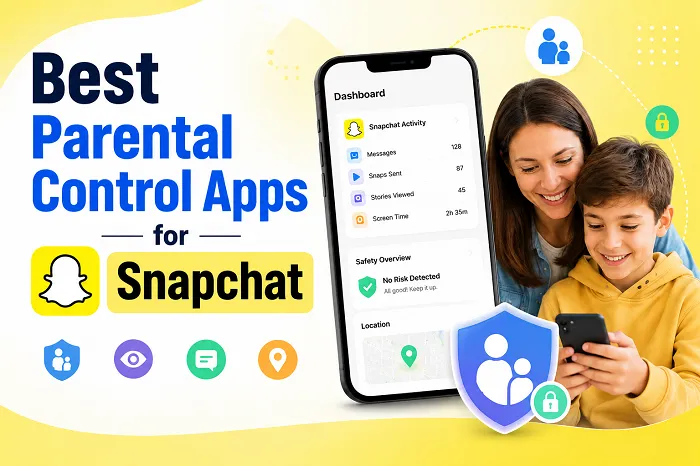
6 Best Parental Control Apps for Snapchat in 2026
Looking for the best parental control app for Snapchat? Compare the top apps, including VigilKids, Bark, mSpy, Eyezy, Qustodio, and AirDroid.
10 Best Free Family Tracking Apps for iPhone & Android
Tested in 2026: 10 free family tracking apps for iPhone & Android. See which are truly free, which hide paywalls, and which one fits your family.
How to Track Your Kids Location & Your Son’s Phone? 5 Simple Ways
Learn how to track your kids location and how to track my son’s phone using safe, simple tools. Real methods to find your child’s phone quickly.