
Many parents search for a text monitoring app for parents or a parental control app to read text messages to better understand their child's digital life and respond to risks like cyberbullying, online predators, or sudden behavior changes. This is not about spying—it's about safety, awareness, and peace of mind.
In this guide, we compare the best solutions, explain how they work on Android and iPhone, and highlight key legal and ethical considerations. By the end, you'll know which option best fits your family and how to use it responsibly.
Best App for Parents to Track Text Messages: Quick Picks & Comparison
Looking for the right app for parents to track text messages but not sure where to start? Below are quick picks based on different needs, followed by a more detailed comparison to help you make a confident choice. Whether you want full monitoring, privacy-focused alerts, or basic free options, you can find the best fit here and explore each tool in more detail below.
- Best overall, cross platform and full features: VigilKids. Works on iPhone and Android, with real time alerts and simple setup.
- Best for stealth and deep logs: mSpy. Strong logging and message tracking for Android and social apps.
- Best for privacy-first monitoring: Bark or Qustodio. Focus on alerts and open communication.
- Free or built in options: iCloud and Google Messages web. Limited, but useful for basic needs.
1. VigilKids — Best App for Parents to Monitor Text Messages
VigilKids is built for parents who want a reliable, easy to use text monitoring app that works across iPhone and Android. This app for parents to track text messages balances strong forensics with thoughtful alerts so you get useful signals without drowning in noise.
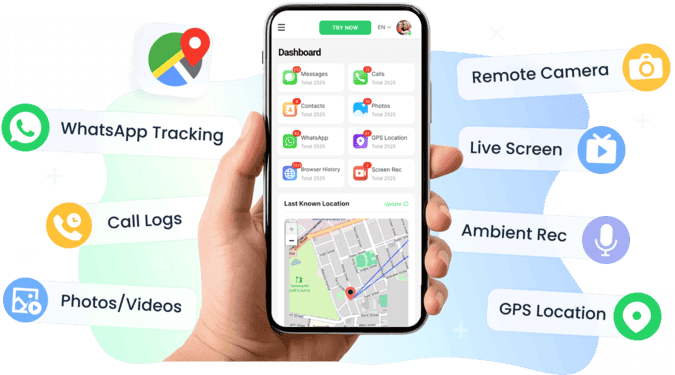
Key features:
- Message monitoring so you can see message threads when permitted
- WhatsApp tracking and common social app summaries
- Call logs and basic contact info
- Keyword and AI driven risk alerts that flag bullying language or grooming patterns
- Screenshots and a screen recorder for capturing concerning content in real time
- Live access tools for immediate review when you need evidence quickly
- GPS location and geofencing for safety zones and alerts
- Works on iPhone and Android with guided setup steps
- Demo or free account sign up available:so you can test before you buy
Privacy and trust
- VigilKids states it focuses on secure handling of data and does not sell personal data
- Alerts are tuned to reduce false positives and to highlight real risks
Typical user scenario
- You want cross platform support and real time alerts
- You need to monitor childs text and calls and also capture social app activity
- You prefer an app that is straightforward to set up and that offers a demo
Try the VigilKids demo to see how the dashboard surfaces real risks and to test the setup process!
2. mSpy — Parent App to Monitor Text Messages with Deep Logs
mSpy is a known option for parents who want deep logs. It is usually positioned as a feature rich paid solution. With this parental control app to read text messages, you can see all received, sent or even deleted SMS and text messages from any contact.
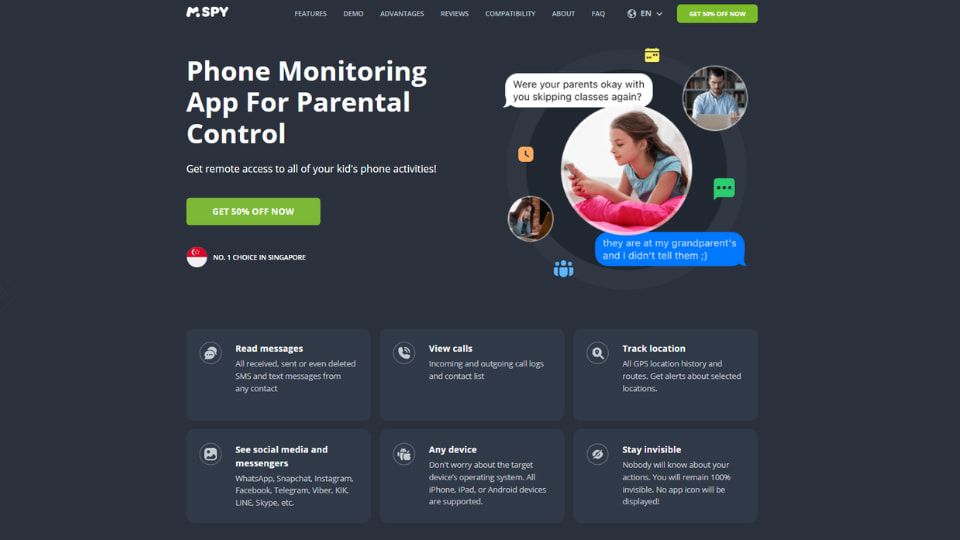
Key features:
- Read SMS and messages from many social apps
- Capture iMessage content when configuration allows it
- Keyword alerts and activity summaries
- Screenshot capture and media access
Limits to know
- mSpy is a paid app for parents to track text messages and some advanced features require subscriptions
- iPhone functionality can be limited by Apple rules and may require extra steps or a desktop bridge
- You will need to review legal rules in your area before using any monitoring software
Typical user scenario
- You want a tool with wide social app coverage and strong logging capability
- You accept a paid subscription for more data and longer history
3. Bark & Qustodio — Apps for Parents to Track Text Messages Focusing on Alerts
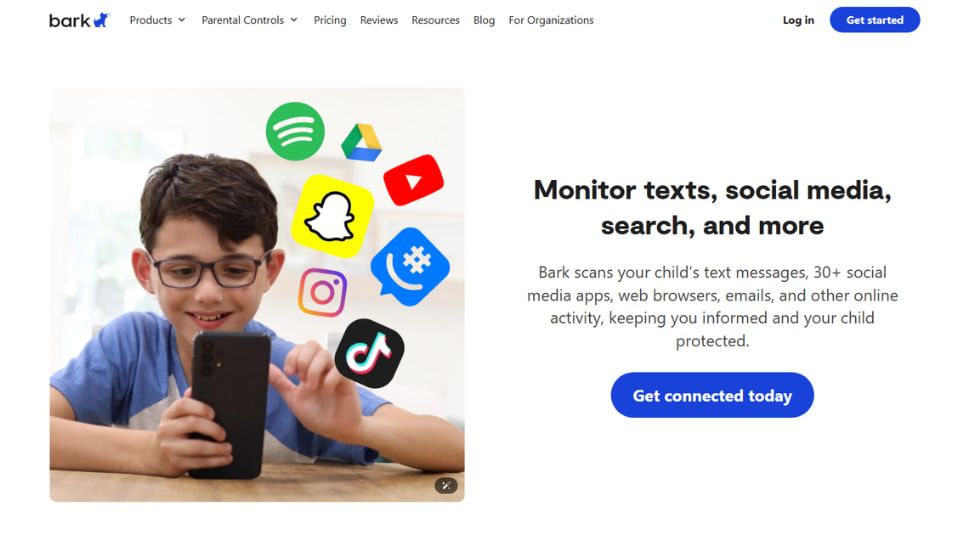
Bark scans your child's text messages, 30+ social media apps, web browsers, emails, and other online activity, keeping you informed and your child protected. It goes beyond device mirroring, using advanced AI to scan texts, social media, images, videos, and audio for threats like cyberbullying and pornography, ensuring unparalleled safety for your child.
Key features:
- Focuses on alerts and actionable recommendations
- Emphasizes transparent reporting: so you can open conversations with your child
- Good when you want alerts without hidden monitoring
Qustodio can mirror your child's real-time screen, monitor phone chats, calls, videos, and browsing activities, ensuring their online safety. Not only is this an app for parents to track text messages, it can remotely track 10+ popular social media content to keep your child away from cyberbullying and pornographic information.
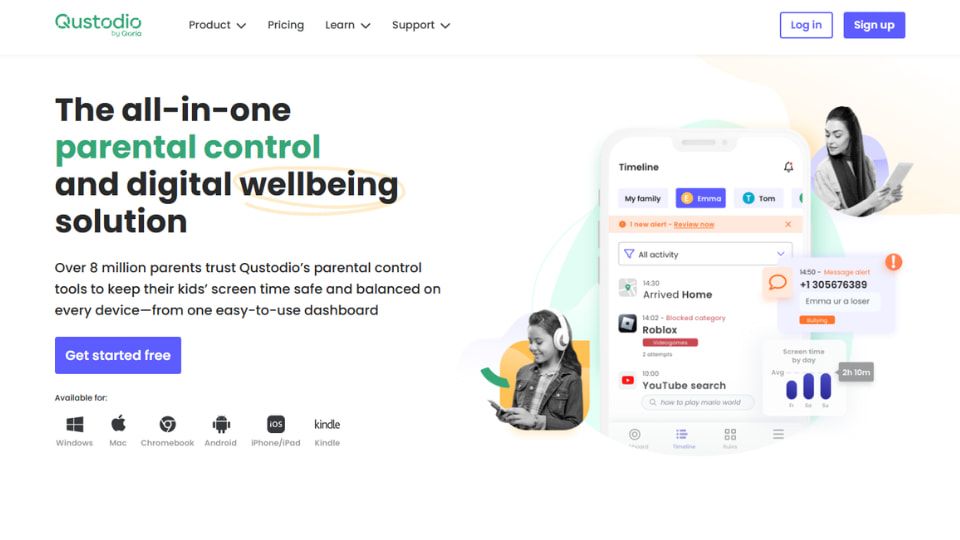
Key features:
- Strong parental controls and location features
- Some SMS and call monitoring on Android: require manual steps and additional permissions
- Good for screen time limits and family rules
4. Built-In Options: iCloud and Google Messages Web
If you prefer to start with simple, no cost tools before paying for a full monitoring plan on an app for parents to track text messages, you can try iCloud and Google Messages web. They are not complete parental control solutions, but they do offer partial visibility that can help in basic cases.
iCloud (for iPhone users):
- When iMessage and iCloud Backup are both turned on, you can sign in to the same Apple ID on another device to see synced messages.
- You can also view older iMessages from iCloud backups through a computer if the feature is enabled.
- Limits: It only works if backups are recent and the same Apple ID is used. You will not get alerts, call logs, or social media data.
Google Messages web (for Android users):
- Visit messages.google.com/web and pair your child's phone once. Then you can read SMS and MMS messages from your computer in real time.
- Limits: You must have access to the phone for setup and the browser session stays linked only while active. No screenshots, keyword alerts, or geolocation tools are included.
These free options are easy to try and useful for quick checks, but they cannot replace a professional text monitoring app like VigilKids or mSpy, which include alerts, risk detection, and full activity tracking.
Comparison table for you to choose the best app for parents to monitor text messages
Use this quick grid to compare core capabilities at a glance and help you choose the best app for parents to track text messages.
| Feature / Tool | VigilKids | mSpy | Bark | Qustodio | iCloud / Google Messages Web |
|---|---|---|---|---|---|
| SMS and text monitoring | Yes | Yes (even deleted) | Limited alerts only | Partial (Android only) | iCloud sync or Google Messages web |
| Social app tracking | WhatsApp and major apps | Major apps | 30+ social media platforms | Limited to key platforms | No |
| Call logs and contacts | Basic info and call history | Detailed | Alerts only | Android supported | No |
| Keyword and AI alerts | Advanced AI risk flags | Custom keywords | Strong AI alerts | Limited | No |
| Screenshots / screen recording | Yes, real time capture | Screenshots | No | Screen mirroring | No |
| Live access tools | Yes, for urgent review | Partial | No | No | No |
| GPS / Geofencing | Yes | Yes | Yes | Yes | No |
| Privacy and data policy | No third party data sale | Paid service, encrypted | Transparent AI alerts | Family visibility | Tied to account credentials |
| Free demo / trial | Free demo available | Paid only | Trial available | Limited free plan | Always free |
How Does an App for Parents to Track Text Messages Work? iOS vs Android Explained
The way an app for parents to track text messages works depends heavily on the device your child uses. Android and iPhone follow different system rules, which directly affect how much data you can access and how easy the setup will be.
On Android, monitoring is generally more flexible. Most apps can access SMS, track social media activity, log calls, and even capture screenshots or keystrokes. This makes Android the better choice if your goal is full visibility with fewer setup barriers.
On iPhone, things are more restricted due to Apple's privacy policies. Many tools rely on iCloud backups or desktop syncing to retrieve data. Instead of full message content, some apps only provide alerts or summaries, and setup usually requires extra steps.
What this means for you:
- For an iphone app for parents to monitor text messages, expect additional setup like enabling iCloud backup or connecting to a computer.
- If you want real-time monitoring of texts and calls, Android devices usually offer more complete features.
- Free options like iCloud or Google Messages web provide limited access and cannot replace a full monitoring solution.
Before choosing any solution, it's important to understand not just how these apps work—but also how to use them responsibly.
Legal, Ethical, and Safety Checklist
When using a parent app to monitor text messages, keep these key considerations in mind:
- Consent and age rules: Monitoring laws vary by region. In some cases, older children must be informed or give consent.
- Local regulations: Always check privacy and data laws in your state or country before monitoring any device.
- School policies: Some schools restrict device tracking or require specific guidelines for student devices.
- Data security: Choose apps that encrypt data and clearly explain storage and access policies.
- Transparency: Open communication builds trust—monitoring should support safety, not replace conversations.
Free tools vs real monitoring apps:
- Built-in tools like iCloud backups or Google Messages web only offer partial visibility. They lack real-time alerts, social media tracking, and risk detection features.
When should you monitor vs talk?
- Use discreet monitoring only in urgent safety situations.
- For everyday parenting, open discussions and visible monitoring are more effective for building healthy digital habits.
FAQs about app for parents to track text messages
Q1: Can parents read deleted texts?
A: Some tools capture messages before they are deleted by using real time screenshots or backing up iCloud data. An app for parents to track text messages like VigilKids can capture screen content and preserve evidence when configured correctly. Success depends on timing, device type, and app setup.
Q2: Is it legal to monitor my child's phone?
A: Often parents can monitor devices they own or control, but laws vary by country and state and may change with the child's age. Always check local privacy and wiretapping laws and get legal advice if you are unsure.
Q3: Which is the best text monitoring app for iPhone?
A: There is no single best choice for every family. For iPhone you should favor apps that support iCloud bridge or iOS specific workflows like VigilKids, which also provides guided setup for iPhone monitoring.
Q4: Are there free options for an app for parents to monitor text messages?
A: Free app for parents to monitor text messages choices are limited. iCloud backups and Google Messages web give partial visibility at no cost but they lack real time alerts, social app coverage, and the centralized dashboard paid tools offer.
Q5: Will my child know they are being monitored?
A: It depends on the product and settings. Some services like Bark emphasize visible alerts and reports, while others such as mSpy and VigilKids can run with less visibility. Start with an open conversation unless immediate safety risks require privacy.
Conclusion
Choosing the best app for parents to track text messages depends on your goal, whether you need real time alerts, deep message logs, or transparent family communication. VigilKids stands out as a balanced solution with strong safety tools and privacy respect. Whatever tool you choose, remember: technology should support open dialogue and trust, not replace it. Use these apps to monitor kids' texts responsibly and keep safety the top priority!