
The iPhone 17 Pro is the best all-around phone for recording concerts in 2026, while the Galaxy S26 Ultra and vivo X300 Pro are stronger choices for distant-stage zoom. Your best option depends on whether you prioritize stable video, clean loud audio, low-light photos, or long telephoto reach.
This guide compares six phones, explains the trade-offs official specifications do not settle, and provides practical settings for clearer clips without blocking the audience behind you.
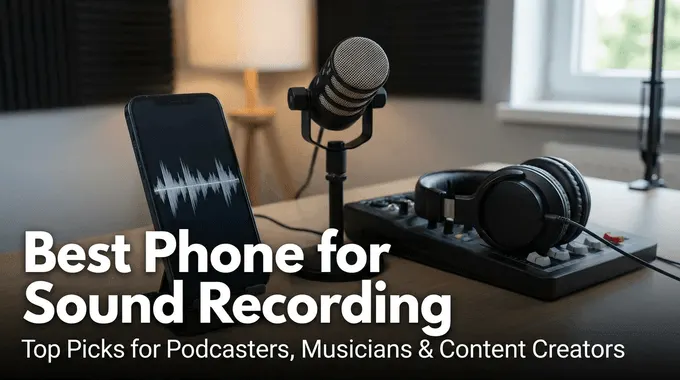
Comparison: Best Phones for Recording Concerts in 2026
There is no single winner for every seat and venue. iPhone remains the safest choice for consistent video and audio, Samsung and vivo are better when the stage is far away, and LG V60 is now a specialist used-phone option rather than a sensible everyday purchase. If voice capture matters more than stage video, compare dedicated methods for recording audio on Android before paying for a camera-focused flagship.
| Phone | Best for | Concert strengths | Important trade-off |
|---|---|---|---|
| iPhone 17 Pro / Pro Max | Overall video | 4K Dolby Vision; Audio Zoom; four mics | Less long-range reach |
| Samsung Galaxy S26 Ultra | Distant seats | 5x telephoto; Zoom-in Mic; Pro Video | AI zoom can lose detail |
| vivo X300 Pro | Stage zoom | Stage Mode; 200MP telephoto; 4K 120 fps | Regional availability |
| Google Pixel 10 Pro XL | Low-light photos | Easy HDR; Audio Zoom; 20x video zoom | 8K needs Video Boost |
| OPPO Find X9 Pro | Long events | 4K 120 fps; Pro Video; large battery | 3x optical video zoom |
| LG V60 ThinQ | Manual audio | Concert and Custom recorder modes | Used; aging support |
Quick Buying Answer: Choose iPhone 17 Pro for reliable video with minimal setup, Galaxy S26 Ultra for a distant seat and mainstream availability, vivo X300 Pro for stage-focused telephoto tools, Pixel 10 Pro XL for easy photos, OPPO Find X9 Pro for long recording sessions, or a used LG V60 only when manual audio control matters more than software support.
Part 1. What Makes a Phone Good for Concert Recording?
A concert phone must solve several problems at once: loud sound can overload small microphones, spotlights can blow out faces, performers move quickly, and the stage may be far from your seat. Camera megapixels alone do not predict whether the final clip will be watchable or sound clean.
- High-volume audio handling: A good microphone system should avoid harsh clipping when bass, drums, and crowd noise peak. Stereo capture and audio zoom help, but official specifications rarely publish maximum sound-pressure tolerance.
- Useful optical reach: A 3x or 5x telephoto lens normally produces more dependable stage detail than pushing a wide camera to extreme digital zoom. AI zoom can enhance an image, but it cannot recreate every detail lost at capture.
- Low-light video: Wide apertures, larger sensors, HDR, and controlled frame rates help balance a bright stage against a dark crowd. A lower frame rate may look cleaner in dim light than 60 or 120 fps.
- Stabilization: Optical and electronic stabilization reduce hand shake, but rapid panning and lens switching can still create visible jumps. Test the intended zoom before the main performance starts.
- Storage, heat, and battery: Long 4K or 8K clips consume storage and can heat the phone. For most personal memories, several short 4K clips are safer than recording an entire set continuously.
- Availability and support: An older audio favorite may sound good yet remain a poor purchase if it lacks security updates, replacement batteries, warranty coverage, or local network compatibility.
Do not confuse camera recording with screen recording on Android: screen recording captures activity displayed on the phone, while a concert clip depends on the physical cameras and microphones facing the stage.
What official specs cannot prove: None of the manufacturers below publishes a standardized concert microphone distortion test across the six phones. The recommendations therefore combine verified hardware and recording features with clearly labeled editorial judgment and user-reported concerns—not a claimed head-to-head lab test.
Part 2. 6 Best Phones for Recording Concerts in 2026
The list keeps the original article’s six-phone format but separates current purchases from a legacy audio specialist. Prices are omitted because they vary by country, storage, promotions, and whether the device is new or refurbished.
1. iPhone 17 Pro / Pro Max — Best Overall
Apple’s current Pro phones are the safest all-around recommendation for concert video. Apple officially lists 4K Dolby Vision, Audio Zoom, Spatial Audio and stereo recording, wind-noise reduction, four microphones, continuous autofocus, and stabilized main and telephoto cameras. ProRes and Apple Log 2 are useful for creators who will edit later, but they produce larger files and are unnecessary for quick social clips.
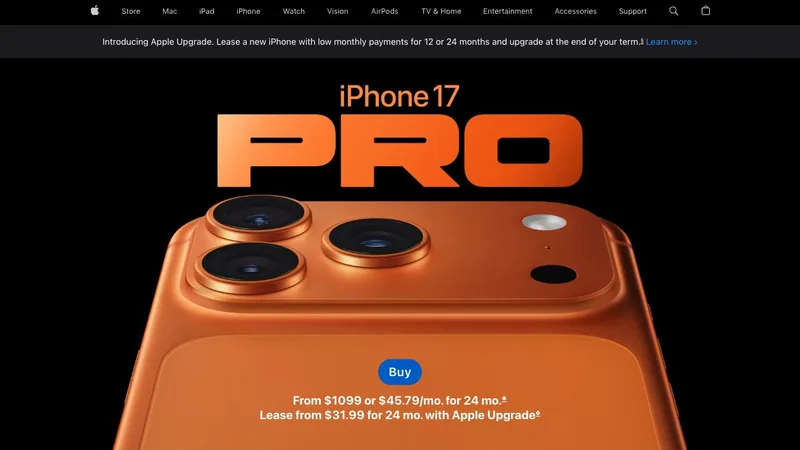
Best for: Buyers who want dependable video, consistent exposure, usable audio, and simple sharing without learning a Pro camera interface.
Watch for: The advertised maximum digital zoom is not equivalent to optical zoom. From a distant upper-level seat, Samsung or vivo may frame the performer more tightly.
2. Samsung Galaxy S26 Ultra — Best Mainstream Android
The Galaxy S26 Ultra is the strongest broadly available Android choice for distant seats. Samsung documents a 5x optical telephoto camera, brighter low-light lenses, Nightography Video, Pro Video formats, Super Steady with horizontal lock, and a Zoom-in Mic setting. Its 100x figure combines hardware with AI processing, so a moderate optical-quality zoom is the more realistic concert target.
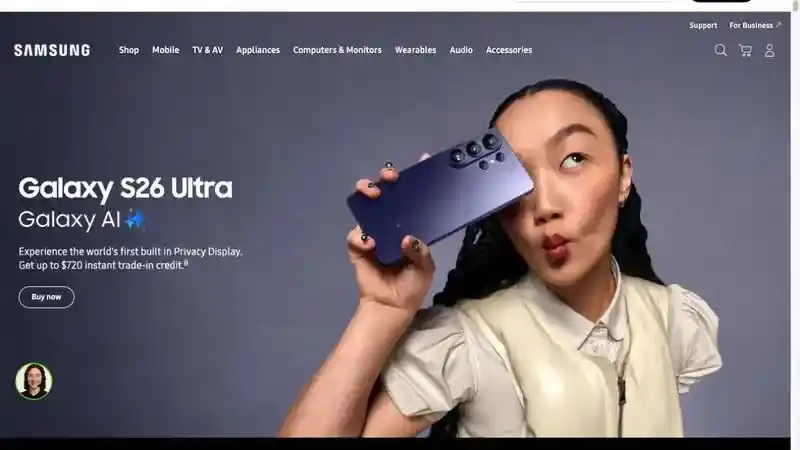
Best for: Android users seated far from the stage who want flexible zoom, manual video settings, and strong low-light assistance.
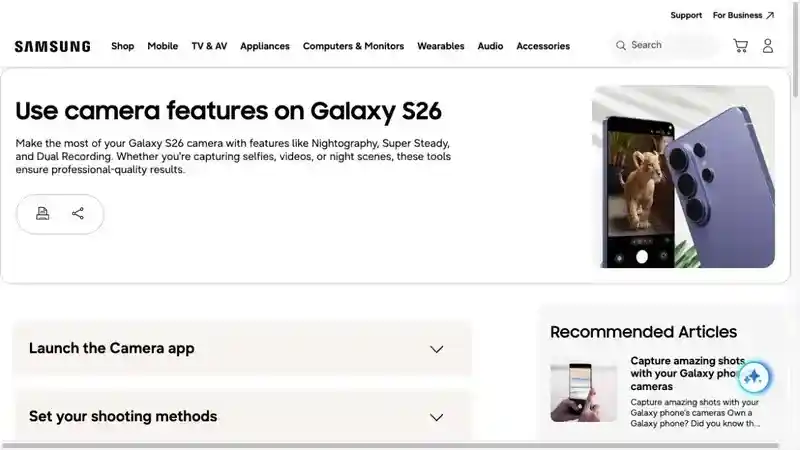
Watch for: Super Steady, Pro Video, and the best telephoto quality do not all operate identically at every resolution or lens. Set the mode and zoom before the song begins instead of switching repeatedly while recording. Before taking a new device into a crowded venue, also set up and test the official options used to find a Samsung phone.
3. vivo X300 Pro — Best Stage and Telephoto Features
vivo is the most concert-specific choice in this list. Its official page highlights Stage Mode 2.0, dual-view stage video, a 200MP ZEISS telephoto camera, 4K 120 fps Dolby Vision, 10-bit Log, stabilization, and an optional telephoto extender in supported markets. Reddit users repeatedly mentioned vivo for zoom, but those comments are personal recommendations rather than controlled comparisons.
Best for: Buyers who prioritize stage framing, telephoto reach, and advanced video modes—and can purchase a locally supported model.
Watch for: Confirm local cellular bands, warranty, camera features, and the venue’s policy before importing a phone or bringing a large telephoto extender. Some venues treat add-on lenses as restricted camera equipment.
4. Google Pixel 10 Pro XL — Best for Easy Low-Light Photos
Pixel 10 Pro XL suits users who value quick low-light photos and computational processing. Google lists 4K video up to 60 fps, 20x Super Res Zoom Video, 10-bit HDR, stereo recording, wind-noise reduction, and Audio Zoom. Its 8K mode is powered by Video Boost, so processing time, connectivity, and the desired workflow matter.
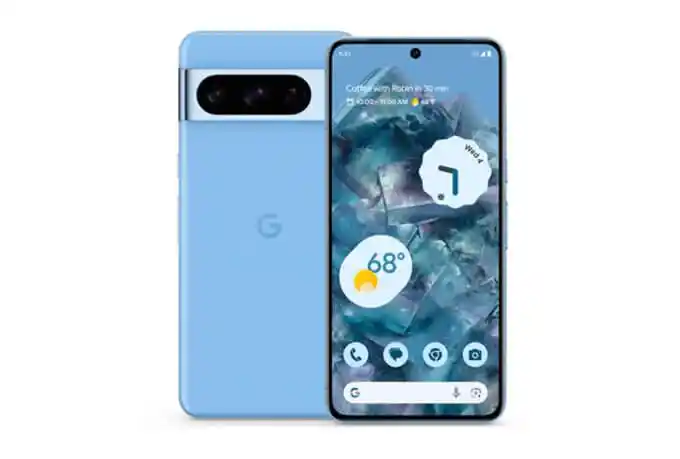
The original image above shows the earlier Pixel 8 Pro; the current buying recommendation in this guide is the Pixel 10 Pro XL.
Best for: Point-and-shoot concert photos, short clips, and users who prefer Google’s automated camera workflow.
Watch for: Reddit participants often favored Pixel for photos but iPhone for video. Treat that as a useful buying question—not proof—then compare sample clips from the same venue type if video is your priority.
5. OPPO Find X9 Pro — Best for Long Events
OPPO combines a 200MP telephoto camera with 4K recording up to 120 fps, HDR, stabilization, Pro Video, 3x optical video zoom, and a large battery. OPPO also reports extended 4K 60 fps Dolby Vision endurance under its own test conditions. That makes the Find X9 Pro attractive for festivals, travel, and long event days, although actual runtime changes with brightness, signal, temperature, and camera use.
Best for: Buyers who want manual video modes, long battery life, and a balanced camera system for an all-day festival.
Watch for: Regional availability and warranties vary, and its official 3x optical video zoom is less stage-focused than vivo’s optional extender or Samsung’s longer telephoto system.
6. LG V60 ThinQ — Best Used Audio Specialist
LG V60 remains relevant because its official specification sheet includes an HD Audio Recorder with Normal, Concert, and Custom modes. That direct control is unusual on current phones and explains why musicians still discuss the V-series. However, it is a discontinued 2020 phone, not a safe default recommendation for a new daily device in 2026.
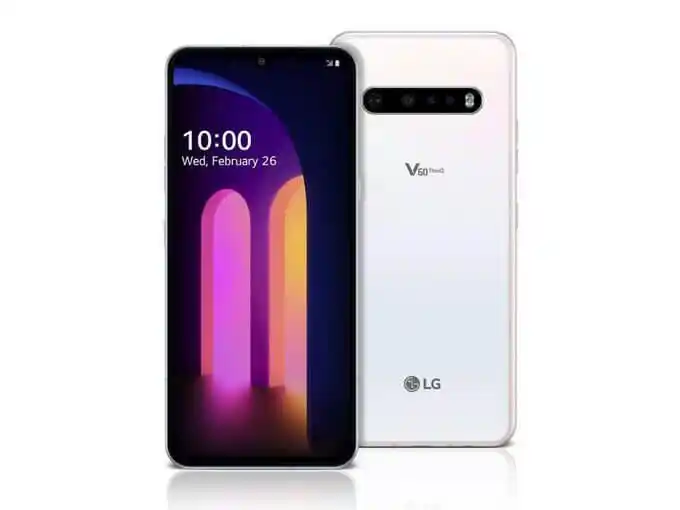
Best for: Experienced buyers who want an inexpensive secondary audio recorder and understand refurbished-phone risks.
Watch for: Check battery condition, USB port health, microphone function, storage, carrier compatibility, and the last installed security patch. Do not buy it as a primary phone solely for one recorder mode.
Part 3. Best External Microphones for Concert Recording
An external microphone can improve stereo control and reduce reliance on aggressive phone processing, but it does not automatically prevent clipping. The mic, app input gain, connector, phone compatibility, placement, and the venue’s recording rules all matter.
Shure MV88 USB-C
Released in 2026, the MV88 USB-C connects directly to compatible USB-C iPhone, Android, tablet, and computer devices. Shure lists adjustable stereo polar patterns and support for its MOTIV recording apps. It is the simplest current upgrade for buyers who want one compact microphone without wireless pairing or a separate battery.
Shure MV88+ Video Kit
The older MV88+ remains useful when a phone and connector combination is supported. Its Mid-Side capsule arrangement provides adjustable stereo width, and the MOTIV app exposes gain and processing controls. Confirm the exact connector and device support before buying; “USB-C” does not guarantee that every camera app accepts an external audio input.
USB-C Audio Interface
A compact class-compliant interface is the better route when connecting a professional microphone or receiving a feed from a mixer. This setup requires the correct cable, power arrangement, compatible recording app, and explicit permission from the venue or sound engineer. Never connect to house audio without approval.
Recording Apps with Manual Gain
Manual gain, a limiter, stereo metering, and selectable external inputs can matter more than a long effects list. Test the full phone–mic–app combination before leaving home. Android recording apps can handle microphone permissions and external inputs differently, so confirm the full workflow before the event.
Part 4. 5 Tips for Better Concert Videos and Audio
Good technique can improve results more than moving from one recent flagship to another. Use these five checks before the lights go down.
1. Check the Venue Rules and Respect Other Fans
Some performers or venues prohibit recording, flash, tripods, selfie sticks, or detachable lenses. Follow posted rules and staff directions. Record a few short moments at eye level rather than holding the phone above your head for an entire song and blocking the view behind you.
2. Start with 4K at 30 fps
4K at 30 fps is a practical default for a dark venue because it balances detail, light, storage, and heat. Use 60 fps for fast movement when lighting is strong. Reserve 120 fps, 8K, ProRes, Log, or APV for users who understand their storage and editing requirements.
3. Lock Focus and Exposure Before Recording
Bright spotlights can make the camera repeatedly hunt or darken the performer. Frame the stage, select the performer, reduce exposure if highlights are clipping, and avoid rapid lens switching. Never use flash from the audience: it distracts nearby fans and rarely helps a distant stage.
4. Use Moderate Zoom and Stable Placement
Choose an optical focal length before recording and keep both hands steady. Lean against a rail when permitted, keep elbows close to your body, and pan slowly. Moving closer to a PA speaker usually makes audio worse; a position with a balanced view of the stage often produces more balanced sound too.
5. Test Audio, Storage, Battery, and Notifications
Record a short opening-act clip, listen with headphones, and adjust gain if your app permits it. Free enough storage, charge the phone, carry a permitted power bank, clean the lenses, and use Do Not Disturb or airplane mode when appropriate. Confirm that an external microphone remains selected after reopening the camera app.
60-second pre-show checklist
- Venue permits phone recording and your accessory
- 4K 30 fps selected, lens cleaned, flash off
- Focus and exposure tested at the intended zoom
- Short audio test checked for clipping or missing external input
- Storage, battery, and notification settings ready
How VigilKids Helps Parents During Concerts
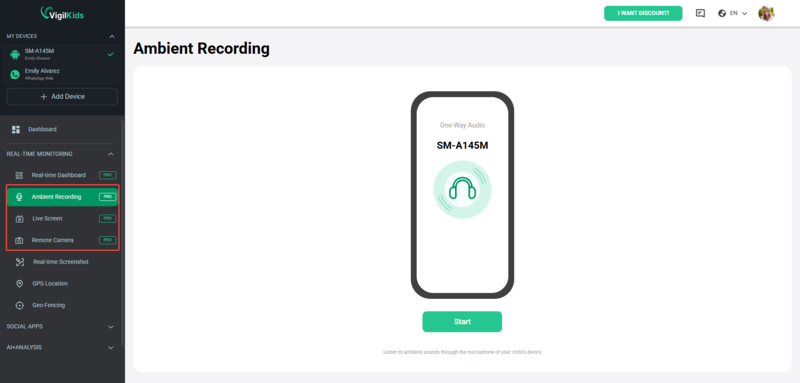
A concert-recording phone and a parental-safety tool solve different problems. VigilKids for Android parental control does not improve camera or microphone quality. For a parent-managed child device, after installation and required permissions, it can provide GPS context, screen activity, and live-monitoring tools when a child attends an event without the parent.

VigilKids for Android Parental Control
- Review available real-time GPS, route history, and visited-place context from the web dashboard
- Use live screen, screenshots, remote camera, or ambient sound only when a specific safety concern requires context
- Requires installation, physical access, supported Android version, connectivity, and the necessary device permissions
Live features depend on the child’s phone remaining powered, connected, and permitted to share the relevant data. Crowded venues can have weak cellular service, loud ambient sound may be difficult to interpret, and available information cannot prove that a child is safe. Agree on check-in times, a meeting point, emergency contacts, and a backup plan before the event.
Frequently Asked Questions
What is the best phone for recording concerts in 2026?
The iPhone 17 Pro is the best all-around choice for consistent video and audio. Choose Galaxy S26 Ultra or vivo X300 Pro instead when long-range stage zoom is the deciding factor.
Which Android phone has the best microphone for concerts?
No manufacturer provides a standardized concert microphone distortion test. Galaxy S26 Ultra offers Zoom-in Mic and Pro Video, while a used LG V60 offers unusual manual audio modes; an external mic is the more controllable option for serious audio.
Is iPhone or Samsung better for concert videos?
Choose iPhone 17 Pro for consistent video with minimal setup. Choose Galaxy S26 Ultra when the stage is distant and flexible telephoto framing matters more.
Should I record a concert in 4K 30 fps or 4K 60 fps?
Start with 4K 30 fps in a dark venue because it balances light, detail, storage, and heat. Use 4K 60 fps when the stage is bright and faster motion is important.
Why does concert audio sound distorted on my phone?
Bass, drums, speakers, or crowd noise may exceed the phone microphone’s usable range, while automatic gain can pump or clip. Move away from the speaker, test a short clip, lower manual gain when available, or use a compatible external microphone.
Can I bring a telephoto extender or external microphone into a concert?
Only if the venue and performer allow it. Some policies treat large lenses, grips, tripods, selfie sticks, or detachable recording equipment as professional gear, so verify the event rules before arrival.
Is the LG V60 still worth buying for concert recording?
Only as a low-cost secondary recorder for an experienced used-phone buyer. Its Concert and Custom audio modes are useful, but discontinued support, battery age, and device condition make it a poor default daily phone in 2026.
Conclusion: Which Concert Phone Should You Buy?
Buy the iPhone 17 Pro for the most dependable overall concert video, Galaxy S26 Ultra for mainstream Android zoom, or vivo X300 Pro for the most concert-specific stage tools. Pixel 10 Pro XL suits easy low-light photos, OPPO Find X9 Pro suits long event days, and LG V60 is now a used audio specialist. Whichever phone you choose, test 4K 30 fps, moderate zoom, exposure, storage, and audio before the headline set.
Parents coordinating a child’s independent concert visit can consider VigilKids for Android parental control for authorized location and device context after setup. It does not replace venue rules, a meeting point, direct communication, or emergency planning.
Sources
- Apple — iPhone 17 Pro and Pro Max technical specifications
- Samsung — Galaxy S26 Ultra camera and product information
- Samsung Support — Galaxy S26 camera features and Zoom-in Mic
- vivo — X300 Pro Stage Mode, telephoto, and video features
- Google — Pixel 10 Pro and Pro XL specifications
- OPPO — Find X9 Pro specifications
- LG — V60 ThinQ specification sheet
- Shure — MV88 USB-C stereo microphone
- Reddit r/phones — user-reported concert-phone priorities and experiences
Hot Topics
How to Tell If Someone's Phone Is Dead: 9 Clear Signs
Learn how to tell if someone's phone is dead, off, out of signal, or blocking calls using voicemail, message delivery, and location clues.
Find My Device With Phone Number: What Actually Works
Learn how a phone number can help recover your own lost device. Compare Google Find Hub, Apple Find My, carrier/IMEI steps, and VigilKids family tracking.
What Is the Best Phone Monitoring App in 2026 for Parents?
Find the best phone monitoring app in 2026 for parents. Compare VigilKids, mSpy, Qustodio, Bark, FlexiSPY, Norton Family, and Google Family Link by features, price, and safety fit.