
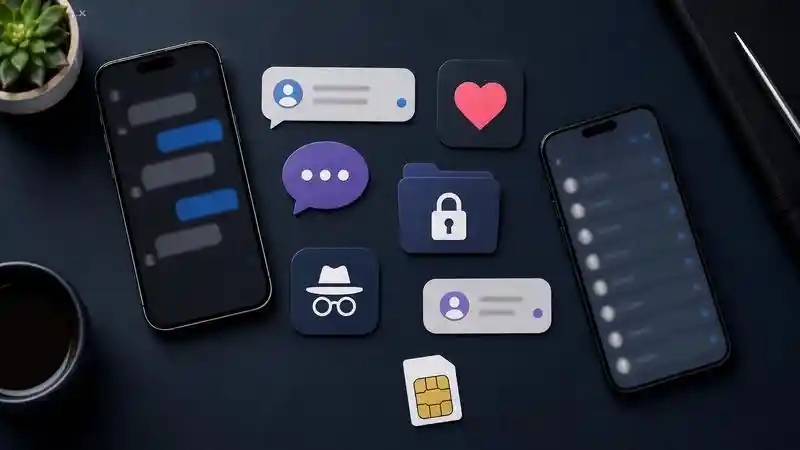
When a partner suddenly becomes protective of their phone, it is natural to wonder what may be hidden. The most common cheating apps include dating platforms, disappearing-message services, encrypted messengers, hidden vaults, secondary-number apps, private browsers, private spaces, and AI companions.
However, no single app proves infidelity. This guide explains what these tools can hide, which warning signs deserve attention, and how to respond without crossing privacy or legal boundaries.

What Counts as a Cheating App?
A cheating app is usually an ordinary communication or privacy tool used to conceal a relationship, second account, intimate conversation, or private file. The label can include dating apps, messengers, vaults, second-number services, private browsers, hidden app spaces, and AI companions.
The app itself is rarely evidence. The same platform can represent an old account, friendship, a legitimate relationship history, or current secrecy. What matters is how recently it was used, whether the account was disclosed, and whether the behavior conflicts with boundaries both partners have agreed on.
Direct answer
- Most relevant categories: dating, disappearing messages, encrypted chat, vaults, second numbers, private browsing, hidden app spaces, and AI companions.
- What one app proves: nothing by itself.
- What deserves attention: several unexplained behaviors that repeat over time.
- Safe response: conversation, mutually agreed review, counseling, or account-security checks on your own device.
8 Cheating App Types to Look For
People searching for "cheating apps to look for on his phone" or "apps for cheaters" often expect a blacklist. A more reliable approach is to understand the feature each category provides, the scale or technical fact behind it, and the innocent explanations that remain possible.
1 Dating Apps
Tinder, Bumble, Hinge, Grindr, Match, and similar platforms are the most direct category because they are built for meeting people. A recently active profile may matter in an exclusive relationship, but an installed app can be old, inactive, or retained for friendship and networking. Online dating is also common: Pew Research Center found that 30% of U.S. adults had used a dating site or app.
2 Disappearing-Message Apps
Snapchat and optional disappearing modes in other messengers can leave less conversation history on a device. That makes them relevant to hidden communication, but automatic deletion is also a normal product feature. Snapchat Support, for example, explains that chat retention can be changed from the default to several other options. The feature matters only when its use conflicts with boundaries a couple has already agreed on. Our guide to Snapchat cheating signs explains which patterns need context.
3 Encrypted Messengers
WhatsApp, Signal, and Telegram are sometimes described as secret cheating apps because they protect private conversations. Encryption, however, is a security measure—not evidence of misconduct. WhatsApp alone serves more than 3 billion people, according to Meta. Look for unexplained secondary accounts, frequent late-night contact, or sudden secrecy rather than treating secure messaging itself as suspicious. If both users have agreed to a review, compare the options in our guide to the best WhatsApp trackers.
4 Hidden Apps and Vaults
Vault apps can place photos, videos, notes, or documents behind a PIN or biometric check. Some use neutral icons. Modern phones also provide built-in hiding, so the absence of an icon from the Home Screen does not mean an app is uninstalled. The Apple Personal Safety User Guide explains where hidden apps remain visible and how they are protected. The same distinction between capability and proof applies when evaluating spy apps for Android.
5 Secondary-Number Apps
Google Voice, Hushed, TextNow, and similar services provide an additional number for calls and messages. They are widely used for work, selling online, travel, and protecting a primary number. Google Voice Help confirms that calls can be forwarded to linked phones, illustrating how an ordinary service can separate communications without implying infidelity. Concern becomes more reasonable only when a concealed number connects with other unexplained behavior.
6 Private Browsers
Incognito or private browsing reduces the history left on a shared device. It can conceal visits to dating profiles or web chat, but it is also routinely used for gift shopping, health questions, account testing, and limiting local tracking. Google Chrome Help notes that closing an Incognito session removes its local site data and visited-site record, although downloads and bookmarks remain.
7 Private Spaces and Cloned Accounts
Android work profiles, manufacturer cloning features, and Private Space can separate accounts and apps from the main profile. Android Help explains that Private Space can use a separate account and lock and can be hidden from ordinary view. This can support a normal work/personal split, but it can also make a second social or dating account less visible.
8 AI Companion Apps
AI companions can simulate friendship, intimacy, or romance. Whether an AI relationship violates a couple’s agreement depends on boundaries they have discussed. The privacy issue is separate: intimate prompts may be stored by a company even when a partner never sees them. Research from Common Sense Media shows that users may also share deeply personal information with companion services, making privacy policies worth reviewing.
Cheating App Categories Compared
Compare what each category can hide with its common legitimate use. No category proves cheating by itself.
| Category | Can conceal | Common legitimate use |
|---|---|---|
| Dating apps | Profiles and messages | Dating, friendship, networking |
| Disappearing chat | Conversation history | Casual sharing and privacy |
| Encrypted messaging | Private conversations | Secure everyday communication |
| Vaults and hidden apps | Apps, photos, and files | Protecting personal records |
| Second numbers | Separate calls and texts | Work, travel, online selling |
| Private browsers | Local browsing history | Shared-device privacy |
| Private spaces | Secondary apps and accounts | Work and personal separation |
| AI companions | Emotional or romantic chats | Entertainment and role-play |
Warning Signs That Need Context
An unfamiliar icon is weak evidence. A repeated cluster of changes is more informative: notification previews disappear, a second account emerges, subscription charges appear, the phone is consistently turned away, and explanations conflict with timestamps or shared plans.

- Sudden change: a previously open phone becomes permanently locked or face-down.
- Selective secrecy: previews are disabled for one account while other notifications remain visible.
- Parallel identity: a second number, profile, email, or payment appears without a clear explanation.
- Repeated inconsistency: locations, contact times, or spending repeatedly conflict with what was said.
- Boundary violation: behavior clearly contradicts an exclusivity or digital-intimacy agreement.
These signs can also reflect work confidentiality, financial privacy, gift planning, or a need for personal space. What matters is whether several changes appear together and contradict the expectations both partners have discussed. If the underlying problem is uncertainty rather than evidence, address the communication issues in the relationship before turning a phone into a test of trust.
How to Review a Phone With Permission
The safest review is a joint review. Ask the device owner to participate, agree on the scope, and stop if consent is withdrawn. Do not guess passwords, bypass biometrics, secretly install software, or enter accounts that are not yours.

Android review
- Open Settings > Apps to view the complete installed-app list.
- Review battery and mobile-data use for unfamiliar background activity.
- Check accessibility, device-admin, notification, VPN, and install-unknown-app permissions.
- Review Private Space, work profiles, Secure Folder, or manufacturer app-cloning controls.
- Run Google Play Protect.
App provenance matters when an unfamiliar download appears. Google reported that in 2024 it prevented 2.36 million policy-violating apps from being published and banned more than 158,000 developer accounts.
iPhone review
- Open App Library and, with the owner, review the Hidden folder.
- Open Settings > General > iPhone Storage for the installed-app list.
- Review app access to location, photos, contacts, microphone, and camera.
- Check devices connected to the owner’s Apple Account.
- Use Safety Check to review sharing and access.
The Apple Safety Check guide confirms that the feature is available on iOS 16 or later and includes two primary paths: Emergency Reset and Manage Sharing & Access.
The Best App to Catch a Cheater Safely
If both adults have explicitly agreed to phone monitoring, VigilKids is a practical option for reviewing supported digital activity in one dashboard. It can help provide clearer context around messages, calls, locations, browser activity, and on-screen behavior without switching between multiple tools.

VigilKids supports authorized monitoring of social app activity, SMS records, call logs, location history, browser activity, and on-screen context where the selected device and setup support those features. The VigilKids phone monitoring guide explains the available capabilities in more detail.

VigilKids Pro
- Review supported social app, call, and SMS activity in one dashboard
- Check supported location history, browser activity, and stored media
- Use only on a device you own or are clearly authorized to monitor
How to Protect Your Own Phone
If the concern is that someone may be monitoring you, protect your safety before changing the device. Removing stalkerware can alert the person who installed it. Use another trusted device for research, password changes, or help if there is any risk of retaliation.
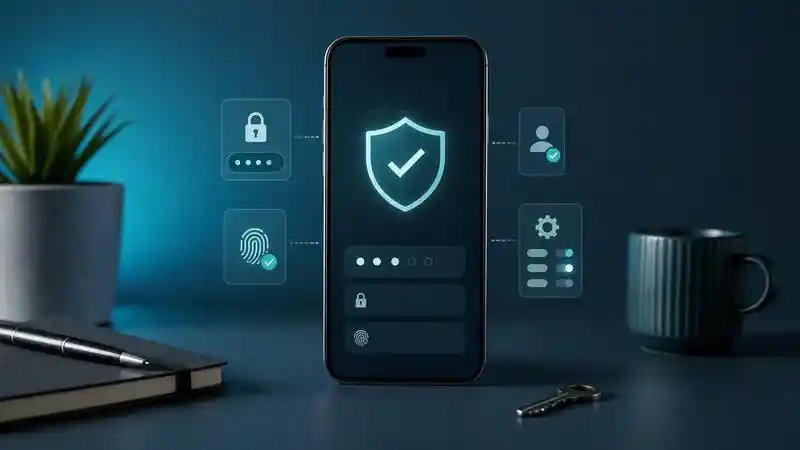
- Change your Apple Account or Google Account password from a trusted device.
- Enable two-factor authentication and review signed-in devices.
- Review unknown accessibility, device-admin, VPN, and configuration-profile access.
- Update the operating system and scan Android devices with Play Protect.
- Preserve screenshots or account alerts if you may need evidence.
- Contact a qualified support service or law enforcement from another device when safety is at risk.
Authoritative Sources
- Pew Research Center — Online Dating in the U.S.
- Snapchat Support — When Snapchat Deletes Snaps and Chats
- Meta Newsroom — WhatsApp Usage Across 180+ Countries
- Apple Personal Safety — Lock or Hide Apps on iPhone
- Google Voice Help — Linked Numbers and Call Forwarding
- Google Chrome Help — Incognito Mode
- Android Help — Private Space
- Common Sense Media — AI Companion Research
- Google — Google Play Safety Results
- Apple — Safety Check for iPhone
Frequently Asked Questions
What are the most common cheating apps?
The most common categories are dating apps, disappearing-message services, encrypted messengers, hidden vaults, second-number apps, private browsers, private app spaces, and AI companions. None proves cheating without supporting context.
What cheating apps should I look for on his phone?
With his permission, review dating apps, secondary messaging accounts, vaults, second-number services, private browsers, and hidden app spaces. Focus on recent activity and repeated inconsistencies, not the presence of one ordinary app.
What do hidden cheating apps look like?
They may look like normal chat, calculator, folder, cloud-storage, or browser apps. On iOS 18 and Android 15, built-in hiding features can also remove downloaded apps from ordinary view, so icons alone are unreliable.
Is WhatsApp a cheating app?
No. WhatsApp is a mainstream encrypted messenger used by more than 3 billion people. Multiple secret accounts or hidden conversations may be relevant to a relationship, but the app itself is not evidence of cheating.
What is the best app to catch a cheater?
For an adult relationship, no covert monitoring app is a safe universal answer. Use direct conversation, a mutually agreed device review, jointly owned records, counseling, or legal advice instead of secret surveillance.
Can I catch a cheater online for free?
No legitimate website can reveal another adult’s private chats, dating profiles, and location by entering only a phone number. Such claims commonly lead to misleading scans, payment funnels, or data collection.
Is it legal to install a tracking app on a partner’s phone?
Secret installation may violate privacy, computer-access, interception, or stalking laws. Requirements vary by location. Use monitoring software only with clear authority and informed permission, and obtain local legal advice when needed.
Can VigilKids monitor an adult partner?
Only in an authorized situation where the adult device user gives informed permission and local law allows it. VigilKids should not be installed secretly, used to bypass security, or kept active after consent is withdrawn.
Final Takeaway
The best cheating apps guide is one that separates technical capability from proof. Dating apps, disappearing chats, encrypted messaging, vaults, second numbers, private browsing, hidden spaces, and AI companions can conceal communication, but all have legitimate uses. Look for repeated context, ask direct questions, and review devices only with permission.
When both adults have clearly agreed to device monitoring, VigilKids can bring supported messages, calls, locations, browser activity, and screen data into one dashboard. It should never be installed secretly or used after consent is withdrawn.