
You generally cannot use a Google Voice number for WhatsApp registration reliably in 2026 because WhatsApp treats it as an unsupported VoIP number. However, some older accounts remain active, and occasional successful codes create conflicting advice online.
This guide explains current eligibility, how to test an existing number, why re-verification can fail, and which alternatives provide more dependable verification, privacy, and account recovery—so you can choose a setup that will not leave personal or business chats inaccessible.
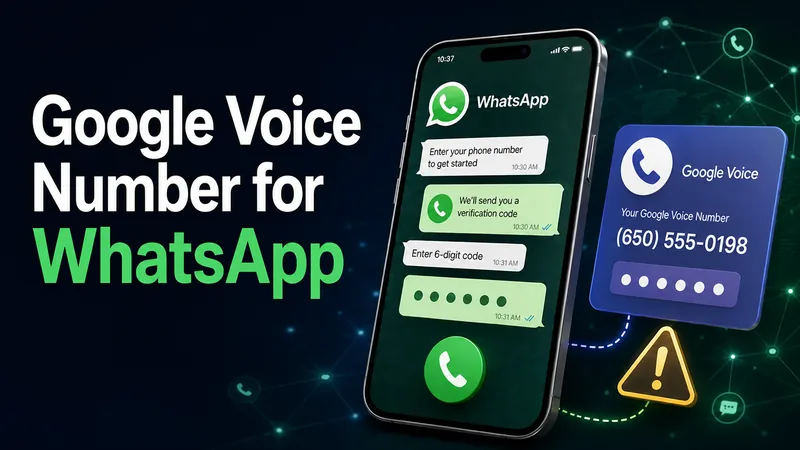
Part 1. Can You Use a Google Voice Number for WhatsApp?
A Google Voice number can receive calls and many texts, but it is VoIP-based—and WhatsApp lists VoIP numbers as unsupported. Therefore, it is not a reliable choice for a new standard WhatsApp account. An older account may remain signed in until WhatsApp requires verification again.
People usually consider Google Voice to avoid exposing a personal number. Before trying a workaround, review what happens when using WhatsApp without a personal phone number and remember that WhatsApp accounts remain tied to a number. The site’s guide to whether WhatsApp shows your phone number explains what contacts and group members may see.
| Situation | Likely result | Recommended action |
|---|---|---|
| New standard WhatsApp registration | Google Voice is a VoIP number, which WhatsApp lists as unsupported. | Use a carrier mobile number you own. |
| Older account still signed in | It may continue working, but future re-verification is uncertain. | Back up chats and plan a number change before access becomes critical. |
| WhatsApp Business with a landline | WhatsApp distinguishes eligible landlines from unsupported VoIP numbers. | Use an eligible business number that can receive the verification call. |
Receiving a code is only the second check: WhatsApp must first accept the number type. Code delivery alone cannot make an unsupported VoIP number eligible.
Part 2. How to Use a Google Voice Number for WhatsApp
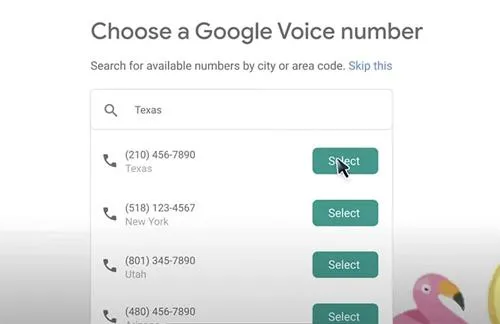
The six steps below preserve the original process for readers who already own a Google Voice number, but they are a compatibility check — not a guaranteed workaround. Stop if WhatsApp reports that the number is invalid or unsupported; repeatedly requesting codes can create additional waiting periods without changing the number classification.
- Step 1. Create a Google Voice number and complete Google’s required account or identity verification.
- Step 2. Confirm that the Google Voice number can currently receive both an ordinary call and text message.
- Step 3. Install or update WhatsApp from the official Apple App Store or Google Play listing.
- Step 4. Select the correct country and enter the Google Voice number in full international format.
- Step 5. Request the SMS code once and wait for WhatsApp’s on-screen timer instead of making repeated requests.
- Step 6. If WhatsApp offers “Call Me,” try the automated call; if the number is rejected as unsupported, use an eligible carrier number instead.
Do not share a verification code. A WhatsApp or Google Voice code proves control of the number and can be used in an account-takeover attempt. WhatsApp and Google do not need you to send that code to another person.
If WhatsApp accepts the number and sends a code, finish registration and immediately add an email address and two-step verification PIN in WhatsApp settings. The site’s checklist for checking whether WhatsApp is hacked can help users recognize unexpected linked devices, login codes, and account changes.
Part 3. Why Some Older Accounts Still Work
Reports about Google Voice and WhatsApp appear inconsistent because “still signed in” is different from “eligible for a new registration.” Competitor articles describe successful setups, while recent user reports also describe invalid-number errors. Those reports are useful for understanding edge cases, but they do not override WhatsApp’s current published registration requirements.
1. Accounts That Remain Signed In
- An account registered years ago may continue operating while WhatsApp does not ask for the number again.
- A number originally classified as mobile and later ported may be handled differently by carrier databases, but the result cannot be assumed.
- Receiving a verification call may explain some historical successes, but current number eligibility is still decisive.
2. Accounts That Fail During Re-Verification
- Fresh registrations may stop at an invalid or unsupported-number message before an SMS or call is offered.
- Reinstalling WhatsApp, moving to a new phone, or logging out can trigger a new verification request.
- A user who no longer controls the Google Voice number may be unable to prove ownership of the WhatsApp account.
3. Results That Cannot Be Predicted
- Two Google Voice numbers can produce different outcomes because number history and carrier classification may differ.
- Android-versus-iPhone anecdotes do not establish an operating-system rule; registration eligibility is tied primarily to the number and verification process.
- A one-time success is not proof that the number will remain eligible for future verification.
If an older account still works, back up important chats and use WhatsApp’s Change Number feature while the account is accessible. If content is already missing, this guide to recovering deleted WhatsApp messages explains the limits of local and cloud backups.
Part 4. Common Problems and Account Risks
The biggest risk is not merely a delayed code. It is building personal or business communication around a number that WhatsApp may not accept again and that Google may reclaim after prolonged inactivity. The following risks have different causes and should not be treated as one generic “verification bug.”
1. Unsupported Number or Missing Code
- Unsupported number: WhatsApp rejects the number type before verification; waiting for SMS will not solve it.
- SMS delivery failure: The number is accepted, but the code does not arrive through Google Voice.
- Call delivery failure: Call forwarding, voicemail, or blocking settings prevent the automated call from being received.
- Request timer: Too many attempts can require the user to wait before requesting another code.
2. Google Voice Number Reclamation
Google says it may reclaim a consumer Google Voice number after a long period without qualifying activity and warns the user before removal. Google’s current help page says a reclaimed number can be added back within 45 days. If the number is permanently lost and later reassigned, the WhatsApp account tied to it becomes a security and recovery concern.
3. Device Changes and Sudden Verification
An account can keep working for years and still become inaccessible when WhatsApp requests a new code. Keep two-step verification enabled, review linked devices, and never approve a login you did not initiate. Unexpected codes or unfamiliar devices should be investigated with a structured WhatsApp security check.
4. Business Continuity
A business should not use an unsupported VoIP number as its only customer channel. Losing verification can interrupt support, sales, and access to chat history. Use a company-controlled carrier number, document who owns it, protect it with account recovery controls, and maintain an approved backup contact channel.
Risk takeaway
- A working session is not the same as guaranteed future access. The safest time to move an important WhatsApp account to an eligible number is before WhatsApp forces re-verification.
Part 5. Better Alternatives to Google Voice
The best alternative depends on why the reader considered Google Voice. A virtual-number workaround is not necessary when the real goal is account reliability, separation between personal and business communication, multi-device access, or family safety.
| Goal | Better option | Important condition |
|---|---|---|
| Reliable personal WhatsApp | A carrier mobile number or eSIM | You must keep control of the line and receive SMS or calls. |
| Separate business identity | A dedicated carrier business line | Store ownership and recovery details with the business. |
| Use WhatsApp on more devices | WhatsApp Linked Devices | It extends an existing account; it does not create a second number. |
| Use an eligible landline for a business | WhatsApp Business call verification | The line must be eligible and able to receive the automated call; VoIP remains unsupported. |
| Help manage a child’s WhatsApp risks | Transparent family rules and parental controls | Use only on a parent-managed device with lawful authorization. |
For families, a registration workaround and a parental-safety tool solve different problems. A Google Voice number only changes the number presented during signup; it does not help a parent understand contacts, risky messages, shared media, or screen activity. The site’s overview of WhatsApp parental monitoring explains the available approaches and their boundaries.
How VigilKids Helps Parents Review WhatsApp Risks
VigilKids WhatsApp monitoring is not a replacement phone number and cannot make Google Voice eligible for WhatsApp. It is designed for authorized supervision of a parent-managed child device. Depending on the selected setup, parents can review available WhatsApp chats, contacts, shared media, call history, or screen context from a web dashboard after the required connection, installation, permissions, or WhatsApp authorization steps are completed.

VigilKids for WhatsApp Monitoring
- Review available chat history, contacts, shared photos, videos, documents, and call records in one dashboard
- Choose the supported setup that matches the parent-managed device and complete the required authorization or Android permissions
- Use message history, keyword alerts, or screen context to guide a family conversation rather than treating one data point as proof
- Requires lawful authority and brief physical access or WhatsApp authorization during connection; feature coverage varies by setup and subscription
VigilKids cannot prove why a registration code failed, restore ownership of a reclaimed phone number, or guarantee that every deleted item will be available. Parents should use the least intrusive setup that addresses a concrete safety concern, explain family expectations, and comply with applicable law and platform rules.
Sources
- WhatsApp Help Center — phone-number registration requirements and unsupported number types
- WhatsApp — How to Verify Your Phone Number
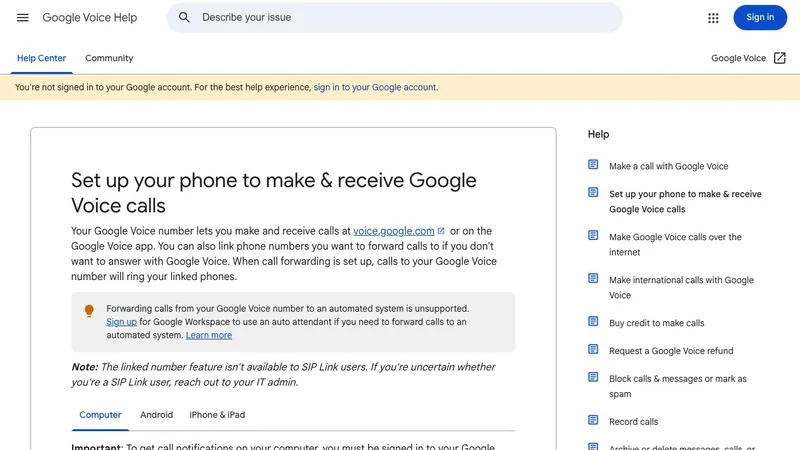
- Google Voice Help — set up calls and linked numbers
- Google Voice Help — reclaim a Voice number
- Google Voice Help — identity verification for new Voice users
Frequently Asked Questions
Can I use Google Voice for WhatsApp?
Generally, no. WhatsApp lists VoIP numbers as unsupported, and Google Voice numbers are VoIP-based. Use a carrier mobile number you own for a dependable new registration.
Why does my old Google Voice WhatsApp account still work?
An older account may remain signed in because WhatsApp has not requested the number again. It can still fail later if a reinstall, phone change, logout, or security event triggers re-verification.
Will the “Call Me” option make Google Voice work?
Not necessarily. A call may solve code delivery only after WhatsApp accepts the number. It cannot override WhatsApp’s rule that VoIP numbers are unsupported.
Can I use Google Voice for WhatsApp Business?
Do not rely on it. WhatsApp Business may support eligible landlines through call verification, but that exception does not make an unsupported Google Voice VoIP number eligible.
What should I do if my existing account uses Google Voice?
Keep control of the Google Voice number, maintain qualifying activity, back up important chats, enable WhatsApp two-step verification, and consider changing to an eligible carrier number while the account is still accessible.
Does VigilKids provide a number for WhatsApp registration?
No. VigilKids does not provide a phone number or bypass WhatsApp verification. It helps authorized parents review available WhatsApp activity on a parent-managed child device after the required setup and permissions.
Is a Google number for WhatsApp the same as a Google Voice number?
Usually, people searching for a Google number for WhatsApp mean a Google Voice number. Google Voice is a VoIP service, so its numbers remain subject to WhatsApp’s restriction on unsupported VoIP number types.
Conclusion: Should You Use Google Voice for WhatsApp?
Do not use Google Voice for a new or business-critical WhatsApp account. WhatsApp’s current registration guidance lists VoIP numbers as unsupported. An old account may keep working while it remains signed in, but a future verification request can expose the compatibility problem. The reliable choice is a carrier number you control, with chat backups, two-step verification, and documented recovery information.
Parents who need context around a child’s WhatsApp use can consider VigilKids for WhatsApp monitoring after lawful authorization and the required setup. It supports family oversight; it does not replace an eligible phone number or fix Google Voice registration.
Hot Topics for WhatsApp Monitoring
Best WhatsApp Tracker 2026: 5 Apps Compared by Real Tests
We tested 5 best WhatsApp tracker apps in 2026 — VigilKids, mSpy, Eyezy, uMobix, Bark. Compare features, pricing, and find the right tracker for your family.
5 Ways to See WhatsApp Status Without Being Seen
Learn how to see WhatsApp Status without being seen using 5 methods, plus what works, what can fail, and whether hidden statuses can be viewed.
How to See Others’ WhatsApp Chats on Your Android Phone: 5 Ways
Learn how to see others WhatsApp chats in your phone safely and legally. Quick signs of someone reading your WhatsApp, step-by-step checks.