
The best Life360 alternative for couples depends on how often you want to share. Choose Google Maps for free cross-platform sharing, Apple Find My for an all-Apple relationship, Glympse for temporary trip links, HeyPolo for precise or approximate sharing controls, and iSharing for a familiar circle-style locator. The safest relationship setup is mutual, visible, and easy for either partner to stop.
This guide compares five location-sharing apps by platform support, time-limited sharing, place alerts, cost model, and relationship fit. “Safer” here means better aligned with consent and data minimization for a couple’s chosen use case; it does not guarantee that one provider is technically more secure than another.
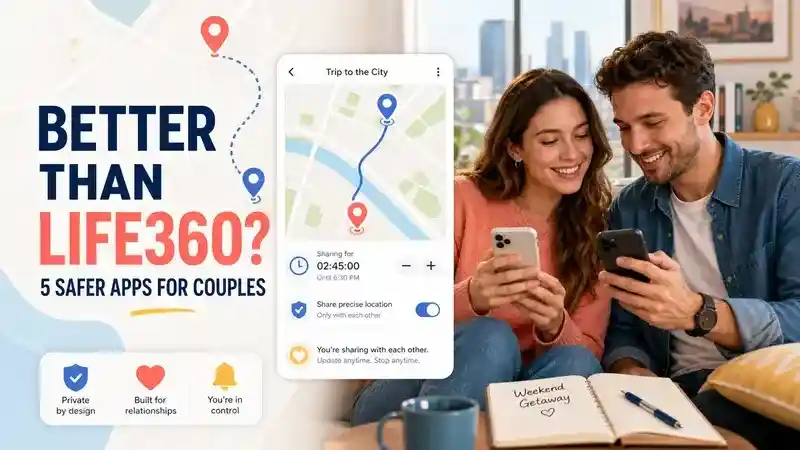
Best Life360 Alternatives for Couples at a Glance
Google Maps is the easiest default when you need to share location from iPhone to Android. Apple Find My is more seamless when both partners use Apple devices. Glympse minimizes ongoing exposure by ending a share automatically, while HeyPolo offers more control over duration and precision. iSharing is closer to a traditional family-circle app, but several advanced features sit in paid tiers.
| App | Best for | Android + iPhone | Timed sharing | Place alerts | Cost entry |
|---|---|---|---|---|---|
| Google Maps | Mixed-device couples | ✅ | ✅ | ✅ | Free |
| Apple Find My | Apple-only couples | ❌ | ✅ | ✅ | Included |
| Glympse | Trips and meetups | ✅ | ✅ | ❌ | Free personal app |
| HeyPolo | Flexible privacy controls | ✅ | ✅ | ✅ | Trial, then paid |
| iSharing | Circle-style sharing | ✅ | ❌ | Paid tier | Free basic tier |
✅ means the official provider documents the capability; ❌ means it is not offered or was not documented for that consumer workflow. “Place alerts” can have account, permission, notification, or subscription requirements, so confirm the exact plan before switching.
When Is an App Better Than Life360 for a Couple?
An alternative is better when it matches the smallest amount of location sharing your relationship actually needs. Life360 officially offers live location, Place Alerts, driving features, and Circles that can contain two people. That breadth can be useful, but simpler couple apps may be enough for commuting, meeting up, or confirming a safe arrival.
- Choose temporary sharing when the goal is a trip, late-night walk, airport pickup, or ETA—not an always-visible map.
- Choose platform-native sharing when both partners already use the same ecosystem and want fewer accounts or subscriptions.
- Choose place alerts when automatic arrival messages would replace repeated “Are you home?” texts.
- Choose precision controls when sharing a general area is sufficient and an exact pin would reveal more than the situation requires.
5 Best Apps Like Life360 for Couples
1. Google Maps — Best Free Choice for Android and iPhone
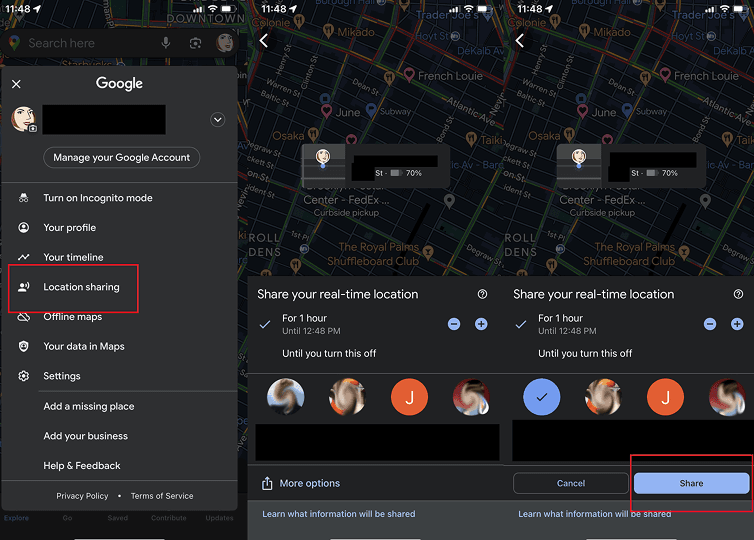
Google Maps location sharing is the most practical starting point for a couple using different phone brands. Each person chooses who can see their location and for how long. Google also documents battery status and arrival/departure notifications for account-based location sharing; notification availability is more limited when a location is shared only through a link.
- Choose it if: you need a free, familiar option across Android and iPhone.
- Relationship advantage: either partner can stop sharing from their own Google Location Sharing settings.
- Trade-off: it lacks the broader driving and emergency-service bundle found in Life360.
2. Apple Find My — Best for Couples Fully in the Apple Ecosystem
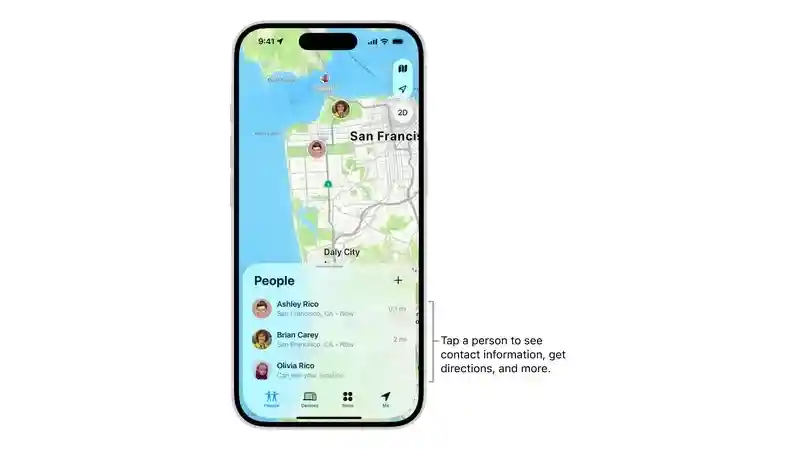
Apple Find My works well when both partners use iPhone. Apple allows sharing for one hour, until the end of the day, or indefinitely, and either person can stop sharing at any time. Find My can also notify a friend when a shared location changes, making it suitable for routine arrivals without installing another app. Couples who want to understand stored records can also review how iPhone location history works.
- Choose it if: both partners use Apple devices and want a built-in solution.
- Relationship advantage: clear duration choices make the sharing agreement explicit.
- Trade-off: it is not the right choice for a mixed iPhone and Android couple.
3. Glympse — Best for Temporary Trips and Meetups
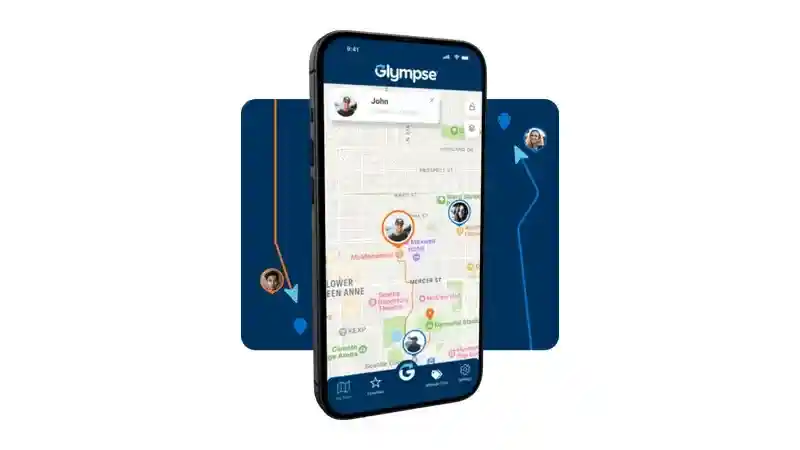
Glympse is a strong alternative when permanent access is the problem you are trying to avoid. A user sends a time-limited link by text, email, or another app; the recipient can view the live map in a browser without installing Glympse. The share expires automatically, and the sender controls its duration, making it a useful option when comparing a broader range of location tracker alternatives.
- Choose it if: you mainly share during journeys, runs, events, or the trip home.
- Relationship advantage: automatic expiry prevents a one-time safety share from silently becoming permanent.
- Trade-off: it is not a full replacement for Life360’s ongoing place, driving, and emergency features.
4. HeyPolo — Best for Flexible Precision and Duration
HeyPolo is designed around user-controlled sharing. Its official feature page documents exact or general-area location, time windows that stop automatically, arrival and departure alerts, SOS, and support for both iPhone and Android. This makes it a closer Life360 substitute for couples who still want alerts but want more granular sharing choices—and a reason to discuss whether telling a partner where you are is voluntary reassurance or an expectation.
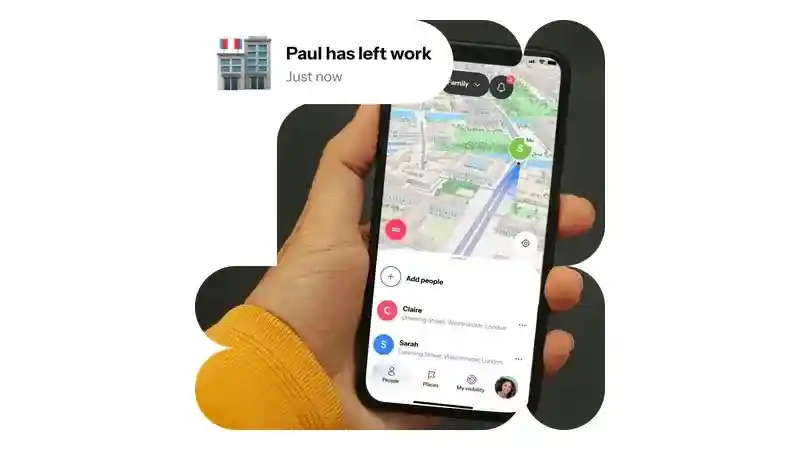
- Choose it if: exact-versus-general location and automatic stop times are decisive.
- Relationship advantage: each person controls whether, how precisely, and how long they share.
- Trade-off: it uses a paid subscription model after the trial period.
5. iSharing — Best for Familiar Circle-Style Sharing
iSharing offers real-time location, private circles, messaging, and a panic alert in its basic tier. Its paid tiers add Place Alerts, longer location history, battery or inactivity alerts, and driving reports. It suits couples who want a conventional shared map and may later compare its capabilities with other GPS tracking software for Android.
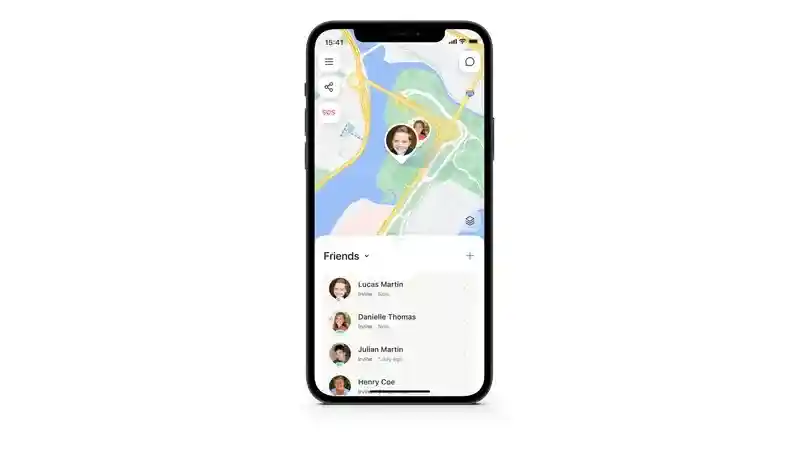
- Choose it if: you prefer a circle-style app with optional alerts and history upgrades.
- Relationship advantage: a user must approve the friend request before location becomes visible.
- Trade-off: location visibility can continue until privacy settings are changed, so discuss the default sharing level together.
How Couples Can Choose a Location App Without Harming Trust
- Name the specific situation. Decide whether you need commute reassurance, a safe-walk share, trip coordination, arrival alerts, or emergency support.
- Start with the least persistent option. A timed Glympse, Google Maps, or Apple Find My share is often enough before considering an always-on circle.
- Agree on precision. Exact location is useful for pickups; approximate location may be sufficient for general reassurance.
- Review permissions together. Check background location, notification access, battery optimization, saved history, and who can see each account.
- Set a review date. Revisit the agreement after a trip or several weeks. Either partner should be able to reduce or stop sharing without retaliation.
For more relationship-focused guidance, consider whether Life360 is good for relationships before choosing an always-on setup.
When VigilKids Is the Appropriate Option
This is not a couples location-sharing app and should not be installed to monitor an adult partner. It is an Android-first parental-control platform for a parent-managed child device after transparent setup with physical access and the required permissions. Parents can review the child’s supported activity from a web-based dashboard on a phone, tablet, or computer; couples seeking mutual adult sharing should choose one of the five options above.
- Location safety: review real-time GPS location and route history, create familiar safe zones, and receive entry or exit alerts.
- Communication context: review call logs, SMS, contacts, and supported social-app activity such as WhatsApp, Instagram, Snapchat, TikTok, Telegram, Discord, and Messenger.
- Daily device activity: understand app usage, browsing history, photos, videos, screen activity, and other supported child-device records from one dashboard.
- Safety controls and alerts: use keyword alerts, app management, and website blocking to respond to age-inappropriate content or risky patterns.
The app requires installation on the child’s compatible Android device, physical access during setup, and the necessary permissions. No root is required. Feature availability can depend on the device, Android version, permissions, and subscription.

VigilKids for Phone Monitoring
- GPS, route history, geofencing, and child-device activity in one dashboard
- Supported social apps, calls, SMS, browsing, media, and app-usage context
- Parent-managed Android setup with physical access and required permissions
FAQs About Life360 Alternatives for Couples
What is the best free Life360 alternative for couples?
Google Maps is the best free cross-platform starting point, while Apple Find My is the simplest free choice when both partners use Apple devices. Choose based on phone compatibility and whether you need place alerts or only temporary sharing.
What app shares location only temporarily?
Glympse is purpose-built for temporary location links that expire. Google Maps, Apple Find My, and HeyPolo also provide duration controls, but their account and notification workflows differ.
Can couples use Life360 without sharing all the time?
Yes. Life360 documents temporary location sharing and allows users to turn sharing off. Couples should agree on when sharing starts, when it ends, and whether Place Alerts are appropriate before enabling them.
Does location sharing work when a phone is off?
No app can provide a new live GPS position from a phone that is powered off. The other person may see a last-updated location; this guide to knowing whether someone’s phone died explains the common clues, but the display still depends on the app, connectivity, permissions, and whether the device reported a recent position.
Is it healthy for couples to share location?
Location sharing can be healthy when both adults freely agree, understand what is visible, and can stop without pressure. It becomes harmful when used to demand constant proof, punish normal privacy, or track someone without informed consent.
Conclusion
The best Life360 alternative is the one that fits a clearly agreed purpose. Google Maps and Apple Find My cover most everyday needs, Glympse is best for temporary visibility, HeyPolo offers flexible privacy controls, and iSharing provides a more traditional circle-and-alert experience.
For adult couples, use mutual location sharing—not monitoring software. If your actual need is transparent supervision of a child’s device, VigilKids provides a separate parent-managed workflow that you can review through the demo before deciding.
Sources
- Life360 Location Sharing for Couples — Circles, live location, Place Alerts, driving and plan features.
- Google Maps Location Sharing — duration controls, visible information, battery status, and stopping a share.
- Google Maps Location Notifications — arrival/departure notifications and limitations.
- Apple Find My Location Sharing — sharing duration, friend sharing, and stopping access.
- Glympse App — expiring location links, browser viewing, private groups, and platform support.
- HeyPolo Real-Time Location Sharing — precision, duration, alerts, SOS, and platform support.
- iSharing Features and Plans — basic and paid-tier location, alert, history, and circle capabilities.
- iSharing Location Consent — friend approval and default privacy settings.
- AirDroid Life360 Alternatives Comparison — editorial reference for candidate discovery and comparison dimensions.
- HeyPolo Life360 Alternatives Comparison — editorial reference for candidate discovery and privacy-control dimensions.
You Might Also Like
6 Must-Have Long-Distance Relationship Apps (One Sparks Love Crazy Fast)
Discover the 6 best long-distance couple apps for 2025 that help you stay emotionally close, no matter the distance.

Couple Apps: 11 Brilliant Tools to Turn Up the Heat in Your Relationship
Discover 11 top-rated couple apps that boost intimacy, communication, and fun—perfect for long-distance or everyday love in 2025.
Where Is My Husband? Safe Ways to Track His Location
Wondering where is my husband or how can I track my husband with his cell phone? Discover simple tracking my husband methods using safe GPS tools.