
If you've ever wondered "does WhatsApp notify screenshots of chat?", you're not alone. Privacy is a major concern in messaging apps, and many users want to know whether their conversations are being captured without their knowledge.
In this guide, we'll answer all the key questions like does WhatsApp notify screenshots, explain how screenshots work on the platform, and share practical methods to protect your privacy. We'll also introduce a helpful parental control solution for families.
Does WhatsApp Notify Screenshots of Chat?
The short answer is: No, WhatsApp does NOT notify screenshots of chat.
Unlike some apps (like Snapchat), WhatsApp does not send alerts when:
- Someone screenshots a private chat
- A group chat is captured
- Profile pictures or status updates are screenshotted
There is currently no built-in feature that alerts users when a screenshot is taken.
Does WhatsApp Show Screenshots Anywhere?
Another common question is:
Does WhatsApp show screenshots inside the app?
Again, the answer is No.
WhatsApp does not:
- Log screenshot activity
- Display screenshot history
- Provide any notification or warning
Once a screenshot is taken, it stays on the user's device and is completely private.
What About "View Once" Messages?
WhatsApp introduced "View Once" media (photos/videos that disappear after being opened). This leads many users to ask:
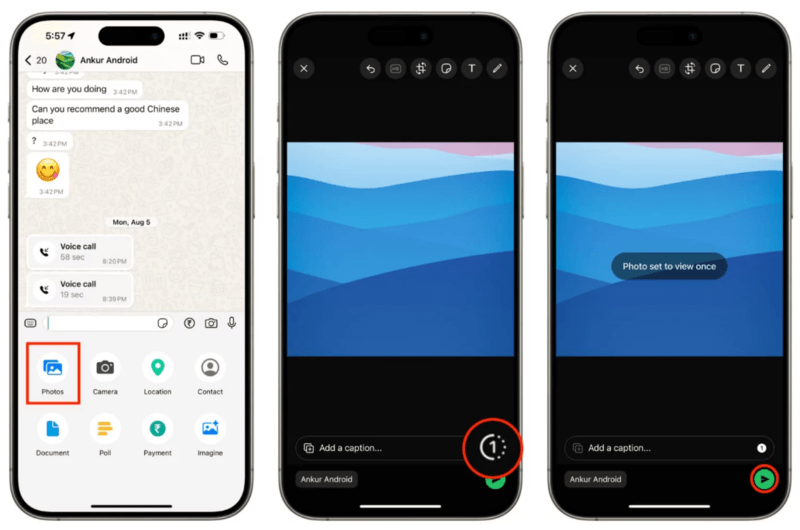
Does WhatsApp Screenshot Notification Work for View Once Content?
Here's how it works:
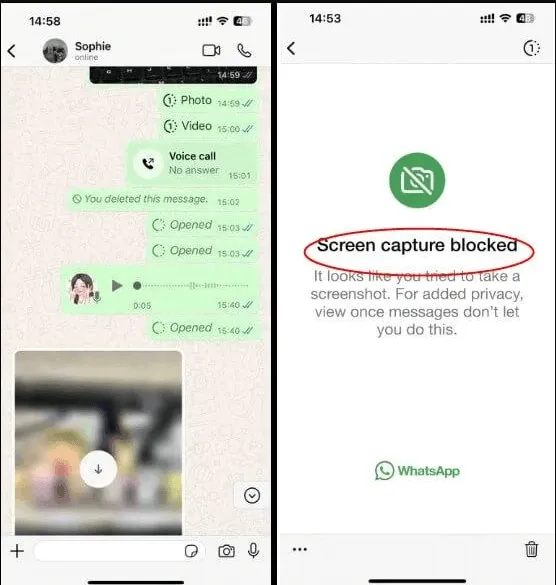
- WhatsApp tries to block screenshots for "View Once" media on some devices
- However, no notification is sent if someone bypasses it
Users can still capture content using:
- Another phone (camera)
- Screen recording(in some cases)
- Modified apps or older versions
So even here, WhatsApp screenshot notification does NOT exist.
Methods People Use to Capture WhatsApp Content
Since the app doesn't provide a WhatsApp screenshot notification, users often look for ways to keep records of conversations. Here are the common methods:
- Native Screen Capture: Using the standard Volume Down + Power button (Android) or Side Button + Volume Up (iPhone).
- Screen Recording: Recording the screen while scrolling through a chat. Note: Just like screenshots, screen recording a "View Once" message will result in a black video.
- Using a Second Device: The most "old-school" method—taking a physical photo of one phone screen using another phone's camera. This is impossible for any software to detect or notify.
- Desktop/Web Screenshots: Capturing the screen while using WhatsApp Web or the Desktop app.
Methods to Protect Your WhatsApp Privacy
Even though does WhatsApp notify screenshots is a "No," you can still take steps to stay safe.
1. Use Disappearing Messages
Enable disappearing messages so chats auto-delete after:
- 24 hours
- 7 days
- 90 days
This reduces long-term exposure.
2. Avoid Sharing Sensitive Information
Never send:
- Passwords
- Financial details
- Private photos
Because screenshots can always be taken silently.
3. Use "View Once" Wisely
Although not foolproof, it:
- Limits repeated viewing
- Adds a layer of control
4. Lock Your Chats
Use WhatsApp's built-in:
- App lock (Face ID / fingerprint)
- Chat lock feature
Protecting Your Loved Ones: Introducing Vigilkids
While the lack of notifications offers privacy for some, it creates a significant risk for parents. If does WhatsApp show screenshots is a concern for you because you are worried about your child being cyberbullied or their private chats being shared without their knowledge, you need a more robust solution than what WhatsApp provides natively.
This is where Vigilkids comes in.
What is Vigilkids?
Vigilkids is a premier parental control application designed to give parents peace of mind in the digital age. It goes beyond simple filters, providing a comprehensive safety net for children navigating social media and messaging apps like WhatsApp.
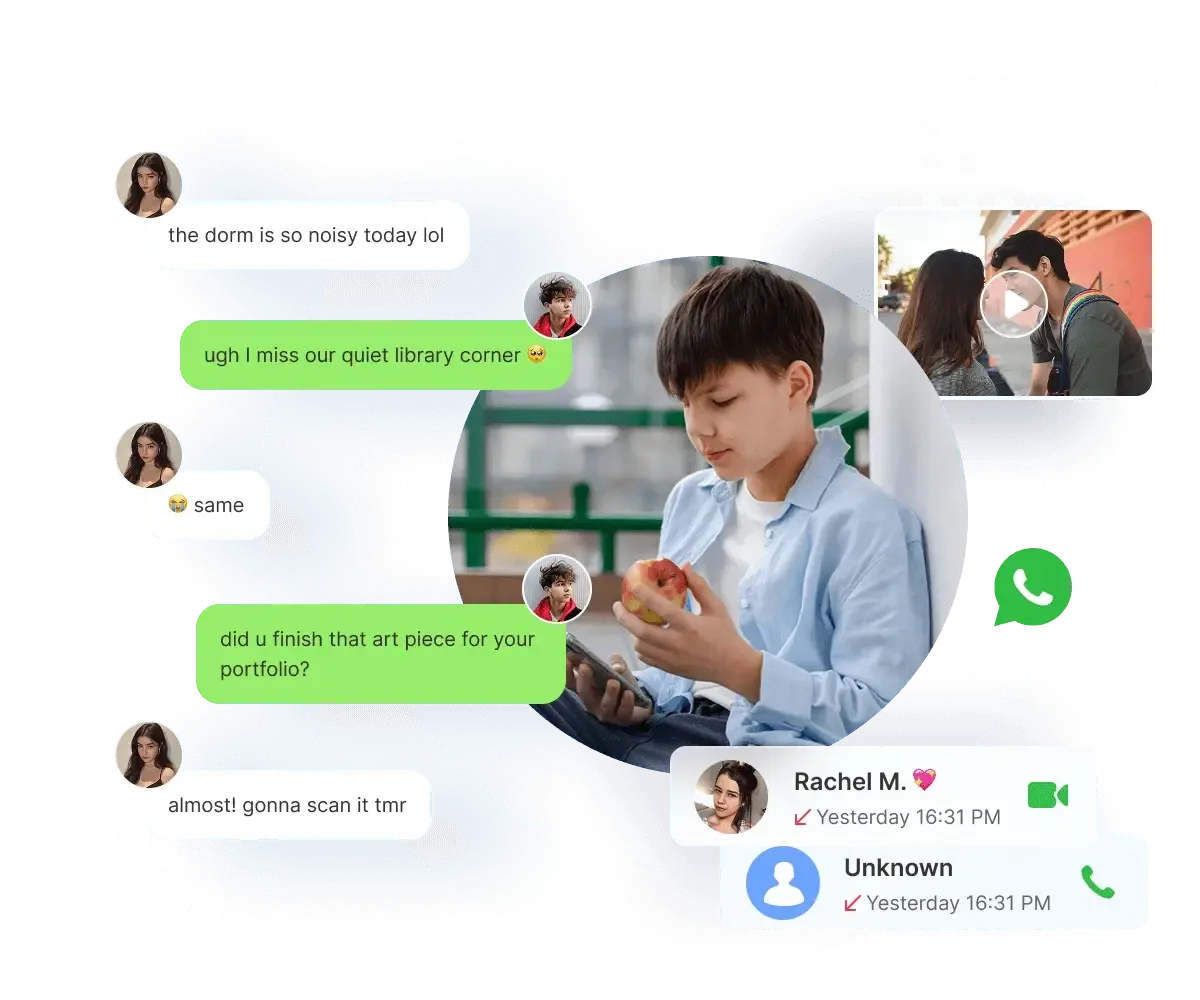
Key Features of Vigilkids for WhatsApp Safety:
Real-Time Monitoring: Vigilkids allows parents to see who their children are chatting with and the nature of those conversations, helping to spot potential "predatory" behavior or bullying early.
Harmful Content Detection: The app uses advanced AI to scan for inappropriate images or videos. If a child receives or sends something they shouldn't, parents are alerted immediately.
Remote Screen View: Wondering what is happening right now? Vigilkids can provide a live look at the device screen, ensuring that even if WhatsApp doesn't notify you of a screenshot, you are still aware of the digital environment.
GPS & Location History: Beyond WhatsApp, it acts as a full safety suite, tracking your child's real-time location and where they've been throughout the day.
No Rooting Required: Unlike many older monitoring tools, Vigilkids is designed to be user-friendly and doesn't require "rooting" or "jailbreaking" the device, maintaining the phone's security while keeping the child safe.
Why Use VigilKids?
Since WhatsApp does not notify screenshots, parents have limited visibility into what happens inside chats.
VigilKids helps by:
- Providing transparency
- Encouraging safe digital habits
- Supporting open communication between parents and kids
FAQs About WhatsApp Screenshot Notification
1. Does WhatsApp notify screenshots of chat in 2026?
2. Does WhatsApp notify screenshots in group chats?
3. Does WhatsApp notify screenshots of profile pictures or status?
4. Can someone detect a WhatsApp FaceTime screenshot?
5. How can I protect my privacy if WhatsApp doesn't notify screenshots?
Final Thoughts
To summarize: Does WhatsApp notify screenshots? No. Whether it's a standard chat or a disappearing message, the app keeps your screen-capturing habits private. However, it does block captures on "View Once" media and profile photos to provide a layer of security.
For parents, this lack of notification is a double-edged sword. It is vital to have open conversations with your children about digital footprints. Using a tool like Vigilkids ensures that while the app itself may not alert you to risks, you have the necessary oversight to protect your family from the hidden dangers of the internet.