
Picture this: it's 11pm on a school night, and your kid is still on TikTok.
You've asked them to put it down twice. They said they would. But somehow, here you are — standing in the hallway, watching the glow of their phone under the bedroom door. If that sounds familiar, TikTok Family Pairing might be exactly what you've been looking for.
Before you decide whether it's enough — or not enough — let's break it down step by step so you know exactly how it works, how to set it up, and what to do when it doesn't go as planned.
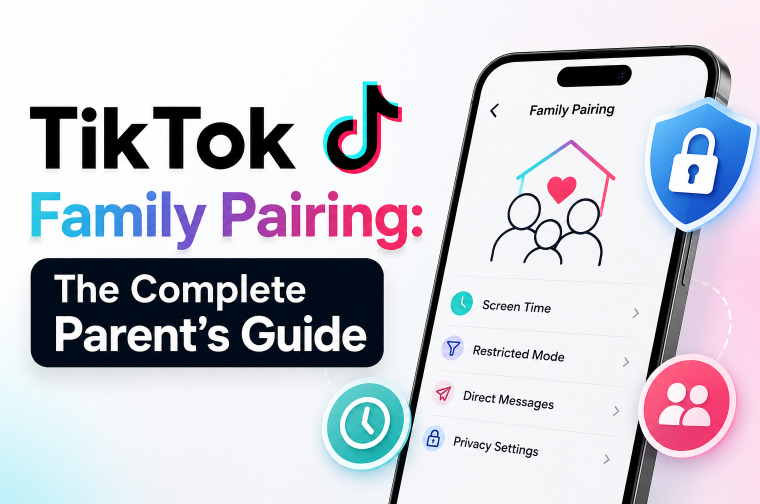
What Is TikTok Family Pairing?
TikTok Family Pairing is a parental controls feature built directly into the TikTok app. It connects your TikTok account to your child's, giving you the ability to manage certain settings on their account — from your phone. Many parents find it a useful first step alongside tools like a GPS tracker for kids for broader peace of mind.
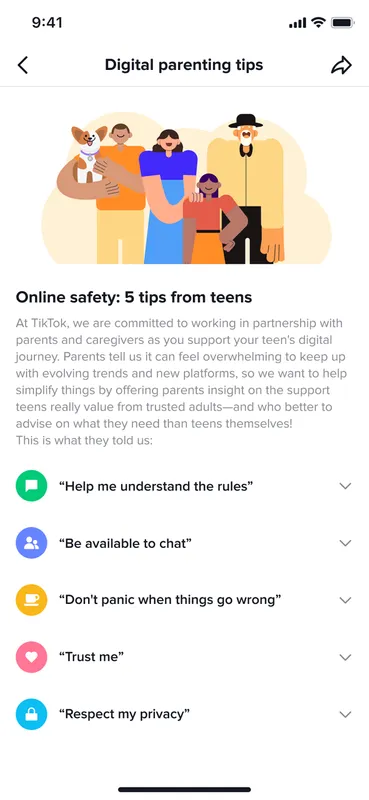
Once you're linked, you can set daily screen time limits, turn on content filters, and control who can send your child direct messages.
It's free, it lives inside the app, and it takes less than five minutes to set up. The catch? You'll need your own TikTok account to use it. You don't have to post anything or follow anyone — the account is just for the connection. But it does need to exist.
Why Parents Are Looking for TikTok Family Pairing
Most parents don't go searching for Family Pairing because things are going smoothly. Something usually prompts it.
Maybe you glanced at your child's phone and didn't recognize half of what was on the screen. Maybe they mentioned a "friend" online you've never heard of. Maybe it's just the sheer number of hours disappearing into that little rectangle every day. If you've ever wondered how to check screen time on Android, you already know how fast those numbers add up.
Whatever brought you here — that instinct is worth listening to.
TikTok moves fast. Content is served by an algorithm that gets very good, very quickly, at showing people exactly what keeps them watching. For kids, that can mean rabbit holes into content that's way beyond their age — and because the feed is private, you often have no idea it's happening.
The most common concerns parents come in with:
- Screen time creeping up — an hour becomes two, two becomes four
- Strangers in the comments and DMs — TikTok is a public platform by default
- Content that doesn't belong anywhere near a 12-year-old — even with filters, things slip through
- Not knowing who their child is talking to — or what's being said
- A child who pushes back on any limits — because TikTok is their social world
Family Pairing won't solve all of that. But it gives you a real foothold — a way to set boundaries inside the app itself, managed from your own phone. Here's a quick look at what it covers and where it stops:
| Feature | What It Does | Limitation |
|---|---|---|
| Screen Time | Set daily limits and scheduled breaks | Doesn't apply to a second account |
| Restricted Mode | Filters content flagged as mature | Not foolproof — some content slips through |
| Direct Messages | Limit or disable who can message your child | You can't read existing conversations |
| Search Controls | Restrict what content categories can be searched | Only works within the TikTok app |
| Duet & Stitch | Control participation in collaborative videos | No visibility into who collaborates with your child |
| Feed & Watch History | — | Not accessible to parents at all |
- Free and built into TikTok.
- Quick setup in a few minutes.
- Allows screen time and DM control.
- Can be managed remotely from phone.
- Children cannot disable the pairing.
- No full visibility of what kids watch.
- Only works on linked accounts.
- Can be bypassed with another account.
- Restricted Mode is not always accurate.
- Requires parents to have a TikTok account.
Family Pairing is a starting point, not a finish line. It handles the basics well — time limits, content filtering, DM controls. But it doesn't show you what your child is actually seeing or who they're talking to. For that, you'll want to layer in additional tools and keep the conversations going at home, which is where additional monitoring tools can help bridge that gap.
How to Set Up and Turn Off TikTok Family Pairing
TikTok Family Pairing is quick to set up, but it only covers part of your child’s activity inside the app. For parents who want a fuller picture, it helps to know both how to enable it and where it stops.
How to Set Up Family Pairing
TikTok Family Pairing is set up inside the app using a QR code that links a parent and teen account, and both devices need to be available at the same time.
Here is a simplified overview of the setup process:
Step 1. Open TikTok and go to Settings and Privacy
Step 2. Tap Digital Wellbeing → Family Pairing
Step 3. Select Parent and generate a QR code
Step 4. Have your child scan the QR code using their TikTok account
Step 5. Confirm the connection on both devices
Once connected, you can manage screen time, messaging, and content restrictions from your own account.
For a full walkthrough, see our complete guide on TikTok parental controls.
The QR code expires after a few minutes. If it times out, just go back and generate a new one. Make sure TikTok is updated on both devices before starting.
If you're also trying to manage overall device usage, not just TikTok, it's worth exploring how to set time limits on apps across your child's phone.
How to Turn Off Family Pairing
Only the parent account can remove Family Pairing. Your child cannot disable it from their side, which helps keep the settings under your control.
Step 1. Open TikTok on the parent account.
Step 2. Go to Profile → Menu → Settings and Privacy.
Step 3. Tap Digital Wellbeing → Family Pairing.
Step 4. Select Manage.
Step 5. Tap Cancel invite and confirm.
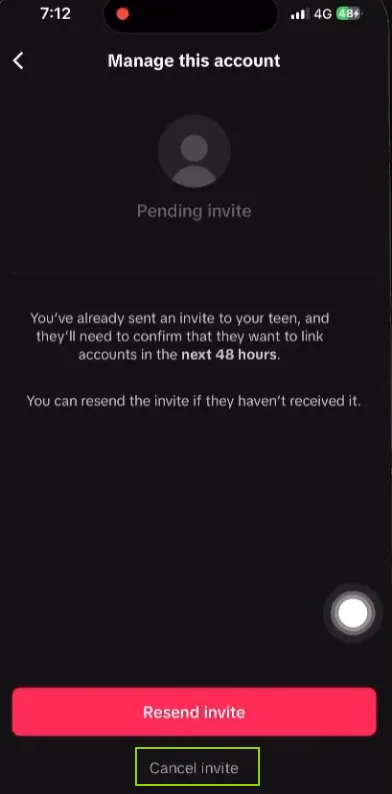
Once removed, all restrictions — including screen time limits, Restricted Mode, and message controls — are lifted immediately.
You don’t always need to remove Family Pairing completely. If your teen is pushing back, consider adjusting individual settings first. For example, you might relax screen time limits while keeping content filters in place — a more flexible approach that still provides some protection.
TikTok Family Pairing for Kids Under 13
For children under 13, TikTok already applies automatic safety restrictions at the account level. This means many protections are enabled by default before Family Pairing is even used.
However, TikTok Family Pairing can still add an extra layer of parental control and help parents manage how the account is used.
Instead of unlocking new features, it mainly strengthens oversight and gives parents control over key settings like screen time and content filters.
Key differences for kids under 13 on TikTok:
- Direct Messages are disabled by default and cannot be turned on for under-13 accounts.
- Content is heavily restricted automatically, with additional filtering applied by TikTok’s system.
- Duet and Stitch are not available to prevent interaction with other users’ content.
- Live streaming is completely disabled for safety reasons.
- Search and discovery are limited, reducing exposure to broader content.
- Family Pairing adds parental oversight over screen time, content settings, and messaging controls.
In short, under-13 accounts already have strong restrictions built in, and Family Pairing helps parents reinforce those limits and manage usage more actively from their own device.
For broader online safety beyond TikTok, some parents also explore device-level controls such as how to block websites.
Important: If a child under 13 is using a standard TikTok account, it is outside TikTok’s official terms. Family Pairing adds oversight, but parents should also consider whether the platform is appropriate for their child’s age.
TikTok Family Pairing Not Working? Common Fixes
Family Pairing doesn’t always work perfectly on the first try. Most issues come from app version, account settings, or temporary glitches inside TikTok.
QR code won't scan — This is usually because the code expired or the app is outdated. Update TikTok on both devices and generate a new QR code.
Family Pairing not showing — This often happens when the app is outdated or there's an account issue. Update TikTok and make sure both accounts are logged in.
Feature not available — This may be limited by your region or account type. Check if Family Pairing is available in your area and confirm your account settings.
Link not accepted — This usually happens when the account age doesn't match. Verify your child's birthday is set correctly in their TikTok settings.
Settings not applying — This is often a temporary sync issue. Force-close TikTok on both devices and reopen it — your settings should now take effect.
Most issues are fixed by updating TikTok. Before trying advanced troubleshooting, make sure both devices are running the latest version of the app.
QR Code Not Working?
If the QR code fails to scan, it’s usually caused by timing, lighting, or device setup issues.
- Update TikTok on both devices
- Regenerate the QR code if it has expired
- Improve lighting and reduce screen glare
- Keep both devices steady during scanning
- Restart the app if scanning still fails
If it still doesn’t work: Log out and back in on both accounts, or reinstall TikTok on the child’s device before trying again.
What TikTok Family Pairing Can't Do
Family Pairing is a useful starting point — but it has real blind spots. Here's what it won't cover, and why it matters.
The feed is invisible to you. You can turn on Restricted Mode, but you can't see what your child is actually watching. The algorithm decides what fills their screen, and you have no window into it. Plenty of parents with Restricted Mode fully enabled have still found content that had no business being there.
DMs stay private. You can disable direct messages entirely — a smart call for younger kids. But if DMs stay on, you can't see who's reaching out or what's being said. Stranger contact through private messages is one of the most common risks parents overlook.
A second account breaks everything. Your child can create a new TikTok account on a different email — or use a friend's phone — and none of your settings will apply to it. Most parents don't find out until something goes wrong.
Other apps and browsers are untouched. Family Pairing only controls the one linked TikTok account. Instagram, Snapchat, YouTube, and even TikTok accessed through a browser are completely outside its reach.
Family Pairing works best as one layer in a wider approach — not as a standalone solution. If you want actual visibility into what's happening on your child's device, you need something that goes deeper.

VigilKids Pro
- Monitor messages across all apps — including accounts not linked through Family Pairing
- Receive instant alerts for inappropriate content, before it becomes a bigger issue
- See total screen time across every app from one simple parent dashboard
- Block apps remotely without needing to touch your child's device
- Runs quietly in the background with no interruption to normal device use
Start your free trial today and get real visibility into your child's TikTok activity — and everything else on their device.
Frequently Asked Questions
Q1: Can my child remove Family Pairing themselves?
No. Only the parent account can disconnect or change Family Pairing. The child can see that it is active, but cannot remove or modify it from their side.
Q2: Do I need my own TikTok account to use Family Pairing?
Yes. A TikTok account is required to create the link. It does not need to be active — it only exists to enable the pairing setup.
Q3: Does Family Pairing work on TikTok web or browser?
No. Family Pairing only works inside the TikTok app. If TikTok is accessed through a browser, the controls do not apply.
Q4: Why does TikTok show a Family Pairing pop-up?
This usually happens when TikTok detects a potentially underage account based on age settings or usage patterns. You can follow the prompt to set up Family Pairing or dismiss it if it doesn't apply.
Q5: Can I use Family Pairing for more than one child?
Yes. A parent account can be linked to multiple children’s accounts, and each one is managed separately within Family Pairing settings.
Conclusion
TikTok Family Pairing is a useful first step for setting boundaries on your child's TikTok use. It adds structure and limits where there were none before — but it works best as a basic control layer, not a complete solution.
For parents who want more visibility across apps and devices, VigilKids provides a broader view of digital activity.
Hot Topics for Parental Controls

VigilKids Review 2026: Features, Pricing, Pros & Cons Explained
VigilKids review: 90 days tested across 3 households. Features, pricing, real-family feedback, and whether the $9.99/month parental control app is worth it.
Snapchat Parental Controls: A Parent Guide for 2026
Learn how Snapchat parental controls work, what Family Center can and can’t do, and which settings parents should check to help keep teens safer online.
YouTube Parental Controls: What Actually Works for Families
Learn how YouTube parental controls work, what their limitations are, and how families manage Shorts, screen time, and safer viewing habits in 2026.