
"Best Android app to block apps and set daily usage limits?"
—— Real question on r/nosurf
Finding an Android app blocker sounds simple—until you need it to work around real life. Maybe you want apps blocked during study hours, limited before bedtime, or restricted after a daily time allowance. The challenge is finding a tool that actually helps you stick to those boundaries.
This guide explains how to block apps on Android using built-in settings and seven practical apps. We’ll cover options for personal focus, stronger routines, and family safety—including how VigilKids helps parents manage apps, screen time, and online activity from one place.
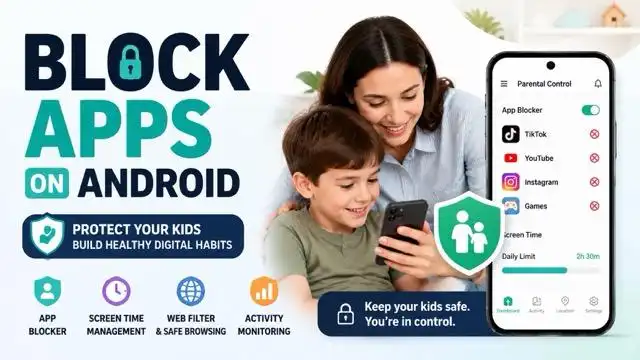
How to Block Apps on Android Without Another App
Most Android phones include Digital Wellbeing. It can pause distracting apps during a Focus Mode session or stop an app after it reaches a daily timer. Menu names can vary slightly by phone brand and Android version.
- Open Settings: Go to Digital Wellbeing & parental controls.
- Choose a control: Open App timers for a daily limit, or Focus mode to pause selected apps during work, study, or bedtime.
- Select the apps: Pick the distracting apps and set the timer or schedule.
An app timer is a soft limit: it usually resets at midnight and the phone owner can change it in Settings. If you are managing a child's supervised Android device, Google Family Link can block an app or set limits remotely.
7 Best Ways to Block Apps on Android
Android app blockers can help reduce distractions, set healthier screen time limits, and create better digital habits. But the right choice depends on who will use it. Some tools are built for personal focus, while others are designed for parents who need more visibility and control.
Use the comparison below to see which Android app blocker best fits your needs.
✅ Available ⚠️ Limited ❌ Not available
| Tool | App Blocking | Screen Time | Web Filtering | Parent Controls |
|---|---|---|---|---|
| VigilKids | ✅ | ✅ | ✅ | ✅ |
| Digital Wellbeing | ✅ | ✅ | ❌ | ❌ |
| Google Family Link | ✅ | ✅ | ⚠️ | ✅ |
| AppBlock | ✅ | ⚠️ | ⚠️ | ❌ |
| Lock Me Out | ✅ | ✅ | ❌ | ❌ |
| WallHabit | ✅ | ⚠️ | ❌ | ❌ |
| Block Apps & Sites | ✅ | ✅ | ✅ | ❌ |
Quick pick: Most Android blockers help limit app usage, but families often need more than timers. VigilKids combines app blocking, screen time management, web filtering, and parent visibility in one place.
1. VigilKids for Parent-Managed Android Devices
Unlike standard app blockers, VigilKids combines screen time management with comprehensive parental monitoring.
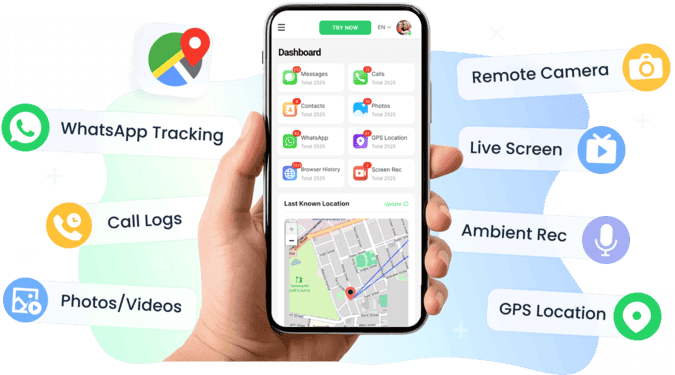
Key Features:
- App Blocking: Restrict selected apps when they are not appropriate or needed.
- Screen-Time Schedules: Set time limits on apps and create routines for study, family time, and bedtime.
- Usage Overview: Review app activity and screen-time patterns from the parent dashboard.
- Web Filtering: Reduce access to unsuitable content and block selected websites on a parent-managed Android device.
Most complete solution for families
Goes beyond time management to ensure digital safety
Flexible plans for different needs
More advanced than what casual users might need
Best suited for parents, not just individuals
That makes it more than just an app blocker — it's an all-in-one parental control and monitoring suite, giving peace of mind while helping kids build healthier phone habits.
Best for: Families that need more than a self-control timer. If you only want to reduce your own distractions, Digital Wellbeing or a dedicated focus app will be simpler.
2. Digital Wellbeing
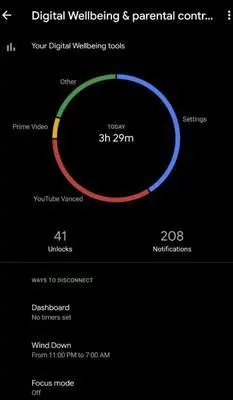
Google's Digital Wellbeing is the simplest starting point on supported Android phones. App timers set a daily allowance, while Focus Mode pauses chosen apps and their notifications during a session or schedule.
Key Features:
- Daily app timers for individual apps
- Focus Mode to pause selected apps and notifications
- Bedtime Mode for evening routines
Free and built into many Android phones
Simple to configure in device Settings
No separate blocker account required
The device owner can change or remove limits
Options vary by phone brand and Android version
For Google's current setup instructions, visit the Digital Wellbeing Help page.
Best for: People who want a free, built-in way to reduce their own app use.
3. Google Family Link
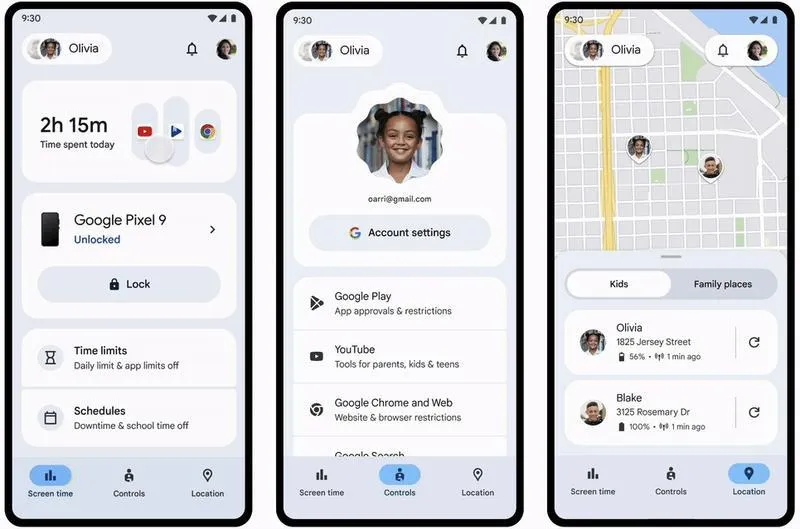
Google Family Link is a better fit than Digital Wellbeing when a parent manages a child's supervised Google Account. Parents can block or allow apps, set per-app limits, and approve Play Store downloads from the Family Link app.
Key Features:
- Block or allow apps on a supervised Android device
- Set daily limits and scheduled downtime
- Approve or reject Play Store downloads
Free account-level controls from Google
Useful for younger children's Android devices
Includes app approvals and device limits
Requires a supervised Google Account
Controls depend on the account and device setup
Google provides current steps for how to manage a child's apps with Family Link.
Best for: Families that want free app controls within the Google ecosystem.
4. AppBlock
AppBlock is a flexible Android app blocker for people who want different rules for work, study, and downtime. It supports scheduled profiles, quick blocking, website restrictions, and a Strict Mode that can make active rules harder to change.
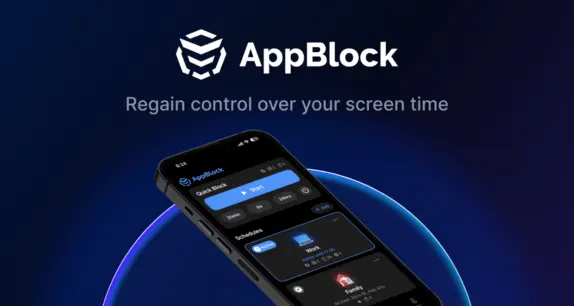
Key Features:
- Scheduled profiles for work, study, and downtime
- App and website blocking with usage limits
- Strict Mode for harder-to-change active rules
Flexible rules for different daily situations
Blocks both apps and websites
Suitable for detailed personal routines
Advanced options require Premium
Detailed settings can take time to configure
See the official AppBlock Android guide for current features.
Best for: Students and professionals who want detailed blocking schedules.
5. Lock Me Out
Lock Me Out is suited to people who want strict, rule-based restrictions. In addition to schedules, it can trigger lockouts based on time spent in chosen apps, app opens, device unlocks, or selected locations.

Key Features:
- Scheduled and usage-based app lockouts
- Rules based on app opens, device unlocks, or location
- Password protection and temporary emergency access
Offers stricter rules than basic app timers
Supports both apps and websites
Includes several automatic lockout triggers
Can feel complex for casual users
Some anti-tampering controls require Premium
Feature availability can change, so confirm it on the official Google Play listing.
Best for: Users who repeatedly bypass softer app timers.
6. WallHabit
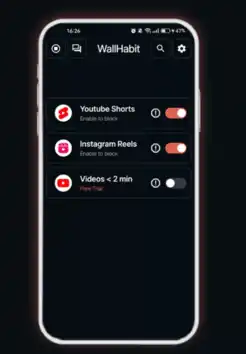
WallHabit focuses on short-form video distractions. It can block features such as Shorts and Reels without necessarily blocking every part of the social app, and it can add a challenge before an app unlocks.
Key Features:
- Block short-video feeds such as Shorts and Reels
- Block entire apps when a feature-only block is not enough
- Add an unlock challenge and custom routines
Targets short-form video distractions
Can preserve messaging while reducing scrolling
Uses friction to interrupt automatic app opening
Narrower than a full parental-control app
Feature blocking may change when social apps update
Check the current WallHabit Google Play listing before installing, because supported social-app features can change.
Best for: People who want to reduce Shorts and Reels without blocking every social feature.
7. Block Apps & Sites | Wellbeing
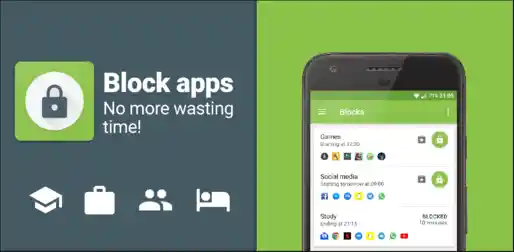
Block Apps & Sites | Wellbeing, published by BlockApp, offers a straightforward mix of scheduled blocking, hourly or daily usage limits, strict blocking, and weekly usage reports.
Key Features:
- Block apps and websites at selected times
- Set hourly or daily usage limits
- Review weekly usage reports and trends
Clear schedules and daily limits
Includes strict blocking and usage reports
Simple choice for everyday self-control
Some controls require an in-app purchase
Free features can vary by version or region
If your goal is privacy rather than screen-time control, remember that an app blocker limits usage, while an app lock protects access with a PIN or biometric check.
Best for: Users who want a conventional app blocker with clear limits and reports.
What to Look For in an App Blocker
- The right control type: Choose daily limits for moderation, schedules for routines, or strict mode when you often override your own rules.
- Clear permissions: App blockers may require Accessibility access to detect and interrupt selected apps. Review the developer and data-safety information before enabling it.
- Emergency access: A strict blocker should not prevent calls, maps, authentication, or other essential tasks when you genuinely need them.
- Separate weekday and weekend rules: Flexible schedules are easier to maintain than one permanent restriction.
- Transparent pricing: Check which limits, schedules, and anti-bypass controls are included before subscribing.
- Age-appropriate family controls: When managing a child, combine technical limits with clear household rules and age-appropriate conversations.
FAQs About Blocking Apps on Android
Q1: What is an app blocker?
An app blocker limits access to selected apps by schedule, daily allowance, focus session, or another rule. Some tools only pause notifications and app access, while stricter tools can also restrict websites or make active rules harder to change.
Q2: How do I block a specific app on Android?
For your own phone, open Settings > Digital Wellbeing & parental controls and set an app timer or add the app to Focus Mode. For a child's supervised device, use Family Link or a parent-authorized parental-control app to block the app or set a limit.
Q3: How can I block social media apps on Android?
Add the social apps to Focus Mode, give each app a daily timer, or use a third-party blocker with schedules. If the problem is mainly short videos, a tool that blocks Shorts or Reels may preserve messaging while reducing scrolling.
Q4: Can I completely block an app from being installed?
On a child's supervised Google Account, Family Link can require approval for Play Store downloads and block installed apps. On an unsupervised adult phone, the device owner generally retains control and can change or remove restrictions.
Q5: Why can I still open an app after setting a timer?
App timers are designed as manageable limits rather than permanent locks. They normally reset daily, and behavior can vary by Android version or manufacturer. Check that Digital Wellbeing is enabled, the correct app has a timer, and battery settings are not interfering with a third-party blocker.
Conclusion
The best way to block apps on Android depends on the outcome you need. Digital Wellbeing is enough for simple personal limits, while Family Link and dedicated blockers add stronger supervision or stricter routines. Start with the lightest option that solves the problem, then move to a broader tool only when the gaps become clear.
For parents who want app management, usage visibility, and web controls in one place, VigilKids for Android offers a more complete path than stacking several single-purpose blockers. Set it up only on a device you own or are authorized to manage, with the required permissions and age-appropriate family communication.
Sources
- Google Android Help: Manage how you spend time on your Android phone with Digital Wellbeing
- Google For Families Help: Manage your child's Google Play apps
- Reddit r/nosurf: Best Android app to block apps at certain times and set daily usage limits
- VigilKids Pro for Android: Apps Management and Android parental-control features
Research date: July 27, 2026. Android menus and third-party features can vary by device, OS version, region, permissions, and plan.
Hot Topics for Android Monitoring
Top Parental Control Apps 2026: iPhone, Android, Mac & PC
The top parental control apps in 2026 for every family type — by age, by platform, by household setup. Compare 7 picks including VigilKids, Bark, and Family Link.
Best Text Monitoring App for Parents | iOS & Android Guide
Discover the best text monitoring app for parents and parental control app to read text messages. Compare iOS and Android solutions, features, and safety tips.
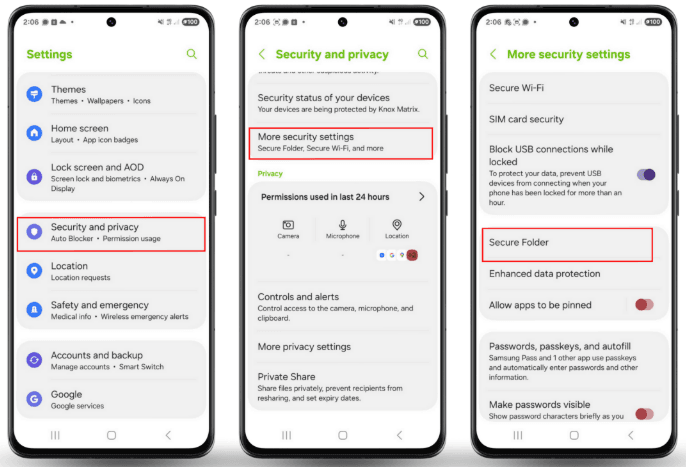
How to Lock Application Android Easily in 2026
Worried someone might open your private apps? Learn how to lock application Android with simple steps to protect chats, photos and sensitive apps.