
If your teen found CrushOn AI through TikTok, Reddit, or an AI character link, you may be wondering: is CrushOn AI safe? For kids and teens, the practical answer is no. CrushOn is an adult-oriented AI roleplay platform, its published rules say users must be 18 or older, and conversations can involve explicit themes. Adults can use it, but they should not assume chats are confidential or share sensitive personal information.
Here’s the catch: “real platform,” “safe for adults,” “private,” and “appropriate for minors” are four different questions. This guide separates them, explains CrushOn AI’s content and age rules, examines chat and data privacy, and gives US parents realistic ways to respond without relying on one block that a teen can bypass.
Is CrushOn AI Safe? Quick Verdict by User
CrushOn AI is not suitable for minors. For adults, the answer is more nuanced: it is a functioning AI roleplay service, but its adult content and data practices require caution. Use this three-part verdict instead of treating “safe” as a single label.
Quick Safety Verdict
- Kids: No. The platform is intended for adults and can expose a child to sexual or otherwise mature roleplay.
- Teens: No. Even an older teen is below the platform’s stated 18+ requirement, and an age prompt is not the same as a child-safe experience.
- Adults: Use only with privacy precautions. Do not treat an AI character as a confidential therapist, partner, or secure place to disclose identifying information.
This distinction also answers a common related question: CrushOn AI can be a legitimate, working platform without being appropriate for minors or low-risk for personal data. “Legit” describes whether the service exists and functions; it does not certify its privacy, content, or emotional safety.
What Is CrushOn AI and How Does It Work?
CrushOn AI is an adult-oriented character chatbot platform built around customizable roleplay and AI companionship. Users can choose a public character or create one with a name, personality, backstory, greeting, and conversation style. The AI then responds in character as the conversation develops.
Quick Product Snapshot
- Users can hold one-on-one character conversations for fantasy, companionship, flirting, or adult roleplay.
- Character creators can shape personalities and scenarios, so the tone and content vary widely from one bot to another.
- Some plans or features may offer longer conversations, additional models, character memory, group interactions, voice, or media options.
- CrushOn’s published community rules state that the service is available only to users age 18 and older.
The appeal is easy to understand. A character answers immediately, adapts to the user’s prompts, and can simulate attention without the social friction of a real relationship. For a teen who discovers a character clip on TikTok, the experience may look like a game or creative writing tool rather than an adults-only service. That gap between presentation and intended audience is why parents often search for a CrushOn AI review only after seeing it in browser history.
CrushOn also differs from more heavily filtered AI character platforms because adult and less-restricted roleplay is central to its identity. If your concern is a child encountering mature material online more broadly, this guide to what to do when a child watches inappropriate content explains how to respond without turning the first conversation into an interrogation.
Four CrushOn AI Safety Questions That Matter
The most useful safety review separates content exposure, age controls, privacy, and emotional design. Combining them into one warning makes it harder to decide what action is actually needed.
1. How Easy Is It to Reach Explicit Content?
Explicit content is a core concern, not an edge case. CrushOn is associated with unfiltered and NSFW character chat, and user-created characters can introduce mature scenarios, sexual roleplay, fetish themes, and graphic language. The platform’s rules prohibit several categories of illegal or exploitative content, but those rules do not make the general service appropriate for minors.
- Content may appear before a long conversation develops. Character names, artwork, descriptions, and opening messages can signal adult themes immediately.
- Responses are generated dynamically. A parent cannot evaluate one static age rating and assume every future reply will stay within that boundary.
- Public and user-created characters vary. A rule page describes what is prohibited, but it cannot guarantee that every character or response will always comply.
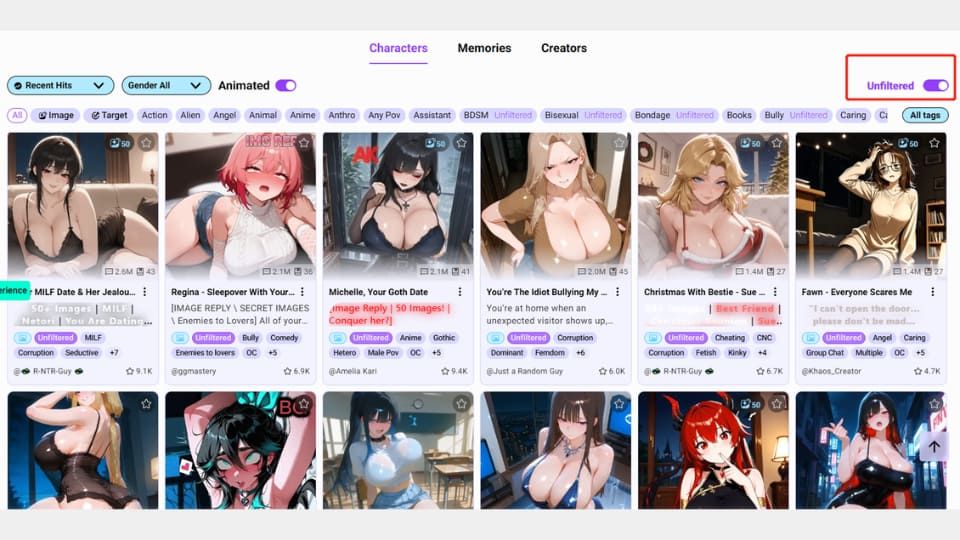
The screenshot above was retained from the original article and shows the kind of adult-content concern the page was documenting. Because no dated test log was supplied with this optimization, it should be presented as an editorial observation rather than proof that every account, region, or current version displays the same characters.
2. Does CrushOn AI Verify Age?
CrushOn’s published rules say users must be at least 18, but a stated age requirement and robust age verification are not the same thing. An “I am over 18” confirmation asks the user to attest to an age; it does not independently prove that age unless the service uses an additional verification method.
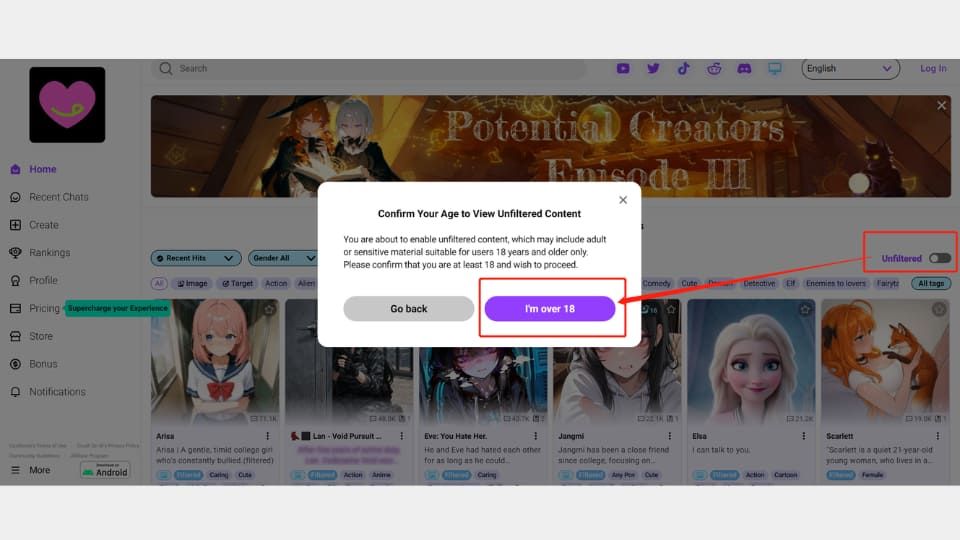
The retained screenshot shows an over-18 confirmation flow observed for the original article. Parents should not interpret that screen as a parental control. A determined teen may access a web version without installing an obvious app, use a different browser, or move from home Wi-Fi to cellular data. That is why one router block can be useful but incomplete.
US context: COPPA gives additional privacy protections to children under 13, but it is not a general approval label for teen services, and this article does not determine whether CrushOn complies with any specific law. For a family decision, the platform’s own 18+ rule is already enough to conclude that it is not intended for a middle-school or high-school user under 18.
3. Are CrushOn AI Chats Private?
Do not assume CrushOn AI chats are confidential. A chat can be private in the narrow sense that other users do not see it by default while still being processed or stored by the service. Conversation memory itself requires the system to handle message content, and platform policies—not the word “private” in the interface—govern retention, sharing, training, and commercial use.
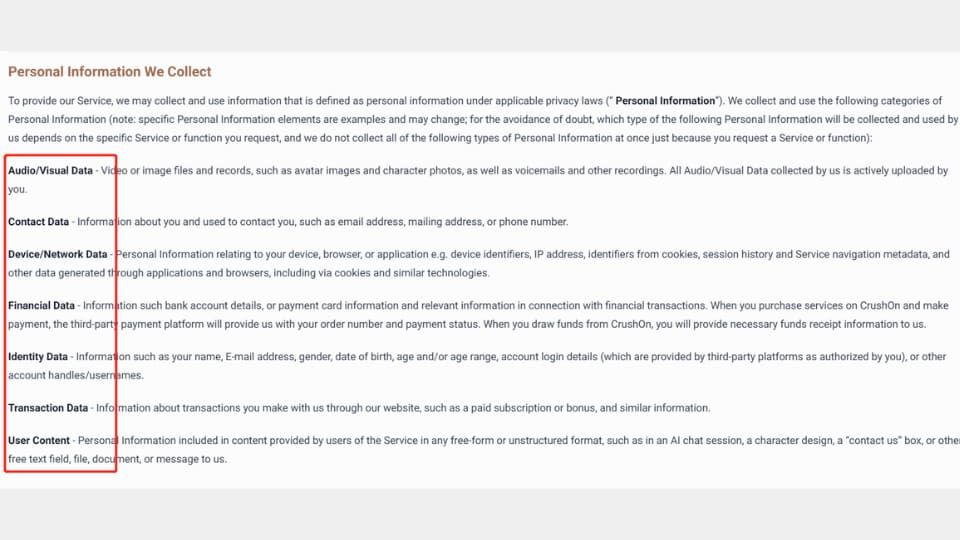
Mozilla’s 2024 privacy review raised concerns about the broad categories of information described in CrushOn policies, including user content, device and network information, audio or visual data, approximate location, financial information, and inferred or health-related information. Mozilla also reported that it could not confirm some security practices. Because that review is dated, the optimized article should identify it as independent historical research and pair it with the current privacy policy rather than present every detail as a fresh 2026 test.
A safer rule for any AI companion chat:
- Do not share a real name, home address, school, workplace, passwords, or financial information.
- Do not upload identifying photos, intimate images, voice recordings, or private documents.
- Do not use the chatbot as a confidential medical, legal, or mental-health service.
- Review the current privacy and deletion terms before creating an account or paying.
4. Can AI Companionship Affect Well-Being?
It can, especially when a user starts treating a responsive character as a substitute for human support. AI companions are designed to simulate attention and personality. They do not become tired, set normal interpersonal boundaries, or experience the relationship the way a person does. That can make the interaction feel unusually easy and rewarding.
Emotional attachment is not proof of harm by itself, and an AI roleplay hobby does not automatically mean addiction. Watch for functional changes instead: sleep loss, late-night use, avoiding friends, distress when access is interrupted, spending that is hard to control, or sharing increasingly sensitive information. The FTC’s broader inquiry into AI companion chatbots highlights why companies’ child-safety measures, disclosures, engagement design, and handling of conversational data deserve scrutiny; it does not constitute a finding against CrushOn specifically.
Is CrushOn AI Safe for Kids and Teens?
No. CrushOn AI is not a suitable platform for children or teens under 18. That verdict follows from the platform’s adult orientation and stated age rule, without needing to exaggerate every possible risk.
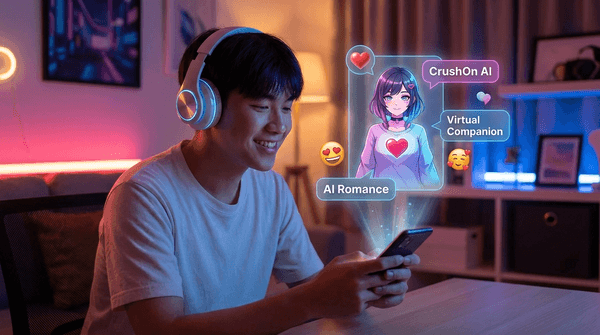
The evidence in plain terms:
- CrushOn’s rules state that users must be 18 or older.
- Adult and NSFW roleplay is part of the platform’s core use, not merely an isolated moderation failure.
- A visible age confirmation does not provide parents with account-level supervision or make generated conversations age-appropriate.
- AI chats can invite users to disclose intimate information that should not be treated as confidential.
- A teen can form strong habits around an always-available character even when no single message looks alarming.
Start by asking how your child found the service and what they expected from it. A teen looking for creative roleplay needs a different conversation from a teen using a character for emotional or sexual companionship. Be clear that the 18+ boundary is about the platform’s design, not a judgment about the child. Then agree on what will be blocked, what safer activity can replace it, and when you will revisit the rule.
What Parents Can Do About CrushOn AI
Use more than one layer. A website block handles one access route; a family agreement and device controls address the ways a teen may switch browsers, use cellular data, or find a similar service under another name.
Step 1. Find Out How Access Happens
- Step 1. Ask whether your child uses a website, installed app, shared character link, or third-party login.
- Step 2. Check whether the device is personal, family-owned, or school-managed; do not try to override a school administrator’s controls.
- Step 3. Explain the 18+ rule and privacy concern before changing access, so the restriction has a clear reason.
Step 2. Block the Website and Restrict Installs
- Step 1. Add the CrushOn domain to your router or family DNS block list for devices using home Wi-Fi.
- Step 2. Use Apple Screen Time or Google Family Link to restrict adult websites, app installations, and account changes on the child’s device.
- Step 3. Review cellular access and other browsers; a Wi-Fi-only block stops working when the phone switches networks.
For device-specific instructions, see how to block a website. You can then pair that network-level step with Apple Screen Time or Google Family Link, depending on the device your family uses.

Step 3. Add Broader Support Only If Your Family Needs It
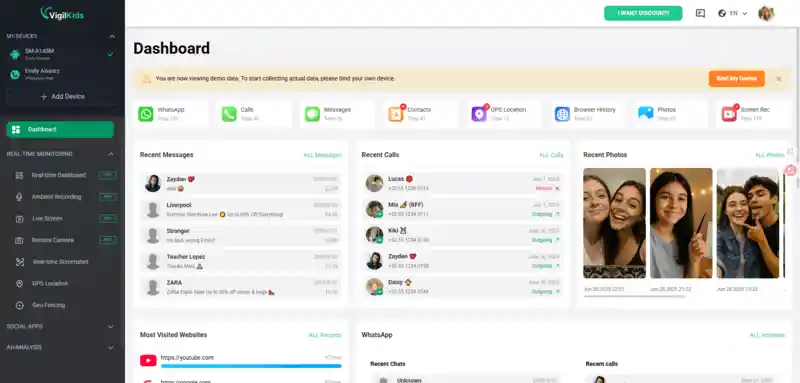
Official device controls should come first. If they do not provide enough visibility into screen time, new apps, or recurring risky activity, VigilKids can add another layer on a parent-owned or otherwise authorized device. Availability depends on the device, operating system, selected plan, permissions, and current product support.

- Review app and screen-time patterns to spot repeated late-night or unusually long sessions.
- See relevant browser activity where supported after the required permissions and setup are in place.
- Receive supported activity or keyword alerts so a parent can focus on meaningful changes instead of checking constantly.
- Support app-boundary decisions alongside the official controls in this guide to blocking apps on Android.
- Use reports as a conversation prompt, not as a replacement for trust, context, or age-appropriate family rules.
How to Use VigilKids:
- Step 1. Create a parent account and choose a plan compatible with the authorized device.
- Step 2. Follow the setup guide on the child’s device and grant only the permissions required for the features your family plans to use.
- Step 3. Open the dashboard to review supported app, browser, alert, and screen-time information, then discuss relevant changes with your child.
CrushOn AI Safety Checklist for Adults
An adult may decide that unfiltered AI roleplay is an acceptable trade-off. The goal is not to promise complete safety; it is to reduce the amount of identifying and sensitive data tied to the account.
Minimize Personal Exposure
- Use an email address that is not your work, school, or primary recovery account.
- Use a unique password and avoid third-party social login when a separate login is available.
- Do not share your real name, exact location, employer, school, relationship conflicts, medical details, or financial information.
- Avoid uploading face photos, intimate images, voice notes, or media that contains identifying metadata.
- Review camera, microphone, photo, notification, and location permissions on the device.
- Read the current account-deletion and data-request process before you need it; deleting an app is not the same as deleting an account or stored data.
- Check subscription renewal and cancellation terms before paying, and review charges through the App Store, Google Play, or the payment method used.
Compare Alternatives by Policy, Not by Marketing
Character.AI, Janitor AI, Candy AI, and other character-chat services can have different age rules, filters, pricing, and privacy practices—and those policies change. Do not assume that a stricter filter makes every part of a service safe, or that an “uncensored” label makes every privacy risk identical.
Compare the current age requirement, content rules, chat retention, model-training terms, deletion controls, subscription terms, and availability of reporting tools. The related guide to Character AI safety shows how a more mainstream character chatbot still requires its own age, content, and privacy assessment rather than being treated as interchangeable with CrushOn.
CrushOn AI Safety FAQ
Is CrushOn AI safe for kids?
No. CrushOn is an adult-oriented AI roleplay platform, and its published rules limit use to people age 18 and older. Mature character descriptions and generated conversations make it inappropriate for children.
Is CrushOn AI safe for teens?
No. A teen under 18 does not meet the platform’s stated age requirement. An age-confirmation prompt also does not turn adult roleplay, sensitive chat data, or AI-companion habits into a teen-safe experience.
Are CrushOn AI chats private?
Do not treat them as confidential. Other users may not see a private chat by default, but the platform still processes conversation content and may store data to provide memory and account functions. Review the current privacy policy before sharing anything sensitive.
Is CrushOn AI safe to use for adults?
Adults can use it with caution, but should expect mature content and minimize personal disclosure. Use a unique login, limit device permissions, avoid identifying media, and review the latest privacy, deletion, and subscription terms.
How can I block CrushOn AI on my child’s device?
Block the domain on home Wi-Fi, then use Apple Screen Time or Google Family Link to restrict adult websites, app installs, and account changes. Check cellular data and additional browsers because a router block works only on the networks it controls.
Conclusion
So, is CrushOn AI safe? It is not appropriate for kids or teens under 18. The adult-content focus, stated age restriction, limited parental oversight, and privacy questions are enough to support that decision. For adults, the service may be usable, but only if “private chat” is not mistaken for confidential communication and sensitive details stay out of the conversation.
Parents will get better results from a layered response than from panic or constant checking: explain the 18+ boundary, learn how access happens, use official device and network controls, and keep the conversation open. If your family needs additional authorized visibility after those steps, explore how VigilKids can support digital-safety routines within its device, permission, feature, and plan limits.
 Sources
- CrushOn AI Rules & Prohibited Content — states that the service is available only to users age 18 and older.
- Mozilla Foundation: CrushOn.AI Privacy & Security Guide — independent review dated February 7, 2024.
- FTC Launches Inquiry into AI Chatbots Acting as Companions — published September 11, 2025.
Research checked August 12, 2026. Platform interfaces, age checks, content, privacy terms, device support, permissions, and plan features can change by version, region, account, and device. Recheck current platform policies before publication.
Hot Topics for Parental Monitoring
Is Instagram Safe for Kids? What Every Parent Needs to Know
Most parents assume Instagram is safe—but the reality is more complex. Learn the hidden risks, age concerns, and how to protect your child effectively.
How to See Others’ WhatsApp Chats on Your Android Phone: 5 Ways
Learn how to see others WhatsApp chats in your phone safely and legally. Quick signs of someone reading your WhatsApp, step-by-step checks.
5 Ways to See WhatsApp Status Without Being Seen
Learn how to see WhatsApp Status without being seen using 5 methods, plus what works, what can fail, and whether hidden statuses can be viewed.