
Wondering how to tell if someone unfollowed you on Instagram? You're not alone — tracking follower changes is key to understanding your growth and engagement. While Instagram doesn't provide a built-in feature for this, there are still reliable ways to stay informed.
In this guide, you'll discover simple manual methods, trusted tools to identify unfollowers, and smart tips to manage your audience effectively. Whether you're a casual user or growing a small account, these strategies will help you monitor your followers without putting your account at risk.
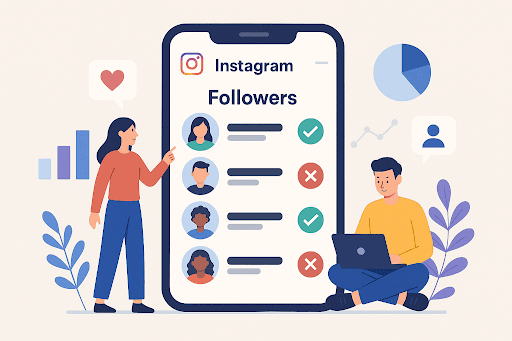
PART 1: Is There A Way to See Who Unfollowed You on Instagram?
Yes, it is possible to see who unfollowed you on Instagram, but not directly in the app. Instagram doesn't provide an official feature, and using unverified apps that ask for your login can risk your account.
The safest methods are manually checking your downloaded Instagram data or using trusted tools that don't require your password. As one Reddit user said, "I tried unfollower apps and got my account suspended. Now I download my Instagram data and check manually—it works every time."
Next, we'll cover safe ways to track unfollowers, including apps and manual methods.
PART 2: How to Check If Someone Unfollowed You on Instagram?
There are two safe ways to tell who unfollowed you on Instagram without risking your account:
Way 1. Download Your Instagram Data
- Step 1. Open the Instagram app or go to instagram.com and log in to your account.
- Step 2. Go to your Profile → tap the ☰ (menu icon) in the top right → select Settings and privacy → scroll down to Your app and media → tap Download your information.
- Step 3. Enter your email address and tap Request download. Instagram will send you a link to download your data within 48 hours.
-
Step 4. When you receive the email, download and unzip the
ZIP file. Open the folder named followers_and_following and check:
-
followers.html— people who currently follow you. -
following.html— people you follow.
-
Way 2. Manual Checking on Instagram
- Step 1. Open Instagram and go to your Following list.
- Step 2. Scroll through to check if any accounts you expected to follow you back are still listed as your followers.
- Step 3. You can make a screenshot log for regular tracking.
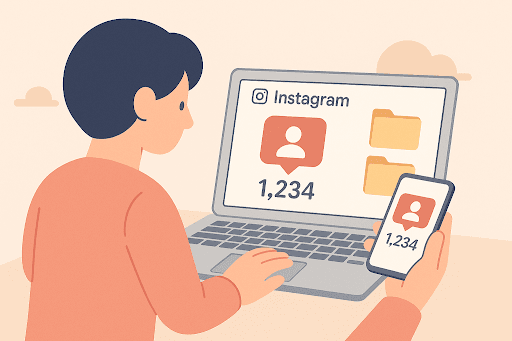
This method is simple and immediate, but it works best for small accounts, as manually tracking hundreds or thousands of followers can be tedious.
PART 3: Top 4 Instagram Unfollow Tracker
For small Instagram accounts, manually checking your followers or downloading Instagram data is usually sufficient. However, if your account has hundreds or thousands of followers, this process can become time-consuming and error-prone.
In these cases, using reliable tools and apps is a smarter way to track unfollowers, manage engagement, and stay on top of your account without risking your Instagram credentials. The following are recommended Instagram unfollowers trackers:
1. Dolphin Rader
If you're looking for an app to know who unfollowed you on Instagram, Dolphin Radar is a reliable and anonymous tool trusted by over 50,000 users. It helps you find out who stopped following you, who doesn't follow you back, and who your mutual followers are—without needing your Instagram login.
Key Features of Dolphin Rader:
- Track who unfollowed you in real-time.
- Check safely without sharing credentials.
- See who follows you back.
- You can download the results table for easier account management.
- Fully public account-based, no hidden risks.
How to Use Dolphin Rader?
- Step 1. Visit Dolphin Rader and type in the public username of your account.
- Step 2. Click Start. The tool will show you your followers, unfollowers, and mutual followers.
- Quick, accurate, and reliable data
- No app download or installation needed
- Safe and anonymous
- Works well for mid-to-large accounts
- Only works with public accounts
- Continuous real-time tracking requires paid plans
2. FollowBuddy
FollowBuddy positions itself as one of the safest Instagram unfollow tracker tools for users who don't want to share login credentials. Unlike many risky apps, it never asks for your Instagram password and fully complies with Instagram's terms of service.
Core Functions of FollowBuddy:
- Quickly find Instagram unfollowers.
- See which accounts you follow that don't follow you back.
- Work quickly and securely with your downloaded Instagram, so no direct access to your account is required.
How to Use FollowBuddy
- Step 1. Download your followers and following list from Instagram via Settings > Privacy > Download Your Information.
- Step 2. Drag and drop the data files to the FollowBuddy website for analysis.
- Step 3. You can see which accounts you follow that aren't following back instantly.
- Step 4. After a few days, upload a fresh data file to identify new unfollowers over time.
- 100% safe, no Instagram password required.
- Fully compliant with Instagram policies, minimizing ban risk.
- Clear, step-by-step process that even beginners can follow.
- No real-time tracking—you need to download and upload files periodically.
- Requires public account data.
- Private accounts are harder to track.
If your goal is not only to track Instagram unfollows but also to protect your child's online safety, VigilKids is worth trying.
- Designed specifically for families, it helps parents stay informed about their child's digital activities.
- You can check chat history to better understand your child's social interactions.
- Call log backups make it easy to review important communication records.
- Instant alerts help parents quickly detect potential online risks.
3. Nonfollowers
If you want a safe and private way to check who unfollowed me on Instagram, Nonfollowers is built exactly for that. Unlike risky third-party apps that require you to log in with your Instagram credentials (which can trigger account suspension), Nonfollowers uses Instagram's official data export to analyze your followers and following lists—no password sharing required.
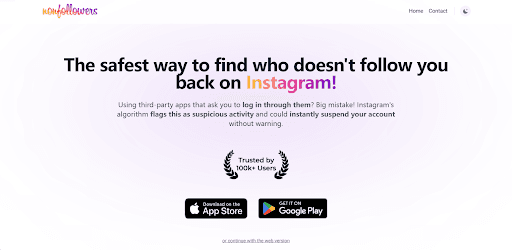
Key Features of Nonfollowers:
- Track who unfollowed you.
- Check who ignored your follow requests.
- Know who has blocked you on Instagram.
How to Use Nonfollowers
- Step 1. Export your Instagram information for your followers and following data.
- Step 2. Upload the zip file to Nonfollowers.
- Step 3. You can see who has unfollowed you and more Instagram followers data.
- No login required, reduce risk to your account.
- Check detailed insights like blocked accounts and first followers.
- Unlimited uploads for continuous tracking.
- Need to manually export the result every time you check.
- Results are not in real-time.
- Takes a long time for larger files.
4. FollowsBack
If you manage multiple social accounts and want to quickly see who's following you back, FollowsBack makes cross-platform checks simple and safe. Instead of requiring you to log in, it works entirely with downloaded data files, ensuring your account credentials stay private.
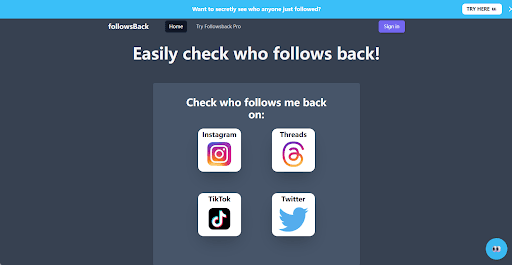
Key Features of FollowsBack:
- Supports multi-platform, including Instagram, Threads, TikTok, and Twitter.
- Highlight who follows you back after automatically comparing your followers and following lists.
- No account login required, keeping your account protected.
How to Use FollowsBack
- Step 1. Select a platform you wish to check for unfollowers.
- Step 2. Download the follower and following data from the platform you choose.
- Step 3. Upload the zip file to FollowsBack.
- Step 4. It will instantly analyze and show who follows you back.
- Support multiple social platforms.
- No risky third-party logins.
- Easy to use anytime with fresh data exports.
- Requires manual data export each time you want to check.
- No real-time changes of your followers provided.
PART 4: Tips for Instagram Small Accounts or Manual Tracking
If you run a small Instagram account or prefer to avoid third-party tools, you can still stay on top of follower changes using a few smart habits. Here are some practical tips to help you track unfollowers and manage engagement without relying heavily on apps:
1. Check Followers List Regularly
You can set aside time once or twice a week to review your followers list. This makes it easier to notice any changes and spot unfollowers quickly for small accounts.
2. Use Instagram Built-in Tools
Instagram offers some useful built-in features, like the "Least Interacted With" list, to see users who rarely engage with your content. It can hint at accounts likely to unfollow in the future.
3. Maintain a Personal Log
For users who have a tight-knit follower base, you can create a simple spreadsheet to record key followers. Update it periodically to track who stays and who leaves.
4. Watch Engagement Pattern
If you find sudden drops in likes, comments, or views of your account, it can signal that someone important has unfollowed you. Monitoring your engagement rate provides indirect clues about follower changes.
FAQs
Q1: Are people notified when you unfollow them on Instagram?
No, Instagram doesn't send any notifications when you unfollow someone. The only way to check who has unfollowed you on Instagram is to manually check your followers list or use a third-party Instagram tracker.
Q2: How to see who unfollowed me on Twitter?
Twitter doesn't have a built-in feature to know who unfollows you. Similar to Instagram, you can manually compare your follower list over time or use a safe, no-login tool like FollowsBack, which allows you to export your Twitter data and quickly see who stopped following you without sharing your account credentials.
Q3: How to find someone you unfollowed on Instagram?
If you accidentally unfollowed someone, go to your Following list and use the search bar to look for their username. If they no longer appear in your Following list, it means you've unfollowed them.
Q4: Can ChatGPT help me identify unfollowers?
ChatGPT cannot directly access Instagram, Twitter, or any other platform to fetch follower data. However, if you export your official Instagram or Twitter data (such as the followers/following JSON file), ChatGPT can assist by analyzing the downloaded data and helping you identify non-followers.
Q5: How to check who doesn't follow you back on Instagram?
To check who doesn't follow you back on Instagram, you can start with manual methods by comparing your "Following" list with your "Followers" list. If a user appears in Following but not in Followers, they don't follow you back. For larger accounts, this becomes time-consuming, so many people use trusted third-party tools that analyze follower data and highlight non-followers automatically. Always choose safe apps and avoid giving your password to unverified services to protect your account security and stay compliant with Instagram's policies.
Conclusion
This post explains how to tell if someone unfollowed you on Instagram using safe and practical methods. Smaller accounts can rely on manual checks, while larger accounts may benefit from trusted tools like Dolphin Radar, FollowBuddy, Nonfollowers, or FollowsBack to track changes more efficiently. If you're also concerned about online safety, tools like VigilKids can provide added value by helping monitor social activity and protect digital privacy. By combining these approaches, you can stay compliant, safeguard your account, and manage your followers with confidence.