
Holla video chat is a random one-to-one video service that connects adults with strangers in seconds. For parents, the clearest answer is simple: HOLLA's own community rules say people under 18 are not allowed to create an account or use the platform.
That age rule matters because a live match can expose a user to an unknown adult, unpredictable video, pressure to share personal details, or an invitation to move the conversation elsewhere. This guide explains how HOLLA works, where its safety tools help, and what parents can do if the app appears on a teen's phone.
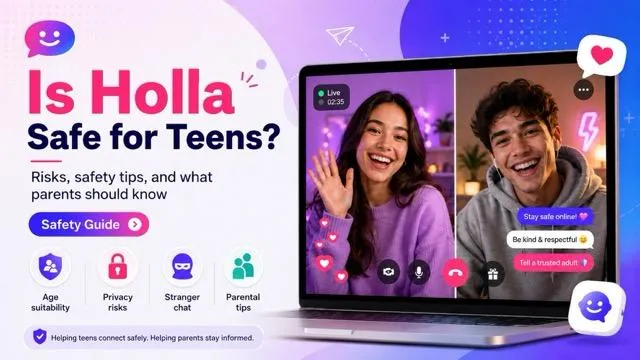
What Is Holla Video Chat?
HOLLA is a social platform built around instant video conversations with people a user does not already know. Its official pages describe one-tap random matching, one-to-one video, text and voice communication, interest-based discovery, and the ability to connect with people in different countries. The current Google Play listing also identifies user interaction, ads, and in-app purchases.
The appeal is easy to understand: there is no need to build a follower list before talking to someone. A user can open the service, allow camera and microphone access, and move from one match to the next. That same speed, however, removes much of the context families normally use to decide whether a conversation is appropriate.

- Random matching: the person on the other side may be in another city or country and is not part of the user's existing contact list.
- Live camera and microphone: a match can see and hear whatever the device reveals in real time.
- Continued contact: users may add friends or communicate after an initial match, depending on the available feature and account setup.
- Paid elements: some filters or interactions may involve gems, subscriptions, or other in-app purchases.
HOLLA's official site currently points visitors to an Android download. Availability, feature names, and paid options can change, so parents should check the listing shown on the actual device instead of relying on an old review or screenshot.
Is Holla Video Chat Safe?
For an adult who understands the risks, HOLLA offers moderation, reporting, blocking, and match controls. That does not make a random video conversation risk-free. Automated detection may react to some visible violations, but it cannot verify every stranger's intentions, prevent every harmful remark, or stop someone from recording a screen with another device.
For children and teens under 18, the decision is more direct: HOLLA's Community Rules say they are not allowed on the platform. Google Play currently labels the Android app Mature 17+, but a store content rating is not permission to ignore the service's stricter account rule.
Parent takeaway: treat HOLLA as an adult stranger-chat service, not as a supervised video-calling app for teens.
If a young person needs video chat, choose a service where contacts can be approved and conversations are limited to people the family knows.
The main concern is not that every match will be harmful. It is that the user cannot know in advance who will appear or what that person will do. Families can use these broader online safety tips to discuss privacy, unknown contacts, suspicious links, and when to ask an adult for help.
Holla Safety Tools and Their Limits
HOLLA says it combines automated visual recognition with human review and provides in-app reporting. Its community page also says users can control certain matching preferences and leave or skip conversations. These are useful safeguards, but each one addresses only part of the risk.
| Safety measure | What it can help with | What parents should not assume |
|---|---|---|
| Automated moderation | May detect some visible nudity, violence, or rule-breaking behavior. | It cannot identify every harmful conversation, request, gesture, or off-camera situation. |
| Human review | Can investigate accounts and activity that have been flagged. | Review does not mean a moderator is personally watching every conversation from start to finish. |
| Report and block | Helps end contact and sends a problem to HOLLA for review. | It does not undo exposure, remove a recording held by another person, or replace emergency reporting. |
| Match preferences | Can influence language, gender, or other available matching choices. | A preference is not identity verification and does not prove that profile information is accurate. |
HOLLA also asks people not to take screenshots or videos of others without consent. That rule supports respectful behavior, but it is not a technical guarantee. A practical family rule is to assume that anything shown on a live camera could be captured, copied, or shared.
8 Holla Video Chat Safety Tips for Parents
If you are reviewing HOLLA with an adult family member—or explaining why it is not appropriate for a minor—focus on decisions that are easy to remember under pressure. A long lecture is less useful than a short plan a young person can follow when something unexpected appears.
- Tip 1. Start with the age rule. Explain that HOLLA prohibits under-18 users. Frame removal of the app as following the platform's own rule, not as punishment for asking about it.
- Tip 2. Do not reveal identifying details. Keep school names, uniforms, street signs, daily schedules, phone numbers, social handles, and live location off camera and out of chat.
- Tip 3. Check the room before turning on video. Photos, mail, windows, medication labels, and voices in the background can reveal more than the speaker intends.
- Tip 4. Keep conversations on the platform. Treat requests to move to a private messenger, share a phone number, open a link, or download a file as a reason to end the match.
- Tip 5. Leave at the first warning sign. No one owes a stranger an explanation. End the call if the person becomes sexual, threatening, manipulative, insulting, or unusually interested in age and location.
- Tip 6. Report before closing the details you need. Use the in-app report option when possible and record only safe information such as the account name and time. Never save or forward suspected child sexual abuse material.
- Tip 7. Lock purchases. Use the device's purchase approval or authentication settings so gems and subscriptions cannot be bought accidentally.
- Tip 8. Keep the conversation open. Tell your child they can report an uncomfortable encounter without automatically losing all device privileges. Fear of punishment can make young people hide the moment when they most need help.
A safety conversation works best before a problem occurs. Ask what the young person thinks a stranger might learn from the room behind them, what would make them leave a call, and which adult they would contact if someone threatened or pressured them.
What to Do If Your Child Already Uses Holla
Finding the app does not prove that your child has been harmed or behaved recklessly. Start by asking how they found it, whether they created an account, whom they spoke with, whether anyone asked to move off-platform, and whether any screenshots, links, money, threats, or sexual requests were involved.
Then respond to the actual level of risk. If there was no harmful contact, remove the underage account, uninstall the app, review permissions and purchases, and agree on safer ways to video chat. If something upsetting appeared, avoid blaming your child. Save ordinary account details that may help a report, but do not capture, download, or redistribute illegal sexual content.
VigilKids Family Safety Support
Family safety tools for authorized Android devices. Features vary by device, OS, permissions, app version, and plan. Do not assume every HOLLA video session can be viewed or recovered.
- Low concern: remove the app, explain the 18+ platform rule, check permissions, and set clear app-install expectations.
- Unwanted or explicit content: use HOLLA's report function, block the account, and help your child process what they saw. Our guide on what to do when a child encounters inappropriate content can help you plan the next conversation.
- Threats, grooming, sextortion, or suspected exploitation: stop contact, do not pay or negotiate, preserve safe account and message details, and contact the appropriate local police or child-protection reporting service.
- Immediate danger: contact local emergency services rather than waiting for an app review.
Device controls can support this plan, but they work best alongside trust and clear rules. If you are comparing options, look for tools that match your child's age, device, and actual risk instead of choosing the product with the longest feature list. This overview of parental control apps explains the main trade-offs.
Holla Video Chat FAQ
What is Holla video chat used for?
HOLLA is used to meet and talk with new people through random one-to-one video matches, with additional text, voice, friend, and preference features depending on the current version.
Is Holla video chat safe for kids?
No child should create an account. HOLLA's own community rules say users under 18 are not allowed on the platform. Its moderation and report tools do not change that restriction.
Is Holla video chat free?
HOLLA advertises free basic random video chat, while Google Play lists ads and in-app purchases. Filters, gems, subscriptions, and other paid features may vary by version and region.
Can someone record a Holla video call?
HOLLA tells users not to take screenshots or videos without consent, but a platform rule cannot prevent every form of screen capture or recording with another device. Users should avoid showing anything they would not want saved or shared.
How do you report someone on Holla?
HOLLA says the report option is available from the upper-right area of the video-chat screen and on user profiles. End the conversation first if you feel unsafe, then report and block the account. Contact local authorities or a child-protection service for credible threats or exploitation.
Conclusion
Holla video chat can make meeting a stranger feel as simple as tapping a screen, but its own rules exclude anyone under 18. For parents, that makes the safest response clear: explain the age limit, remove an underage account, and build a calm plan for unknown contacts, explicit content, and off-platform requests.
Start with conversation and the device's built-in controls, then add monitoring only when it is lawful, proportionate, and transparent within your family. For additional device-level support, explore VigilKids parental control features.
Sources
- HOLLA Community Rules and Safety FAQ
- Google Play: HOLLA - Video Call
- HOLLA Safety Guidelines and Reporting
Research checked August 6, 2026. Features, store ratings, availability, moderation tools, and purchase options can vary by version and region.