

Im a roofer and I wanna find roofing groups in Telegram, but can't quite understand this app... where do I find and how do I join them? ——Reddit
Telegram groups are one of the best ways to connect with people who share your interests. Whether you want to join a study group, follow the latest tech trends, or meet people in your local area, Telegram offers plenty of options. But beginner may ask: how to find Telegram groups easily?
In this article, you will learn several simple and effective ways to find and join Telegram groups!
- Table Of Contents
- How to Find Telegram Groups? 6 Ways
- 1. Search Directly on Telegram
- 2. Look for Telegram Group Links Sites
- 3. Dig Links from Social Media
- 4. Use Google Search Smartly
- 5. Find Telegram Groups You Left
- 6. Use Telegram Bots to Discover Groups
-
Bonus: Keep Your Kids Safe in Telegram Groups

1. Search Directly on Telegram
The easiest way to find groups on Telegram is by using the search bar at the top of the app. Simply type a keyword related to your interest. For example, you can search for terms like“fitness” or “K-pop”. If the group is public, it will show up in the search results.

- Step 1. Open Telegram and tap the search bar at the top.
- Step 2. Type a keyword and look through the global results.
- Step 3. Tap a group to preview it, then tap “Join” to enter.
Tip:
- Telegram’s search uses a global search system. It only shows selected public groups, channels, and bots that Telegram’s algorithm decides to display. This means not all public groups will appear, even if they match your keywords.
2. Look for Telegram Group Links Sites
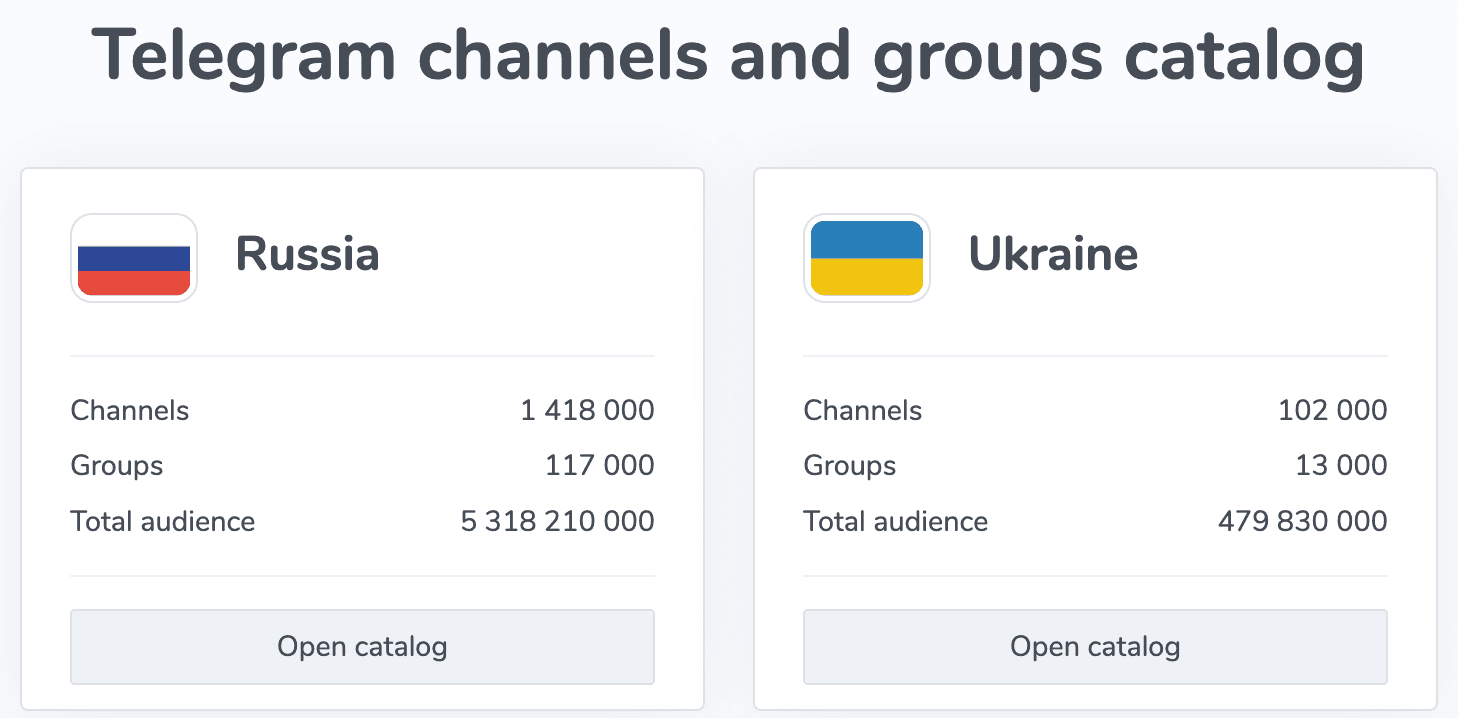
Some websites collect and organize Telegram group links by topic. These directories list thousands of public groups in categories like tech, business, education, hobbies, entertainment, and more.
You can browse these sites, choose a category, and join with just one click.
Popular Telegram gp link websites include:
- telegram-group.com: Groups organized by topic, region, and language.
- telegramchannels.me: Offers a mix of groups and channels with subscriber counts.
- tgstat.com: Mainly for channels, but has searchable categories and stats.
3. Dig Links from Social Media
Many Telegram group links are shared on social media platforms like Reddit, Facebook, Twitter, and Quora. Users often post invitations in niche communities, discussion threads, or resource posts.
This is a great way to discover active, interest-based groups that may not appear in Telegram’s search or directories.
- Step 1. Go to a social platform such as Reddit or Facebook.
- Step 2. Search for keywords in various platform.
- Step 3. Click the link in the post and join.
4. Use Google Search Smartly
You can use Google to find Telegram group links by combining keywords with search operators. This method helps you discover group invites listed on websites, forums, blogs, or even in public Telegram indexes.
Using search terms like "site:t.me" or adding your topic of interest can give you more targeted results.
- Step 1. Go to Google and type a search like site:t.me fitness group or Telegram study group link.
- Step 2. Review the results and choose a trusted source or official-looking link.

Tip: Add specific filters like topic, location, or year (e.g., “Telegram book club 2025”) to improve result quality and avoid outdated links.
5. Find Telegram Groups You Left
How to find Telegram groups you left? If you left a Telegram group and want to rejoin, it depends on whether the group is public or private. Public groups are easier to find again, while private groups require a new invite link.
- Step 1. Open Telegram and use the search bar to look for the group name.
- Step 2. If the group is public, it may appear in the search results and let you rejoin.
- Step 3. If the group is private, ask a current member to send you a new invitation link.
6. Use Telegram Bots to Discover Groups
Telegram has bots that can help you search for groups and channels based on specific topics, languages, or interests. These bots are a helpful option when regular search tools don’t give enough results.
Some bots allow keyword-based search, while others list groups by category or user activity.
Notable examples include:
- @teletegbot:Lets you search for groups using keywords and language filters. Shows 10 free results; more results are available on request.
- @scadsbot:Offers group and channel listings sorted by topic and popularity. Also links to external group directories.
Bonus: Keep Your Kids Safe in Telegram Groups
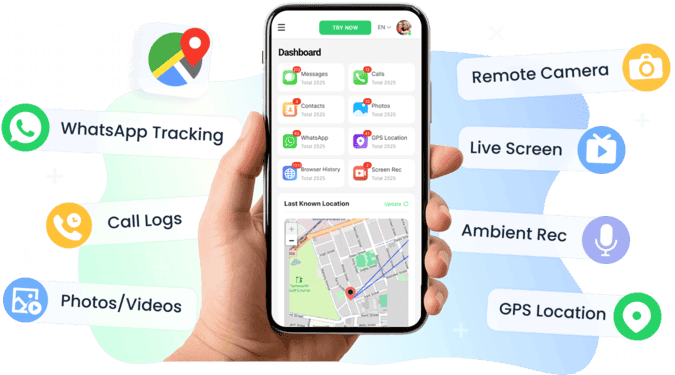
Telegram groups can be fun and educational, but they also carry risks for children. Knowing how to find Telegram groups is only the first step. As a parent, it’s just as important to keep your child safe while they explore. Exposure to inappropriate content, strangers, and harmful messages is more common than you might think. VigilKids can help you stay informed and manage your child’s Telegram activity with ease.
What VigilKids Can Do:
- Detects risky keywords like bullying, violence, or NSFW content in Telegram chats
- Sends instant alerts when harmful behavior is detected
- Shows you which Telegram groups your child has joined or interacted with
- Blocks access to NSFW or violent content through smart filters
Conclusion
Now that you know how to find Telegram groups, it’s time to start exploring. Telegram groups are a great way to connect with others, learn new things, and follow topics you enjoy. Just stay mindful of your privacy and, if you're a parent, consider using VigilKids to keep your child safe.
FAQ about Telegram Groups
How to find Telegram groups near me?
Telegram no longer supports the “People Nearby” feature. To find local groups, try using location-based keywords like your city or region in the search bar.
How to find Telegram groups on iPhone?
Open Telegram, tap the search bar, and enter a topic. The steps are the same as on Android.
Can I rejoin a Telegram group I left?
Yes, if the group is public, you can search or use a link to rejoin. For private groups, you’ll need a new invite.
Where can I find safe Telegram gp links?
Try trusted sites like telegram-group.com or telegramchannels.me. Avoid clicking random links from unknown sources.
Why can't I find some groups in search?
Telegram only shows selected public groups in global search. Many groups are hidden unless you have a direct link.